

Key Takeaways
- Recognize Battery Symptoms: Common signs such as quick battery drain, overheating, unexpected shutdowns, and slow charging can indicate the need for a battery replacement in your Samsung S7.
- Benefits of Replacement: Replacing the battery can extend your device’s lifespan, improve performance, save costs compared to a new device, and reduce environmental impact.
- DIY Battery Replacement: With the right tools and careful steps, you can successfully replace your Samsung S7 battery yourself, saving money and gaining insights into your device’s inner workings.
- When to Seek Professional Help: If you’re uncomfortable with DIY repairs or face issues like swelling or persistent overheating, seek professional services for a safer and more reliable solution.
- Cost Comparison: Weigh the costs and time investment between DIY replacement ($20 to $50) and professional services ($75 to $120) before deciding on the best option for you.
- Extend Battery Life: Implement optimal charging practices and maintenance tips like charging between 20%-80%, keeping your device cool, and minimizing background apps to prolong your battery’s lifespan.
Is your Samsung S7 struggling to hold a charge? You’re not alone. Many users face this frustrating issue as their phones age. A fading battery can make your once-reliable device feel like a burden, leaving you searching for solutions.
Understanding Samsung S7 Battery Issues
Aging Samsung S7 devices often exhibit battery-related problems. Recognizing these issues can help in deciding whether to replace your battery.
Common Symptoms of Battery Problems
- Decreased Battery Life: You may notice your S7’s battery drains quickly, failing to last through a full day.
- Overheating: If your phone becomes excessively hot during charging or regular use, this may signal a failing battery.
- Unexpected Shutdowns: An S7 that shuts down even with a considerable percentage of battery remaining indicates potential battery faults.
- Charge Stalling: If your phone charges slowly or shows inconsistent charging behavior, it might be time to assess the battery’s health.
Benefits of Replacing the Battery
- Extended Device Lifespan: Replacing the battery can significantly prolong your S7’s usability, allowing you to enjoy your phone without interruption.
- Improved Performance: A new battery provides better power management, enhancing overall device responsiveness and functionality.
- Cost-Effective Solution: Replacing the battery often costs less than purchasing a new phone, making it an economical choice.
- Environmental Impact: Keeping your device longer by replacing the battery helps reduce electronic waste, making an eco-friendly choice.
Addressing these symptoms and considering the benefits of a battery replacement can lead to a more enjoyable experience with your Samsung S7.
Can You Replace Samsung S7 Battery Yourself?
Yes, you can replace the Samsung S7 battery yourself. This process requires a few specific tools and some careful steps.
Recommended Products

✅【【5800mAh High-Capacity Upgrade】 Upgraded 5800mAh Li-Polymer battery.Li-Polymer battery than the original 5000mAh cell, Extend your Galaxy S7 usage significantly – perfect for heavy users and long days out. Brand new 0-cycle cell with built-in over-charge, over-discharge, short-circuit, and over-heat protection.

【Compatible Model】:S7 Replacement Battery compatible with models :for Samsung Galaxy S7 G930 G930V G930A G930T G930P G920V.

【Latest IC Chip Smart Power Housekeeper 】- Use the latest cost-effective smart IC chip on the market now which same as the original Galaxy S7 battery, combined with the latest science and technology at the same time, so that the battery has an exclusive smart power housekeeper which can intelligently control and distribute the power, maximize power conversion rate. Longer power life without bothering about running out of power and shut down some apps all the time.
Tools You Will Need
- Heat Gun or Hair Dryer: To soften the adhesive that holds the back cover in place.
- Plastic Pry Tools: To safely detach the back cover.
- Screwdriver Set: A Phillips screwdriver, preferably a size suited for small electronics.
- Tweezers: For handling small screws and components.
- Replacement Battery: Make sure it’s compatible with the Samsung S7.
Step-by-Step Replacement Process
- Power Off Your Device: Turn off your Samsung S7 completely to prevent any damage during the replacement.
- Apply Heat: Use a heat gun or a hair dryer on low to warm the edges of the back cover. This softens the adhesive making it easier to remove.
- Pry Open the Back Cover: Insert a plastic pry tool between the back cover and the phone. Gently slide it around the edges to break the adhesive.
- Remove the Back Cover: Once loosened, carefully lift off the back cover and set it aside.
- Locate the Battery: Identify the battery and the screws securing it in place.
- Unscrew the Battery Connector: Use the screwdriver to remove screws and detach the battery connector from the motherboard.
- Remove the Old Battery: Carefully lift the battery out of its compartment. If it’s stuck, apply a bit of heat again to loosen the adhesive.
- Insert the New Battery: Place the new battery in the same compartment and reconnect it to the motherboard.
- Reassemble Your Phone: Reverse the steps to reattach the back cover. Ensure it seals properly to prevent dust and moisture entry.
- Power On Your Device: Turn on your Samsung S7 and monitor its performance to confirm that the battery replacement was successful.
Following these steps allows you to replace your Samsung S7 battery efficiently. Doing it yourself not only saves money but also gives you a better understanding of your device.
Professional Replacement Services
Professional battery replacement services offer a convenient and reliable solution for Samsung S7 users facing battery issues. These services ensure your device receives expert attention while minimizing the risk of further damage.
Recommended Products

[PLS CONFIRM DEVICE MODEL] --- The repair kit contains the instruction to guide you step by step installation, and we have professional engineers to answer all your questions about the repair process. Please verify your old battery part number and model before purchasing this replacement battery. Compatible with Samsung Galaxy S7 Edge SM-G935, G935A, G935T, G935P, G935V, EB-BG935ABE. ★NOT FOR Samsung Galaxy S7★

❁Compatible Models: This Battery Suitable for all Galaxy J7 Prime variants.Compatible with Samsung Galaxy J7 Prime (2017 Ver) J727 J7 Perx J7 Sky Pro J727P J727A J727V J727T J727R J727U J7 2016 J710 J710F J710T J710P EB-BJ710CBC EB-BJ710CBE EB-BJ710CBU EB-BJ710CBZ EB-BJ710CBK. ★NOT FOR Galaxy J7 (2015/2018 Ver).
![SHENMZ Galaxy S7 Battery, [Upgraded] 5800mAh Li-Polymer EB-BG930ABE Replacement Battery for Samsung Galaxy S7 G930 G930V G930A G930T G930P G920V with Screwdriver Tool Kit](https://m.media-amazon.com/images/I/41qDHngOUVL._SL500_.jpg)
❤【HIGH QUALITY GRADE A PREMIUM BATTERY】:This Upgraded Galaxy S7 Battery uses Grade A+ rated battery cells with CE and ROHS certification,ensure last over 1200 charge cycles. Multiple-protection for safer operation for both user and devices,build-in microchip to prevent over-charging,over-discharging and over-heating.
When to Consider Professional Help
Consider professional help if you’re uncomfortable with DIY repairs. If your Samsung S7 exhibits issues such as swelling, persistent overheating, or if you notice any physical damage, seeking professional assistance becomes crucial. Additionally, delays in charging or sporadic shutdowns might indicate that a trained technician should evaluate your device.
Cost Comparison: DIY vs. Professional
| Aspect | DIY Replacement | Professional Service |
|---|---|---|
| Cost | $20 to $50 for parts | $75 to $120 |
| Time Investment | 1-2 hours | 30 minutes to 1 hour |
| Skill Level Required | Basic tools and knowledge | Expert technician |
| Warranty | No warranty | Warranty on parts/services |
DIY replacement saves money but requires time and skill. You face the risk of damaging your device if you’re inexperienced. Professional services offer peace of mind, rapid service, and often include a warranty, making it a safer alternative.
Tips for Extending Battery Life
You can take simple steps to extend your Samsung S7 battery’s life, maximizing its performance.
Recommended Products

!!!IMPORTANT: DO NOT update your tablet software to One UI 8.5 manually. Please turn off auto-update: Settings → Software update → (tap the ⋮(three dots) at the top right) → Auto download over WLAN → OFF. One UI 8.5 currently has a widely reported compatibility issue with our keyboard cases. After updating, the trackpad may stop working.
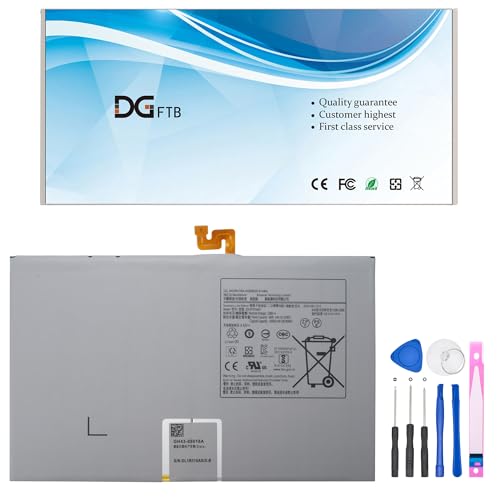
【Replacement Battery Type】Voltage: 3.86V; Capacity:38.95Wh/10090mAh.

Universal Compatibility: Compatible with most PS4 Controller, Android smartphones, Alexa Echo Dot(2nd Generation), Bose SoundLink Color I II, MPS3, Kindle fire tablet and many other devices with a Micro USB Port, compatible with Samsung, Nexus, HTC, Motorola, Nokia, LG, Sony, OnePlus, Blackberry, PS4/PS4 Slim/ PS4 Pro Controller, Kindle Fire 7 Tablet, PS Vita, GPS devices, Bluetooth speakers, wireless keyboards, MP3 players, cameras, camcorders, handheld games consoles, e-readers, printers
Optimal Charging Practices
- Charge between 20% and 80%: Keeping your battery between these percentages helps prolong its lifespan.
- Use the original charger: Using Samsung’s charger and cable ensures efficient and safe charging.
- Avoid overnight charging: Continuous charging while you sleep can lead to heat buildup, damaging the battery over time.
- Enable battery saver mode: Activating this feature reduces background activity, conserving energy.
Maintenance Suggestions
- Keep your device cool: Avoid exposing your phone to high temperatures, which can degrade the battery.
- Close unused apps: Regularly shutting down apps running in the background helps reduce battery drain.
- Update software: Install updates promptly, as they often include optimizations for battery performance.
- Limit location services: Turn off GPS and location services when they aren’t needed to save battery power.
- Remove unnecessary widgets: Eliminate widgets on your home screen to decrease power consumption.
Conclusion
Replacing the battery in your Samsung S7 can breathe new life into your device. Whether you choose to tackle the DIY route or opt for a professional service, you’ll find that a fresh battery can significantly improve your phone’s performance.
Don’t let battery issues hold you back from enjoying your device to the fullest. With the right approach and a little effort, you can enhance your Samsung S7 experience and keep it running smoothly for longer. Remember to also follow the tips for extending battery life to get the most out of your new battery. Happy repairing!
Frequently Asked Questions
What are common battery issues with Samsung S7 devices?
Many Samsung S7 users experience issues such as decreased battery life, overheating, unexpected shutdowns, and charge stalling. These problems often indicate a failing battery, making it essential to address them for improved phone performance.
How can I replace the battery in my Samsung S7?
You can replace the Samsung S7 battery by gathering necessary tools like a heat gun, pry tools, screwdriver set, tweezers, and a compatible replacement battery. Follow a step-by-step guide, ensuring to power off the device and carefully replace the old battery with the new one.
Should I opt for DIY battery replacement or professional service?
DIY replacement costs between $20 to $50 and offers savings but requires time and skill. Professional services range from $75 to $120, providing quicker service and a warranty, making them a better choice for those uncomfortable with repairs.
How can I extend my Samsung S7 battery life?
To extend battery life, charge between 20% and 80%, use the original charger, and avoid overnight charging. Additionally, enable battery saver mode, keep the device cool, close unused apps, and limit location services for better performance.
What are benefits of replacing an aging Samsung S7 battery?
Replacing an aging Samsung S7 battery can improve performance, extend the device’s lifespan, is often more cost-effective than buying a new phone, and reduces environmental impact by minimizing electronic waste. This can lead to a better user experience.
