

Key Takeaways
- Symptoms of Battery Failure: Recognize signs such as rapid battery drain, overheating, or physical damage as indicators that your Samsung A20 battery may need to be replaced.
- DIY Replacement Feasibility: Replacing the Samsung A20 battery is manageable with the right tools and precautions, making it a viable option for DIY enthusiasts.
- Tools Required: Essential tools for replacement include a Phillips-head screwdriver, adhesive strips, plastic pry tools, and a compatible replacement battery.
- Benefits of Replacement: A new battery improves performance, extends usage time, enhances safety, and is a cost-effective alternative to purchasing a new device.
- Professional Services Available: If DIY isn’t preferable, consider professional repair services, which provide expertise and often come with warranties for added reassurance.
- Battery Kits as an Alternative: Battery replacement kits offer a balanced approach, including necessary tools and instructions for those who want a guided DIY experience.
Is your Samsung A20 struggling to hold a charge? You’re not alone. Many users face battery issues as their phones age, leading to frustrating moments when you need your device the most.
If you’ve been wondering whether you can replace the battery yourself, you’re in the right place. This article will walk you through the process, offering practical tips and insights to help you make an informed decision. By the end, you’ll know if a battery replacement is the right move for you and how to tackle it with confidence.
Overview of Samsung A20 Battery
The Samsung A20 features a 4,000 mAh lithium-ion battery, designed to provide ample power for daily usage. This battery supports fast charging, allowing you to recharge up to 15 watts. As time passes, battery performance may decline, leading to shorter usage periods between charges.
Common Battery Issues
- Decreased Charging Capacity: You might notice that your A20 takes longer to charge or doesn’t hold a charge as effectively.
- Overheating: Excess heat during charging can signify that the battery is struggling.
- Battery Swelling: In some cases, you might observe swelling, which poses safety risks.
Replacement Considerations
If your battery is not performing well, you might consider replacing it. Samsung A20 batteries are replaceable, but it’s essential to assess your comfort level with DIY repairs. Alternatively, professional replacement services are widely available and ensure safety.
When to Replace
- Rapid Battery Drain: If your phone discharges quickly, it’s time to think about a replacement.
- Physical Damage: Visible damage or swelling warrants immediate action.
- Software Issues: Occasionally, software glitches can create battery problems. Before replacing, consider performing a factory reset or updating software.
Tools Required for Replacement
For DIY enthusiasts, you’ll need some basic tools:
- Screwdriver Set: A small Phillips-head screwdriver is often necessary.
- Adhesive Strips: Helpful in securing the new battery.
- Plastic Pry Tools: Ideal for opening your phone without damage.
Replacing the Samsung A20 battery is achievable. If you follow precautions and have the right tools, you can restore your phone’s battery life effectively.
Reasons to Replace the Samsung A20 Battery
Replacing your Samsung A20 battery can address several common problems that arise as the device ages. Identifying when to replace the battery can enhance your phone’s performance and overall user experience.
Recommended Products

【Compatible Model】This Battery Model is EB-BA505ABU,Compatible with Samsung Galaxy A505F /A30 SM-A305 /A20 A205FN A202F /A30s SM-A307.Please confirm your phone model and your old battery part number before placing an order.

HIGH CAPACITY --- This replacement battery for Samsung Galaxy A20 A30 A50 is 5000mAh high capacity, with more power than original battery.You can use your phone for a longer time!

✅【4000mAh Factory-Spec Capacity】 Premium 4000mAh Li-Polymer battery matches the original Samsung EB-BA505ABU specifications (3.85V, 15.40Wh). Restores full battery life to your Galaxy A series device. Built-in over-charge, over-discharge, short-circuit, and over-heat protection.
Common Signs of Battery Wear
- Rapid Battery Drain
If your phone discharges quickly—even with minimal use—it’s a clear indication of battery wear.
- Overheating
Excessive heat during charging or usage suggests a potential issue with the battery.
- Physical Damage
Any noticeable swelling or bulging of the battery is a serious sign that replacement is necessary.
- Charging Issues
If your phone struggles to charge or requires frequent charging, that points to a failing battery.
- Software Glitches
Frequent crashes or performance lag can stem from power issues related to a deteriorating battery.
Benefits of a New Battery
- Improved Performance
A new battery restores your device’s efficiency, leading to smoother operation and better multitasking.
- Extended Usage Time
Enjoy more hours of usage on each charge with a fresh battery, reducing the need for constant charging.
- Enhanced Safety
Replacing an old battery minimizes risks associated with overheating and potential battery damage.
- Cost-Effective Solution
Opting for a battery replacement is often more budget-friendly than purchasing a new device.
- Sustainability
Extending the life of your Samsung A20 through a battery replacement helps reduce electronic waste.
How to Replace Samsung A20 Battery
Replacing the battery in your Samsung A20 is a straightforward process if you’re comfortable with DIY repairs. Follow these steps to ensure a successful battery replacement.
Recommended Products
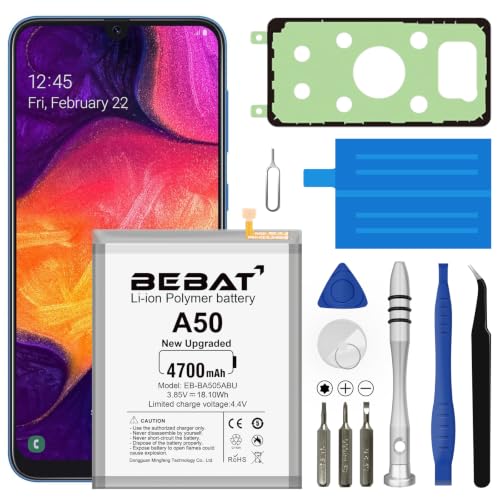
【Compatible Model】:This Battery Model is EB-BA505ABU,Compatible with Samsung Galaxy A505F /A30 SM-A305 /A20 A205FN A202F /A30s SM-A307.Please confirm your phone model and your old battery part number before placing an order.

[PLS CONFIRM DEVICE MODEL] --- The repair kit contains the instruction to guide you step by step installation, and we have professional engineers to answer all your questions about the repair process. Please verify your old battery part number and model before purchasing this replacement battery. Part Number: EB-BA505ABU /EB-BA505ABN, Compatible with Samsung Galaxy A50 SM-A505, Galaxy A20 SM-A205, Galaxy A30 SM-A305, Galaxy A30s SM-A307. ★NOT FOR Samsung Galaxy A20e★
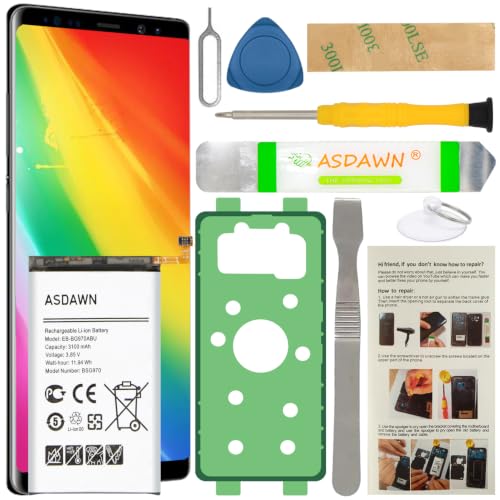
[FOR COMPATIBLE MODEL] -- Contains the instruction to guide you step by step installation, and we have professional engineers to answer all your questions about the repair process. Please verify your old battery part number and model before purchasing this replacement battery. Compatible with Samsung Galaxy S10e SM-G970, EB-BG970ABU, SM-G970F/DS, SM-G970U, SM-G970W ★NOT FOR Samsung Galaxy S10/ S10 Plus/ Note 10/ Note 10 Plus★
Tools Needed for Replacement
Gather these essential tools before starting:
- Small Phillips head screwdriver: For removing the screws.
- Plastic opening tool: To safely pry open the device.
- Tweezers: Helpful for handling small components.
- Suction cup tool: Assists in lifting the screen if necessary.
- Replacement battery: Ensure it’s compatible with your Samsung A20.
Step-by-Step Replacement Guide
- Power Off Your Device: Ensure your Samsung A20 is completely turned off to prevent any electrical issues.
- Remove the Back Cover:
- Use the suction cup tool to gently lift the back cover.
- Insert the plastic opening tool around the edges to help detach the cover carefully.
- Unscrew the Battery Connector:
- Locate the battery connector, typically held in place by a few screws.
- Use the Phillips head screwdriver to remove these screws.
- Disconnect the Battery:
- Gently lift the battery connector using tweezers.
- Be cautious to avoid damaging other components.
- Remove the Old Battery:
- Carefully lift the old battery from its compartment.
- If it’s difficult to remove, use the plastic opening tool to assist in lifting it out.
- Insert the New Battery:
- Place the new battery into the compartment, ensuring it fits snugly.
- Reconnect the Battery Connector:
- Align the battery connector and press it down until you hear a click.
- Secure the Screws:
- Replace and tighten the screws you removed earlier to secure the battery connector.
- Reattach the Back Cover:
- Align the back cover with the device and press it down firmly until it clicks into place.
- Power On Your Device:
- Turn on your Samsung A20 and check if the new battery is functioning properly.
By following these steps, you can successfully replace your Samsung A20 battery and restore your device’s performance.
Alternatives to DIY Replacement
If DIY replacement isn’t the right choice for you, several alternatives exist that ensure your Samsung A20 battery gets replaced safely and effectively.
Recommended Products

[PLS CONFIRM DEVICE MODEL]-- The repair kit contains the instruction to guide you step by step installation, and we have professional engineers to answer all your questions about the repair process. Please verify your old battery part number and model before purchasing this replacement battery. Compatible with Samsung Galaxy S23 Ultra SM-S918, S918V, S918A, S918T, S918P, S918R4, S918U, S918U1, EB-BS918ABY. ★NOT FOR Samsung Galaxy S23, S23+, S23 FE★

[PLS CONFIRM DEVICE MODEL] --- The repair kit contains the instruction to guide you step by step installation, and we have professional engineers to answer all your questions about the repair process. Please verify your old battery part number and model before purchasing this replacement battery. Compatible with Samsung Galaxy S22 SM-S901, S901V, S901A, S901T, S901P, S901R4, S901U, S901U1, EB-BS901ABY. ★NOT FOR Samsung Galaxy S22+, S22 FE, S22 Ultra★

Compatibility: Our battery replacement kit is exclusively compatible with Samsung Galaxy A50 A50S A30 A30S A20 M10S M107 (Model: A505U A505F A505W A505G A507F A507FN A305F A305FN A305G A305GT A307FN A307G A307GN A307GT A205U A205F A205G A205GN A205W A205YN). It is NOT compatible with other phone models. To avoid incorrect purchase, please verify your device's exact model number. You can find it by going to: Settings > About Phone > Model name.
Professional Repair Services
Choosing professional repair services provides convenience and expertise. Many authorized Samsung service centers and reputable third-party repair shops offer battery replacement for the Samsung A20. Technicians know how to handle the device properly, minimizing the risk of damage. These services typically come with a warranty, which adds peace of mind. Some common examples of professional repair services include local electronic repair shops or dedicated smartphone repair franchises.
Battery Replacement Kits
Opting for a battery replacement kit offers a middle ground between DIY and professional services. These kits usually include a new battery, necessary tools, and step-by-step instructions. When using a quality kit, you gain the benefit of instructions designed for your specific device. Reliable sources for kits include online retailers like Amazon or specialized electronic parts websites. Always make sure the kit is compatible with the Samsung A20 to ensure a smooth replacement process.
Conclusion
Replacing your Samsung A20 battery can breathe new life into your device. If you’re facing issues like rapid battery drain or overheating it’s worth considering a replacement. Whether you choose to tackle the DIY route or seek professional help you’ve got options that fit your comfort level.
A new battery not only enhances performance but also ensures your device runs safely and efficiently. With the right tools and guidance you can confidently make this upgrade. Remember that keeping your phone in top shape is all about making informed choices. Your Samsung A20 deserves it!
Frequently Asked Questions
What are common battery problems with the Samsung A20?
Common issues include decreased charging capacity, rapid battery drain, overheating, and physical damage like swelling. These signs indicate it might be time for a battery replacement.
How can I tell if my Samsung A20 battery needs replacement?
Look for signs like rapid battery drain, overheating during use, physical swelling of the battery, or charging issues. If these persist, consider replacing the battery.
Is it possible to replace the Samsung A20 battery myself?
Yes, you can replace it yourself if you have the right tools and confidence in DIY repairs. Follow a detailed guide to ensure you complete the process correctly.
What tools do I need to replace the Samsung A20 battery?
You’ll need a Phillips screwdriver, plastic opening tools, tweezers, a suction cup, and a replacement battery. These will help you safely disassemble and reassemble your device.
When should I seek professional help for battery replacement?
Consider hiring a professional if you’re uncomfortable with DIY repairs, especially if your device has significant physical damage or if you want a warranty for the repair.
