

Ever wondered if you can replace your HP laptop battery on your own? Picture this: you’re working on an important project when suddenly your laptop battery gives up on you. Frustrating, right? But what if you could easily swap it out yourself and get back to work without missing a beat? That’s where this article comes in handy.
In this quick read, you’ll discover the simple steps to replace your HP laptop battery hassle-free. No need to wait for a technician or deal with the inconvenience of a dying battery. By the end of this article, you’ll be equipped with the knowledge and confidence to tackle this task like a pro. Say goodbye to interruptions and hello to a smoothly running laptop – all thanks to a little DIY battery replacement know-how.
Understanding HP Laptop Batteries
When it comes to HP laptop batteries, it’s essential to understand a few key points:
- Compatibility: Make sure to purchase a battery that is compatible with your specific HP laptop model.
- Battery Life: Over time, batteries degrade and may need replacement after 300-500 charge cycles.
- Capacity: Look for batteries with a capacity listed in milliampere-hours (mAh) to determine how long they can power your laptop.
- Type: Most HP laptop batteries are Lithium-ion (Li-ion), known for their high energy density and slow loss of charge when not in use.
If you’re unsure about your HP laptop battery’s condition, there are tools available for checking its health and capacity.
Checking Compatibility for Replacement
When considering replacing your HP laptop battery, compatibility is key. Not all batteries are one-size-fits-all. Here’s how to ensure a smooth replacement process:
- Check Your Laptop Model: Verify that the replacement battery is compatible with your specific HP laptop model.
- Match Specifications: Ensure the new battery matches the voltage and milliampere-hour (mAh) of the original battery.
- Review Connector Type: Confirm that the connector on the replacement battery aligns with your laptop’s connector.
By following these steps, you’ll be well-equipped to find the perfect match for your HP laptop.
Tools Required for Battery Replacement
When replacing your HP laptop battery, it’s essential to have the right tools at hand to ensure a smooth process. Here are the tools you’ll need:
- Replacement Battery: Make sure you have the correct replacement battery that is compatible with your HP laptop model.
- Screwdriver Set: A precision screwdriver set is handy for opening the laptop casing and removing the old battery.
- Anti-static Wrist Strap: To prevent any damage from static electricity, consider using an anti-static wrist strap.
- Cleaning Cloth: It’s a good idea to have a clean microfiber cloth on hand to wipe down any dust or debris.
- User Manual: Keep your laptop’s user manual nearby for reference, especially if it provides specific instructions for battery replacement.
- Battery Charger: If needed, have a battery charger ready to ensure your new battery is fully charged before installation.
- Work Surface: Set up a clean and well-lit work area to comfortably work on your laptop without any distractions.
Having these tools readily available will make the battery replacement process much more straightforward and efficient. Remember to follow safety precautions and take your time to ensure everything is done correctly.
| Statistics | Data |
|---|---|
| Approximate Time: | 30-60 minutes |
Recommended Products

Package Contents and Policies: HT03XL Battery, 2 Screwdrivers, User Manual for L11119-855 battery. For assistance with the HTO3XL Hp Laptop Battery or the hp ht03xl rechargeable li-ion battery, please visit our product detail page. Note: Both HT03XL and HW03XL are compatible with HP Pavilion 15 17 Series. But HT03XL Battery is not compatible with HW03XL
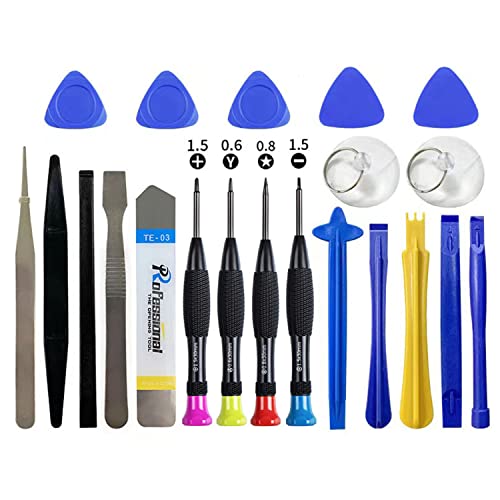
Widely Used: This 21 Pieces Repair KIt suitable for iPhone 14 13 12 11Pro Max/XS/XR/X/8 Plus/7 Plus/6S 6 Plus, and Opening Pry Tool is suitable for opening smartphone, tablet, laptop screens and more.

Voltage: 14.8V Cells: 4-cell Grade A cells ensure fast charges and low power consumption; Built-in circuit protection ensures both safety and stability.
Step-by-Step Guide to Replacing Your HP Laptop Battery
So, you’ve got all your tools ready. Let’s dive into replacing your HP laptop battery:
- Step 1: Turn off your laptop and disconnect the power cable.
- Step 2: Close the laptop and flip it over on a flat, clean surface.
- Step 3: Check for the battery release latch and slide it to unlock the battery.
- Step 4: Gently lift out the old battery and set it aside.
- Step 5: Take your new battery and align it with the battery slot.
- Step 6: Slide the new battery in until it locks into place.
- Step 7: Slide the battery release latch to secure the new battery.
- Step 8: Flip over your laptop, open it, and connect the power cable.
- Step 9: Turn on your laptop and verify that the new battery is detected.
Recommended Products
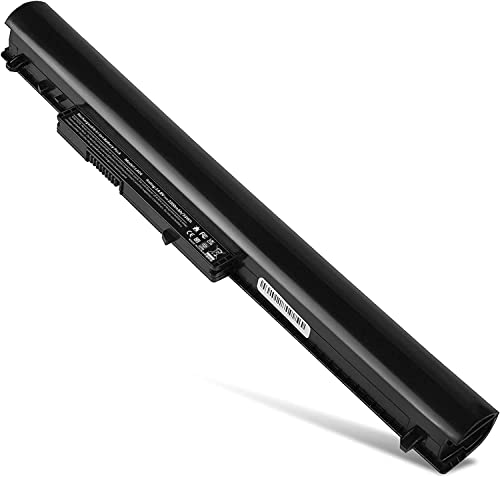
Battery Type: Li- ion; Voltage: 33wH/2200MAH/14.4V (Compatible with 14.4V) Compatible List: 4 Cell Spare Battery for HP Pavilion 14 15 Notebook TouchSmart PC series We only use grade A battery cells that provide up to 500 charging cycles.

Battery Model: HT03XL HTO3XL,Battery Type:Polymer. Voltage: 11.55V Capacity: 41.9WH ; Cells: 3-cell; Color: Black, Packages includes: 1x HT03XL battery , with two auxiliary installation tool and user manual;ht03xl for l11119-855 hp battery,for hp spare l11119-855 battery,for hp pavilion 15 battery replacement

Specifications: Model Name: JC03 Rechargeable Battery, Voltage: 10.95V Capacity: 31Wh/2600mAh ; Cells: 3-cell; Color: Black,Weight: About 8OZ; Size: Length:10.75in Width:1.5in Height:0.85in Condition:New, Battery life: More than 1000 cycles, Packages includes: 1x hp replacement battery 919700-850 ,1x Instruction for Laptop Battery
Tips for Extending the Lifespan of Your New Battery
To make sure your newly replaced HP laptop battery lasts for the long haul, here are some important tips you should keep in mind:
- Avoid Overcharging: Once your battery reaches 100%, unplug it to prevent overcharging and unnecessary strain on the battery.
- Optimize Power Settings: Adjust your laptop’s power settings to optimize battery usage. Lower brightness settings and use power-saving modes when possible.
- Keep Your Laptop Cool: High temperatures can degrade your battery faster. Ensure proper ventilation and avoid using your laptop on soft surfaces that can block airflow.
- Regularly Update Software: Keeping your laptop’s operating system and drivers up to date can help optimize battery performance and efficiency.
- Proper Storage: If you need to store your laptop for a while, make sure to store it with a 50% charge in a cool, dry place.
- Occasional Full Discharge: Occasionally fully discharge your battery before recharging it to calibrate its power settings.
| Fact | Data |
|---|---|
| Charge Cycles | 500+ |
| Optimal Temperature | 50-95°F |
| Storage Charge | 50% |
Conclusion
By following the step-by-step guide and implementing the suggested tips for prolonging your HP laptop battery’s lifespan, you can ensure optimal performance and longevity. Remember to avoid overcharging, optimize power settings, maintain a cool laptop, update software regularly, store the battery correctly, and occasionally fully discharge it. Understanding the number of charge cycles, optimal temperature range, and recommended storage charge will help you get the most out of your new battery. Taking care of your HP laptop battery will not only benefit your device’s performance but also save you money in the long run.
Frequently Asked Questions
How do I replace the battery on an HP laptop?
To replace the battery on an HP laptop, first, power off the laptop and disconnect it from any power source. Flip the laptop over, locate the battery release latch, slide or press it to release the old battery. Then, insert the new battery into the slot and ensure it clicks into place securely before powering on the laptop.
How can I extend the lifespan of my new HP laptop battery?
To extend the lifespan of your new HP laptop battery, avoid overcharging, optimize power settings for efficiency, keep the laptop cool to prevent overheating, regularly update software for battery management, store the battery properly when not in use, and occasionally fully discharge the battery to recalibrate it.
How many charge cycles does an HP laptop battery typically last?
An HP laptop battery typically lasts for around 300 to 500 charge cycles before its capacity starts to diminish significantly. It’s important to follow best practices for battery maintenance to maximize the number of effective charge cycles the battery can provide.
What is the optimal temperature range for HP laptop battery?
The optimal temperature range to maintain the health and performance of an HP laptop battery is between 50°F to 95°F (10°C to 35°C). Avoid exposing the battery to extreme temperatures, as it can damage the cells and reduce the overall lifespan of the battery.
What is the recommended storage charge for an HP laptop battery?
The recommended storage charge for an HP laptop battery is around 50% capacity. If you plan to store the battery for an extended period, ensure it is at approximately 50% charge level and store it in a cool, dry place. Avoid storing the battery fully charged or completely discharged for prolonged periods.
