

Have you ever wondered if your solar-powered calculator can actually run out of battery? You might think it’s always ready to go, soaking up sunlight like a little energy sponge. But what happens when you’re stuck in a dimly lit room or it’s a cloudy day?
Understanding how these calculators work can save you from unexpected frustrations. In this article, you’ll learn about the limitations of solar power in calculators and how to keep yours functioning optimally. Whether you rely on it for school, work, or just everyday tasks, knowing the ins and outs can make a big difference.
Key Takeaways
- Solar Dependency: Solar-powered calculators require adequate light exposure to function optimally; they may run out of battery in dim or cloudy conditions.
- Internal Backup Battery: Most solar calculators come with a backup battery, which supports functionality in low light but has limited capacity and can deplete over time.
- Common Misconceptions: Many users mistakenly believe that solar calculators are always charged. In reality, prolonged use without sufficient light can lead to battery drainage.
- Optimal Usage Tips: Regular use in bright light, checking the backup battery, and maintaining proper placement can enhance the calculator’s performance and lifespan.
- Light Requirements: Solar cells perform best under direct sunlight, and artificial lighting may not provide sufficient energy for effective operation.
- Maintenance Practices: Keep the calculator clean, check the backup battery regularly, and store it properly to ensure reliable functionality and longevity.
Overview of Solar Powered Calculators
Solar-powered calculators operate using solar cells that convert light into energy. These cells generate electricity when exposed to direct sunlight or strong artificial light. While this feature provides convenience, it doesn’t guarantee unlimited use.
Recommended Products

ULTRA-COMPACT DESIGN- Measuring just 4" x 2.25" x 0.3" and weighing in at only 1.23 oz, the HS-8VA is one of our smallest calculators, perfect for pockets, bags, desks and math on-the-go.
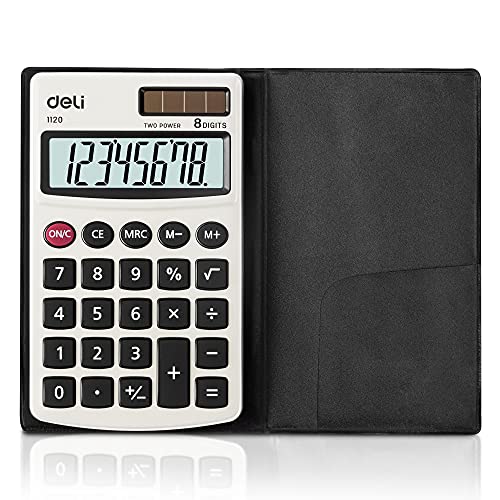
Pocket calculator, mini size is suitable for you bussiness travel use
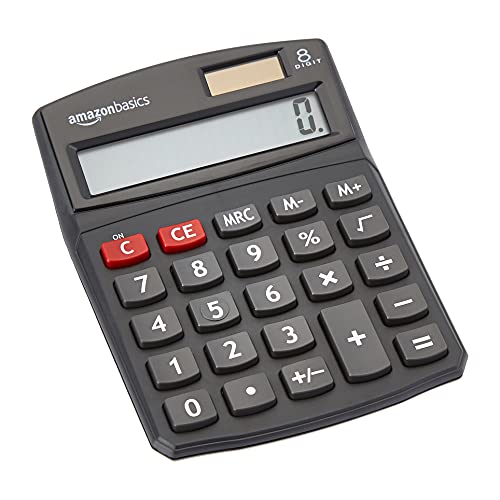
8-digit LCD provides sharp, brightly lit output for effortless viewing
Functionality Under Different Light Conditions
- Bright Light: Solar calculators perform optimally when placed in bright light. Sunlight or strong indoor lighting provides the energy required for continuous operation.
- Low Light: In dim or cloudy conditions, solar-powered calculators struggle. Performance dips, which can lead to the calculator shutting down if light levels are too low.
- Backup Battery: Many solar calculators include a backup battery, allowing for limited functionality when the solar cells can’t generate enough power.
Common Misconceptions
- Always Charged: Many people think solar calculators are always charged. This isn’t true. If unused for an extended period in low light, the backup battery can deplete.
- Independence from Power Sources: Solar-powered calculators need adequate light. Relying solely on them without proper lighting can lead to unexpected interruptions.
Tips for Optimal Performance
- Positioning: Place your calculator in well-lit areas for the best results, especially during tasks that require longer usage.
- Regular Use: Use your calculator regularly in bright light to keep the battery charged and functional.
- Backup Batteries: Check and replace backup batteries as needed. This ensures that you still have power when light conditions are poor.
Conclusion
Understanding how solar-powered calculators function under varying light conditions can improve your user experience. By following the tips provided, you can maximize their efficiency and reduce the likelihood of running into battery issues.
How Solar Powered Calculators Work
Solar-powered calculators utilize solar cells to convert light into electrical energy, enabling their operation. Understanding their components enhances your user experience.
The Role of Solar Cells
Solar cells, found on the calculator’s surface, capture sunlight and transform it into energy. These cells work best in bright lighting and generate sufficient power to operate the calculator’s functions. When sunlight is insufficient, such as on cloudy days or in dimly lit spaces, their efficiency decreases significantly. Therefore, bright, direct light is crucial for optimal performance.
Internal Battery Functionality
Many solar-powered calculators come with a small internal battery to back up solar energy. This battery provides power when light conditions are poor, ensuring the calculator remains functional. However, the battery has limited capacity and may drain if overused. Regularly checking and replacing the internal battery helps maintain reliable performance, especially for prolonged usage in low-light environments.
Understanding these components contributes to better management of your solar-powered calculator. By ensuring adequate light and keeping the internal battery in check, you enhance the calculator’s reliability in various conditions.
Factors Affecting Battery Life
Understanding the factors that influence the battery life of your solar-powered calculator enhances its efficiency and reliability. Here are the main elements to consider:
Recommended Products

ML 2032 rechargeable lithium battery by Rome Tech is compatible with Logitech K750 battery replacement, Garmin Forerunner 10 Watch, and calculators. Please verify your device model before purchase. Note: ML2032 battery: for devices that do not require continuous current

[LARGE DISPLAY] - The huge LCD screen that clearly displays big numbers makes it easy to read from afar, and it’s aesthetically pleasing.

✓DESCRIPTION - The dual power pocket size calculator is great for back to school. The LCD 8-digit display is easy on the eyes. The calculator has an ergonomic shape with easy-grip contours that fit comfortably in your hands. It can shut down automatically for a pleasant experience.
Exposure to Light
Exposure to light significantly impacts the performance of solar-powered calculators. Solar cells function best under bright, direct sunlight. If your calculator sits in dim or shaded areas, it struggles to generate the necessary power. For instance, using a calculator indoors without sufficient lighting decreases its operational time. Maximizing exposure involves:
- Positioning the Calculator: Place it near windows or in well-lit spaces to ensure optimal light absorption.
- Avoiding Shadows: Keep objects that block light away from the calculator.
Usage Frequency
Usage frequency also affects battery life. The more you use your solar-powered calculator, the more it relies on both solar energy and backup batteries. For example, daily use in bright areas helps maintain its battery levels. You can optimize battery health by:
- Using Regularly: Frequent use prevents backup batteries from losing charge.
- Monitoring Usage Time: Limit continuous use during times of low light to avoid draining the internal battery.
By paying attention to these factors, you can maximize the battery life of your solar-powered calculator and ensure it works efficiently whenever you need it.
Can a Solar Powered Calculator Run Out of Battery?
Yes, a solar-powered calculator can run out of battery, primarily due to low-light conditions or overuse of its backup battery. While these calculators harness sunlight for energy, their performance drops significantly in dim environments.
Real-World Scenarios
Consider a student using a solar-powered calculator during classes held in poorly lit rooms. In such cases, the solar cells struggle to gather enough light, leading to a rapid decline in functionality. If you frequently use your calculator in shaded areas or at night, expect it to deplete its internal battery quickly.
Another scenario involves professionals who rely on these devices for tasks outside during cloudy weather. Although the solar cells continue to absorb light, the reduced intensity has a direct impact on efficiency. Always check for adequate lighting to maintain consistent operation.
Myths and Misconceptions
A common misconception is that solar-powered calculators never run out of battery because they use sunlight. This isn’t true. While sunlight provides energy, insufficient exposure leads to battery drainage. Also, some users mistakenly believe the backup battery works like a standard battery. In fact, the backup battery provides limited power and needs recharging through solar energy.
Many people think that placing the calculator under artificial light will suffice. However, common light bulbs don’t produce the same intensity of light as direct sunlight, thus not effectively charging the battery. Keeping these facts in mind can help you avoid interruptions during use and ensure your calculator remains fully functional.
Maintenance Tips for Longevity
To keep your solar-powered calculator running smoothly, follow these practical maintenance tips:
Recommended Products

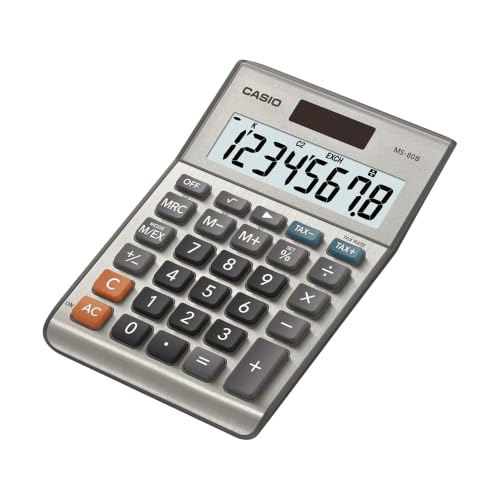
LARGE EIGHT-DIGIT DISPLAY – Clear and easy-to-read 8-digit display, perfect for everyday calculations and ensuring accurate results in home or office settings.

Dual power ways: Solar power or 1 AA battery (Battery Included) , energy saving and convenient.
Positioning in Bright Light
- Place your calculator in well-lit areas, especially near windows where natural sunlight is abundant.
- Avoid shaded spots, as these can limit the solar cells’ ability to charge effectively.
Regular Usage
- Use the calculator frequently to maintain battery levels. Regular activity encourages the solar cells to generate optimal power.
- Monitor your usage time, especially in low-light environments, to prevent over-reliance on the internal battery.
Cleaning the Surface
- Gently clean the solar panel with a soft cloth to remove dust and smudges. Clear surfaces enhance light absorption.
- Avoid abrasive materials that could scratch the solar cells, diminishing their effectiveness.
Checking the Backup Battery
- Periodically check the condition of the backup battery if your calculator has one. Understanding its lifespan helps prevent unexpected shutdowns.
- Replace the backup battery as needed, following manufacturer guidelines to ensure continued operation during low-light situations.
- Store your calculator out of direct sunlight when not in use to prevent overheating. Extreme temperatures can damage internal components.
- Use a protective case to shield it from physical damage, ensuring both the solar panel and internal battery stay intact.
These maintenance tips will enhance your solar-powered calculator’s efficiency and lifespan. By implementing these practices, you can avoid potential battery issues and ensure reliable functionality whenever you need it.
Conclusion
Solar-powered calculators are handy tools that rely on sunlight to function properly. While they’re great for reducing battery waste, they can indeed run out of power if you don’t use them in bright light.
To keep yours running smoothly, make sure it gets plenty of sunlight and check that backup battery regularly. By following simple maintenance tips and being mindful of your usage, you can enjoy uninterrupted calculations.
So next time you grab your calculator, remember to find a sunny spot and keep it in tip-top shape. Happy calculating!
Frequently Asked Questions
How do solar-powered calculators work?
Solar-powered calculators use solar cells to convert light into energy. When exposed to bright light, these cells generate sufficient power for the calculator to function. However, in low-light or cloudy conditions, their performance may decline, which can lead to operational issues.
Can solar-powered calculators charge in low light?
No, solar-powered calculators struggle to charge in low light. They are designed to operate optimally in bright, direct sunlight. In dim conditions, they may rely on a backup battery, but this is limited and can drain quickly.
Do solar-powered calculators have batteries?
Yes, many solar-powered calculators come with a backup battery. This battery allows for some functionality when solar power is inadequate. However, it has a limited capacity and can drain if the calculator is used extensively in low light.
What can impact the battery life of a solar-powered calculator?
Battery life is affected by light exposure and usage frequency. Using the calculator in bright, direct sunlight optimizes performance, while low-light conditions can quickly drain the backup battery. Regular use also helps maintain battery levels.
Can solar-powered calculators run out of battery?
Yes, solar-powered calculators can run out of battery, especially if used in low light or if the backup battery is overused. Insufficient light exposure, such as in poorly lit rooms or during cloudy weather, can lead to rapid functionality decline.
How can I maintain my solar-powered calculator?
To maintain your solar-powered calculator, keep it in well-lit areas, avoid shadows, and use it regularly. Additionally, clean the solar panel with a soft cloth and periodically check the backup battery’s condition to ensure reliable functionality.
Are artificial lights sufficient for charging solar-powered calculators?
No, artificial lights are generally not sufficient for charging solar-powered calculators. They require direct sunlight for optimal performance, as indoor lighting typically does not produce enough energy to power the device effectively.
