

Ever wondered how to safely ship a laptop with a lithium battery? Imagine this: you’re excited to send your laptop to a friend or a buyer, but you’re unsure about the shipping process. Don’t worry, we’ve got you covered! In this article, we’ll guide you through the steps to ship your laptop with a lithium battery securely and hassle-free.
Have you ever faced the dilemma of whether you can even ship a laptop with a lithium battery? It’s a common concern for many, but fret not – understanding the guidelines and precautions can make this process a breeze. By following our expert advice, you’ll not only learn how to ship your laptop safely but also ensure it reaches its destination intact.
By the end of this article, you’ll have the confidence and know-how to ship your laptop with a lithium battery without any worries. Stay tuned as we unravel the secrets to successful laptop shipping, making the entire experience smooth and stress-free for you.
Understanding Lithium Battery Shipping Regulations
When shipping laptops with lithium batteries, it’s crucial to understand regulations to ensure a smooth process. Here are some key points to keep in mind:
- FAA Guidelines: The Federal Aviation Administration (FAA) regulates air travel of devices with lithium batteries. Follow their guidelines to comply with safety standards.
- Packaging Requirements: Proper packaging is essential. Use manufacturer-approved packaging to prevent damage or accidents during transit.
- Labeling: It’s important to label packages correctly. Include battery handling labels and ensure they are visible.
- Quantity Limits: There are limits on the number of batteries you can ship. Be aware of these restrictions to avoid any issues.
By familiarizing yourself with these regulations, you’ll be better equipped to ship your laptop safely and legally.
Packing Your Laptop Securely for Shipment
When packing your laptop with a lithium battery for shipment, it’s crucial to follow proper packaging guidelines to prevent any damage during transit. Here are some essential steps to ensure your laptop arrives safely at its destination:
- Turn off your laptop and unplug any cables to prevent any potential accidents during handling.
- Place your laptop in a sturdy, padded case to protect it from impact and vibrations.
- Avoid stacking heavy items on top of the package to prevent damage to the laptop.
- Include any necessary accessories like chargers or mouse in the package.
By following these simple steps, you can ensure that your laptop is well-protected during shipment.
Recommended Products

【Computer Shipping Box】:Will Fits Most Laptop / Motherboard Sizes : Max - 15.15'' X 10'' X 1.38'' Or 38.5X25.4X3.5Cm (L*W*H)

[Professional Protection] Designed specifically for 27-inch iMacs, this monitor carrying case features a soft velvet lining and thick sponge padding that shields your screen from scratches, bumps, and travel wear. A secure interior strap keeps your desktop snugly in place

Fits a laptop with dimension up to 14” W x 10” D x 0.5” H without available space for cords or adapter. Box external dimension is 16.75" W x 12.5" D x 2.5" H
Choosing the Right Shipping Method
When it comes to shipping a laptop with a lithium battery, selecting the appropriate shipping method is crucial for a smooth delivery. Here’s how you can make the right choice:
- Consider Regulations: Different shipping methods may have specific requirements or restrictions for transporting devices with lithium batteries. Ensure that the method you choose complies with all safety regulations.
- Evaluate Speed and Cost: Assess your priorities between speed and cost. Expedited services may offer quicker delivery but at a higher price, while standard shipping might be more economical but may take longer.
- Insure Your Package: Regardless of the shipping method you choose, consider insuring your package for added protection in case of loss or damage during transit.
- Track Your Shipment: Opt for a shipping method that provides tracking information so you can monitor the progress of your package and ensure its safe arrival.
- Choose a Reputable Carrier: Select a well-established carrier with a reliable track record for handling electronic devices safely and efficiently.
- Packaging Requirements: Verify the carrier’s packaging requirements to guarantee that your laptop with a lithium battery is securely and properly packaged for transit.
- Climate Considerations: If shipping internationally or to locations with extreme temperatures, choose a method that offers climate-controlled options to safeguard the lithium battery.
Embracing these considerations will help you select the most fitting shipping method for your laptop with a lithium battery, ensuring its secure journey to its destination.
Recommended Products

Product Dimensions - The laptop shipping box measures 17"L * 12"W * 4"H. The bottom foam measures 15"L * 10.2"W * 1.2"H and the top foam measures 7.9"L * 7.9"W * 1.6"H. Suitable for laptops up to 17 inches. inch laptops. Please make sure the maximum size fits your laptop before purchasing.
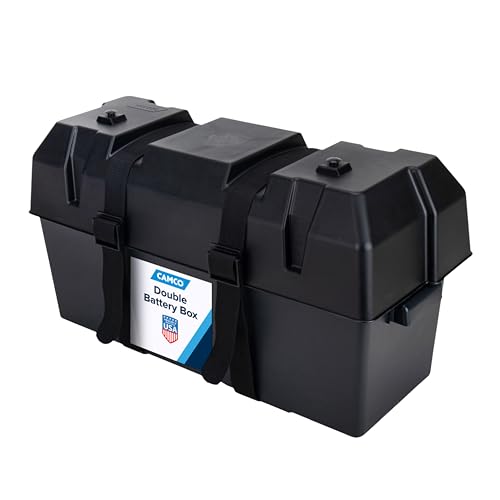
Box Holds: (2) 6V Group GC2 batteries or (2) 12V Group 24/24M batteries

Product Dimensions - The laptop shipping box measures 17"L * 12"W * 4"H. The bottom foam measures 15"L * 10.2"W * 1.2"H and the top foam measures 7.9"L * 7.9"W * 1.6"H. Suitable for laptops up to 17 inch laptops. And it also includes an anti-static ESD bag and IATA-compliant UN3481 lithium battery label. A ready-to-ship solution that meets courier and air travel safety standards for laptops and electronics. Note: Please make sure the maximum size fits your laptop before purchasing (max body: 15.35"x10.62")
Declaring and Labeling for Safe Transport
When shipping a laptop with a lithium battery, declaring and labeling are crucial steps to ensure safe transport. Here are some key points to consider:
- Declaration: You must declare that the package contains a lithium battery. This is mandatory for compliance with regulations.
- Documentation: Prepare all necessary paperwork, including shipping labels and customs forms, accurately indicating the presence of a lithium battery.
- Labeling Requirements: Properly label the package with handling labels that indicate the presence of a lithium battery and provide handling instructions.
- Safety Precautions: Follow specific guidelines from the carrier regarding packaging and labeling to prevent any potential hazards during transit.
- Carrier Regulations: Different carriers may have specific labeling requirements for lithium batteries, so ensure you are aware of and comply with these guidelines.
Remember, accurate declaration and labeling are essential for the safe shipment of a laptop with a lithium battery.
Tips for a Smooth Laptop Shipping Experience
When shipping a laptop with a lithium battery, there are key steps you can take to ensure a hassle-free experience:
- Choose the Right Packaging: Select a sturdy box that fits your laptop snugly to prevent any movement during transit.
- Labeling Requirements: Ensure the package is clearly labeled with all necessary information, including the presence of a lithium battery.
- Documentation Accuracy: Double-check all documents to make sure they accurately declare the battery and comply with shipping regulations.
- Carrier-Specific Guidelines: Familiarize yourself with the specific regulations of the carrier you’re using to avoid any delays or issues.
- Safety Precautions: Implement safety measures like turning off the laptop and protecting the battery terminals to prevent accidents.
By following these tips, you can streamline the shipping process and ensure your laptop with a lithium battery reaches its destination safely and securely.
Conclusion
You’ve learned the essential steps for shipping a laptop with a lithium battery safely. By declaring and labeling the package correctly, following carrier regulations, and implementing necessary safety precautions, you can ensure a smooth and secure transit process. Remember to choose appropriate packaging, double-check all documentation, and adhere to carrier-specific guidelines. These practices not only protect your laptop but also contribute to the overall safety of the shipping process. With these tips in mind, you can confidently send your laptop with a lithium battery, knowing that you’ve taken the necessary precautions for a successful delivery.
Frequently Asked Questions
Q: Why is declaring and labeling important when shipping a laptop with a lithium battery?
A: Declaring and labeling ensure safe transport by complying with regulations and informing carriers about the battery’s presence to prevent mishaps.
Q: What should be included in the package when shipping a laptop with a lithium battery?
A: Accurate documentation, proper labeling indicating the lithium battery, and following carrier-specific regulations are essential.
Q: What are the additional tips for shipping laptops with lithium batteries?
A: Choose appropriate packaging, ensure accurate labeling, double-check documentation, follow carrier guidelines, and implement safety precautions.
Q: How do these steps help in secure delivery while shipping laptops with lithium batteries?
A: These steps streamline the shipping process, ensure compliance, and prevent hazards during transit for the safe and secure delivery of laptops.
