

Ever found yourself locked out of your Jeep because the key fob battery decided to call it quits at the most inconvenient time? Frustrating, right? Well, worry no more! In this article, you’ll discover the simple steps to change your Jeep key fob battery like a pro.
Imagine being able to avoid those panic-inducing moments when your key fob starts acting up. With just a few minutes of your time and a new battery, you’ll be back in control of your Jeep’s access in no time. No more unexpected surprises or last-minute locksmith calls.
Step 1: Gather the Necessary Tools
To start changing the Jeep key fob battery, you’ll need a few basic tools that are commonly found in households. Make sure to gather the following items before diving into the process:
- New battery for the key fob (check your Jeep model for the specific type needed).
- Small flat-head screwdriver or prying tool.
- Tweezers or small pliers.
- Clean cloth or paper towel.
Once you have these tools ready, you’re all set to proceed with replacing the key fob battery.
Recommended Products

Key Batteries Replacement: Premium Batteries by SHI (Smarter Home Ideas) are compatible with most Jeep, Dodge, Ram, Chrysler, Fiat, Mopar, and Stellantis key fob remotes and fobiks.

**To confirm compatibility please use the picture guide located in the product images**

Please check product image to confirm compatibility.(Opening/Pry Tool + Installation video included)
Step 2: Locate the Battery Compartment on Your Jeep Key Fob
When it’s time to replace your Jeep key fob battery, the next step is finding the battery compartment on your key fob. Here’s how you can easily locate it:
- Search for a Small Notch: Look for a small indentation along the edge of your key fob. This notch is your entry point to the battery compartment.
- Use a Tool: Once you’ve found the notch, grab your small flat-head screwdriver or prying tool. Gently insert the tool into the notch and carefully twist or pry open the key fob.
- Be Gentle: To prevent any damage, apply gentle pressure while opening the key fob. Avoid using excessive force to avoid breaking the casing.
- Inspect the Inside: Once the key fob is open, take a moment to inspect the inside. You should now see the battery compartment where the old battery is housed.
- Note the Battery Position: Pay attention to how the old battery is placed. Take a mental note or a quick picture to ensure you insert the new battery correctly.
- Mindful Handling: If the old battery is loose, use tweezers or small pliers to carefully remove it. Be cautious not to damage the surrounding components.
With the battery compartment located, you’re one step closer to successfully replacing your Jeep key fob battery.
Step 3: Remove the Old Battery
When it’s time to remove the old battery from your Jeep key fob, you need to handle it with care to avoid any mishaps. Follow these steps to ensure a smooth battery replacement process:
- Look for the old battery inside the compartment.
- Gently take out the old battery, ensuring not to damage the key fob casing.
- Dispose of the old battery properly according to local regulations.
- Keep the key fob open and ready for the next crucial step.
Step 4: Insert the New Battery
Now it’s time to insert the new battery into your Jeep key fob. Here’s how you can do it correctly:
- Check the battery type: Ensure you have the correct battery model for your key fob.
- Insert the battery: Place the new battery in the designated slot with the positive side facing up.
- Gently press: Carefully push the battery down until it’s firmly in place.
- Test the key fob: Check if the buttons are working properly with the new battery.
Remember, replacing the battery yourself can save you time and money, and it’s a simple task that anyone can do with the right guidance.
By following these steps, you can successfully replace the battery in your Jeep key fob and restore its functionality.
Recommended Products

COMPATIBLE WITH AIRTAG & KEY FOBS: Works with Apple AirTag, all major car key fobs (Toyota, Honda, BMW, Ford, Chevrolet, Lexus), fitness trackers, glucose monitors, tire pressure sensors, and any CR2032 / 3V lithium coin battery device.
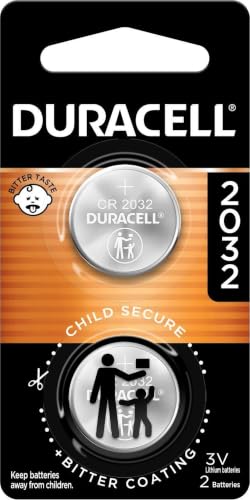
COMPATIBLE WITH AIRTAG & KEY FOBS: Works with Apple AirTag, all major car key fobs (Toyota, Honda, BMW, Ford, Chevrolet, Lexus), fitness trackers, glucose monitors, tire pressure sensors, and any CR2032 / 3V lithium coin battery device.

IN THE BOX: 10-pack of CR2032 3 volt lithium coin cell batteries; replacement for BR2032, DL2032, and ECR2032
Step 5: Test Your Key Fob
To ensure your Jeep key fob is working properly after changing the battery, it’s essential to test it. Follow these steps:
- Stand close to your Jeep and press the lock and unlock buttons on the key fob to check if they respond.
- Check if the key fob successfully locks and unlocks your Jeep.
- If the buttons are not working, try replacing the battery again by confirming it’s inserted correctly.
Make sure your Jeep key fob functions correctly before considering the task complete.
Recommended Products

Compatible with Jeep Wrangler (2018-2022 Wrangler, 4xe, and 2018 JL) models with any trim. (Sport, Sport S, Sahara, Rubicon, etc.)

CONFIRM FIT **Please confirm compatibility using the fitment guide located in the product images** This battery will not fit your key fob unless it matches the examples shown as being compatible.

NOTE: Your Key Fob must take CR2032 Battery for compatibility.
Key Fob Testing Tips
- If the key fob does not work after battery replacement, try reinserting the battery to ensure a proper connection.
- In case the issue persists, consult a professional for further assistance.
Remember, testing your key fob is an important final step in ensuring its functionality.
Conclusion
Now that you’ve gone through the steps of changing your Jeep key fob battery, it’s crucial to test the key fob to ensure it’s working correctly. Make sure the lock and unlock buttons respond as they should, and that the key fob can effectively lock and unlock your Jeep. If any issues persist, don’t hesitate to seek professional assistance. Remember, testing the key fob is key to maintaining its functionality. Happy driving with your newly replaced key fob battery!
Frequently Asked Questions
How do I test the Jeep key fob after replacing the battery?
To test the Jeep key fob after replacing the battery, check if the lock and unlock buttons respond. Ensure the key fob can lock and unlock the Jeep. If there are any issues, reinsert the battery to establish a proper connection. Testing the key fob is crucial to ensuring its functionality. If problems persist, consider seeking professional assistance.
