
Close Menu
Battery Spotlight
    Battery Spotlight
    • Home
    • Phone Batteries
    • Laptop Batteries
    • Car Batteries
      • Golf Cart Batteries
    • Battery Info
      • Battery Chargers
      • Battery Life
      • Battery Maintenance
      • Marine Batteries
      • Rechargeable Batteries
      • Solar Batteries
    • About Us
      • Contact
    Battery Spotlight
    Navigation: Home » Car Batteries » How to Change a Car Battery in a Honda Civic: Step-by-Step Guide
    Car Batteries

    How to Change a Car Battery in a Honda Civic: Step-by-Step Guide

    Jackson DoyleBy Jackson DoyleApril 6, 20246 Mins Read
    Share Facebook Twitter Pinterest LinkedIn Tumblr Email WhatsApp Copy Link
    Share
    Facebook Twitter LinkedIn Pinterest Email Copy Link

    Ever found yourself stranded with a dead car battery at the worst possible moment? Picture this: you’re running late for an important meeting, and your Honda Civic refuses to start. Frustrating, right? But fear not, because in this article, you’ll discover the essential steps to change a car battery in your Honda Civic all by yourself.

    Table of Contents

    Toggle
    • Gather the Necessary Tools and Supplies
    • Locate the Battery in Your Honda Civic
    • Disconnect the Old Battery
    • Clean the Battery Terminals
    • Install the New Battery
    • Step 1: Position the Battery
    • Step 2: Connect the Cables
    • Step 3: Protect the Battery
    • Step 4: Double-Check
    • Conclusion
    • Frequently Asked Questions
    • 1. Why is careful handling important when installing a new battery in a Honda Civic?
    • 2. What are the step-by-step instructions for positioning the battery in a Honda Civic?
    • 3. How can I ensure secure cable connections when installing a new battery?
    • 4. Why is applying terminal protectors important during battery installation?
    • 5. What should I do after connecting all cables to the new battery in a Honda Civic?
    • 6. Why is verifying that the car starts without issues after battery installation important?

    Imagine the freedom of being able to tackle this common car issue without relying on a pricey mechanic or a roadside assistance service. By learning how to change a car battery in your Honda Civic, you’ll not only save time but also money. So, are you ready to take the wheel and empower yourself with this valuable skill?

    In the following paragraphs, we’ll guide you through the process, step by step, ensuring that you feel confident and capable of handling this task like a pro. Get ready to say goodbye to battery-related stress and hello to smooth, hassle-free rides in your trusty Honda Civic. Let’s dive in and equip you with the knowledge you need to keep your car running smoothly.

    Gather the Necessary Tools and Supplies

    To get started on changing your car battery in a Honda Civic, you’ll need a few essential tools and supplies. Here’s what you should have on hand:

    • Adjustable wrench
    • Safety gloves and goggles
    • Replacement car battery
    • Battery cleaning solution
    • Wire brush or battery terminal cleaner
    • Battery corrosion prevention spray
    • Battery terminal protection spray
    • Clean rags or paper towels

    Remember, having the right tools and supplies is key to a smooth and successful battery replacement process.

    Recommended Products
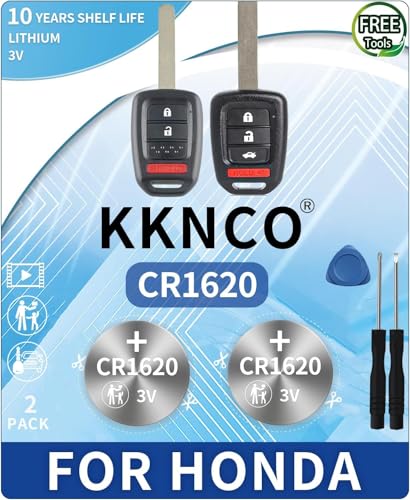
    Key Fob Replacement Batteries for Honda (CRV Civic Accord Pilot Odyssey HRV Fit Passport Ridgeline Crosstour Insight Clarity CRZ) Smart Remote (Pack of 2) (Check Fitment Guide)
    Key Fob Replacement Batteries for Honda (CRV Civic Accord Pilot Odyssey HRV Fit Passport Ridgeline Crosstour Insight Clarity CRZ) Smart Remote (Pack of 2) (Check Fitment Guide)

    CONFIRM FIT - **Please confirm compatibility using the fitment guide located in the product images**

    SEE ALSO  How to Prevent BMW E46 325i Car Battery Drain Problem with Regular Maintenance
    VIEW LATEST PRICE

    As an affiliate, we earn on qualifying purchases.

    2Pack CR2032 Key Fob Battery for Honda Civic Accord CRV Pilot Odyssey HRV Fit Ridgeline - Car Key Battery Replacement Kit with Opening Tool & Easy Video Guide - Fits 2008-2024 Remotes
    2Pack CR2032 Key Fob Battery for Honda Civic Accord CRV Pilot Odyssey HRV Fit Ridgeline - Car Key Battery Replacement Kit with Opening Tool & Easy Video Guide - Fits 2008-2024 Remotes

    · ✅ DITCH THE OVERPRICED DEALER: Why spend $50 and an hour in the waiting room? This compatible with honda key fob battery replacement kit lets you do it yourself in 2 minutes. No programming, no stress, just a simple swap that keeps your wallet happy. Ideal for the smart DIYer who values time and money.

    VIEW LATEST PRICE

    As an affiliate, we earn on qualifying purchases.

    KKNCO Key Fob Battery Replacement for Honda Accord 03-13, Civic 06-13, CRV 05-13, Pilot 05-15, Odyssey 05-17, Fit 07-14, Ridgeline 06-14 Key Remote CR1616 (Pack of 2) (Check Fitment Guide)
    KKNCO Key Fob Battery Replacement for Honda Accord 03-13, Civic 06-13, CRV 05-13, Pilot 05-15, Odyssey 05-17, Fit 07-14, Ridgeline 06-14 Key Remote CR1616 (Pack of 2) (Check Fitment Guide)

    PACKAGE INCLUDED : Two (2) CR1616 Remote key Fob Batteries and Opening/Pry Tools , Five item bundle (total 5pcs) , Please confirm compatibility using the fitment guide located in the product images.

    VIEW LATEST PRICE

    As an affiliate, we earn on qualifying purchases.

    Locate the Battery in Your Honda Civic

    When you’re ready to change the battery in your Honda Civic, the first step is finding its location. Here are the steps to locate the battery:

    • Step 1: Open the hood of your Honda Civic by pulling the hood release lever located under the dashboard.
    • Step 2: Secure the hood in the open position with the prop rod.

    You’ll need to find the battery within the engine bay of your Honda Civic. In most Honda Civic models, the battery is typically located near the front of the engine compartment, on the driver’s side. Look for a rectangular plastic box with cables connected to it. That’s your battery!

    Once you’ve identified the battery, you’re one step closer to successfully replacing it. Remember, safety is key throughout this process, so ensure the engine is cool before you begin.

    Disconnect the Old Battery

    It’s time to Disconnect the Old Battery in your Honda Civic. Follow these steps carefully:

    • Disconnect the negative terminal: Start by loosening the nut on the negative terminal and gently wiggle the cable off.
    • Disconnect the positive terminal: Repeat the process for the positive terminal.
    • Remove the battery tie-down: Unscrew the bolts holding the battery in place.
    • Lift out the old battery: Carefully lift the old battery out of the engine bay.
    SEE ALSO  Prevent Car Starting Issues: Secure Battery Cable Tips

    Remember, safety first! Before proceeding, ensure the engine is cool to prevent any burns.

    Recommended Products

    2PCS Battery Terminal Connector, Positive & Negative Auto Battery Cable Terminal Top Post With Plastic Bottoms, Top Post Batteries Connectors Compatible with Cars(2PCS)
    2PCS Battery Terminal Connector, Positive & Negative Auto Battery Cable Terminal Top Post With Plastic Bottoms, Top Post Batteries Connectors Compatible with Cars(2PCS)

    [Material] : The battery terminal is made of pure copper material, good electrical conductivity and oxidation resistance, with corrosion and rust prevention, waterproof and dustproof, wear-resistant and scratch-resistant, not easy to deformation and damage, durable characteristics, long service life.

    VIEW LATEST PRICE

    As an affiliate, we earn on qualifying purchases.

    bylikeho 2PCS Battery Terminals,Car Accessories Cable Terminal Clamp Connectors,Anti Corrosion Car Battery Terminal Connectors Plated Top Terminal and Post Washer Set,Compatible With Cars,Trucks,Vans
    bylikeho 2PCS Battery Terminals,Car Accessories Cable Terminal Clamp Connectors,Anti Corrosion Car Battery Terminal Connectors Plated Top Terminal and Post Washer Set,Compatible With Cars,Trucks,Vans

    [Packaging Includes]The packaging includes 2 cable terminal connectors and 2 anti-corrosion washers, which can meet your daily use and replacement needs.

    VIEW LATEST PRICE

    As an affiliate, we earn on qualifying purchases.

    Car Battery Terminal Connectors, 2Pcs 4 Way Quick Release Disconnect Battery Terminals, Positive Negative Battery Cable Ends for SAE/JIS Type A Posts, Universal for Cars, Vans, Trucks (Silver-1)
    Car Battery Terminal Connectors, 2Pcs 4 Way Quick Release Disconnect Battery Terminals, Positive Negative Battery Cable Ends for SAE/JIS Type A Posts, Universal for Cars, Vans, Trucks (Silver-1)

    【Dimension】: For wires diameters 5.2 - 7.4mm (AWG gauges 1 - 4) or section 16 - 35mm. Minimum wire size: 16mm (5/8 inch ). Max wire clamp: 9.5mm/0.37in, Mini wire clamp: 6.5mm/0.25in.

    VIEW LATEST PRICE

    As an affiliate, we earn on qualifying purchases.

    Clean the Battery Terminals

    Let’s focus on cleaning the battery terminals. Over time, you may notice a build-up of corrosion on the terminals of your car battery. This corrosion can interfere with the battery’s ability to hold a charge and may even prevent your car from starting. Here’s how you can clean the terminals:

    • Materials needed: baking soda, water, wire brush or battery terminal cleaner, and protective gloves.
    • Mix a cleaning solution: Create a paste by mixing baking soda with a bit of water. The mixture should be thick enough to stick to the terminals but not too runny.
    • Apply the paste: Put on your protective gloves and use an old toothbrush or dedicated wire brush to apply the paste to the battery terminals. Make sure the paste covers the entire terminal.
    • Scrub the terminals: Gently scrub the terminals with the brush to remove the corrosion. You may need to scrub a bit more on heavily corroded areas.
    • Rinse and dry: Once you’ve removed the corrosion, rinse the terminals with water and dry them thoroughly with a clean cloth.
    • Reconnect the terminals: Proceed to reconnect the positive and negative terminals to the battery, ensuring they are secured tightly.
    SEE ALSO  Get the Best Deal on a 2015 Kia Optima Battery: Smart Shopping Tips Revealed

    Regularly cleaning your battery terminals can help extend the life of your battery and ensure your car starts smoothly when you need it.

    Install the New Battery

    When installing the new battery in your Honda Civic, it’s essential to handle it with care to avoid damage. Here’s a step-by-step guide for a smooth installation process:

    • Step 1: Position the Battery

    • Locate: Find the battery tray under the hood.
    • Place: Carefully set the new battery on the tray.
    • Step 2: Connect the Cables

    • Attach: Connect the positive (+) cable first.
    • Secure: Tighten the nut on the terminal.
    • Connect: Attach the negative (-) cable next.
    • Tighten: Secure the nut on the terminal.
    • Step 3: Protect the Battery

    • Apply: Use battery terminal protectors to prevent corrosion.
    • Step 4: Double-Check

    • Ensure: Confirm all connections are secure.
    • Inspect: Check for any loose cables or debris around the battery.
    • Start: Turn on your Honda Civic.
    • Verify: Check that the car starts without issues.

    By following these steps, you can successfully install a new battery in your Honda Civic and ensure a reliable power source for your vehicle.

    Recommended Products

    Bonsicoky 10 PCS Battery Terminal Anti Corrosion Washers Fiber, 5 Red & 5 Green Battery Terminal Protector
    Bonsicoky 10 PCS Battery Terminal Anti Corrosion Washers Fiber, 5 Red & 5 Green Battery Terminal Protector

    What You Get : 10 battery corrosion-resistant washers, including 5x red and 5 x green.

    VIEW LATEST PRICE

    As an affiliate, we earn on qualifying purchases.

    JZGRDN Battery Terminal Cover 32418-TBA-003 Compatible with 2016-2020 Honda Civic All Models
    JZGRDN Battery Terminal Cover 32418-TBA-003 Compatible with 2016-2020 Honda Civic All Models

    Part Name: Battery Terminal Cover

    VIEW LATEST PRICE

    As an affiliate, we earn on qualifying purchases.

    NewYall Battery Terminal Cover Red for Honda Civic 2004, CRV 2004, Element 2010-2011, Odyssey 2011-2017, Acura RDX 2007-2012
    NewYall Battery Terminal Cover Red for Honda Civic 2004, CRV 2004, Element 2010-2011, Odyssey 2011-2017, Acura RDX 2007-2012

    Fits Honda Civic 2004, CRV 2004, Element 2010-2011, Odyssey 2011-2017

    VIEW LATEST PRICE

    As an affiliate, we earn on qualifying purchases.

    Conclusion

    You now have a detailed guide on replacing a Honda Civic’s battery. Remember to handle the battery carefully, follow the steps for installation, and check all connections. Ensuring your car starts smoothly post-installation will guarantee a dependable power source. Happy driving with your newly installed battery!

    Frequently Asked Questions

    1. Why is careful handling important when installing a new battery in a Honda Civic?

    Careful handling is crucial to prevent damage to the new battery, ensuring its optimal performance and longevity.

    2. What are the step-by-step instructions for positioning the battery in a Honda Civic?

    Position the new battery securely in the designated area in the engine compartment, making sure it sits flat and stable.

    3. How can I ensure secure cable connections when installing a new battery?

    Connect the positive (+) and negative (-) cables to the corresponding terminals on the battery, ensuring a tight and secure fit.

    4. Why is applying terminal protectors important during battery installation?

    Applying terminal protectors helps prevent corrosion on the battery terminals, maintaining good electrical connections.

    5. What should I do after connecting all cables to the new battery in a Honda Civic?

    Double-check all connections to ensure they are secure before attempting to start the vehicle.

    6. Why is verifying that the car starts without issues after battery installation important?

    Verifying that the car starts without issues ensures a reliable power source and that the installation was successful.

    Share. Facebook Twitter Pinterest LinkedIn Tumblr Email WhatsApp Copy Link
    Jackson-Doyle
    Jackson Doyle

      Battery industry professional with 5+ years of experience. Bachelor of Science in Electrical Engineering from Georgia Tech. Specializes in power systems and renewable energy.

      Related Posts

      Car Batteries

      Top Online Platforms to Buy Authentic Optima Car Batteries

      January 5, 2025
      Car Batteries

      Maximize Tesla Battery Life: Practical Tips & Longevity Insights

      January 5, 2025
      Car Batteries

      Discover Who Makes Bosch Car Batteries in A Sustainable Drive for Eco-friendly Power Solutions

      January 5, 2025
      Car Batteries

      Top Companies That Deliver Car Batteries to Your Doorstep

      January 4, 2025
      Car Batteries

      Understanding Tesla Powerwall Battery: A Green Energy Solution for Your Home

      January 3, 2025
      Car Batteries

      Extending the Life of Used Car Batteries: Top Tips and Savings Guide

      January 3, 2025
      Add A Comment
      Leave A Reply Cancel Reply

      Search
      Affiliate Disclaimer

      As an Amazon Associate I earn from qualifying purchases.

      Latest Articles

      How to Replace Battery in Samsung Phone: A Step-by-Step Guide for Easy Replacement

      Android Batteries

      How to Remove Battery from Samsung Smart TV Remote: A Step-by-Step Guide for Easy Replacement

      Android Batteries

      How to Check Your Battery Health on Samsung: Simple Methods to Extend Your Phone’s Lifespan

      Android Batteries

      How Much Is a Battery for a Samsung Galaxy S6: Pricing and Replacement Options Explained

      Android Batteries

      How to Remove Battery from Samsung Galaxy S7: A Step-by-Step Guide for Easy DIY Fixes

      Android Batteries

      Why is My Battery Going Down While Charging Android – Effective Solutions to Fix the Issue

      Android Batteries
      Battery Spotlight

      Battery Spotlight is a website dedicated to helping you solve common battery problems.

      Read more about us here

      Affiliate Disclaimer
      As an Amazon Associate I earn from qualifying purchases.

      Site Navigation
      • Above Mirror Bathroom Lighting
      • Android Batteries
      • Bathroom Pendant Lighting
      • Battery Chargers
      • Battery Life
      • Battery Maintenance
      • Car Batteries
      • Ceiling Lighting Ideas
      • Golf Cart Batteries
      • Japandi Lighting
      • Laptop Batteries
      • Marine Batteries
      • Mood Lighting Living Room
      • Phone Batteries
      • Rechargeable Batteries
      • Reviews
      • Solar Batteries
      • Uncategorized
      • Vaulted Ceiling Lighting
      Latest Articles

      How to Replace Battery in Samsung Phone: A Step-by-Step Guide for Easy Replacement

      How to Remove Battery from Samsung Smart TV Remote: A Step-by-Step Guide for Easy Replacement

      How to Check Your Battery Health on Samsung: Simple Methods to Extend Your Phone’s Lifespan

      How Much Is a Battery for a Samsung Galaxy S6: Pricing and Replacement Options Explained

      How to Remove Battery from Samsung Galaxy S7: A Step-by-Step Guide for Easy DIY Fixes

      • Home
      • About
      • Contact
      • Privacy Policy
      • Editorial Policy
      • Disclaimer
      • Terms and Conditions
      • Affiliate Disclosure
      © 2026 Battery Spotlight

      Type above and press Enter to search. Press Esc to cancel.