

Key Takeaways
- High Battery Usage Apps: Social media, streaming, navigation, and gaming apps are the biggest culprits for draining your Android device’s battery quickly; managing their settings can help mitigate this issue.
- Background Activity Impact: Apps that run background processes, like refreshing data or sending notifications, significantly increase battery consumption. Limiting these activities can prolong battery life.
- Location Services: Apps relying on GPS, such as Google Maps and ride-sharing services, consume a lot of power. Adjusting location settings to “Battery Saving” mode can help reduce drain.
- Practical Optimization Tips: Effective strategies include disabling background data for non-essential apps, using battery saver mode, and reducing screen brightness or timeout settings.
- Regular App Maintenance: Uninstalling unused apps and keeping existing apps updated can lead to improved battery performance, as developers often optimize battery usage in new versions.
- Monitoring Usage: Regularly review your app usage statistics to identify and manage battery-draining apps more effectively, allowing for a longer-lasting Android experience.
Have you ever noticed your phone dying faster than usual? It’s frustrating when you’re trying to stay connected, but your battery seems to vanish. You might be surprised to learn that certain Android apps are notorious for draining your battery life.
Overview Of Battery Usage In Android Apps
Android apps impact battery life differently. Several factors contribute to how much power an app consumes, including background activity, location services, and notifications. Understanding these factors helps you manage and reduce battery drain effectively.
High Battery Usage Apps
Certain apps consistently drain more battery than others. Here are some examples:
- Social Media Apps: Facebook, Instagram, and TikTok often run in the background, syncing data while constantly checking for updates. This results in higher battery consumption.
- Streaming Services: Netflix, YouTube, and Spotify use significant power, especially when streaming videos or music. Video playback consumes more battery than just listening.
- Navigation Apps: Google Maps and Waze actively use GPS services, which can drain your battery quickly during long trips.
- Gaming Apps: Mobile games like PUBG and Fortnite require extensive processing power and graphics, leading to higher battery usage compared to other apps.
Factors Influencing Battery Consumption
Understanding the factors can help you mitigate battery drain:
- Background Activity: Apps that refresh data automatically while running in the background deplete battery life. Limit background activity in app settings to extend usage.
- Location Services: Apps that frequently access GPS or location data consume a lot of battery. Change location settings to “Battery Saving” mode to reduce impact.
- Notifications: Apps that send frequent notifications can drain battery by keeping the device’s screen active. Manage notification settings to minimize interruptions.
- Screen Time: Prolonged screen usage increases battery consumption. Reducing screen brightness or setting a short screen timeout can help conserve power.
Practical Tips to Reduce Battery Drain
- Limit Background Data: Disable background data for less critical apps through your phone’s settings.
- Uninstall Unused Apps: Remove apps that you rarely use to reduce overall battery consumption.
- Use Battery Saver Mode: Switch on your device’s battery saver mode to restrict background activity and notifications.
- Regularly Update Apps: Keep your apps updated, as developers often optimize battery performance in newer versions.
These strategies can help you identify battery-draining apps and enable effective management for a longer-lasting Android experience.
Top Battery-Consuming Android Apps
Certain apps noticeably impact your Android device’s battery life. Understanding which apps drain the most power helps you manage your usage effectively.
Social Media Applications
Social media apps like Facebook, Instagram, and Snapchat tend to consume significant battery life. Constant notifications, location tracking, and frequent background refreshes lead to high energy consumption. To reduce battery drain from these apps, consider disabling non-essential notifications and limiting background data access.
Streaming Services
Streaming services such as Netflix, YouTube, and Spotify often cause rapid battery depletion. Continuous video playback and music streaming require substantial resources, especially when using high-definition settings. When streaming, use Wi-Fi instead of mobile data and lower the video quality. Downloading content for offline viewing also minimizes battery usage.
Games
Mobile games, particularly graphic-intensive ones like PUBG, Fortnite, and Call of Duty, drain battery life quickly. These games rely heavily on graphics processing and require frequent online connections. To conserve battery, switch to battery saver mode in-game settings, limit play sessions, and reduce visual effects. You can also take breaks to allow your device to cool down and save power.
Factors Influencing Battery Drain
Understanding how specific factors contribute to battery drain helps you optimize your Android experience. Two significant contributors are background activity and location services.
Recommended Products
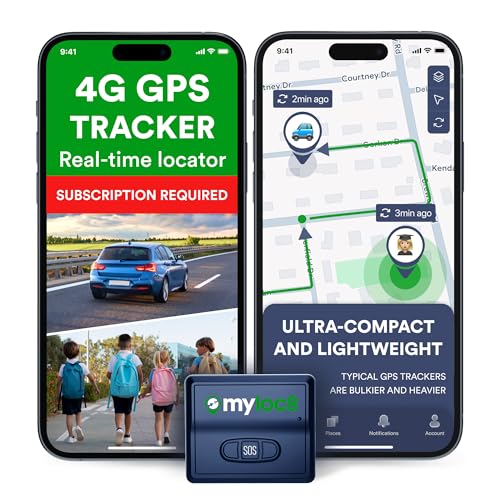
Protect What Matters Most – Track your car, truck, or fleet in real time with our GPS tracker for vehicles. Get instant alerts on movement or unauthorized access, giving you peace of mind 24/7

This Device Requires a Subscription. To start using it, simply select the tariff plan that fits your needs. Check the product gallery to see the tariff plans.

Accurate, Discreet, Real-Time GPS Tracker with POWERFUL Twin Magnet Case.
Background Activity
Background activity involves processes that run when you aren’t actively using an app. Apps like Facebook, Instagram, and Snapchat continuously send notifications and refresh content, leading to higher battery usage.
To manage background activity, consider these tips:
- Limit App Refresh: Disable auto-refresh for social media apps in settings.
- Restrict Background Data: Use data saver options to limit background data usage.
- Close Unused Apps: Regularly exit apps you’re not using to prevent them from draining power.
Location Services
Location services use GPS, Wi-Fi, and Bluetooth to determine your position. Apps like Google Maps and ride-sharing services rely heavily on location, resulting in increased battery drain.
To reduce location-based battery consumption, try these methods:
- Use Location Only When Needed: Set apps to access location only when in use.
- Disable High Accuracy Mode: Switch to battery-saving mode for less precision.
- Review App Permissions: Check which apps require location access and restrict unnecessary ones.
Adopting these strategies can significantly reduce battery drain, allowing your Android device to last longer throughout the day.
Tips To Optimize Battery Usage
You can significantly enhance your Android device’s battery life by implementing a few practical strategies. Here are some essential tips to help you minimize battery drain effectively.
Recommended Products
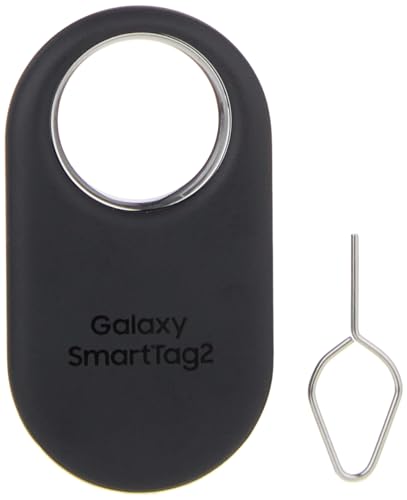
Find your things with ease: The SmartThings Find app uses Bluetooth and ultra-wideband (UWB) technology to locate and keep track of your stuff

Restore and maximize the life of your battery

Adjusting App Settings
You can adjust app settings to reduce battery consumption.
- Disable Background Refresh: Turn off background refresh for apps that aren’t crucial. For social media apps like Facebook, this prevents constant updates.
- Limit Notifications: Restrict notifications for less important apps. Fewer notifications mean less constant wake-up time for your screen.
- Reduce High-Quality Streaming: Lower the quality settings for streaming apps like YouTube and Netflix. Watching in standard definition uses less battery.
- Close Unused Apps: Ensure you close apps you aren’t currently using. This stops them from running in the background and consuming power.
Limiting Background Data
You can limit background data usage to save battery life.
- Restrict Data Access: Go to your settings and restrict background data access for non-essential apps, like games or shopping apps.
- Use Data Saver Mode: Enable the Data Saver feature on your device. This helps limit data usage across all apps, reducing battery drain.
- Adjust Sync Settings: Change sync settings for email or cloud storage apps. Syncing less often conserves battery life while still keeping you updated.
- Monitor Data Usage: Regularly check your data usage statistics. Identify apps that consume excessive data, and adjust their settings accordingly.
Utilizing these optimization techniques will help extend your battery life, allowing you to enjoy your Android device longer without frequent recharges.
Conclusion
Managing battery life on your Android device doesn’t have to be a hassle. By being aware of which apps drain your battery the most you can make smarter choices about how you use your phone.
Remember to adjust settings on high-consuming apps and limit background activity whenever possible. Every little change can add up to a longer-lasting battery life.
With a few simple tweaks you can enjoy your favorite apps without constantly worrying about running out of power. So go ahead and take control of your battery usage for a more enjoyable smartphone experience.
Frequently Asked Questions
Why is my Android phone’s battery draining quickly?
Many factors contribute to fast battery drain on Android phones, including high background activity from apps, frequent location service use, and excessive notifications. Certain apps, especially social media and streaming platforms, are notorious for consuming more power due to constant connectivity and updates.
Which apps drain the most battery on Android?
Popular apps known for high battery consumption include social media platforms like Facebook and Instagram, streaming services such as Netflix and YouTube, and graphic-intensive mobile games like PUBG and Fortnite. These apps often run in the background, leading to increased power usage.
How can I reduce battery drain on my Android device?
To reduce battery drain, limit background data, uninstall unused apps, and enable battery saver mode. Additionally, you can manage app settings by disabling non-essential notifications, using Wi-Fi for streaming, and adjusting graphics settings in games.
How does background activity affect battery life?
Background activity refers to processes running when apps are not actively in use, which can lead to significant battery drain. To mitigate this, it’s important to limit app refresh, restrict background data, and close unused apps.
What role do location services play in battery consumption?
Location services, using GPS, Wi-Fi, and Bluetooth, can greatly impact battery life, especially when apps frequently access location data. To conserve battery, use location services only when necessary, disable high accuracy mode, and review app permissions.
What are some additional tips for optimizing battery usage?
To optimize battery life, disable background refresh for non-essential apps, limit notifications, and reduce streaming quality. Closing unused apps and enabling Data Saver mode will also help extend your battery life significantly.
