

Key Takeaways
- Gather Essential Tools: To replace your Samsung S21 Ultra battery, you will need a pentalobe screwdriver, Phillips screwdriver, plastic pry tool, tweezers, suction cup, heat gun or hair dryer, and a compatible replacement battery.
- Power Down Safely: Always power off your device completely before starting the battery replacement to prevent electrical short circuits.
- Careful Back Cover Removal: Use heat to soften the adhesive and a plastic pry tool to gently lift the back cover without causing damage to the device.
- Reconnect Battery Properly: After removing the old battery, ensure the new battery connector is aligned and securely attached before reassembling your device.
- Follow Safety Precautions: Wear protective gear, use plastic tools, and avoid direct heat to minimize risks while replacing the battery.
- Dispose of Old Battery Wisely: Follow local regulations for the proper disposal of your old battery to ensure safe and environmentally-friendly practices.
Is your Samsung S21 Ultra battery draining faster than it used to? You’re not alone. Many users face this issue as their devices age, leading to frustrating moments when you need your phone the most.
Tools Required For Replacement
You’ll need specific tools to replace your Samsung S21 Ultra battery effectively. Gather the following items before starting the replacement process:
- Pentalobe Screwdriver: This tool is essential for removing the screws holding the device together.
- Phillips Screwdriver: Use this to unscrew various components securely.
- Plastic Pry Tool: This helps in separating the screen from the device without damaging it.
- Tweezers: These assist in handling small components during the replacement process.
- Suction Cup: Ideal for lifting the screen without causing cracks or breaking it.
- Heat Gun or Hair Dryer: Apply heat to soften adhesive around the battery and screen, making the removal easier.
- Replacement Battery: Ensure this is an original or high-quality compatible battery specific for the Samsung S21 Ultra.
With these tools ready, you can proceed with the battery replacement smoothly and efficiently.
Recommended Products
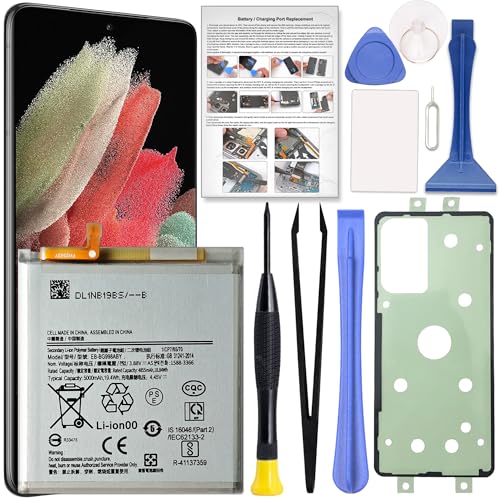
Perfect Fit for Galaxy S21 Ultra: Designed for Samsung Galaxy S21 Ultra SM-G998U, SM-G998U1, SM-G998B and SM-G998W models. Please double check your phone model before placing an order to ensure compatibility.

Compatible Phone Model: This battery kit is specifically designed for Samsung Galaxy S21 Ultra (with model SM-G998 series), NOT work for Galaxy S21 or S21 Plus, please double confirm your phone model before purchasing

🎋【Compatible Model】EB-BG998ABY Replacement Battery for Samsung Galaxy S21 Ultra 5G SM-G998B/DS SM-G998U[Note: Not for Galaxy S21 FE or S21 other Phone Models]
Step-By-Step Guide
Follow these steps to effectively replace the Samsung S21 Ultra battery. Gather the necessary tools and prepare for a smooth process.
Recommended Products

[PLS CONFIRM DEVICE MODEL]-- The repair kit contains the instruction to guide you step by step installation, and we have professional engineers to answer all your questions about the repair process. Please verify your old battery part number and model before purchasing this replacement battery. Compatible with Samsung Galaxy S21 Ultra SM-G998, G998V, G998A, G998T, G998P, G998R4, G998U, G998U1, EB-BG998ABY. ★NOT FOR Samsung Galaxy S21, S21+, S21 FE★

【Compatibility and Precise Fit】Engineered specifically for Samsung Galaxy S21 Ultra 5G SM-G998B SM-G998U SM-G9980. It exactly matches your device's power specifications to help prevent common compatibility issues such as unstable charging or system recognition failures. Ideal for both DIY enthusiasts and professional repair technicians. Please verify your device model before purchase.
![[6000mAh] Galaxy S21 Ultra Battery, EB-BG998ABY Battery with Repair Kit](https://m.media-amazon.com/images/I/511+XGoDThL._SL500_.jpg)
⚡ Premium Quality: Experience a new level of performance with our upgraded 6000mAh 3.85V battery replacement. This high-quality battery will restore your phone’s battery life to like-new condition, ensuring you stay connected longer.
Powering Down The Device
Power down your Samsung S21 Ultra before starting the battery replacement. Press and hold the power button until the power off menu appears, then select “Power Off” to ensure the device is completely shut down.
Removing The Back Cover
Remove the back cover carefully. Use the heat gun or hair dryer to warm the edges of the back cover for a few seconds. This softens the adhesive. Utilize the plastic pry tool to gently lift the cover, starting at the corners and working your way around. Gradually separate the back cover from the body of the phone without applying too much force.
Disconnecting The Battery
Locate the battery connector once the back cover is off. Use the Phillips screwdriver to remove any screws securing the battery connector. Carefully lift the connector using tweezers or your fingers. Ensure you detach it gently to avoid damaging any surrounding components.
Installing The New Battery
Take the new replacement battery and align it with the battery connector. Connect it gently, ensuring it’s seated properly. Press down lightly to secure the connection. If necessary, reattach any screws to hold the connector in place.
Reassembling The Phone
Put the back cover back on the Samsung S21 Ultra. Align it correctly with the device body and press down firmly along the edges to ensure the adhesive seals. Restart your phone by pressing the power button, and check to see that the new battery is functioning correctly.
Safety Precautions
Ensure you’re following safety precautions while replacing the Samsung S21 Ultra battery. Adhering to these guidelines minimizes risks and protects both you and your device.
- Power Off Your Device: Completely power off your phone before starting the battery replacement process. This prevents electrical short circuits and accidental damage.
- Workspace Preparation: Set up a clear, organized workspace. Clean surfaces help prevent dust and debris from entering your device during the replacement.
- Use Plastic Tools: When prying open the device, use plastic tools instead of metal ones. Plastic tools reduce the risk of damaging internal components and prevent scratches.
- Avoid Direct Heat: If you’re using a heat gun or hair dryer, maintain a safe distance to avoid overheating the device. Excessive heat can damage internal parts or affect adhesives.
- Wear Protective Gear: Consider wearing safety glasses and gloves to protect yourself from potential battery damage or debris during the process.
- Handle the Battery Carefully: Lithium-ion batteries can be sensitive. Avoid puncturing or bending the battery during removal, as it can lead to leaks or fire hazards.
- Proper Disposal: Dispose of the old battery according to local regulations. Many communities have designated collection points for electronic waste.
- Check for Damage: Inspect other components for damage before sealing the device. Address any issues to ensure proper functionality after the battery replacement.
Following these safety precautions enhances your battery replacement experience. Keep everything without risks for a successful outcome.
Recommended Products

✅【6500mAh High-Capacity Upgrade】 Upgraded 6500mAh Li-Polymer Galaxy S21 Ultra battery than the original 5000mAh cell. Extend your Galaxy S21 Ultra usage significantly – perfect for heavy users, gamers, and long days out. Brand new 0-cycle cell with built-in over-charge, over-discharge, short-circuit, and over-heat protection.

✅ 【Perfect Compatibility】: Specifically designed for Galaxy S21 Ultra 5G (SM-G998/G998B/G998U). Model:EB-BG998ABY. Check your model in Settings > About Phone before ordering to ensure a perfect match.
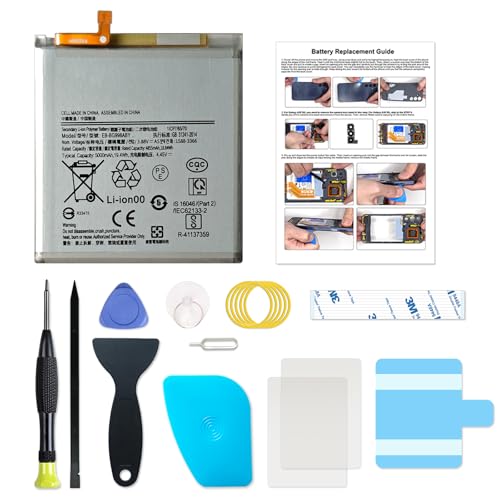
Designed exclusively for Galaxy S21 Ultra variants: SM-G998B, SM-G998B/DS, SM-G998U, SM-G998U1, SM-G998W, SM-G998N, SM-G9980. Double-check your device's model (found under Settings > About Phone) to ensure perfect fitment.
Conclusion
Replacing your Samsung S21 Ultra battery can breathe new life into your device. By following the steps outlined and taking the necessary safety precautions, you can tackle this task with confidence. Remember to keep your workspace clean and organized to avoid any mishaps.
Once you’ve successfully installed the new battery, enjoy the enhanced performance and longevity it brings. If you run into any issues during the process, don’t hesitate to reach out for help. Happy repairing and enjoy your refreshed phone experience!
Frequently Asked Questions
What causes battery drain in the Samsung S21 Ultra?
Battery drain in the Samsung S21 Ultra is often due to aging components, software updates, background applications, and extensive use. As the battery ages, its ability to hold a charge diminishes, resulting in quicker drains.
What tools do I need to replace the battery in a Samsung S21 Ultra?
To replace the battery, you’ll need a pentalobe screwdriver, Phillips screwdriver, plastic pry tool, tweezers, suction cup, heat gun or hair dryer, and a replacement battery. These tools help safely access and replace the battery without causing damage.
How do I start the battery replacement process?
Begin by powering down your Samsung S21 Ultra completely. This prevents electrical short circuits and ensures safety throughout the replacement process.
How do I remove the back cover of the Samsung S21 Ultra?
Gently warm the edges of the back cover using a heat gun or hair dryer to soften the adhesive. Use a plastic pry tool to carefully lift the cover without applying excessive force. Take your time to avoid damaging the device.
Is it safe to replace the battery myself?
Yes, replacing the battery yourself can be safe if you follow proper guidelines. Make sure to power off the device, use appropriate tools, and handle the components carefully. Always wear protective gear to prevent accidents.
What should I do with the old battery after replacement?
Dispose of the old battery according to local regulations. Many communities have designated recycling programs for hazardous materials, including lithium-ion batteries, to ensure safe disposal and environmental protection.
How can I ensure the new battery functions properly?
After installing the new battery, reassemble the phone and restart it. Check for any irregularities or issues. Ensure the battery is properly secured and that there is no visible damage to other components before sealing the device.
