

Tired of your laptop dying on you when you need it most? Ever wondered which laptop won’t leave you hanging with a dead battery in the middle of your work or Netflix binge? Imagine having a laptop that lasts all day without constantly searching for the nearest outlet. In this article, we’ll dive into the world of laptops to find the one with the best battery life, saving you from the frustration of running out of juice at the worst times. Get ready to discover the ultimate solution to your battery life woes and choose a laptop that keeps up with your busy schedule.
Factors Affecting Battery Life
To identify which laptop has the best battery life, you need to understand the factors that impact it. Here are some key aspects to consider:
- Battery Capacity: The size of the battery in watt-hours (Wh) determines how much energy it can store.
- Processor Efficiency: A more power-efficient processor can help conserve battery life.
- Display Type: OLED screens tend to consume less power than traditional LCD screens.
- RAM and Storage: Efficient management of these components can contribute to better battery performance.
- Graphics Card: High-performance graphics cards consume more power, affecting battery life.
- Operating System: Some operating systems are more optimized for power efficiency.
- Screen Brightness: Lowering the brightness level can extend battery life significantly.
- Connectivity Features: Bluetooth, Wi-Fi, and 4G/5G connections can drain the battery, so managing these wisely is crucial.
- Background Apps: Closing unnecessary apps running in the background can help save battery.
- Battery Health: Over time, battery degradation can impact overall battery life, so regular maintenance is essential.
Efficiently managing these factors can help you choose a laptop with the best battery life for your needs.
How to Measure Battery Life
When measuring laptop battery life, it’s crucial to understand how the capacity of a battery relates to the usage. Here are some key points to help you gauge and compare battery life effectively:
- Battery Capacity: This is measured in watt-hours (Wh) and indicates how much energy the battery can store. A higher capacity generally means longer battery life.
- Screen On Time: This refers to the number of hours a laptop can run on a full charge with the screen continuously on at a moderate brightness level.
- Usage Scenarios: Manufacturers often provide estimates for battery life under different scenarios, such as web browsing, video streaming, or gaming. These can give you a better idea of real-world performance.
- Battery Benchmark Tests: Look for reviews or tools that conduct standardized battery tests to compare different laptops objectively.
- Your Usage Patterns: Consider how you typically use your laptop. Tasks like video editing or gaming drain the battery faster than simple web browsing or document editing.
By taking these factors into account, you can make a more informed decision when selecting a laptop with the best battery life for your needs.
| Key Point | Description |
|---|---|
| Battery Capacity | Measured in watt-hours (Wh), higher capacity means longer battery life. |
| Screen On Time | Hours a laptop can run with the screen continuously on at moderate brightness. |
| Usage Scenarios | Manufacturer estimates for battery life during different activities provide insights into real-world performance. |
| Battery Benchmark Tests | Look for reviews or tools that conduct standardized tests to compare battery performance across different laptops. |
| Your Usage Patterns | Your typical tasks influence how quickly the battery drains; consider your usage habits when evaluating battery life. |
Top Laptops with Longest Battery Life
When choosing a laptop with exceptional battery life, the following models stand out in the current market:
- Dell XPS 13: Offers up to 12 hours of battery life on a single charge.
- MacBook Air: Known for its efficiency, providing over 10 hours of battery life.
- Lenovo ThinkPad X1 Carbon: Boasts long-lasting battery performance, lasting up to 14 hours.
Consider these laptops for reliable and extended usage without constantly scrambling for a power outlet.
Recommended Products

Work in Comfort: With the 14" HD Screen, you can relax and optimize your workload with a year's subscription of Microsot Office 365 in crystal clear HD resolution.
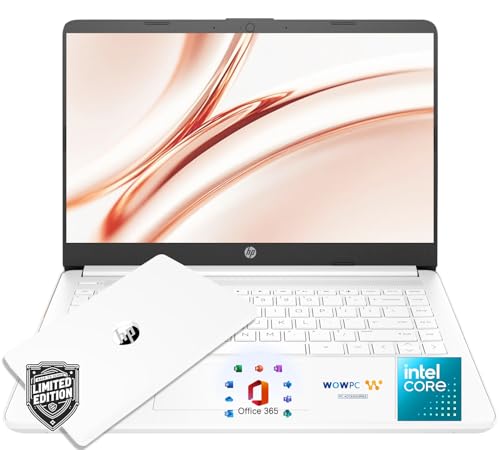
Efficient Performance for Everyday Tasks: Powered by the Intel Processor and Intel Graphics, this 14-inch laptop delivers smooth performance for browsing, online classes, office tasks, and streaming. Windows 11 Home 64-bit provides a modern, intuitive interface to enhance productivity, huge amounts of storage mean you can save your entire multimedia library on your PC without compromise.

Work in Comfort: With the 14" HD Screen, you can relax and optimize your workload with a year's subscription of Microsot Office 365 in crystal clear HD resolution.
Tips to Extend Your Laptop’s Battery Life
Adjust Power Settings:
- Lower the screen brightness and optimize power settings to conserve energy.
- Activate the battery saver mode to further extend usage time.
Unplug Unused Devices:
- Disconnect external devices like USB drives or peripherals not in use to reduce power consumption.
- Disable Bluetooth and Wi-Fi when not needed to save battery.
Manage Background Apps:
- Close unnecessary programs and tabs running in the background that drain battery life.
- Use task manager to identify and stop resource-intensive applications.
Enable Sleep Mode:
- Set your laptop to enter sleep mode after a certain period of inactivity to save power.
- Adjust sleep mode settings to strike a balance between energy conservation and convenience.
Utilize Hibernate Mode:
- If not using your laptop for an extended time, consider hibernating the system to minimize power use.
- Hibernate mode saves your current work and settings, allowing you to resume where you left off.
- Avoid overcharging your laptop and unplug it once fully charged to prevent battery degradation.
- Aim to keep your battery between 20%-80% to prolong its lifespan.
| Statistic | Data |
|---|---|
| Ideal Battery Level | 20%-80% |
Conclusion
You’ve now got the tools to maximize your laptop’s battery life. By making simple adjustments like tweaking power settings, managing background apps, and avoiding overcharging, you can ensure your laptop stays powered up when you need it most. Remember to keep your battery level within the optimal range of 20%-80% for long-term battery health. With these tips, you can make the most of your laptop’s battery life and stay productive on the go.
Frequently Asked Questions
How can I extend my laptop’s battery life?
To extend your laptop’s battery life, adjust power settings like screen brightness, activate battery saver mode, unplug unused devices, manage background apps, enable sleep mode, and utilize hibernate mode. Avoid overcharging your laptop and maintain the battery level between 20%-80% to maximize its lifespan.
