

Ever wondered why your laptop seems to lose its charge faster than you can say “where’s the nearest outlet”? Imagine being in the middle of an important task, only to have your laptop abruptly shut down due to a drained battery. Frustrating, right? That’s where the internal battery swoops in to save the day.
Understanding the Functionality of Internal Batteries
When it comes to your laptop, the internal battery is like its life force. It powers your device when it’s not connected to a power source, allowing you to work, browse, and stream on the go. Let’s dive into how these batteries work and why they are essential:
- Power Source: The internal battery serves as a portable power source for your laptop, giving you the flexibility to use it anywhere, whether you’re at a café, on a plane, or simply moving around your home.
- Energy Storage: Laptop batteries are designed to store energy efficiently. They work by converting stored chemical energy into electrical energy, which powers your device.
- Charging and Discharging: Depending on your usage, the battery charges when plugged into a power outlet and discharges when you’re using the laptop unplugged. This cycle repeats each time you charge your device.
- Battery Health: To maintain optimal battery life, it’s essential to avoid overcharging, extreme temperatures, and frequent deep discharges. These practices can help prolong the battery’s lifespan.
- Battery Care Tips:
- Avoid Overcharging: Disconnect your laptop from the charger once it’s fully charged to prevent unnecessary strain on the battery.
- Mind the Temperature: Keep your laptop in a well-ventilated area to prevent overheating, which can impact the battery’s performance.
- Calibration: Occasionally let your battery drain completely before recharging to recalibrate its capacity indicator.
Understanding the inner workings of your laptop’s internal battery can help you make informed decisions to optimize its performance and longevity.
Types of Internal Batteries Used in Laptops
When it comes to internal batteries for laptops, there are mainly two types commonly used:
- Lithium-Ion (Li-Ion) Batteries: These are the most prevalent type found in laptops due to their high energy density and low self-discharge rates.
- Lithium Polymer (Li-Po) Batteries: Known for their flexibility in shape and size, making them suitable for thinner laptop models.
Lithium-Ion Batteries are widely utilized for their efficiency and reliability, whereas Lithium Polymer Batteries offer more design possibilities.
Understanding the differences between Li-Ion and Li-Po batteries can help you make informed decisions when selecting a laptop and caring for its internal battery.
- Lithium-Ion (Li-Ion): High energy density, low self-discharge, common in laptops.
- Lithium Polymer (Li-Po): Flexible shape, thinner designs, used in certain laptop models.
Recommended Products

【Specification】Voltage: 15.55V. Capacity: 55.8Wh 4-Cell. Battery Type: Li-ion. Condition: Brand new, from high quality materials, top circuit boards and smart chip.
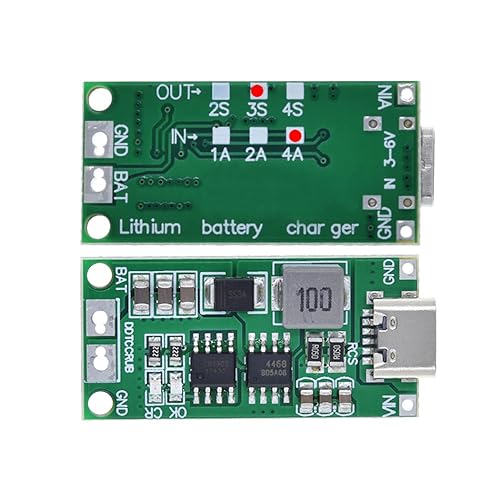
2S 3S 4S USB-C To 8.4V 12.6V 16.8V Step-Up Boost LiPo Polymer Li-Ion Charger Board

High Capacity: The 3.7V 1200mAh Battery 803048 offers a substantial capacity, providing extended usage times and reducing the need for frequent recharging. Enjoy uninterrupted power for your devices, whether for work or leisure.
Signs of a Failing Internal Battery
If your laptop’s internal battery is showing signs of deterioration, it’s crucial to address the issue promptly. Here are some indicators that your internal battery might be failing:
- Shortened Battery Life: Your laptop’s battery drains rapidly even after minimal usage, indicating a loss of capacity.
- Overheating: If your laptop becomes unusually hot during regular use, it could be a sign of battery malfunction.
- Swelling: A swollen battery is a red flag and should be replaced immediately to prevent further damage.
- Unable to Hold a Charge: If your laptop struggles to hold a charge or doesn’t charge at all, the internal battery might be failing.
- Frequent Shutdowns: Unexpected shutdowns, even when the battery percentage is not critically low, could signal a failing internal battery.
- Warning Messages: Pay attention to any system notifications indicating battery issues, such as “Replace Battery” alerts.
Knowing these warning signs allows you to take timely action and avoid potential disruptions to your work or daily activities.
Tips for Extending the Lifespan of Your Internal Laptop Battery
To ensure your internal laptop battery lasts longer, consider the following tips:
- Avoid Extreme Temperatures: Keep your laptop in moderate temperature settings to prevent heat from affecting your battery’s performance.
- Optimize Power Settings: Adjust your laptop’s power settings to conserve battery life when you’re not using it actively.
- Unplug When Fully Charged: Overcharging can damage your battery, so unplug your laptop once it reaches full capacity.
- Regularly Use Your Battery: Let your battery discharge partially before recharging it to maintain its health.
- Update Your Laptop’s Software: Firmware updates often include optimizations that can improve battery life.
- Be Mindful of Background Apps: Close unnecessary programs running in the background to reduce battery consumption.
- Avoid Full Discharges: Lithium-ion batteries prefer partial discharge cycles over full discharges.
Implementing these strategies can help prolong the lifespan of your internal laptop battery and optimize its performance.
Conclusion
That’s it for understanding internal laptop batteries! Remember to follow the tips shared to keep your battery healthy and maximize its performance. By taking care of your laptop battery, you can ensure it serves you well for a long time. Happy computing!
Frequently Asked Questions
How can I extend the lifespan of my laptop battery?
To extend your laptop battery’s lifespan:
- Avoid extreme temperatures.
- Optimize power settings.
- Unplug when fully charged.
- Regularly use the battery.
- Update laptop software.
- Be mindful of background apps.
- Avoid full discharges.
Why is it important to extend the lifespan of my laptop battery?
Extending the battery’s lifespan prolongs its usability and performance. It helps you get more out of your investment and ensures that your laptop remains portable and efficient for longer periods. By following battery maintenance tips, you can save money and reduce electronic waste in the long run.
