

Key Takeaways
- Charge Between 20% and 80%: For optimal battery health, begin charging your Android phone when it reaches 20% and unplug it around 80%. This practice minimizes strain on the battery.
- Avoid Deep Discharges: Regularly letting your battery drop below 20% can accelerate wear and tear. Prioritize charging before it dips too low.
- Use Appropriate Chargers: Always charge with the original or certified chargers to prevent potential damage and overheating, ensuring better battery longevity.
- Limit Excessive Short Charges: Instead of frequently charging for brief periods, allow for longer charging sessions to enable full battery cycles, which enhances lifespan.
- Monitor Temperature During Charging: Charge your phone in a cool environment, as extreme temperatures can negatively affect battery performance.
- Utilize Battery Optimization Features: Take advantage of built-in Android settings and third-party apps to monitor and manage battery health effectively, optimizing your phone’s performance.
Ever find yourself wondering when the best time is to charge your Android phone? You’re not alone. Many people struggle with figuring out the ideal battery percentage to plug in, trying to balance battery health and convenience.
Charging habits can make a big difference in how long your phone lasts. Too often, we charge our devices at the wrong times or let them drain too low. This article will help you understand the best practices for charging your Android phone, ensuring you get the most out of your battery life. By following these tips, you can keep your phone running smoothly and extend its overall lifespan.
Understanding Battery Health
Maintaining battery health is crucial for ensuring your Android phone functions optimally over time. Good charging habits can prolong battery life and reduce the risk of performance decline.
Importance of Maintaining Battery Life
Keeping your battery in good health extends your phone’s usability. Regularly charging between 20% and 80% minimizes strain on the battery. Charging within this range helps prevent deep discharges, which can damage the battery’s cells. If your battery frequently drops below 20%, it may age faster. Aim to charge your phone before it dips too low to keep it healthy.
Factors Affecting Battery Longevity
Several elements influence battery longevity. Here’s a breakdown:
- Charging Patterns: Frequent full charges can wear out battery capacity. Opt for partial charges to maintain health.
- Temperature: Extreme heat or cold can deteriorate battery performance. Keep your phone in a moderate environment.
- Screen Brightness: High brightness levels consume more power. Adjust brightness based on your surroundings to conserve battery.
- App Usage: Power-hungry apps—like those for streaming or gaming—drain battery life faster. Limit their use or enable battery-saving modes.
- Software Updates: Regular updates can optimize battery usage and improve performance. Install updates when available to get the best battery management.
By understanding these factors, you can adopt better habits and improve your Android phone’s battery health.
Recommended Charging Percentages
Maintaining your Android phone’s battery health depends on when and how you charge it. Following specific percentages helps optimize its lifespan.
Recommended Products

【22.5W FAST CHARGING WITH 10000MAH】Equipped with USB-C and USB-A 22.5W 20W fast charging output, these power bank can charge your iPhone up to 60% in just 30 minutes.The 10000mAh high-density lithium polymer battery offers up to 2 full charges for most iPhones—perfect for travel,daily use,or emergencies.


【Built in Cables and AC Wall Plug】This portable charger built-in cables and wall plug make it iPhone, Android, and USB C devices. No worry about carrying various cables or chargers. It's your best travel accessories for choosing.
Ideal Percentage for Charging
Charge your Android phone when it drops to 20%. This practice prevents deep discharges that can harm battery life. Aim to unplug the device around 80%. Charging between 20% and 80% minimizes strain on the battery, keeping it healthy for a longer period. For frequent users, consider charging during the day to keep the battery within this optimal range.
Common Misconceptions About Charging
Many believe that letting the battery drain completely before charging is beneficial. This misconception is incorrect. Deep discharges can damage lithium-ion batteries. Some think it’s okay to leave their phones plugged in overnight. Although modern chargers manage power well, consistently doing this can expose your battery to prolonged charges, impacting longevity over time. Avoid frequent charges of only a few minutes, as this doesn’t allow the battery to go through its full cycle, which is crucial for optimal health.
Charging Techniques and Tips
Proper charging techniques help maintain your Android phone’s battery health. Follow these suggestions for optimal charging.
Recommended Products
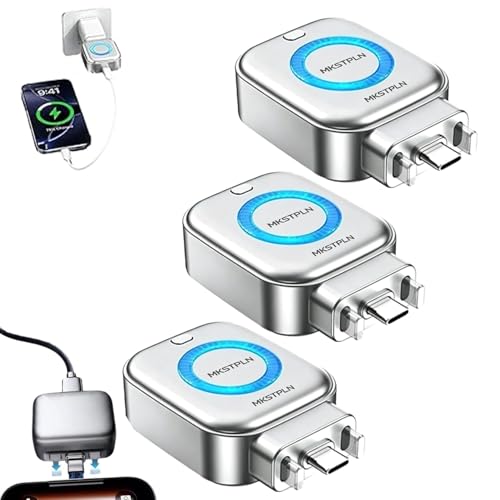
Auto Shut Off Phone Charger: Experience the ultimate peace of mind with our AI Smart Auto-Cut Adapter that features a full battery auto disconnect function, ensuring your devices stop charging once they reach 100%. This advanced technology protects battery health for iPhone and Android devices
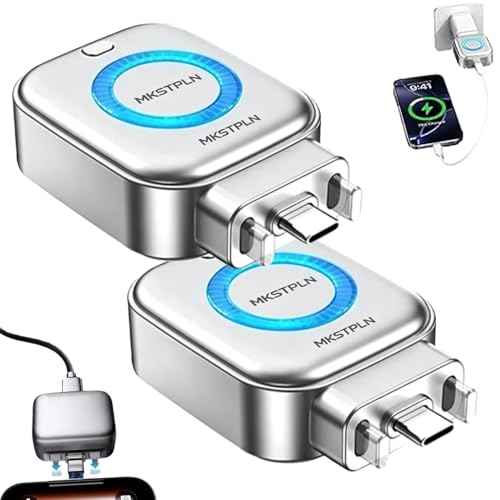
Auto Shut Off Phone Charger: Experience the ultimate peace of mind with our AI Smart Auto-Cut Adapter that features a full battery auto disconnect function, ensuring your devices stop charging once they reach 100%. This advanced technology protects battery health for iPhone and Android devices

Auto Shut Off Phone Charger: Experience the ultimate peace of mind with our AI Smart Auto-Cut Adapter that features a full battery auto disconnect function, ensuring your devices stop charging once they reach 100%. This advanced technology protects battery health for iPhone and Android devices
Best Practices for Charging
- Charge Between 20% and 80%: Start charging when your battery reaches 20%. Unplug it when it hits 80%. Keeping within this range reduces stress on battery cells.
- Use the Right Charger: Always use the charger that came with your device or a certified replacement. Third-party chargers can damage the battery or cause overheating.
- Avoid Frequent Short Charges: Instead of charging your phone for short bursts, aim for longer charging sessions. This allows the battery to perform more complete cycles, which is critical for longevity.
- Charge at Room Temperature: Heat affects battery life. Charging your phone in a hot environment can cause damage. Aim for a cool, dry space.
- Disable Fast Charging When Not Needed: If your phone supports fast charging, consider disabling it during regular charging. This reduces heat build-up and extends battery life.
How to Avoid Overcharging
- Unplug After Full Charge: Disconnect your phone once it reaches 100%. Overcharging can lead to battery swelling or damage.
- Use Smart Charging Features: Many Android phones come with smart charging options. Enable these features to avoid overcharging, as they automatically manage the charging process.
- Charge at Night with Caution: If you charge overnight, use a charger with automatic shut-off features. This prevents the battery from staying at full charge for extended periods.
- Monitor Charging Habits: Keep an eye on your charging frequency. If you consistently leave your phone plugged in past 100%, consider adjusting your habits.
- Invest in Battery Health Apps: Some apps monitor battery status and charging habits. Use these tools to gain insights into your charging patterns and make necessary adjustments.
Adopting these charging techniques and tips enhances your battery’s lifespan and improves overall device performance.
Battery Optimization Features
Android devices come equipped with various battery optimization features that enhance the longevity of your phone’s battery. These features adjust settings automatically to improve efficiency and overall performance.
Recommended Products

Power Saver and Optimizer

Find your things with ease: The SmartThings Find app uses Bluetooth and ultra-wideband (UWB) technology to locate and keep track of your stuff

Customizable Neon Colors – Personalize your clock with vibrant neon hues.
Built-in Android Settings
Android offers several built-in settings to help manage battery health.
- Battery Saver Mode: Activate this mode to limit background activity and extend battery life. You can set it to turn on automatically at a specific battery percentage.
- Adaptive Battery: This feature learns your usage patterns over time and prioritizes battery power for frequently used apps while limiting those you seldom use.
- App Sleep: You can set your device to put seldom-used apps to sleep, reducing their power consumption and improving overall battery performance.
- Screen Brightness Control: Adjusting brightness manually or enabling adaptive brightness can significantly minimize battery drain. Screens consume a large portion of battery power.
Explore these settings in your device’s settings menu under the “Battery” section for easy access and customization.
Third-party Applications for Battery Management
Numerous third-party applications assist in monitoring and managing battery performance more effectively.
- Greenify: This app puts apps into hibernation mode, which prevents background activity and helps conserve battery life.
- AccuBattery: It provides detailed statistics on battery usage and charging habits. This insight aids in optimizing your charging routines.
- Battery Guru: Utilize this app to receive suggestions for improving battery life based on your charging patterns and app usages.
- GSam Battery Monitor: This app offers a comprehensive breakdown of battery consumption, letting you identify energy-draining apps.
Install these applications to gain additional control over your battery usage and make more informed decisions about charging and app usage. These tools empower you to optimize battery health effectively, ensuring your Android phone remains functional for longer periods.
Conclusion
Taking care of your Android phone’s battery is easier than you think. By charging between 20% and 80% you can significantly extend its lifespan while keeping your device running smoothly. Remember to avoid letting your battery drain completely and unplugging it right when it hits 100% can help too.
Utilizing built-in features and trusted apps makes managing your battery even simpler. With just a few adjustments to your charging habits you can enjoy better battery health and performance. So go ahead and implement these tips to keep your phone powered up and ready for whatever you throw at it.
Frequently Asked Questions
What is the best percentage to charge my Android phone for battery health?
To optimize battery health, charge your Android phone when it drops to around 20% and unplug it at about 80%. This range helps minimize strain on the battery, extending its overall lifespan.
Can I leave my Android phone plugged in overnight?
Leaving your phone plugged in overnight can lead to overcharging and prolonged exposure to charging, which may harm battery health. Use chargers with auto shut-off features if overnight charging is necessary.
Should I use fast charging for my Android phone?
While fast charging is convenient, it can generate extra heat, which might damage battery cells. It’s advisable to use fast charging only when necessary and to charge in cooler environments for better battery health.
How do temperature and charging patterns affect battery longevity?
Extreme temperatures can negatively impact battery life. High temperatures from poor charging habits, like frequent short charges or charging in hot environments, can lead to faster degradation of battery health.
Are there specific apps to help monitor my battery performance?
Yes! Apps like Greenify, AccuBattery, Battery Guru, and GSam Battery Monitor can help track charging patterns and overall battery performance, allowing you to make adjustments for better battery health.
