

Key Takeaways
- Understand Battery Types: Familiarize yourself with the different battery types in Nokia phones, including Lithium-ion and Lithium Polymer, and the implications of removable versus non-removable options.
- Identify Common Battery Issues: Watch for signs like fast discharge, swelling, charging inconsistencies, overheating, and inaccurate battery levels, which suggest a need for replacement.
- Gather Necessary Tools: Ensure you have essential tools like screwdrivers, plastic pry tools, and tweezers, as well as optional tools like a heat gun, to facilitate a smooth battery replacement process.
- Follow Step-by-Step Instructions: Adhere to a clear, systematic guide for replacing your Nokia phone battery, including proper powering off, removal of the old battery, insertion of the new one, and testing functionality after installation.
- Practice Battery Maintenance: Implement regular charging practices, such as keeping battery levels between 20% and 80%, and adopt damage prevention strategies to enhance your Nokia phone’s battery lifespan and performance.
Is your Nokia phone running out of juice faster than it used to? You’re not alone. Many people face battery issues as their devices age, and it can be frustrating when your phone can’t keep up with your daily needs.
Understanding Nokia Phone Batteries
Nokia phones use various battery types, each impacting longevity and performance. Knowing the types and common issues with batteries helps you maintain your device better.
Recommended Products

【Quality Assurance】 All items were thoroughly tested and packed before shipping. Brand new and high quality. Perfect for 2760 Flip /Flex (ATTEA211101) HE402 battery.
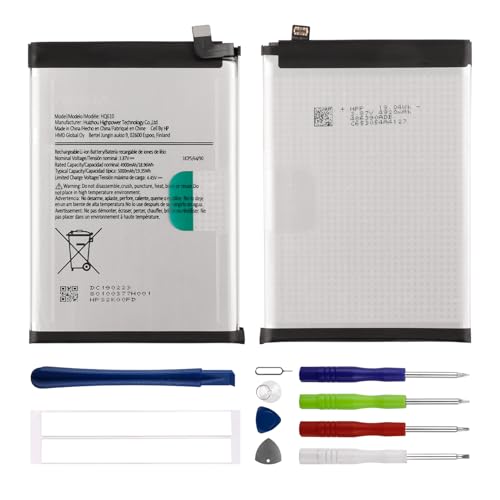
Compatible with:Nokia G42/ G310/ G400 TA-1530, TA-1448, TA-1476, N1530DL; Please check your battery type before purchasing
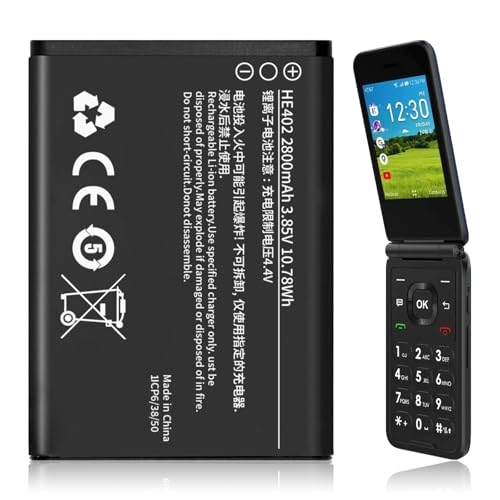
【Compatible Models】:Compatible with 2760 Flip /Flex (ATTEA211101) HE402 battery, Battery model: HE402 battery. Please confirm that your device is suitable for this replacement battery by checking the model number of your phone before purchasing.
Types of Nokia Phone Batteries
- Lithium-ion (Li-ion) Batteries: The most common battery type in Nokia phones. They provide long-lasting power and quick charging capabilities. You’ll often find these in smartphones.
- Lithium Polymer (Li-Po) Batteries: Thinner and lighter than Li-ion batteries. They fit well into compact designs. They also offer flexibility in shape and size, which manufacturers utilize for sleek models.
- Removable versus Non-removable Batteries: Nokia provides some models with removable batteries, allowing you to swap them easily when needed. Models with non-removable batteries require you to open the device for replacement, sometimes needing special tools.
Common Issues with Old Batteries
- Faster Discharge: Older batteries lose their capacity over time, leading to quicker depletion. This issue often requires you to charge your phone more frequently.
- Swelling and Leakage: Physical damage or time can cause batteries to swell or leak. If you notice your battery expanding or any signs of liquid, you must replace it immediately.
- Charging Issues: If your phone struggles to charge or charges inconsistently, it likely indicates battery wear. You might need a replacement to restore functionality.
- Overheating: An aging battery can overheat, posing safety risks. If your phone gets excessively hot during use or charging, inspect the battery.
- Inaccurate Battery Levels: Old batteries can misreport charge levels, causing sudden shut-offs. You may find your phone turning off at seemingly adequate battery levels, signaling the need for a new battery.
Understanding your Nokia phone battery can enhance performance and extend its lifespan. Being aware of battery types and common issues equips you to make better maintenance decisions.
Tools Needed for Battery Replacement
Replacing the battery in your Nokia phone requires specific tools to ensure a smooth process. Gather the following items before you start.
Recommended Products

【Compatible Models】 Nokia 2.2 TA-1179 TA-1183 TA-1188 TA-1191.Please check your old battery number before buying this battery.

This battery is compatible with LUMIA 640, NOKIA RM-1073, to ensure that the battery you purchase is a perfect match for your device, be sure to check the model number of your device before ordering (you can check the model number of your device in the ‘Settings’ of your device).

This battery is compatible with N0kia C100, C100 2022, N152DL, TA-1520, to ensure that the battery you purchase is a perfect match for your device, be sure to check the model number of your device before ordering (you can check the model number of your device in the ‘Settings’ of your device).
Essential Tools
- Screwdriver Set: A small Phillips or Torx screwdriver is crucial for removing screws from the phone’s casing.
- Plastic Pry Tools: These help you gently open the phone without damaging the casing or screen.
- Tweezers: Useful for handling small components, especially when removing the battery.
- Tray or Container: Keep screws and small parts organized during the replacement.
Optional Tools for Assistance
- Heat Gun or Hair Dryer: Applying gentle heat can soften adhesive securing the battery, making it easier to remove.
- Magnetized Screw Holder: This keeps screws in place, reducing the chances of losing them.
- Anti-Static Wrist Strap: Prevents electrostatic discharge, protecting sensitive components in your phone from damage.
Having these tools ready will streamline the battery replacement process, reducing stress and potential damage to your Nokia phone.
Step-by-Step Guide On How to Replace Battery in Nokia Phone
Replacing the battery in your Nokia phone can seem daunting, but it’s a straightforward process. Follow these steps to ensure a successful replacement.
Recommended Products

This battery is Compatible with Nokia 6300 4G, please carefully check your phone model before purchase.

This battery is compatible with Nokia 7.1 Nokia 6.1 Plus X6 2018, please carefully check your phone model before purchase.
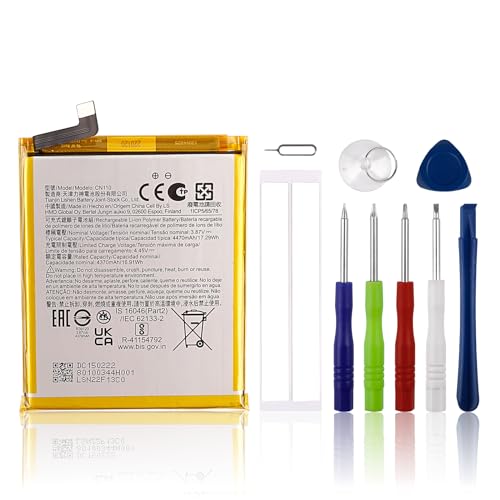
【Compatible Model】 Please Make sure your phone is suitable for this replacement battery before ordering. Battery Model: CN110 Battery.
Preparing Your Device
- Power Off: Turn off your Nokia phone completely to prevent any potential damage during the process.
- Gather Tools: Assemble the tools you’ll need, including a small Phillips or Torx screwdriver, plastic pry tools, tweezers, and a clean container to keep screws organized.
- Create a Workspace: Find a clean, flat surface to work on, free from dust and clutter. This helps protect your phone from scratches and misplacing small parts.
Removing the Old Battery
- Remove Back Cover: Use a plastic pry tool to carefully detach the back cover of the phone. Start at a corner and work your way around.
- Locate the Battery: Identify the battery within your phone. If it’s removable, it should be clearly visible.
- Disconnect the Battery: Gently pull the battery connector from the mainboard. Use tweezers if necessary to avoid damaging any components.
- Take Out the Battery: Using your fingers or a plastic pry tool, lift the old battery from its compartment. If the battery feels stuck, applying slight heat with a hair dryer can help loosen any adhesive.
Installing the New Battery
- Insert New Battery: Align the new battery with the connectors and slide it into place. Make sure it fits snugly into the compartment.
- Reconnect the Battery: Press the battery connector back onto the mainboard. Ensure it clicks into place securely.
- Replace Back Cover: Position the back cover onto the phone and press firmly around the edges until it snaps back in place.
Testing the New Battery
- Power On: Turn on your phone to ensure it boots up properly. If it does, you’ve successfully replaced the battery.
- Check Battery Performance: Monitor the phone for a few days. Observe charging times, battery percentage accuracy, and overall performance.
- Look for Issues: If you notice any abnormalities, such as overheating or rapid discharge, double-check the installation or consider seeking professional assistance.
By following these steps, you can successfully replace the battery in your Nokia phone and extend its life.
Tips for Maintaining Battery Health
Maintaining your Nokia phone’s battery health is crucial for optimal performance and longevity. Follow these practical tips to keep your battery in great shape.
Charging Practices
- Charge your phone between 20% and 80%. This range helps extend battery lifespan.
- Avoid overnight charging. Constantly keeping the battery at 100% can cause wear over time.
- Use the original charger. Third-party chargers may not provide the right voltage and can harm the battery.
- Unplug when fully charged. Leaving it connected can create heat, impacting battery health.
- Enable battery saver mode. This setting reduces power consumption when you’re low on battery.
Preventing Battery Damage
- Keep your phone away from extreme temperatures. High heat or freezing conditions can damage the battery.
- Use a protective case. A case can prevent physical stress on the battery during drops or impacts.
- Avoid excessive app usage. Close apps running in the background to prevent battery drain and overheating.
- Don’t let the battery fully discharge frequently. This practice can lead to quicker degradation.
- Store your phone in a cool, dry place. Proper storage conditions help maintain battery integrity when not in use.
Implementing these tips helps maintain your Nokia phone’s battery health, ensuring a reliable and efficient device for your daily needs.
Conclusion
Replacing the battery in your Nokia phone doesn’t have to be a daunting task. With the right tools and a little patience you can breathe new life into your device. Remember to follow the steps carefully and take your time during the process.
Once you’ve installed the new battery keep an eye on its performance. Implementing the maintenance tips can help you get the most out of your battery and keep your phone running smoothly. Enjoy your revitalized Nokia and stay connected without the worry of frequent charging.
Frequently Asked Questions
What causes battery life deterioration in aging Nokia phones?
Battery life deterioration in older Nokia phones is primarily caused by the natural aging process of the battery. Over time, factors like frequent charging and discharging cycles lead to faster discharge rates, and issues like swelling, overheating, and inaccurate battery readings can also occur. These symptoms can significantly frustrate users as devices struggle to meet their daily usage needs.
What types of batteries are used in Nokia phones?
Nokia phones commonly use Lithium-ion (Li-ion) and Lithium Polymer (Li-Po) batteries. Li-ion batteries are widely used for their durability and energy efficiency, while Li-Po batteries are more flexible in design. Understanding the type of battery in your phone can help you make informed decisions regarding maintenance and potential replacements.
What tools are needed for replacing a Nokia phone battery?
Essential tools for replacing a Nokia phone battery include a small Phillips or Torx screwdriver, plastic pry tools, tweezers, and a tray to organize screws. Optional tools, like a heat gun for softening adhesive and an anti-static wrist strap, can facilitate a smoother replacement process. Having these tools ready helps avoid damage during the replacement.
How do I replace the battery in my Nokia phone?
To replace your Nokia phone’s battery, first, power off the device and gather necessary tools. Create a clean workspace, then remove the back cover, disconnect the old battery, and take it out. Install the new battery by ensuring proper alignment and reconnection. Finally, power on the device to test the new battery’s performance.
What tips can I follow to maintain my Nokia phone’s battery health?
To maintain your Nokia phone’s battery health, charge the device between 20% and 80%, avoid overnight charging, and use the original charger. Enable battery saver mode, keep the phone away from extreme temperatures, and avoid excessive app usage. Following these tips can help extend battery longevity and improve daily performance.
