

Key Takeaways
- Battery Overview: The Samsung S21 Ultra features a non-removable 5,000 mAh battery, supporting fast and wireless charging to enhance user experience.
- Essential Tools: Proper tools like a suction cup, heat gun, and plastic pry tools are crucial for safely removing the battery and preventing damage.
- Step-by-Step Removal: Follow a systematic guide for removing the battery, which includes powering off the device, detaching the back cover, and disconnecting the battery safely.
- Safety Precautions: Always turn off the device before starting, use anti-static gear, and work in a clean area to avoid damaging sensitive components.
- What to Avoid: Steer clear of sharp tools and liquids, and take your time to prevent errors during the battery removal process.
Ever found yourself in a situation where your Samsung S21 Ultra just won’t charge, and you suspect the battery might be the culprit? You’re not alone. Many users face this frustrating issue, and knowing how to remove the battery can be a game changer.
Overview Of Samsung S21 Ultra Battery
The Samsung S21 Ultra features a high-capacity 5,000 mAh battery. This battery supports fast charging at 25W and can handle wireless charging at 15W, ensuring quick power-ups when needed.
Samsung implements advanced battery management to optimize performance and longevity. The battery life lasts up to 22 hours of talk time, providing ample usage throughout the day. When fully charged, you can enjoy streaming, gaming, or browsing without constant worry about battery depletion.
In case of battery issues, knowing how to remove it becomes essential. Although the S21 Ultra battery is non-removable, you’re able to safely access the internal components to troubleshoot problems. Always handle the device with care, utilizing proper tools such as a heat gun or suction cup to open the case without damage.
Understanding the battery’s specifications and limitations helps you troubleshoot effectively. If the device displays symptoms like rapid battery drain or charging failures, these could indicate potential battery faults.
Tools Required For Battery Removal
To remove the battery from a Samsung S21 Ultra safely, you’ll need specific tools. Using the correct tools helps prevent damage to your device and ensures a smoother process.
Basic Tools
- Suction Cup: This tool creates a strong grip on the device’s surface, allowing you to lift the screen gently.
- Plastic Pry Tools: Use these to safely detach the screen without scratching or damaging the edges.
- Tweezers: These help in removing small components and connectors without losing them.
- Phillips Screwdriver: A small Phillips screwdriver is necessary to remove screws securing internal parts.
Advanced Tools
- Heat Gun or Hair Dryer: Heat helps soften the adhesive holding the screen in place, making it easier to lift.
- Spudger: This tool aids in prying open the device and disconnecting internal connectors without causing harm.
- Anti-Static Wrist Strap: Wear this to prevent static electricity from damaging sensitive electronic parts while you work.
Having these tools ready before starting the battery removal process will streamline your efforts and minimize risks.
Step-By-Step Guide To Remove Battery
This guide walks you through the steps to safely remove the battery from your Samsung S21 Ultra.
Recommended Products

【Brand New High Quality】OEM Back glass replacement battery door for Samsung Galaxy S21 Ultra. 100% perfect fit replacement. Tested one by one by professional technicist before shipping. This replacement back glass will repair your cracked, damaged, scratched phone. Restore the device back to new.

【Compatible Model】It is compatible with Samsung Galaxy S21 Ultra, Model: S21 Ultra 5G SM-G998 G998B G998U. Not for S21 and S21+ Plus. Please double identify and check your phone model matches before purchasing the battery.
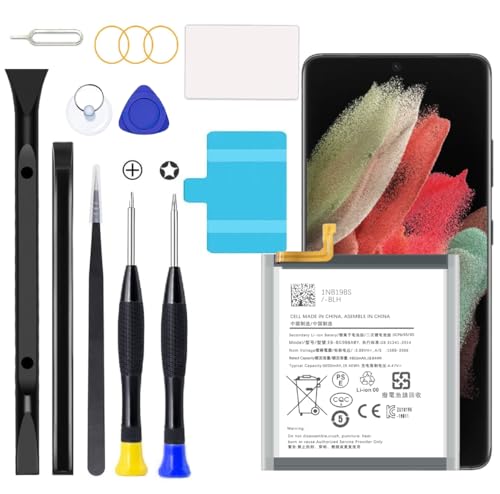
Compatible Models: This S21 Ultra Battery For Samsung Galaxy S21 Ultra, Model: S21 Ultra 5G SM-G998 G998B G998U EB-BG998ABY [Note: Not for Samsung Galaxy S21 Plus/S21 other Galaxy model.]
Preparing The Device
- Gather all tools: Ensure you have a suction cup, plastic pry tools, tweezers, a Phillips screwdriver, a heat gun or hair dryer, and a spudger.
- Power off the device: Hold the power button and select “Power Off.” This prevents any electrical issues during the removal process.
- Clear your workspace: Create a clean, well-lit area to avoid losing any small parts or tools.
Removing The Back Cover
- Apply heat: Use a heat gun or hair dryer on low heat to soften the adhesive around the back cover. Keep it at a distance and avoid overheating.
- Attach suction cup: Place a suction cup on the back cover, just above the device’s bottom edge.
- Lift gently: Pull the suction cup while using a plastic pry tool to insert into the gap. Work your way around, gently prying open the cover until it separates from the frame.
- Remove cover: Once loose, carefully lift off the back cover, exposing the internal components.
Disconnecting The Battery
- Locate battery connector: Find the battery connector, usually near the top or center of the device.
- Use the spudger: Insert the spudger gently under the connector and lift it to disconnect. Ensure you don’t damage surrounding parts.
- Confirm disconnection: Check that the battery connector is completely separated from the motherboard for safety.
Removing The Battery
- Identify battery adhesive: Look for adhesive strips securing the battery in place.
- Use plastic pry tools: Carefully slide a plastic pry tool under the battery to loosen it from the adhesive. Work slowly to prevent any damage to the battery casing.
- Lift the battery out: Once the adhesive loosens, grip the battery with tweezers and gently lift it from the case. Ensure it’s free of any remaining adhesive.
- Check condition: Inspect the battery before disposal or replacement. Properly dispose of the battery in accordance with local regulations.
Following these steps allows you to safely access and remove the battery from your Samsung S21 Ultra for troubleshooting or replacement.
Tips And Precautions
Removing the battery from a Samsung S21 Ultra requires careful attention to safety and specific procedures. Following these tips ensures a smoother experience.
Recommended Products
![ITMBET Battery for Samsung Galaxy S21 Ultra, [6000mAh] Upgraded 2024 New 0 Cycle EB-BG998ABY Battery Replacement for Samsung Galaxy S21 Ultra 5G SM-G998B/DS SM-G998U with Replacement Tool Kits](https://m.media-amazon.com/images/I/511+XGoDThL._SL500_.jpg)
►【 Upgrade Capacity to 6000mAh】- Galaxy S21 Ultra battery replacement use advanced technology makes the battery capacity for S21 Ultra up to 6000mAh with the same size. Best Replacement for the original S21 Ultra battery, With extra enhanced talk time, standby time and longevity . It will provide you with up to 1000+ charge cycles with the high-speed and efficient charge.
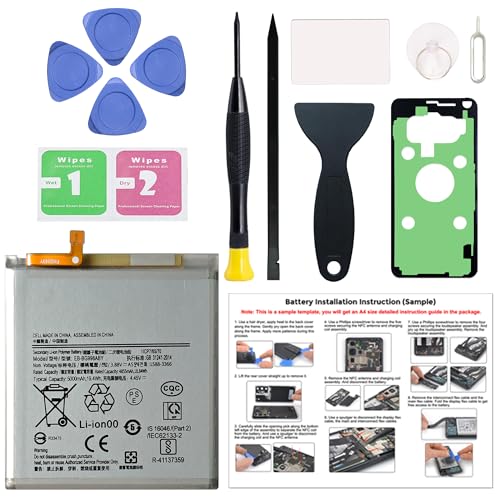
Compatible Phone Model: This battery kit is specifically designed for Samsung Galaxy S21 Ultra (with model SM-G998 series), NOT work for Galaxy S21 or S21 Plus, please double confirm your phone model before purchasing
Compatible Models: This S21 Ultra Battery For Samsung Galaxy S21 Ultra, Model: S21 Ultra 5G SM-G998 G998B G998U EB-BG998ABY [Note: Not for Samsung Galaxy S21 Plus/S21 other Galaxy model.]
Safety Measures
- Power Off Device: Always turn off your Samsung S21 Ultra before starting any disassembly. This prevents electrical shock and protects the device.
- Use Anti-Static Gear: Wear an anti-static wrist strap to avoid damaging sensitive components. Static electricity can harm internal parts.
- Work in a Clean Environment: Ensure your workspace is free from clutter. This helps you manage tools and small components effectively.
- Handle with Care: Be gentle when prying open the device. Excessive force can crack the screen or damage internal components.
What To Avoid
- Avoid Water or Liquids: Keep liquids away while working on your device. Moisture can cause irreversible damage.
- Don’t Rush the Process: Take your time with each step. Rushing increases the risk of errors, like misplacing screws or damaging connectors.
- Avoid Sharp Tools: Use only plastic pry tools to avoid scratching the device. Metal tools can leave marks or cause hazardous scratches.
- Don’t Ignore Safety Guidelines: Skipping safety measures can lead to accidents. Always adhere to instructions for a safe removal process.
Conclusion
Removing the battery from your Samsung S21 Ultra can seem daunting but with the right tools and steps it can be a straightforward process. By being careful and following the guidelines, you can troubleshoot battery issues effectively. Just remember to take your time and handle everything gently to avoid any damage.
Once you’ve accessed the battery, you’ll have a better chance of identifying any problems and deciding on the next steps. Whether you’re replacing the battery or just checking its condition, you’re now equipped to tackle this task with confidence. Happy troubleshooting!
Frequently Asked Questions
Why is my Samsung S21 Ultra not charging?
The Samsung S21 Ultra may not charge due to a faulty battery, damaged charging port, or cable issues. It’s recommended to test with a different cable or charger and check for debris in the charging port. If the problem persists, further troubleshooting or professional assistance may be needed.
How can I tell if my battery needs replacement?
Signs that your Samsung S21 Ultra battery may need replacement include rapid battery drain, failure to charge, or physical damage to the battery. If you experience consistent performance issues, it might be time to inspect or replace the battery.
What tools do I need to remove the battery from a Samsung S21 Ultra?
To safely remove the battery, you’ll need basic tools like a suction cup, plastic pry tools, tweezers, and a Phillips screwdriver. Advanced tools like a heat gun or hair dryer can help soften adhesive, while an anti-static wrist strap protects sensitive electronics.
Is the battery of the Samsung S21 Ultra removable?
No, the Samsung S21 Ultra battery is non-removable. However, users can safely access it by carefully removing the back cover with the right tools and following a detailed guide for battery extraction.
How can I safely remove the battery from my Samsung S21 Ultra?
Begin by gathering tools and powering off your device. Heat the back cover to soften the adhesive, use a suction cup to lift it, then gently pry it open. Disconnect the battery connector with a spudger and carefully remove the battery using tweezers.
What precautions should I take when removing the battery?
Always power off your device before proceeding. Wear anti-static gear, work in a clean environment, and handle components with care. Avoid sharp tools and liquids. Taking these precautions ensures both your safety and the integrity of your device.
