

Ever wondered why your laptop battery seems to drain faster than your morning coffee disappears? Picture this: you’re in the middle of a crucial project, and suddenly, the dreaded low battery warning pops up. Frustrating, right? But fear not, because in this article, you’ll discover simple yet effective ways to make your laptop battery last longer.
What if you could squeeze out extra hours of battery life without sacrificing performance? Imagine the convenience of working on-the-go without constantly searching for a power outlet. In this guide, you’ll uncover practical tips and tricks to optimize your laptop’s battery longevity, ensuring you stay productive whenever, wherever. So, say goodbye to battery anxiety and hello to extended usage with these easy-to-implement strategies.
Adjust Display Settings
When it comes to extending your laptop battery life, one effective way is to adjust your display settings. Here’s how you can do it:
- Lower Brightness: Dimming your screen can significantly reduce power consumption.
- Set Screen Timeout: Make sure your laptop screen turns off after a short period of inactivity.
- Use Power Saver Mode: Enable your laptop’s power saver mode that automatically adjusts settings to conserve power.
- Disable Visual Effects: Turning off fancy visual effects can help save battery life.
- Reduce Resolution: Lowering your screen resolution can also contribute to prolonging battery life.
By making these simple adjustments, you can optimize your laptop’s battery usage, allowing you to work longer on-the-go without worrying about running out of power.
Recommended Products

【101W Total Power Bank to Share】Distribute 100W total across two devices, with a single device receiving up to 65W Max, to rapidly charge iPhones, Samsung phones ects. Quickly charge a 14" MacBook Pro to 50% in under 40 minutes. ANSODY laptop portable charger is a must-have for every business person and game enthusiast.

𝟭𝟵-𝗶𝗻-𝟭 𝗠𝘂𝗹𝘁𝗶𝗳𝗮𝗰𝗲𝘁𝗲𝗱 𝗘𝘅𝗽𝗮𝗻𝘀𝗶𝗼𝗻:The TobenONE laptop docking station packs 19 ports into one compact device—10 USB ports, 2 HDMI outputs, PD charging, Host port, Gigabit Ethernet, SD/MicroSD card slots and a 3.5mm audio jack; one single USB-C cable links your laptop to the dock and activates all ports at once, turning your laptop into a fully loaded workstation without a nest of cables so you no longer need to repeatedly plug and unplug peripherals directly into your notebook, with all devices staying steadily connected to keep your desk neatly organized.

【Ergonomic Design Mouse】: Scientific ergonomic design encourages healthy neutral "handshake" wrist, end of wrist & shoulder pain.
Unplug External Devices
When trying to extend your laptop battery life, it’s essential to unplug any external devices that are not in use. Here’s why:
- Connected devices draw power even when not actively in use.
- Unplugging external devices such as USB drives, external hard drives, or headphones can help reduce power consumption and prolong battery life during your laptop’s usage.
Consider disconnecting peripherals that are not necessary for your current task, as this simple action can contribute significantly to preserving your battery power.
By being mindful of the devices connected to your laptop, you can maximize its battery performance and work efficiently for longer periods without the need for frequent recharging.
Manage Background Processes
When it comes to extending your laptop’s battery life, managing background processes is key. Background apps and programs running unnecessarily can drain your battery faster. Here are some tips to help you optimize your laptop’s battery performance:
- Close Unused Apps: Make sure to exit programs you’re not using.
- Check Task Manager: Keep an eye on tasks consuming too much CPU power.
- Disable Startup Programs: Limit the number of apps launching when you start your laptop.
- Regular Updates: Ensure your operating system and apps are up to date for efficient performance.
With these simple practices, you can minimize unnecessary power consumption, allowing your laptop to last longer between charges.
Enable Power Saving Mode
When you’re looking to extend your laptop’s battery life, one simple yet effective step is to enable Power Saving Mode. This feature helps conserve power by adjusting various settings on your device. Here’s how you can make the most of it:
- Access Power Settings: Go to your laptop’s settings and locate the Power Options menu.
- Choose Power Saving Mode: Select the Power Saving Mode option to activate it.
- Adjust System Settings: Your laptop will automatically make changes like dimming the display and reducing performance to save energy.
- Optimize Battery Usage: Power Saving Mode also helps in managing background processes to minimize unnecessary power consumption.
By enabling Power Saving Mode, you can significantly prolong your laptop’s battery life, especially when you’re on the go or away from a power source. Remember to toggle this feature on whenever you want to maximize the usage time of your device without compromising on performance.
Properly Maintain Battery Health
Taking care of your laptop’s battery is crucial for ensuring its longevity and performance. Here are some practical tips to help you maintain battery health:
- Avoid extreme temperatures: Keep your laptop in a moderate temperature environment to prevent damage to the battery.
- Calibrate your battery: Regularly calibrating your laptop’s battery helps maintain accurate power readings and ensures optimal performance.
- Unplug when fully charged: Once your laptop reaches a full charge, unplug it to prevent overcharging, which can degrade the battery over time.
- Keep it clean: Dust and debris can affect your laptop’s cooling system, causing it to overwork and drain the battery faster. Clean your laptop regularly to prevent this.
- Optimize power settings: Adjusting your power settings can help preserve battery life. Consider dimming your screen, lowering speaker volume, and closing unnecessary programs.
- Update your software: Keeping your operating system and applications up to date can improve battery efficiency by fixing bugs and optimizing performance.
- Use battery-saving features: Take advantage of built-in battery-saving features like hibernation mode or sleep mode when you’re not actively using your laptop.
- Reduce background processes: Close unnecessary apps and tabs running in the background to lighten the load on your battery and extend its lifespan.
| Battery Maintenance Tips |
|---|
| Avoid extreme temperatures |
| Calibrate your battery |
| Unplug when fully charged |
| Keep it clean |
| Optimize power settings |
| Update your software |
| Use battery-saving features |
| Reduce background processes |
Recommended Products

【Specifications】Model: L14M2P21 / Type: Li-ion / Voltage: 7.4V / Capacity: 30Wh 4050mAh
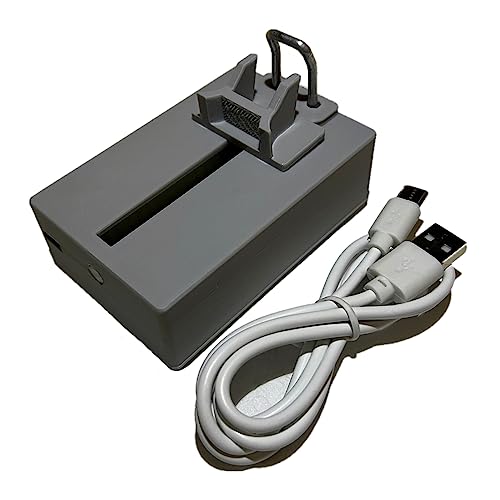
Professional design, capable of measuring time difference, polarization, amplitude, frequency, dashed lines, waveform, and rising angle settings. The PC software is very simple, and it will work automatically when you open it

【Specifications】Model: L16C2PB2. Type: Li-ion. Voltage: 7.6V. Capacity: 30Wh 4030mAh. Up to 1000 recharge cycles over the life of the battery
Conclusion
You’ve learned valuable tips to extend your laptop battery life. By following these practices, you can ensure your battery remains healthy and your laptop performs optimally. Remember to avoid extreme temperatures, calibrate your battery, unplug when fully charged, maintain a clean laptop, optimize power settings, update software regularly, utilize battery-saving features, and reduce background processes. Implementing these simple habits will help you get the most out of your laptop battery, prolong its lifespan, and enhance overall efficiency. Keep these tips in mind to enjoy long-lasting battery performance and a smoother computing experience.
Frequently Asked Questions
Why is it important to maintain laptop battery health?
Properly maintaining laptop battery health ensures longevity and performance by preventing damage, maintaining accurate power readings, preventing overcharging, and optimizing performance.
How can I maintain my laptop battery health?
Maintain laptop battery health by avoiding extreme temperatures, calibrating the battery, unplugging when fully charged, keeping the laptop clean, optimizing power settings, updating software, using battery-saving features, and reducing background processes.
What benefits does maintaining laptop battery health provide?
Maintaining laptop battery health helps improve cooling system efficiency, conserve battery life, prevent damage, maintain accurate power readings, prevent overcharging, optimize performance, and extend the overall lifespan of the battery.
