

Key Takeaways
- Understanding Battery Life: Knowledge of how battery life works can help you optimize your Google Pixel 6 Pro’s performance and reliability.
- Key Battery Management Strategies: Regularly monitor app usage and settings to manage battery more efficiently, especially focusing on high-drain apps.
- Common Battery Draining Culprits: Be aware of background apps, high screen brightness, location services, and outdated software as factors that can lead to rapid battery drain.
- Practical Tips for Improvement: Adjust screen brightness, set a shorter screen timeout, use dark mode, and manage background data to enhance battery longevity.
- Utilizing Battery Saver Mode: Enable Battery Saver and customize its options to preserve battery life during critical times.
- Advanced Techniques: Regular software updates and enabling Adaptive Battery can further extend your device’s battery life significantly.
Ever found yourself frantically searching for a charger when your Google Pixel 6 Pro hits that dreaded low battery warning? You’re not alone. Many users struggle with keeping their devices powered throughout the day, especially with all the apps and features at your fingertips.
The good news is that you can easily extend your battery life with a few simple adjustments. This article will share practical tips and tricks to help you get the most out of your Pixel 6 Pro. With just a little effort, you’ll keep your phone running longer and enjoy more uninterrupted time for calls, browsing, and everything else you love.
Understanding Battery Life
Battery life plays a crucial role in your daily experience with the Google Pixel 6 Pro. Understanding how it works can help you maximize the device’s performance and reliability.
Importance of Battery Management
Battery management directly affects your phone’s lifespan and overall efficiency. Proper management ensures that your Pixel 6 Pro lasts throughout the day. You can optimize performance by regularly monitoring your app usage and settings. For instance, checking which apps consume the most energy helps you adjust their background activity. Aim to keep high-drain apps in check, so they don’t deplete your battery quickly.
Common Battery Issues in Google Pixel 6 Pro
Several issues may contribute to rapid battery drain on the Google Pixel 6 Pro. Common problems include:
- Background Apps: Certain apps run continuously, consuming power even when you’re not actively using them.
- Screen Brightness: High screen brightness settings lead to increased energy consumption. Adjust brightness to a comfortable yet lower level.
- Location Services: Frequent use of GPS and location tracking drains battery life. Disable location services when not needed.
- Outdated Software: Running outdated software can lead to inefficiencies. Regularly check for updates to ensure your device operates optimally.
Recognizing these issues allows you to implement practical solutions to extend your battery life effectively.
Tips to Improve Battery Life
Improving battery life on your Google Pixel 6 Pro starts with a few simple adjustments. These practical tips focus on optimizing settings and managing apps effectively.
Recommended Products

【6200mAh High Capacity】6200mAh Super battery Compatible with Google Pixel 6 Pro power more than Original or Other Battery. Brand new 0 cycle, last over 2000 cycles. Make your Pixel 6 Pro last longer and reduce your recharging times. Say goodbye to the trouble of insufficient old batteries!

【1. Brand New 0 Cycle – Not a Pulled Battery】 100% new cells, 0 charge cycles. Absolutely not a pulled or used battery. Capacity is 4614mAh, matching original specifications, ensuring reliable daily battery life.

【Why Don't Sell Increased Capacity Battery 】- Because most of the so-called upgraded batteries on the market are exaggerated, the actual use time does not increase much, but the price is expensive. Our battery capacity and voltage is 100% same as your original Pixel 6 battery, it is a real 4614mAh can be perfectly compatible with the motherboard of your phone, and will not damage the hardware and reduce the service life of phone, true to providing long-lasting battery life.
Adjusting Screen Settings
- Lower brightness: Set your screen brightness to automatic. This feature adjusts based on your surroundings.
- Reduce screen timeout: Change the screen timeout setting to 30 seconds or 1 minute. This prevents your screen from staying on longer than necessary.
- Use dark mode: Activate dark mode in system settings. Darker themes consume less battery on OLED screens, like the one on your device.
Managing Apps and Background Activity
- Identify high-drain apps: Navigate to Settings > Battery > Battery usage. This section provides insight into which apps use the most battery. Uninstall or limit usage of these apps where possible.
- Restrict background data: In Settings > Apps, select an app, then choose Data usage to limit its background data. This action prevents apps from draining battery while not in use.
- Disable unnecessary notifications: Turn off notifications for apps that aren’t essential, as they prevent your screen from lighting up and using power unnecessarily.
Utilizing Battery Saver Mode
- Enable Battery Saver: Go to Settings > Battery > Battery Saver. This mode reduces background activity, limits location services, and disables certain features like high frame rates to save battery life.
- Customize battery savings options: Within Battery Saver settings, you can choose to turn it on automatically at a certain battery percentage. This feature ensures you maintain power when it matters most.
- Turn off Adaptive Battery: While Adaptive Battery optimizes battery usage based on your habits, disabling it in Settings > Battery can provide better immediate control over your battery preferences.
By making these adjustments, you effectively enhance your Google Pixel 6 Pro’s battery life, allowing for extended use without constant recharging.
Advanced Techniques
To maximize battery life on your Google Pixel 6 Pro, consider the following advanced techniques.
Recommended Products

GALAXY AI IS HERE: Search like never before¹, get real-time interpretation on a call², format your notes into a clear summary³, and effortlessly edit your photos⁴ - all from your smartphone, all with AI

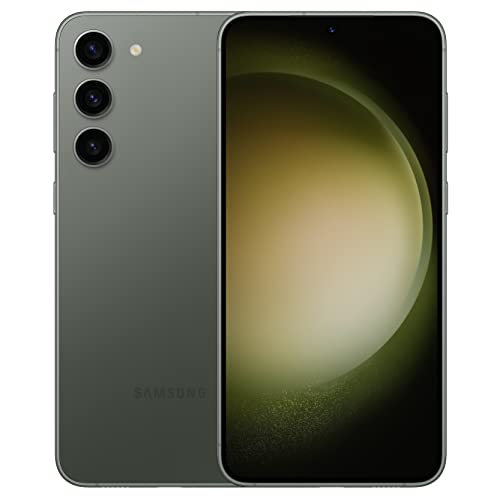
CAPTURE THE NIGHT IN LOW LIGHT: Whether you’re headed to a concert or romantic night out, there’s no such thing as bad lighting with Night Mode; Galaxy S23 plus lets you capture epic content in any setting with stunning Nightography
Software Updates and Maintenance
Keeping your device updated enhances battery performance. Regular updates bring fixes for bugs that drain battery life. You can check for updates by going to Settings > System > System update. Install updates promptly to ensure your phone operates efficiently. Additionally, clear cached data occasionally. Access this under Settings > Storage > Cached data. Deleting old cache files frees up space and may improve performance.
Using Adaptive Battery Features
Utilizing the Adaptive Battery feature can significantly extend battery life. This setting prioritizes power for frequently used apps while limiting background activity for less-used apps. To activate Adaptive Battery, go to Settings > Battery > Adaptive Battery, and toggle it on. You’ll notice a difference in how your battery lasts as the feature optimizes usage over time.
Accessories and External Solutions
Using the right accessories and external solutions can greatly enhance the battery life of your Google Pixel 6 Pro. Consider the following options.
Power Banks and Cases
Power banks offer a convenient way to keep your device charged on the go. Look for a power bank with a capacity of at least 10,000 mAh. This capacity provides multiple charges for your Pixel 6 Pro. Consider a power bank with fast charging capabilities to minimize downtime.
Battery cases serve a dual purpose: they protect your device while providing extra power. These cases come with built-in batteries that recharge your phone when needed. Choose a case that balances protection and power boost without adding too much bulk.
Wireless Charging Options
Wireless chargers provide a hassle-free way to charge your Google Pixel 6 Pro. Look for a Qi-certified wireless charger for compatibility and efficiency. Fast wireless chargers can reduce charging time compared to standard options.
Consider a wireless charging dock if you prefer a designated spot for charging at home or in the office. These docks provide stable support, reducing wear on your device’s charging port.
For added versatility, opt for a car wireless charger. These chargers keep your device powered while you drive, ensuring navigation and calls remain uninterrupted.
By integrating these accessories and solutions, you can effectively enhance the battery life of your Google Pixel 6 Pro.
Conclusion
By implementing these simple yet effective strategies you can significantly boost your Google Pixel 6 Pro’s battery life. It’s all about finding the right balance between performance and power conservation.
With a few tweaks to your settings and a bit of awareness about your app usage you’ll enjoy longer periods of uninterrupted use. Don’t forget to explore accessories like power banks and battery cases to keep your phone charged while you’re on the move.
Embrace these tips and watch your battery life improve so you can stay connected without the constant worry of running out of power. Happy optimizing!
Frequently Asked Questions
What are common reasons for low battery life on the Google Pixel 6 Pro?
Low battery life can be caused by high-drain apps, high screen brightness, location services, outdated software, and background processes. Identifying and managing these factors can help improve battery performance.
How can I extend the battery life of my Google Pixel 6 Pro?
You can extend battery life by lowering screen brightness, reducing screen timeout, using dark mode, managing app permissions, enabling Battery Saver mode, and regularly updating your software to fix bugs.
What is the Adaptive Battery feature, and how does it help?
Adaptive Battery prioritizes power for frequently used applications while limiting background activity for less-used ones. Activating this feature optimizes battery usage and enhances longevity over time.
Are there any accessories that can help improve battery life?
Yes, accessories like power banks (10,000 mAh or higher) and battery cases can provide extra power. Wireless chargers, including Qi-certified options, offer convenient charging solutions at home and on the go.
How often should I update my Google Pixel 6 Pro for optimal battery life?
Regularly updating your device is essential as updates often include fixes for bugs that can drain battery life. Aim to check for updates at least once a month for the best performance.
