

Key Takeaways
- Identify Causes of Battery Drain: Understand common culprits such as background apps, high screen brightness, location services, outdated software, and unnecessary connectivity features that contribute to fast battery drain.
- Manage Display Settings: Lower screen brightness, reduce screen timeout, enable dark mode, and limit animations to extend battery life effectively.
- Optimize Background Applications: Regularly close unused apps, restrict background data, activate battery saver mode, and uninstall unnecessary applications to prevent excessive battery consumption.
- Perform Battery Calibration: Calibrating your battery can help improve its performance and accuracy in reporting charge levels, potentially leading to extended battery life.
- Stay Updated with Software: Consistently check for and install software updates to fix bugs and ensure optimal performance that aids in battery management.
- Recognize When to Replace the Battery: Be aware of signs indicating a failing battery, such as rapid percentage drops, overheating, and frequent unexpected shutdowns, to determine the right time for a replacement.
Is your Android phone constantly begging for a charge? You’re not alone. Many people face the frustration of a battery that drains faster than it should, leaving them tethered to a charger. It’s annoying when you can’t even make it through the day without hunting for an outlet.
Understanding Battery Drain Issues
Battery drain issues affect many Android phone users. Recognizing the reasons behind rapid battery drain helps you troubleshoot effectively.
Common Causes of Battery Drain
- Background Apps: Numerous apps running in the background consume resources. Apps like social media or streaming services often drain battery life significantly.
- Screen Brightness: High screen brightness settings also lead to faster battery consumption. The brighter the screen, the more battery it uses.
- Location Services: GPS and location tracking can heavily tax the battery. Frequent location updates from maps or fitness apps drain energy.
- Software Updates: Outdated software can result in inefficient battery management. Staying updated ensures optimal performance and battery usage.
- Connectivity Features: Wi-Fi, Bluetooth, and mobile data left on can drain power. Each feature actively searching for connections uses battery resources.
Signs of a Fast Draining Battery
- Frequent Charger Use: If you reach for your charger several times a day, it indicates rapid battery decay.
- Battery Percentage Drops Quickly: Noticeable drops in battery percentage, especially while in use, signal underlying issues.
- Phone Overheating: Overheating often coincides with battery drain. If the device feels hot to the touch, it may struggle to maintain power.
- Reduced Screen Time: If your device’s screen time decreases significantly, your battery likely drains faster than before.
- Unexpected Shutdowns: Sudden power-offs at high battery percentages indicate potential battery degradation.
Tips to Optimize Battery Life
To extend the battery life of your Android phone, implement several key strategies. These tips address common issues and help you make the most out of your device.
Recommended Products

1100mAh Large Battery | 100-Day Standby | 25-Day Regular Use: Go Longer, Charge Less.This smart watch health fitness tracker is equipped with power management system that offering an impressive long-lasting standby time of up to 100 days and 25 days with normal use on a single charge. Fitness smart watch features a massive battery that keeps up with you.Power days of adventure without the charger. Spend less time charging and more time living.

TWO STYLES & ELEGANT DESIGN: The Yoever round smart watch for women seamlessly blends fashion with intelligence. With two interchangeable straps (Sporty and Chic), It is the ideal choice for every woman.

Long Battery Life & All-Round Practical Functions: Smart watch is powered by a 1000mAh battery with low-power design, delivering up to 20+ days of usage and 85 days of standby time, fully charged in just 3.5 hours. It comes with a full range of practical tools, including alarm clock, stopwatch, timer, find my phone, camera control, SOS emergency assistance, sedentary reminder and water drinking reminder, eliminating daily troubles.
Adjusting Display Settings
Adjusting your display settings can significantly reduce battery drain. Consider these actions:
- Lower Screen Brightness: Set your brightness to a comfortable yet lower level. Automatic brightness adjustment uses sensors to adapt to surroundings.
- Reduce Screen Timeout: Shorten the time it takes for your screen to turn off when inactive. A 30-second timeout effectively conserves battery power.
- Use Dark Mode: Enable dark mode if your device has an OLED display. Darker pixels consume less power compared to brighter ones.
- Limit Animation Effects: Disable or reduce animations in your settings. Fewer animations lead to lower processing demands, prolonging battery life.
Managing Background Apps
Background apps often consume valuable battery resources. Take these steps to manage them effectively:
- Close Unused Apps: Regularly check and close apps running in the background. Use the task manager to kill apps not in use.
- Restrict Background Data: Adjust settings to limit data access for apps in the background. This prevents constant updates that drain battery life.
- Use Battery Saver Mode: Activate battery saver mode to limit background app activity. This feature reduces performance for non-essential tasks, helping your battery last longer.
- Uninstall Unnecessary Apps: Remove apps that you seldom use or ones that drain battery excessively. Regularly assess your app inventory to keep only what you need.
Implementing these strategies helps you manage battery life effectively, ensuring your Android device stays powered throughout your day.
Advanced Solutions
You can implement advanced solutions to further improve battery performance on your Android device. These methods can fine-tune settings and ensure your phone operates efficiently.
Recommended Products

Applicable Product Model: IP5‑15 series ,for Android models Mate 60+ 5G/5S/6/6P/7/7P/8/8P/X/XS forMax/XR/11/11 Pro/11 Pro Max. 12/12min/12 Pro/12 Pro for Max/13/13mini/13 Pro/13 Pro for Max, 14 15promax
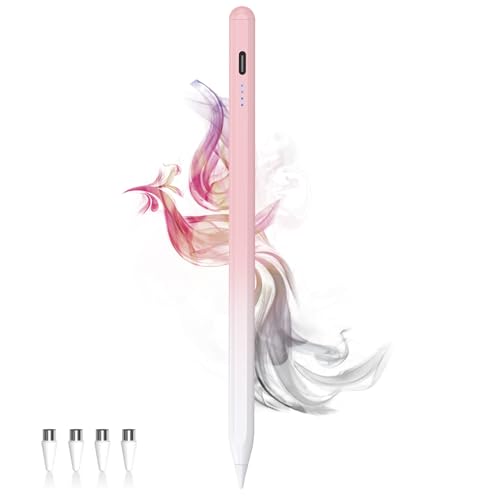
New upgrade - Live Energy Display: This stylus pen has a live energy display function, which can display four levels of power. Through the battery indicator, you can know the battery status of the iphone pencil stylus in real time, so as to effectively protect your work process and charge the stylus when the battery is about to run out

【Multi-Band GPS for Precision Positioning】Navigate confidently with the CyberX's multi-band GPS, supporting GPS/BDS/GLONASS/GALILEO for fast satellite acquisition and precise tracking. During exercise, the CyberX tracks, displays, and records your movement trajectory, speed, distance, altitude, calories, and fitness indicators in real time on the smartwatch. Afterward, it seamlessly transfers the data to the GloryFitPro app for detailed analysis and progress tracking.
Performing a Battery Calibration
Battery calibration can enhance your device’s ability to read its battery percentage accurately. To calibrate your battery, follow these steps:
- Charge your phone: Fully charge your device to 100%.
- Use your phone: Use your phone until it automatically shuts down due to low battery.
- Leave it off: Keep it powered off for at least 6 hours to ensure a complete drain.
- Recharge again: Without turning it on, plug it into the charger and charge it to 100% again.
- Restart your phone: After reaching full charge, restart your device to refresh its battery stats.
This calibration process helps fix incorrect battery readings and can lead to enhanced battery life.
Checking for Software Updates
Making sure your Android system is up-to-date often resolves bugs and improves performance, which can combat battery drain. To check for software updates, follow these steps:
- Open Settings: Navigate to the settings app on your device.
- Scroll to System: Tap on “System,” and select “Software update.”
- Check for updates: Tap “Check for updates” to see if new software is available.
- Install updates: If an update is available, download and install it.
Regularly updating software ensures your phone benefits from fixes and optimizations that can improve battery performance. Checking for updates every few weeks can keep your device running smoothly and efficiently, ultimately supporting better battery life.
When to Replace Your Battery
Batteries degrade over time, and knowing when to replace yours can prevent further issues. Here are some indicators that signal it’s time for a new battery.
Recommended Products

Voltage: 2.4V - Capacity: 800mAh - Type: AAA*2 . Connector Type:5264; Jack: Round. - (Tips: This battery model not suit for all cordless phone model, please kindly read our listing in details and confirm your old battery model, then select correct battery model.)

🎃2.4V 400mAh Ni-MH,Replace of original Battery BT183342 BT283342 BT166342 BT266342 BT162342 BT262342 2SN-AAA40H-S-X2
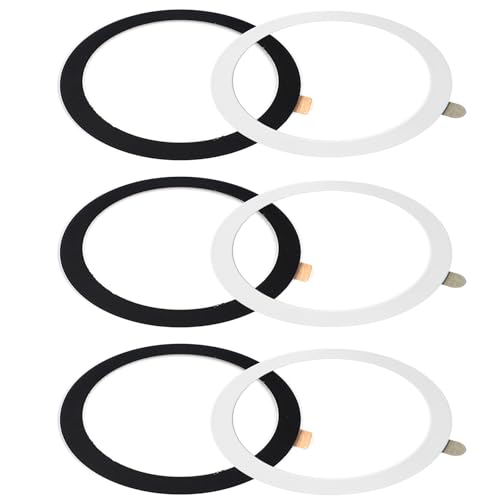
Functions --- This metal ring sticker is NOT MAGNET & NOT MAGNETIC, but it will enhance magnetic strength to ensure your phone stays securely attached to all magnetic accessories such as magnetic charger, magnetic wallet/battery pack/power bank. Help your standard case compatible for fast and easy wireless charging. For the other phones that do not support wireless charging, with this metal ring attached to your phone case, you can use a magnetic wallet/grips/phone holder/car mount ect easily.
Signs Your Battery Needs Replacement
- Frequent Charger Use: If you charge your phone multiple times a day despite normal use, your battery may be failing.
- Quick Drops in Battery Percentage: A sudden decrease in battery level, such as going from 50% to 10% in minutes, suggests your battery is losing capacity.
- Overheating: If your phone becomes hot during charging or regular use, it’s a sign the battery may be damaged.
- Reduced Screen Time: If your device’s screen time drastically decreases, it indicates your battery isn’t holding charge like it should.
- Unexpected Shutdowns: If your phone turns off, even with charge remaining, this points to serious battery issues.
Choosing the Right Replacement Battery
- Check Compatibility: Always confirm compatibility with your device model before purchasing a replacement battery.
- Select OEM or High-Quality Aftermarket Batteries: Opt for original equipment manufacturer (OEM) batteries or reputable brands to ensure performance and longevity.
- Read Reviews: Look for customer feedback to gauge the reliability and performance of the replacement battery you’re considering.
- Purchase from Reputable Retailers: Buy batteries from trustworthy sources to avoid counterfeit products that could damage your device.
- Consider Professional Help: If you’re unsure how to replace the battery yourself, consult a professional for assistance.
Conclusion
Taking control of your Android phone’s battery life doesn’t have to be a daunting task. By implementing simple adjustments and being mindful of your usage habits, you can significantly extend the time between charges. Remember to keep an eye on background apps and settings that drain your battery.
If you’ve tried everything and your battery still struggles, it might be time to consider a replacement. With the right approach, you can keep your device running smoothly and enjoy your day without constantly searching for a charger. Stay proactive and your phone will thank you!
Frequently Asked Questions
Why is my Android phone battery draining so quickly?
Rapid battery drain in Android phones can be caused by various factors, including background apps running constantly, high screen brightness, active location services, outdated software, and connectivity features like Wi-Fi and Bluetooth. Identifying and addressing these issues is key to improving battery life.
What are the signs of a fast-draining battery?
Common signs include frequent need for charging, quick drops in battery percentage, overheating, reduced screen usage time, and unexpected shutdowns. Recognizing these indicators can help users troubleshoot battery issues effectively.
How can I extend my Android phone’s battery life?
To extend battery life, adjust display settings like lowering brightness, reducing screen timeout, enabling dark mode, and limiting animations. Additionally, manage background apps by closing unused ones, restricting data, using battery saver mode, and uninstalling unnecessary applications.
What is battery calibration and how do I do it?
Battery calibration involves fully charging your device, letting it drain completely, and then recharging it to improve battery reading accuracy. This process can lead to better battery performance and help your Android phone stay charged longer.
When should I consider replacing my Android phone’s battery?
Consider replacing your battery if you frequently find yourself charging your device, experience quick battery percentage drops, notice overheating, have reduced screen time, or encounter unexpected shutdowns. These symptoms can indicate that your battery may need replacement.
What should I look for when replacing my Android phone’s battery?
When replacing your battery, check for compatibility, choose OEM or high-quality aftermarket options, read customer reviews, and purchase from reputable retailers. Professional help is also advisable to ensure a safe and effective replacement.
