

Key Takeaways
- Understanding Battery Health: Battery health is crucial for your Samsung device’s performance, with key indicators being charge cycles, capacity percentage, and temperature.
- How to Check Battery Health: Utilize the built-in Settings menu, Samsung Members app, or third-party applications like AccuBattery and GSam Battery Monitor to assess your battery’s condition.
- Improving Battery Health: Optimize your device’s settings, keep software up to date, avoid overcharging, and consider battery replacement when necessary.
- Signs of a Healthy Battery: Look for sustained charge duration, consistent performance, normal temperature, and absence of swelling or damage as indicators of a healthy battery.
- When to Replace Your Battery: Be vigilant for signs like rapid draining, unexpected shutdowns, physical damage, or abnormal heating, as these indicate that a battery replacement may be needed.
Is your Samsung phone running low on battery faster than it used to? You’re not alone. Many people face this issue as their devices age, and it can be frustrating when you rely on your phone throughout the day.
Knowing how to check your battery’s health can save you from unexpected shutdowns and help you make informed decisions about repairs or replacements. In this article, you’ll learn simple steps to assess your Samsung battery’s condition and keep your device running smoothly. With just a few tips, you can ensure your phone stays powered up for all your daily needs.
Understanding Battery Health
Battery health determines how effectively your Samsung phone’s battery stores and delivers energy. A healthy battery maintains optimal performance, while a degraded battery struggles to hold a charge, leading to faster drain or unexpected shutdowns.
Key Indicators of Battery Health
- Charge Cycles: Every time your battery charges from 0% to 100%, it counts as one charge cycle. Most lithium-ion batteries last between 300 to 500 cycles before degradation occurs.
- Capacity Percentage: Check the current capacity compared to its original capacity. A significant drop (below 80%) indicates reduced health.
- Temperature: Batteries function best at room temperature. Excessive heat or cold can negatively affect performance and longevity.
How to Check Battery Health on a Samsung Device
- Settings Menu: Go to Settings, then Device Care. Tap on Battery and choose Battery Usage. Here, you can view your battery’s performance and app usage.
- Battery Status Apps: Download apps like AccuBattery or GSam Battery Monitor. These tools offer insights into battery health, charge cycles, and estimated lifespan.
- Samsung Members App: This app provides diagnostics, including battery health status. Open the app, tap on Get Help, and select Interactive Checks to access battery information.
Actions to Improve Battery Health
- Optimize Settings: Lower screen brightness, enable Battery Saver mode, and limit background app activity.
- Update Software: Keep your device updated. Software updates often include battery optimizations.
- Avoid Overcharging: Disconnect your charger once it reaches 100%. Prolonged charging can harm the battery’s health.
- Replace the Battery: If the health is significantly degraded or persistent issues arise, consider replacing the battery with a certified Samsung replacement.
By monitoring these aspects, you can maintain your Samsung battery health effectively.
Checking Battery Health on Samsung Devices
Checking the health of your Samsung battery is essential for maintaining performance. You can follow these simple methods to assess your battery’s condition.
Recommended Products

Applicable Product Model: IP5‑15 series ,for Android models Mate 60+ 5G/5S/6/6P/7/7P/8/8P/X/XS forMax/XR/11/11 Pro/11 Pro Max. 12/12min/12 Pro/12 Pro for Max/13/13mini/13 Pro/13 Pro for Max, 14 15promax

This phone is unlocked and compatible with any carrier of choice on GSM and CDMA networks (e.g. AT&T, T-Mobile, Sprint, Verizon, US Cellular, Cricket, Metro, Tracfone, Mint Mobile, etc.).

This phone is unlocked and compatible with any carrier of choice on GSM and CDMA networks (e.g. AT&T, T-Mobile, Sprint, Verizon, US Cellular, Cricket, Metro, Tracfone, Mint Mobile, etc.).
Using Built-In Settings
- Open Settings: Tap the Settings app on your device.
- Select Device Care: Scroll down and choose Device Care.
- Access Battery: Tap on Battery. Here, you’ll see the overall battery usage and options to optimize its performance.
- Check Usage Details: Select Battery Usage to see which apps consume the most power. This data helps identify anything draining your battery excessively.
Using Samsung Members App
- Download Samsung Members: If you haven’t installed it yet, download the Samsung Members app from the Google Play Store.
- Launch the App: Open Samsung Members and sign in with your Samsung account.
- Go to Diagnostics: Tap on the ‘Get Help’ tab, then select ‘Diagnostics.’
- Run Battery Test: Choose the Battery option to perform a battery health check. The app will provide information on battery performance, health, and charge cycles.
By regularly checking your battery health using these methods, you can maintain optimal performance and address any issues promptly.
Third-Party Apps for Battery Health
You can enhance your Samsung battery health assessment using third-party apps. These tools offer detailed insights into your battery’s condition, often with features not available in the default settings.
Recommended Products

☎️【Convenient Call & Message Assistant】The smart watches support calls and messages. Connecting to the phone via Bluetooth,when you are not convenient to use your phone (while running, driving, swimming...), you can make/answer calls and view SMS and APP messages (Text, Facebook, Instagram, Twitter, Wechat...) on the smartwatches to avoid missing important calls and messages.

EXCLUSIVE GOLF DESIGN: The golf themed watch design sports a matching two-tone band, exclusive watch face, and stylish green home button — designed with exclusive colors made for the course; With Galaxy Watch5 Golf Edition, it's always tee time
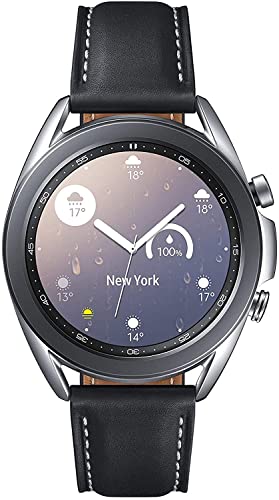
STYLE YOU CAN COUNT ON: Galaxy Watch3 combines style—two sizes, two finishes, three colors and, 50,000 plus¹ watch faces-with military-grade durability² and water resistance³.
Recommended Apps
- AccuBattery
- AccuBattery monitors battery charging and discharging rates. It provides insights into battery capacity and health, helping you track performance over time.
- GSam Battery Monitor
- GSam Battery Monitor offers in-depth analytics on battery usage. It displays app-specific consumption and gives you the ability to identify rogue applications draining your battery.
- BatteryGuru
- BatteryGuru helps optimize battery life by providing tips and monitoring charge cycles. It shows you the best charging practices for maintaining battery health.
Features of Third-Party Apps
Battery Statistics
- Track charge cycles, capacity percentage, and performance metrics over time. Understanding these statistics helps you gauge when a battery replacement may be necessary.
Heat Monitoring
- Monitor temperature levels to identify overheating issues. High temperatures can damage lithium-ion batteries, so it’s crucial to keep tabs on thermal performance.
Usage Analysis
- Analyze which apps consume the most power. Armed with this data, you can make informed decisions about app usage and background tasks.
- Receive tailored advice on charging habits. Optimizing when and how you charge your phone can prolong battery life significantly.
These third-party apps are valuable tools in maintaining your Samsung battery health while providing actionable insights beyond what’s available through built-in settings.
Signs of a Healthy Battery
Identifying a healthy Samsung battery involves recognizing several key signs. Look for the following indicators:
- Sustained Charge
A healthy battery holds a charge for a reasonable duration. If your device lasts through a full day of typical use, the battery’s in good shape.
- Consistent Performance
Your phone should operate smoothly without lag or sudden shutdowns. Regular performance issues often signal a weak battery.
- Normal Temperature
Your device shouldn’t feel excessively hot during charging or use. Higher temperatures can indicate battery problems or faulty charging accessories.
- No Swelling or Damage
Examine your battery physically. No swelling, leakage, or visible damage confirms a healthy state. If you notice any flaws, consider consulting a technician.
- Limited Charge Cycles
Fewer charge cycles contribute to a longer battery lifespan. Aim for fewer than 400 charge cycles for optimal performance. Check usage habits to monitor this.
- Quick Charging Time
A healthy battery should charge to full capacity within a reasonable timeframe. If charging takes significantly longer than before, it may need attention.
- Stable Battery Percentage
The percentage displayed should remain relatively stable. Rapid fluctuations in battery percentage during use or charging suggest underlying issues.
Monitoring these signs can help you catch potential battery problems early, ensuring your device remains functional and reliable.
When to Replace Your Battery
Replacing your Samsung battery becomes essential when specific signs indicate its declining health. Keep an eye on the following factors:
Recommended Products

🌠【Compatible Battery Model】: This a Updated Galaxy J3 Replacement Battery Compatible with Samsung Galaxy J3 (2016) J320V J320A J320F J320P EB-BG530BBE /J3 Prime, Emerge, Star, Orbit, Eclipse, On5, Mission, Luna Pro, Achieve Battery

This battery is specially designed for Galaxy A03s SM-A037U SM-A037U1/Samsung A22 5G SM-A226 , it can replace your old battery, Tech skills may apply when replacing the battery.

【HIGH QUALITY GRADE A PREMIUM BATTERY】:This Upgraded Galaxy S3 battery uses Grade A+ rated battery cells with CE and ROHS certification,ensure last over 1200 charge cycles. Multiple-protection for safer operation for both user and devices,build-in microchip to prevent over-charging,over-discharging and over-heating.
Rapid Draining
If your phone discharges quickly, even with moderate use, it could signal battery deterioration. For example, if your phone goes from 100% to 20% within a few hours without heavy usage, consider a battery replacement.
Unexpected Shutdowns
Frequent unexpected shutdowns, especially when the battery shows a charge, indicate serious health issues. For instance, if your device turns off at 40%, it’s likely time for a new battery.
Swelling or Physical Damage
Observe for any physical deformities, such as swelling or leaks. A swollen battery can cause further damage to your device, making it crucial to replace it immediately.
Charge Cycle Count
Monitor your charge cycles. A lithium-ion battery typically lasts for about 300 to 500 full charge cycles. You might need a replacement if your cycle count reaches or exceeds this range.
Inconsistent Performance
If you notice your Samsung phone lagging or struggling to run apps smoothly, it may stem from battery problems. Inconsistent performance can greatly affect your overall user experience.
Temperature Issues
Check for abnormal heating during charging or use. If the device frequently overheats, it plays a role in battery health deterioration, indicating it may require replacement.
Guidelines for Replacement
- Assess Battery Health Regularly – Use the Samsung Members app or settings menu to keep track of your battery status.
- Consider Professional Help – Seek support from authorized service centers for diagnostics.
- Choose Quality Batteries – Opt for original or reputable third-party batteries for replacements.
Recognizing these indicators allows you to make informed decisions about your Samsung battery. Addressing them promptly can enhance your device’s performance and longevity.
Conclusion
Keeping an eye on your Samsung battery health is essential for a smooth experience. By regularly checking its condition and following the tips provided, you can extend its lifespan and prevent unexpected issues.
Don’t hesitate to use the tools and apps available to get a clearer picture of your battery’s performance. If you notice any signs of trouble like rapid draining or swelling, it might be time to consider a replacement.
With a little attention and care, you can enjoy your device without the stress of battery problems. Happy charging!
Frequently Asked Questions
How can I check the battery health of my Samsung phone?
You can check your Samsung phone’s battery health by navigating to the Settings app, then tapping on “Device Care.” Under the battery section, you can view usage stats and identify power-hungry apps. You can also use the Samsung Members app to run a battery health test for more detailed information.
What are the signs of a healthy battery?
A healthy battery typically shows sustained charge duration, consistent performance, and normal operating temperatures. There should be no physical damage, and the number of charge cycles should ideally be below 400 for optimal lifespan.
What should I do to improve my Samsung battery health?
To improve your Samsung battery health, optimize device settings, keep software updated, avoid overcharging, and consider using battery-saving features. Regularly monitoring battery performance can help you identify issues early on.
When should I replace my Samsung phone’s battery?
You should consider replacing your Samsung phone’s battery if you notice rapid draining, unexpected shutdowns, physical swelling, or high charge cycle counts. If performance becomes inconsistent or temperatures fluctuate, it may also indicate a need for replacement.
Are there any apps for assessing battery health?
Yes, there are several third-party apps that can help assess battery health. Recommended apps include AccuBattery, GSam Battery Monitor, and BatteryGuru. These apps track battery statistics, monitor temperature, and analyze app consumption to give tailored advice on battery usage.
