

Ever found yourself stranded with a dead key fob battery at the worst possible moment? Frustrating, right? Well, fret not, because in this article, you’ll discover the simple steps to change the key battery in your Honda Civic. Imagine the convenience of never having to deal with a powerless key fob again. That’s the freedom and peace of mind you’ll gain by mastering this quick and easy process. So, let’s dive in and empower yourself with the knowledge to keep your Honda Civic key fob running smoothly.
Gather Necessary Tools
When it comes to changing the key battery in your Honda Civic, the first step is ensuring you have all the necessary tools ready. Here’s what you’ll need:
- New key battery: Make sure you have the correct type for your Honda Civic model. Check your owner’s manual if you’re unsure.
- Flathead screwdriver or a coin: You’ll use this to open the key fob.
- Small, precision Phillips-head screwdriver: This will help you access the battery inside the key fob.
- Clean cloth: Handy for wiping any dirt or debris from the key fob.
Ensure you have these tools on hand before you begin the process to make changing your Honda Civic key battery a breeze.
Recommended Products

COMPATIBLE WITH AIRTAG & KEY FOBS: Works with Apple AirTag, all major car key fobs (Toyota, Honda, BMW, Ford, Chevrolet, Lexus), fitness trackers, glucose monitors, tire pressure sensors, and any CR2032 / 3V lithium coin battery device.
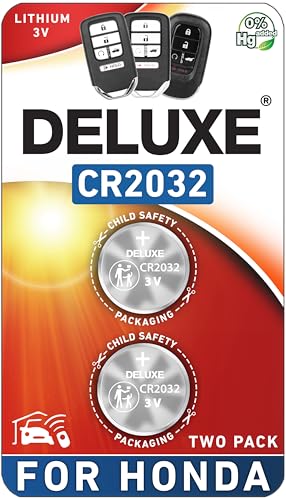
CONFIRM FIT - **Please confirm compatibility using the fitment guide located in the product images**

COMPATIBLE WITH AIRTAG & KEY FOBS: Works with Apple AirTag, all major car key fobs (Toyota, Honda, BMW, Ford, Chevrolet, Lexus), fitness trackers, glucose monitors, tire pressure sensors, and any CR2032 / 3V lithium coin battery device.
Locate the Key Fob Slot
When your Honda Civic key fob runs low on battery, finding the key fob slot is the first step to replace it. Look for a small indentation on the side of your key fob. This slot is typically used to open the key fob and access the battery compartment. Inserting a flathead screwdriver or a coin into the slot allows you to gently pry open the key fob.
Once opened, you may notice a small screw at the back of the key fob. Using a small Phillips-head screwdriver, carefully remove this screw to access the battery inside. The key fob slot location can vary depending on the Honda Civic model, so always refer to your car’s manual for specific instructions.
Remember to handle the key fob with care to avoid damaging any internal components. Locating the key fob slot sets the stage for an efficient battery replacement process in your Honda Civic.
Open the Key Fob
When it’s time to change the battery in your Honda Civic key fob, the first step is to open the key fob itself. Here’s how you can do it easily:
- Look for the small indentation on the side of your key fob. This is where you’ll access the battery compartment.
- Use a flathead screwdriver or a coin to gently pry open the key fob. Be careful not to apply too much pressure to avoid damaging the casing.
- Inside the key fob, you might find a small screw holding the battery compartment in place. You’ll need to remove this screw using a Phillips-head screwdriver to reach the battery.
Remember, the process of opening the key fob may vary slightly depending on the model of your Honda Civic. Consulting your car’s manual for specific instructions can be helpful in ensuring a smooth battery replacement.
Remove the Old Battery
When it’s time to replace the battery in your Honda Civic’s key fob, the first step is to Remove the Old Battery safely. Here’s how you can do it:
- Look for the compartment that houses the battery inside the key fob.
- Check if there’s a screw securing the battery in place. This may require a Phillips-head screwdriver to remove.
- Gently pop out the old battery, being careful not to damage any other components inside the key fob.
- Dispose of the old battery properly, following local recycling guidelines for electronic waste.
These steps will prepare you for the next phase of installing a new battery into your Honda Civic key fob.
Recommended Products

Energizer 1616 Lithium Coin Battery
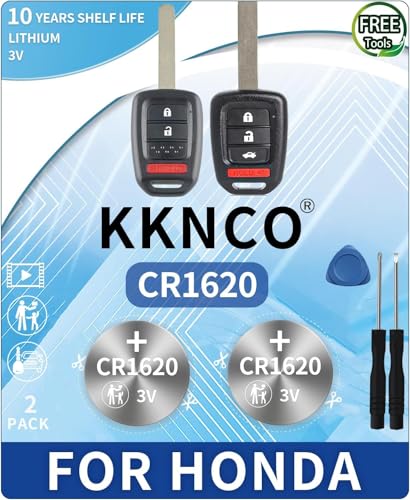
PACKAGE INCLUDED : Two (2) CR1620 Remote Fob Battery and Opening/Pry Tools , Five item bundle (total 5pcs) , PLEASE NOTE: Keyless entry remote fob not included.
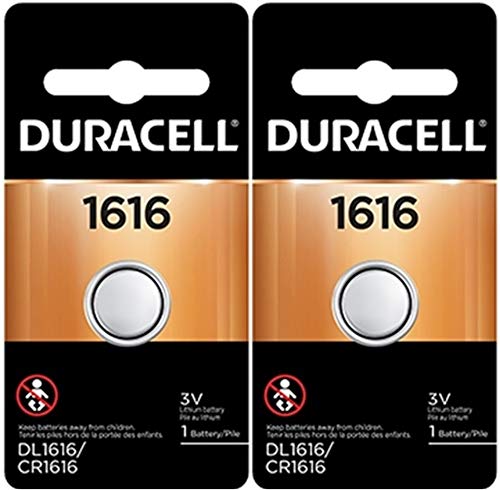
Duralock Power Preserve Technology to preserve power in storage, guaranteed
Insert the New Battery
Now that you’ve safely removed the old battery from your Honda Civic key fob, it’s time to insert the new battery. Follow these steps:
- Check the correct orientation of the new battery before placing it in the compartment.
- Gently place the new battery into the slot following the correct polarity.
- Ensure it fits snugly in place to maintain a secure connection.
Remember, inserting the new battery correctly is crucial for the optimal functioning of your key fob.
Recommended Products

CONFIRM FIT **Please confirm compatibility using the fitment guide located in the product images** This battery will only fit your key fob if it exactly matches one of the examples in the compatibility guide.

PACKAGE INCLUDED : Two (2) CR2032 Remote key Fob Battery and Opening/Pry Tools , Five item bundle (total 5pcs) , Please confirm compatibility using the fitment guide located in the product images.

PACKAGE INCLUDED : Two (2) CR1616 Remote key Fob Batteries and Opening/Pry Tools , Five item bundle (total 5pcs) , Please confirm compatibility using the fitment guide located in the product images.
Conclusion
That’s it! By following these steps, you can easily replace the battery in your Honda Civic key fob. Remember to double-check the orientation and polarity of the new battery before inserting it to ensure a secure connection. Properly inserting the new battery is key to keeping your key fob functioning at its best. Happy driving with your freshly powered-up key fob!
Frequently Asked Questions
How do I insert a new battery into my Honda Civic key fob?
To insert a new battery into your Honda Civic key fob, ensure the orientation and polarity of the battery are correct. Place the battery in the compartment, making sure it fits snugly for a secure connection. Proper insertion is crucial for optimal key fob functionality.
Why is it important to check the orientation of the new battery?
Checking the orientation of the new battery ensures it is inserted correctly into the key fob. Placing the battery in the wrong direction may lead to malfunctioning or damage to the key fob components. Hence, double-checking the orientation is essential for the key fob to work correctly.
How can I ensure the new battery fits securely in the key fob?
Ensuring the new battery fits securely in the key fob involves placing it in the compartment without forcing it. The battery should slide in smoothly and snugly for a secure fit. A proper connection is vital for the key fob to function without any issues.
