

Hey there! Ever found yourself in a pinch with a low battery on your Samsung S21 and no charger in sight? It’s a situation we’ve all been in at some point, right? But what if I told you there’s a way to share battery power with your friends’ devices using your Samsung S21? Sounds pretty cool, doesn’t it?
Imagine this: you’re out with friends, and someone’s phone is about to die. Instead of scrambling for a charger or a power bank, you can simply share your Samsung S21’s battery with them. It’s like being a superhero for your squad! In this article, I’ll walk you through the simple steps to battery sharing on your Samsung S21, making you the ultimate lifesaver in any low-battery situation.
Understand Battery Sharing on Samsung S21
To start battery sharing on your Samsung S21, ensure that both devices have the feature turned on.
Battery sharing allows your Samsung S21 to transfer power to another device by placing the two backs together. It’s like lending a helping hand when a friend’s phone is running out of juice.
- Enable Battery Sharing: Go to Settings, then Battery and device care. Tap Battery and turn on Wireless PowerShare.
- Sharing Power: Once enabled, activate Wireless PowerShare from the quick settings panel. Place the devices back-to-back, aligning them for a successful transfer.
- Check Compatibility: Wireless PowerShare works with devices that support wireless charging, like earbuds, watches, or smartphones.
- Monitor Battery Levels: Keep an eye on both devices’ battery levels during the sharing process to ensure your Samsung S21 doesn’t completely drain.
- Enjoy the Convenience: Be the hero in low-battery situations by sharing some power from your Samsung S21 with a friend in need.
Now you’re all set to be the lifesaver with the battery sharing feature on your Samsung S21.
Recommended Products

Ultra Thin Clear Case With Premium Scratch-Resistant Design to Best Display Your Galaxy S21 Plus 5G

Ultra Thin Clear Case With Premium Scratch-Resistant Design to Best Display Your Galaxy S21 Ultra 5G

Premium protection from drops and scratches
Checking Compatibility with Other Devices
To ensure seamless sharing of battery power with your Samsung S21, it’s essential to confirm compatibility with the device you want to charge. Here’s how you can do that:
- Ensure that the device supports wireless charging: Not all smartphones or gadgets are equipped with this feature. Check if the device you want to charge wirelessly is compatible.
- Look for the Qi wireless charging standard: Devices that adhere to this standard will work well with your Samsung S21 for power sharing.
- Check the battery capacity of the receiving device: If the device has a significantly smaller battery capacity than your Samsung S21, consider the impact on your phone’s battery.
- Verify if the receiving device supports the required charging speeds: Some devices may not charge at the same speed as others, so it’s crucial to have an idea of the charging capabilities.
By verifying compatibility with these simple steps, you can ensure a smooth and effective battery sharing experience with your Samsung S21.
Recommended Products
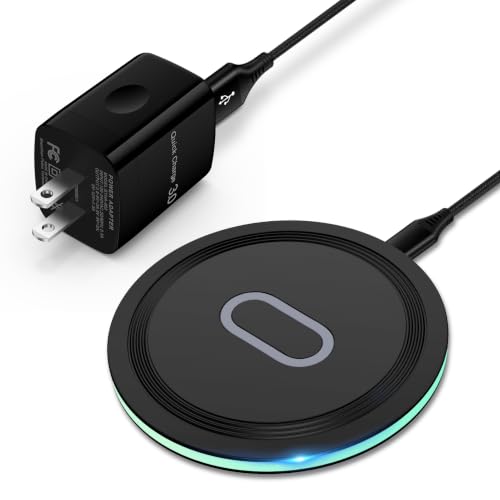
15W Samsung Wireless Charger: Put your phone on the wireless charger samsung Charging Pad Station to get started Charging, up to 1.8X faster than standard wireless charger, 3X faster than the original 5W charger. Wireless charging station provides 15W for Samsung Galaxy S26 S25 S24 S23 S22 S21, 10W for Samsung Galaxy Note 10, 7.5W output for iPhone 14 13 12 11 Series, and 5W for other smartphones and AirPods & Galaxy Buds.The wireless iPhone charger comes with a QC 3.0 18W adapter for a stable power supply.
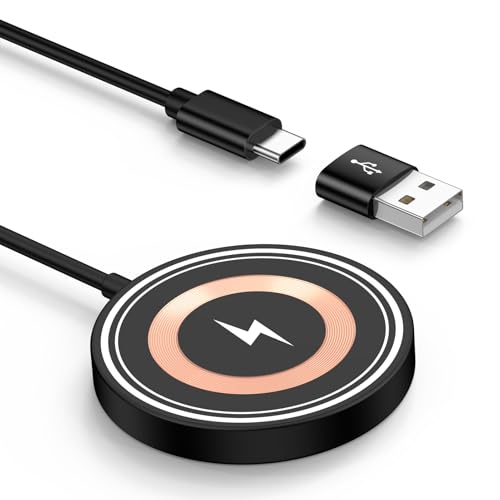
15W MAX MAGNETIC WIRELESS CHARGER: Put your devices on the Samsung Wireless Charging Pad to get started Charging,up to 1.8X faster than standard wireless charger,3X faster than the original 5W iPhone charger.Fast Wireless Charger provides 15W for Samsung Galaxy S25 S24,10W for Samsung Galaxy Note 10, 7.5W output for iPhone 12-17 Series,and 5W for other smartphones or wireless earbuds like AirPods & Galaxy Buds.
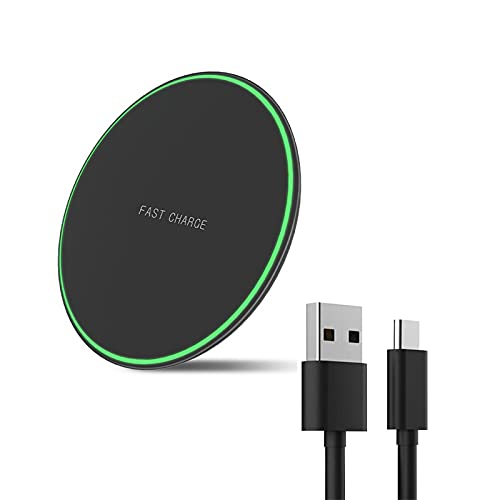
Wide Compatibility: This wireless charging pad can support for devices including Samsung Galaxy S25 / S25+ / S25 Ultra/ S24 / S24+ / S24 Ultra / S23 / S23+ / S23 Ultra / S22 /S22+ / S22 Ultra / S21 / S21+ / S21 Ultra /S20/S20+/S20Ultra/S10/S10+/S10e/S9/S9+/S8/S8+/S7/S7 Edge /S6 Edge Plus/ Note 20/20 Ultra/Note 10/10+/Note 9/Note 8/Note 5 as well as iPhone 16/16pro/16 Pro Max/15/15pro/15 Pro Max/14/14 Pro/14 Pro Max/iPhone 13/13 Pro/13 Pro Max/12 / 11 / 11 Pro / 11 Pro Max / XS Max / XS / XR / X / 8 / 8 Plus and more.
Initiating the Battery Sharing Process
To start sharing your Samsung S21’s battery with another device, follow these simple steps:
- Place your Samsung S21 face-up on a flat surface.
- Make sure the back of your Samsung S21 is clean and free of any obstructions.
- Ensure that the device you want to charge is compatible with wireless charging and supports the Qi wireless charging standard.
- Position the device to be charged face-down on the back of your Samsung S21, aligning the center of the two devices.
- Check that the devices are in close contact to establish a secure connection.
Prepare to power up another device hassle-free by initiating the battery sharing process effectively.
Monitoring the Battery Sharing Progress
When sharing your Samsung S21’s battery, it’s essential to monitor the progress to ensure a smooth transfer of power. Here’s how you can keep track of the battery sharing process:
- Check the Battery Level: Start by glancing at your Samsung S21’s battery level to ensure it has sufficient charge for sharing.
- Look for Indicators: Keep an eye out for any visual indicators or notifications on your device that confirm the battery sharing is active.
- Observe Charging Speed: Note the speed at which the recipient device is charging to assess the efficiency of the sharing process.
- Ensure Proper Alignment: Continuously verify that both devices remain properly aligned throughout the sharing session.
By actively monitoring these aspects, you can ensure a successful battery sharing experience with your Samsung S21.
Conclusion
That’s it for sharing your Samsung S21 battery! Remember to keep an eye on the battery levels and charging speed. Proper alignment is key to a successful sharing experience. Happy battery sharing!
Frequently Asked Questions
How do I start the battery sharing process with my Samsung S21?
To start battery sharing with your Samsung S21, ensure the Battery Sharing feature is enabled in the settings. Once activated, place the back of your phone against the back of the recipient device to begin sharing.
Why is it important to monitor the battery sharing progress?
Monitoring the battery sharing progress is crucial to ensure a successful sharing experience. It allows you to track the battery level of your device, confirm that sharing is active, observe the charging speed of the recipient device, and ensure proper alignment between the devices for optimal performance.
