

Key Takeaways
- Battery Capacity: The Samsung Galaxy S9 has a 3,000mAh battery, providing around 18 hours of talk time and varying performance for web browsing (11-12 hours) and video playback (up to 14 hours).
- Usage Impact: Battery life is heavily influenced by usage patterns—intensive activities like gaming can shorten battery duration to 6-8 hours, while lighter activities yield better longevity.
- Optimizing Settings: Adjusting settings such as reducing screen brightness, limiting background apps, and turning off location services can significantly extend battery life.
- Real-World Comparisons: Compared to other smartphones, the S9 offers competitive battery life but may lag behind models like the OnePlus 7T, which features longer gaming and web browsing capabilities.
- Standby Performance: In optimal conditions, the S9 can last several days on standby; however, background processes and notifications can drain battery even when idle.
- Prolonging Battery Life: Utilizing power-saving modes, managing notifications, and keeping apps updated are effective strategies to maximize battery endurance on the Samsung S9.
Ever found yourself scrambling for a charger halfway through the day? If you own a Samsung S9, you’re not alone in wondering how long its battery truly lasts. With so many apps, notifications, and features, it can feel like your phone drains faster than you can keep up.
Overview Of Samsung S9 Battery Life
The Samsung Galaxy S9 features a 3,000mAh battery. This capacity typically delivers about 18 hours of talk time or 12 hours of internet browsing and video streaming. Battery performance varies based on usage patterns.
Regular Usage Scenarios
- Web Browsing: Expect approximately 11 to 12 hours of web browsing on a full charge.
- Video Playback: Enjoy up to 14 hours of video playback with standard brightness settings.
- Gaming: Gaming sessions can last around 6 to 8 hours, depending on the game’s intensity.
Influencing Factors
Various factors impact battery life:
- Display Brightness: Higher brightness levels drain battery faster.
- Background Apps: Apps running in the background consume power.
- Location Services: GPS and location tracking significantly reduce battery duration.
Tips to Extend Battery Life
- Reduce Display Brightness: Lowering brightness conserves energy.
- Limit Background Activity: Close unused apps to minimize power consumption.
- Enable Power Saving Mode: Utilize this feature to extend battery life when needed.
The Samsung S9’s battery life balances performance with practical usage, allowing for a reliable daily experience.
Factors Affecting Battery Life
Battery life varies based on multiple factors. Understanding these factors can help you optimize your Samsung S9’s performance.
Recommended Products

【Why Don't Sell Increased Capacity Battery 】- Because most of the so-called upgraded batteries on the market are exaggerated, the actual use time does not increase much, but the price is expensive. Our battery capacity and voltage is 100% same as your original s9 battery, it is a real 3000mAh can be perfectly compatible with the motherboard of your phone, and will not damage the hardware and reduce the service life of phone, true to providing long-lasting battery life.
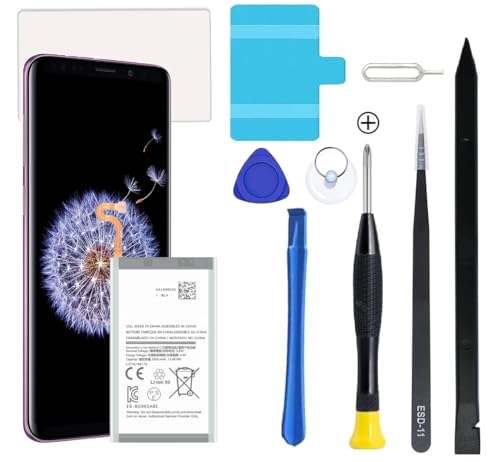
Compatible Models: This S9 Plus Battery For Samsung Galaxy S9 Plus SM-G965, G965V, G965A, G965T, G965P, G965R4, EB-BG965ABE, EB-BG965ABA

【Compatible Model】 It is compatible with Samsung Galaxy S9 SM-G960, SM-G960A, SM-G960T, SM-G960P, SM-G960V, SM-G960R4, SM-G960F, SM-G960U, EB-BG960ABA, EB-BG960ABE. Not for Galaxy S9+ Plus. Please double identify check your phone model matches before purchasing the battery.
Usage Patterns
Usage patterns significantly influence battery longevity. Activities like streaming videos or playing resource-intensive games drain the battery faster. For example, steady browsing might yield around 11-12 hours, while video playback extends it to about 14 hours. Gaming can consume the battery in 6-8 hours, depending on the game’s complexity. Monitoring your usage helps identify which activities are the biggest power consumers.
Settings and Features
Settings and features also impact your battery life. High screen brightness depletes battery faster; reducing it can extend use. Location services continuously running in the background can drain your battery, often without notice. Limiting apps that run in the background ensures efficient power consumption. Enabling power-saving mode is another effective way to maximize battery performance, allowing your device to limit certain functions to preserve energy.
Real-World Battery Performance
Battery performance often varies based on how you use your Samsung S9. Understanding screen-on time and standby time helps gauge the battery’s real-world endurance.
Screen-On Time
Screen-on time refers to how long your device stays awake while in use. Typically, you can expect around 11 to 12 hours of web browsing. Streaming videos usually extends your usage to about 14 hours, depending on video quality. Gaming, particularly with demanding titles, could reduce screen-on time to roughly 6 to 8 hours. Performance varies with brightness settings, app usage, and additional features like Always On Display. Keeping the screen brightness in check can significantly enhance screen-on time.
Standby Time
Standby time measures how long your phone stays dormant while conserving battery. Under optimal conditions, the Samsung S9 can last several days in standby mode. Background apps, notifications, and location services drain battery life even when not in active use. Disabling unnecessary background apps and notifications improves standby performance. Monitoring these settings contributes to a more reliable overall battery experience, ensuring you get the most out of your S9 when not actively using it.
Comparison With Other Smartphones
When comparing the Samsung Galaxy S9’s battery life to other smartphones, several factors come into play. The S9 features a 3,000mAh battery, delivering respectable daily performance. However, other devices might offer varying results based on their specifications and usage.
Recommended Products

[PLS CONFIRM DEVICE MODEL] -- Contains the instruction to guide you step by step installation. Please verify your old battery part number and model before purchasing this replacement battery. Compatible with Samsung Galaxy S9 SM-G960, SM-G960A, SM-G960T, SM-G960P, SM-G960V, SM-G960R4, SM-G960F, SM-G960U, EB-BG960ABA, EB-BG960ABE. NOT FOR Samsung Galaxy S9 Plus.

♗【HIGH QUALITY GRADE A PREMIUM BATTERY】:This Upgraded Galaxy S9 battery battery uses Grade A+ rated battery cells with CE and ROHS certification,ensure last over 1200 charge cycles. Multiple-protection for safer operation for both user and devices,build-in microchip to prevent over-charging,over-discharging and over-heating.

【Compatible Model】:S9 Plus Replacement Battery compatible with models :for Samsung Galaxy S9 Plus SM-G965 G965V G965A G965T G965P G965R4 G960F
Battery Performance of Popular Smartphones
| Smartphone Model | Battery Capacity | Talk Time | Web Browsing | Video Playback | Gaming |
|---|---|---|---|---|---|
| Samsung Galaxy S9 | 3,000mAh | 18 hours | 11-12 hours | Up to 14 hours | 6-8 hours |
| iPhone 11 | 3,110mAh | 17 hours | 11-12 hours | Up to 17 hours | 8-10 hours |
| Google Pixel 4 XL | 3,700mAh | 16 hours | 10-12 hours | Up to 15 hours | 5-7 hours |
| OnePlus 7T | 3,800mAh | 20 hours | 13-14 hours | Up to 20 hours | 7-9 hours |
| Xiaomi Mi 9 | 3,300mAh | 18 hours | 12-13 hours | Up to 15 hours | 6-8 hours |
Real-World Comparisons
- iPhone 11: Its larger battery offers similar web browsing but outperforms in video playback. You won’t run out of juice as quickly when streaming.
- Google Pixel 4 XL: While it has a bigger battery, internet use might lag behind the S9. Still, its gaming performance leads to slightly less usage time.
- OnePlus 7T: Offers the best performance in this list. You’ll enjoy longer web browsing and video playback, making it ideal for heavy users.
- Xiaomi Mi 9: Slightly better battery capacity translates to comparable performance. You can expect similar results during gaming sessions.
Factors Influencing Battery Life
When using a smartphone, several factors impact battery performance:
- OS Optimization: Some operating systems handle power management better.
- Display Quality: Higher resolution displays can drain batteries faster.
- App Efficiency: Resource-intensive apps, particularly for gaming or video streaming, sap battery.
- Network Conditions: Poor signal strength can lead to unnecessary battery drain.
By considering these variables, you can better understand how the Samsung S9 stacks up against its competitors in terms of battery life.
Tips To Extend Battery Life
- Adjust Display Brightness
Reduce your screen brightness. Lower brightness decreases strain on the battery, especially in bright outdoor settings. Consider enabling adaptive brightness to automatically adjust levels based on surrounding light.
- Limit Background Apps
Close apps running in the background. These apps consume power even when not in use. Use the app management feature to identify and shut down unnecessary apps.
- Enable Power-Saving Mode
Activate power-saving mode to optimize settings. This feature adjusts performance and limits background activity to prolong battery life without significant impact on essential functions.
- Turn Off Location Services
Disable location services when not needed. GPS contributes heavily to battery drain. Use the location settings to toggle off services or restrict them to specific apps.
- Manage Notifications
Limit notifications from apps. Each notification wakes your device, consuming power. Adjust notification settings within apps or use Do Not Disturb mode during specific times.
- Reduce Screen Timeout
Shorten your screen timeout setting. Set your phone to turn off the display after a brief period of inactivity, such as 15 or 30 seconds.
- Update Apps Regularly
Keep your apps updated. Developers often optimize apps for better battery efficiency. Regular updates ensure you benefit from enhancements and performance improvements.
- Limit Video Streaming Quality
Reduce streaming quality when watching videos. Lower quality settings use less data and can extend battery life, especially during long viewing sessions.
- Use Dark Mode
Switch to dark mode if available. Darker themes can reduce battery drain on OLED screens by using less power. Enable dark mode in the display settings for compatible apps.
- Disconnect Unused Devices
Turn off Bluetooth and Wi-Fi when not in use. These connections search for networks or devices continuously, which drains the battery. Disconnect them to conserve energy.
Implementing these tips helps you maximize your Samsung S9’s battery life, ensuring it lasts throughout your day.
Recommended Products

POWER ANYWHERE YOU WANT IT: Charge up any of your devices with the Galaxy Magnetic Wireless Battery Pack. Whether you want to plug in to the USB-C port or use the built-in magnetic wireless charger, the 5,000mAh battery is waiting to power you up throughout the whole day.

🌠【Compatible Battery Model】: This a Updated Galaxy J3 Replacement Battery Compatible with Samsung Galaxy J3 (2016) J320V J320A J320F J320P EB-BG530BBE /J3 Prime, Emerge, Star, Orbit, Eclipse, On5, Mission, Luna Pro, Achieve Battery

Conclusion
The Samsung Galaxy S9 offers a solid battery performance for daily use. By understanding how your habits impact battery life you can make simple adjustments to extend its longevity. Whether it’s reducing screen brightness or limiting background apps these small changes can make a big difference.
With a bit of attention to your usage patterns you’ll find that your S9 can keep up with your busy lifestyle. Enjoy your device knowing you have the tools to manage its battery effectively.
Frequently Asked Questions
What is the battery capacity of the Samsung Galaxy S9?
The Samsung Galaxy S9 has a battery capacity of 3,000mAh, which provides approximately 18 hours of talk time and around 12 hours of internet usage or video streaming.
How long does the battery last when browsing the web?
Users can expect about 11 to 12 hours of web browsing on the Samsung Galaxy S9, depending on usage patterns and settings like brightness.
What factors affect the battery life of my Galaxy S9?
Battery life is influenced by display brightness, background apps, location services, and user activity, such as streaming videos or playing games.
How can I extend the battery life of my Samsung Galaxy S9?
You can extend battery life by reducing display brightness, limiting background activity, enabling power-saving mode, and turning off location services when not in use.
How does the Galaxy S9’s battery compare to other smartphones?
While the S9 offers decent battery life, devices like the OnePlus 7T excel for heavy users, and the iPhone 11 performs well in video playback.
What is meant by screen-on time and standby time?
Screen-on time measures how long the device is actively used, typically around 11 to 12 hours for web browsing, while standby time indicates how long the phone conserves battery when not in use.
How can background apps impact battery life?
Background apps and notifications can drain battery power even when the phone is idle. Disabling unnecessary apps and notifications can greatly improve standby performance.
What practical tips can I follow to improve battery performance?
To maximize battery life, adjust screen brightness, limit background apps, use dark mode, and regularly update your apps and device settings.
