

Key Takeaways
- Typical Battery Life: Lenovo laptops generally offer battery life between 3 to 8 hours, with specific models like the ThinkPad T14 reaching up to 15 hours under optimal conditions.
- Factors Influencing Battery Duration: Key elements affecting battery lifespan include screen brightness, running applications, Wi-Fi/Bluetooth usage, and battery age.
- Power Management Techniques: Utilize power-saving modes, manage display settings, and regularly update system software to enhance battery efficiency and longevity.
- Real-World Performance: User experiences reveal that battery performance varies widely based on activities, with general office tasks yielding longer battery life compared to resource-intensive tasks like video streaming or gaming.
- Monitoring Tools: Use Lenovo’s Vantage software to keep track of battery health and optimize settings for better performance.
- General User Sentiment: Many Lenovo users report satisfaction with battery longevity, especially when utilizing features like ‘Battery Saver’ and adjusting settings for efficiency.
Ever wondered how long your Lenovo laptop battery really lasts? You’re not alone. Many users face the daily challenge of keeping their devices powered up while juggling work, school, or entertainment. It can be frustrating when your battery drains faster than expected, leaving you scrambling for a charger.
In this article, you’ll discover how long you can typically expect your Lenovo battery to last under various conditions. We’ll explore factors that affect battery life and share tips to maximize your device’s performance. By the end, you’ll have a better understanding of your Lenovo battery and how to keep it running longer, so you can focus on what matters most.
Understanding Lenovo Battery Life
Lenovo batteries typically last between 3 to 8 hours, depending on various factors. Knowing how these factors affect performance helps you manage your laptop’s usage.
Factors Affecting Battery Life
- Screen Brightness: High brightness drains the battery quickly. Reducing brightness extends usage time.
- Applications Running: Resource-heavy apps consume more power. Close unnecessary programs to save energy.
- Wi-Fi and Bluetooth: Keeping these features on can lead to faster battery drain. Turn them off if not in use.
- Battery Age: Older batteries lose capacity over time. Replacement might be necessary to restore optimal performance.
Battery Management Tips
- Power Settings: Adjust your Lenovo power settings for better battery performance. Select battery saver modes to limit background activity.
- Regular Updates: Keeping your operating system and drivers updated ensures optimal battery efficiency.
- Temperature Control: Avoid using your laptop in extreme temperatures. Heat can cause battery wear.
Measuring Battery Performance
To get a better idea of your battery’s health, use Lenovo’s Vantage software. This tool gives insights into remaining battery life and health status.
Real-World Usage Examples
For instance, if you’re watching a movie at full brightness with Wi-Fi on, expect around 4 hours of use. Reducing the brightness and closing background applications may extend that time to 6 hours.
With these insights and tips, you gain better control over how long your Lenovo laptop battery lasts.
Factors Affecting Battery Life
Battery life in Lenovo laptops hinges on several key factors. Understanding these can help you maximize performance.
Recommended Products

😊【PLEASE NOTE】before placing an order: This product is an OEM charger, not an original charger
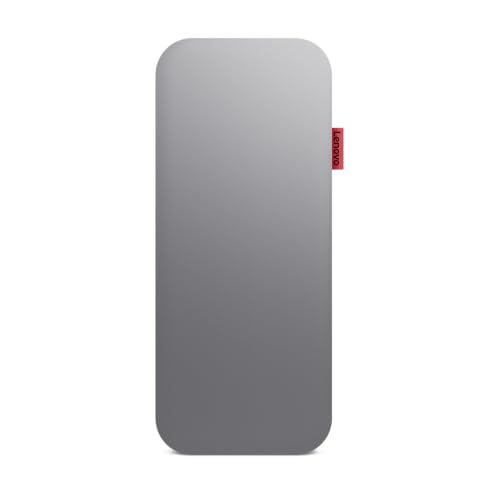
With 20,000 mAh and 65W at your disposal, you'll never have to worry about running out of battery again. 3 hours is all it takes to charge the power bank to full battery. Once ready, you'll have enough juice to charge your laptop at least once and your mobile devices several times.

20,000mAh Large Capacity Power: The Lenovo 140W laptop power bank is enough to power up the 14" MacBook Pro 16 to 46% within 30 Minutes.Set off on extended journeys with a huge 20,000mAh capacity that supports your devices through multiple uses.Equipped with a 5 Ft USB-C to USB-C 240W cable, supporting 140W Lenovo Legion and 125W Motorola fast charging.
Usage Patterns
Usage patterns significantly impact battery life. Power-intensive tasks drain batteries faster. Running multiple applications, especially graphics-heavy programs, reduces longevity. Browsing online with several tabs open also consumes energy. For example, video streaming can cut battery life by up to 30%. Adjust your activities for optimal performance.
Settings and Configurations
Settings and configurations play a crucial role. Screen brightness settings affect battery drain. Keeping brightness at a lower level enhances battery longevity. Power-saving modes and sleep settings help manage energy consumption effectively. For instance, enabling battery saver mode can extend usage time by limiting background applications. Regularly check for software updates, as these can improve battery efficiency.
Hardware Specifications
Hardware specifications influence how long your battery lasts. High-performance processors and dedicated graphics cards require more energy. Similarly, the size of your display can impact battery life; larger screens generally consume more power. For example, laptops with OLED displays often feature vibrant colors but may have shorter battery durations compared to LCD models. Assess your hardware to understand its effects on battery performance.
Performance of Lenovo Batteries
Lenovo batteries deliver varying performance based on the specific model and usage. Understanding these factors helps you optimize your laptop experience.
Average Battery Life Across Models
Lenovo laptops typically offer battery life ranging from 3 to 8 hours. For example, ThinkPad models like the T14 can achieve up to 15 hours with proper settings. Yoga series laptops, designed for versatility, average around 8 hours under moderate use. Factors such as screen brightness, running applications, and age impact these averages significantly.
| Model | Average Battery Life |
|---|---|
| ThinkPad T14 | Up to 15 hours |
| Yoga 7i | Up to 10 hours |
| IdeaPad 5 | About 8 hours |
| Legion 5 | Approximately 5 hours |
Comparison with Competitors
When compared to competitors like Dell and HP, Lenovo’s battery performance stands out in certain models. For instance, Dell XPS laptops often deliver around 12 hours under similar conditions, while HP Spectre models average about 9 hours. Lenovo excels in energy efficiency, especially in its business-class ThinkPads. While battery life varies by usage, Lenovo laptops usually provide robust options for those needing longevity on the go.
Taking advantage of features like Lenovo’s Vantage software allows precise monitoring and adjustments, enhancing your laptop’s performance.
Tips to Extend Lenovo Battery Life
You can take several simple steps to maximize your Lenovo laptop battery life. Implementing these practical strategies keeps your device running longer without interruption.
Power Saving Modes
Activate power-saving modes to reduce energy consumption. Most Lenovo laptops come equipped with options like ‘Battery Saver’ or ‘Power Saver’ that adjust settings automatically. When enabled, these modes dim your screen, limit background activity, and manage processor speed. You can quickly activate them through:
- Windows Settings: Go to Settings > System > Battery and select ‘Battery saver’.
- Lenovo Vantage App: Open the app and navigate to the ‘Power’ section to customize your settings.
By using power-saving modes, you significantly extend usage time during tasks like word processing or web browsing.
Adjustment of Display Settings
Adjusting display settings plays a vital role in battery preservation. Bright screens consume more power, so consider lowering the brightness. Follow these steps to optimize your display:
- Lower Brightness: Use the function keys (often marked with a sun icon) or access Settings > System > Display to reduce brightness.
- Automatic Brightness: Enable auto-brightness under Settings > System > Display to allow your laptop to adjust based on surroundings.
By optimizing display settings, you can increase battery life during extended use, especially when working in well-lit environments.
User Experiences
User experiences reveal valuable insights into Lenovo battery performance under real-world conditions.
Real-Life Battery Performance
Many users report varying battery life with Lenovo laptops. For instance, a user running standard office applications usually sees battery life between 6 to 8 hours. In contrast, those who stream videos or play games may experience battery drain around the 4 to 5-hour mark. One owner of the ThinkPad T14 shared that with optimal settings, their laptop lasted up to 13 hours during a workday, emphasizing the importance of screen brightness and power settings. Other users frequently mention adjusting their power-saving features leads to significant improvements in longevity.
Reviews and Ratings
Numerous customer reviews highlight Lenovo’s battery performance. On platforms like Amazon, ThinkBook series users often rate their battery life between 8 and 12 hours, especially when using the ‘Battery Saver’ mode. Users commend the Yoga series for consistent performance, averaging around 8 hours during everyday tasks. Many reviews appreciate Lenovo’s robust energy efficiency, which generally outpaces competitors. Notably, the ThinkPad X1 Carbon frequently receives praise for its exceptional battery longevity, with ratings suggesting it can comfortably handle extended use throughout the day.
Conclusion
Your Lenovo laptop’s battery life can vary based on how you use it and the settings you choose. By taking a few simple steps like adjusting your screen brightness and activating power-saving modes, you can make a significant difference in how long your battery lasts.
Remember that understanding your usage patterns is key. Whether you’re streaming videos or tackling office tasks, knowing how these activities impact battery life can help you plan better.
With the right strategies in place, you’ll enjoy longer usage times and fewer interruptions. So go ahead and make those adjustments to keep your Lenovo running smoothly throughout the day.
Frequently Asked Questions
What is the typical battery life of Lenovo laptops?
Lenovo laptop battery life generally ranges from 3 to 8 hours, depending on several factors such as screen brightness, running applications, and battery age. Some models can achieve longer durations; for example, the ThinkPad T14 can last up to 15 hours with optimal settings.
How can I maximize my Lenovo laptop’s battery life?
You can maximize battery life by adjusting power settings, lowering screen brightness, updating software, and keeping your laptop cool. Activating power-saving modes like ‘Battery Saver’ or ‘Power Saver’ can also help reduce energy consumption.
What specific factors affect the battery performance of Lenovo laptops?
Battery performance is influenced by usage patterns, settings, and hardware specifications. Running power-intensive tasks, high screen brightness, and using multiple applications can drain the battery more quickly.
How does Lenovo’s battery performance compare to other brands?
Lenovo laptops typically excel in energy efficiency compared to competitors. For instance, while Dell XPS laptops boast around 12 hours and HP Spectre models about 9 hours, Lenovo’s ThinkPads often deliver impressive results, especially in business applications.
How can I monitor my Lenovo laptop’s battery health?
You can use Lenovo’s Vantage software to monitor battery health. This tool helps track battery performance, offering updates and insights on how to prolong your battery life effectively.
