

Key Takeaways
- Average Battery Life: The Samsung S6 battery typically lasts 13 to 14 hours with standard usage, including tasks like web browsing and video playback.
- Influencing Factors: Battery duration is affected by screen brightness, app usage, network connectivity, and the age of the battery.
- User Behavior: Moderate users can expect a full day’s use, while heavy users may need to recharge by late afternoon due to resource-intensive apps.
- Maximizing Battery Performance: Enabling Power Saving Mode, reducing screen brightness, and closing unused apps are effective strategies to extend battery life.
- Real-World Comparisons: The Samsung S6’s performance is competitive with similar smartphones, although newer models may offer better battery management.
- Optimal Charging Practices: To maintain battery health, avoid overnight charging, use original chargers, and charge when the battery level is around 20%.
Ever found yourself in the middle of an important call or scrolling through your favorite app, only to see that dreaded low battery warning? If you’ve got a Samsung S6, you’re not alone in wondering how long that battery will really last. With so many factors at play, it can feel tricky to pin down just how much life you can expect from your device.
Overview Of Samsung S6 Battery Life
The Samsung S6 battery life varies significantly depending on usage patterns. On average, the battery lasts between 13 to 14 hours for standard tasks like web browsing and video playback. Factors affecting battery duration include:
- Screen Brightness: Higher brightness levels consume more power. Adjusting brightness can extend battery life.
- App Usage: Resource-heavy apps, such as games and GPS navigation, drain the battery faster than basic functions.
- Network Connectivity: Continuous use of mobile data, Wi-Fi, and Bluetooth impacts battery longevity. Reducing background data can help.
- Age of Battery: Over time, battery capacity decreases. A four to five-year-old device typically has a shorter battery life than a new one.
Real-world usage data shows that moderate users, who engage in calls, texting, and light browsing, may find the battery lasts a full day. Heavy users, engaging in gaming or video streaming, might require a charge by late afternoon.
To maximize battery performance, consider these tips:
- Enable Power Saving Mode: This mode limits background processes and reduces brightness, extending battery life.
- Close Unused Apps: Background apps consume power even when not in use. Regularly close these apps to save energy.
- Update Software: Keeping your device updated often includes enhancements to battery performance.
Understanding these variables helps you gauge how long your Samsung S6 battery lasts and how to optimize its use effectively.
Factors Affecting Battery Life
Several factors directly influence how long your Samsung S6 battery lasts. By understanding these elements, you can make informed choices that enhance battery performance.
Recommended Products
![SHENMZ Galaxy S6 Battery,[Upgraded] 5800mAh High Capacity Li-Polymer EB-BG920ABE Replacement Battery for Samsung Galaxy S6 SM-G920 G920V G920T G920A G920P G920I G920F S906L with Repair Tools](https://m.media-amazon.com/images/I/41pc-APX7ML._SL500_.jpg)
✾【HIGH QUALITY, TRUSTWORTHY PREMIUM BATTERY】:This Upgraded S6 battery uses Grade A+ rated battery cells with CE and ROHS certification,ensure last over 1200 charge cycles. Multiple-protection for safer operation for both user and devices,build-in microchip to prevent over-charging,over-discharging and over-heating.
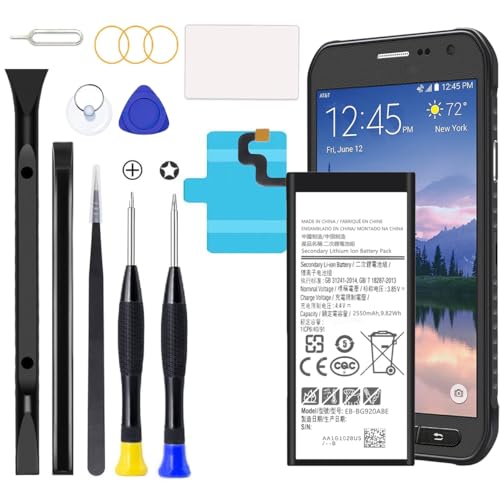
Compatible with Galaxy S6 Only, Model: S6 SM-G9200 SM-G9208 SM-G9208/SS SM-G9209 SM-G920A SM-G920F SM-G920FD SM-G920I SM-G920S SM-G920T SM-G920K SM-G920L SM-G920

{COMPATIBLE MODELS}:This Replacement battery Compatible with Samsung Galaxy S6 (Model: SM-G920 G920V G920T G920A G920P G920I G920F S906L).
Screen On Time
Screen time significantly impacts battery life. The longer your screen stays on, the more power it consumes. For instance, high brightness settings can drain the battery faster than lower settings. Reducing screen timeout duration and lowering brightness can extend battery life.
App Usage
App usage contributes heavily to battery drain. Certain apps, especially those that run in the background or use location services, consume more power. Streaming apps like Netflix or games can also lower battery longevity significantly. Monitoring which apps are most resource-intensive helps you manage usage better.
Connectivity Settings
Connectivity settings play a crucial role in battery performance. Using Wi-Fi instead of mobile data typically consumes less power. Turning off Bluetooth, GPS, or mobile data when not in use also conserves battery. Enabling Airplane Mode in low-signal areas can prevent the phone from constantly searching for a signal, helping your battery last longer.
Real-World Battery Performance
Real-world battery performance varies greatly based on individual usage habits. Understanding how long the Samsung S6 battery lasts in everyday scenarios helps you manage expectations and optimize your device’s longevity.
Up-Time During Regular Use
You can expect the Samsung S6 battery to provide up to 13 to 14 hours for standard tasks like web browsing, social media, and video playback. Moderate users often enjoy a full day of usage without needing a charge. In contrast, heavy users—those using streaming apps or playing graphics-intensive games—might find themselves reaching for a charger by late afternoon. Activities such as high screen brightness, long video calls, or resource-heavy apps significantly impact the battery drain. Keeping an eye on these factors will help you strategize your usage.
Comparison With Other Smartphones
When compared to contemporaneous smartphones, the Samsung S6’s battery life holds up well. Devices like the iPhone 6 and LG G4 typically deliver similar performance, lasting about 12 to 15 hours under regular use. However, phones such as the iPhone 7 and Google Pixel offer improved battery management, lasting longer due to more efficient processors. Using reports from user reviews and battery benchmarks can provide further insight into how the S6 stacks up against these alternatives. Understanding these comparisons can assist you in making informed decisions about your smartphone choices.
Tips To Extend Battery Life
You can easily maximize the Samsung S6 battery life with a few practical strategies. Applying the following tips helps you maintain a longer-lasting charge throughout your day.
Settings Adjustments
- Reduce Screen Brightness: Lower the brightness or enable adaptive brightness. This automatically adjusts the screen brightness based on surrounding light conditions.
- Turn Off Always-On Display: Disabling this feature stops the screen from constantly lighting up, conserving battery power.
- Limit Background Data: Restrict background data for apps. You can manage this in the app settings to prevent apps from using energy when not in use.
- Activate Power Saving Mode: Utilizing Power Saving Mode decreases performance slightly in exchange for extended battery life. Access this option through settings.
- Disable Unused Features: Switch off Bluetooth, NFC, and location services when not needed. These features consume battery even when inactive.
Charging Habits
- Avoid Overnight Charging: Stop charging your phone overnight. This habit can wear out the battery over time.
- Use Original Charger: Always use the Samsung-approved charger and cable. This ensures optimal charging efficiency and battery health.
- Charge When Battery Is Low: Aim to charge your Samsung S6 when the battery level drops to around 20%. Frequent full discharges can reduce battery capacity.
- Let Battery Cool: Avoid using your phone while charging to prevent overheating. Heat can negatively impact battery lifespan.
- Check Charging Ports: Ensure charging ports remain clean and free of debris to maintain proper charging efficiency.
Applying these settings and charging habits helps you extend the Samsung S6 battery life significantly.
Conclusion
Battery life on your Samsung S6 can be a bit of a rollercoaster depending on how you use it. With some smart adjustments and mindful habits you can stretch that battery life to get you through the day. Remember to keep an eye on your screen brightness and app usage to make a real difference.
By using Power Saving Mode and managing your connectivity settings you’ll find that your phone can keep up with your daily demands. It’s all about finding the right balance for your lifestyle. With a few tweaks you can enjoy your Samsung S6 without constantly worrying about the battery running low.
Frequently Asked Questions
What is the typical battery life of a Samsung S6?
The Samsung S6 battery typically lasts between 13 to 14 hours during standard tasks like web browsing and video playback.
What factors affect the battery life of the Samsung S6?
Key factors include screen brightness, app usage, network connectivity, and battery age. More intensive usage and high settings can drain power faster.
How can I maximize my Samsung S6 battery performance?
To improve battery life, enable Power Saving Mode, close unused apps, reduce screen brightness, and keep your software updated.
Do heavy users need to charge their Samsung S6 more frequently?
Yes, heavy users may need to recharge their Samsung S6 by late afternoon, while moderate users often find the battery lasts a full day.
How does the Samsung S6’s battery life compare to newer smartphones?
While the Samsung S6 performs decently against contemporaneous models like the iPhone 6, newer smartphones like the iPhone 7 and Google Pixel offer better battery management.
What charging habits should I follow to extend battery life?
To extend battery life, avoid overnight charging, use the original charger, and let the battery cool during charging sessions.
Are there specific apps that drain the Samsung S6 battery faster?
Yes, resource-intensive apps such as streaming services and games tend to consume more power, impacting battery life significantly.
Is there a way to track real-world battery performance?
Yes, user experiences vary widely based on individual habits, but monitoring how long your battery lasts during typical use will give you a good idea of its performance.
