

Key Takeaways
- Battery Capacity: The Samsung A52 is equipped with a 4,500 mAh battery, typically providing 12 to 14 hours of screen-on time for standard tasks.
- Usage Variability: Battery life can significantly decrease during high-demand activities, such as gaming or streaming high-resolution videos, reducing to 5 to 10 hours.
- Fast Charging: The device supports 25W fast charging, allowing users to recharge up to 50% in approximately 30 minutes, enhancing overall convenience.
- Optimization Tips: To extend battery life, adjust screen brightness, enable power-saving modes, close unused apps, and update software regularly.
- Comparison with Competitors: Compared to competitors like the Google Pixel 5 and OnePlus Nord, the A52 offers superior battery life, making it an excellent choice for heavy users.
- Real-World Performance: Overall performance varies based on individual usage habits, so monitoring and managing these patterns can significantly impact battery longevity.
Wondering how long your Samsung A52 battery will last? You’re not alone. Many users find themselves checking their battery life throughout the day, especially when juggling work, social media, and streaming. It’s frustrating when your phone can’t keep up with your lifestyle.
Overview of Samsung A52 Battery
The Samsung A52 features a robust 4,500 mAh battery, designed to support a full day of usage under typical conditions. This capacity enables you to manage various tasks, like browsing, streaming videos, and engaging in social media, without frequent recharging.
Battery life varies based on usage patterns. For example, heavy gaming may drain the battery faster than standard browsing. Users can usually expect around 12 to 14 hours of screen-on time from regular activities. However, this may decrease to 8 to 10 hours during more intensive usage, such as streaming high-resolution videos.
Charging speed also plays a role. The device supports 25W fast charging, allowing for a recharge from 0% to about 50% in roughly 30 minutes. Using the right charger can enhance your battery experience significantly.
To extend battery life, consider implementing these tips:
- Adjust Screen Brightness: Lowering your screen brightness extends usage time significantly.
- Enable Power Saving Mode: This mode limits background activity and reduces performance for longer battery life.
- Manage App Usage: Close unused apps to reduce battery drain.
- Turn Off Location Services: Disable GPS when not in use to save power.
- Update Software Regularly: Software updates often include optimizations that can enhance battery life.
Understanding these factors can help you maximize the Samsung A52 battery performance, catering to your lifestyle demands efficiently.
Battery Specifications
The Samsung A52 features extensive battery specifications tailored to meet various user needs effectively.
Battery Capacity
The Samsung A52 is equipped with a 4,500 mAh battery. This capacity supports all-day usage under normal conditions. Users can expect approximately 12 to 14 hours of screen-on time with standard activities. However, during high-demand tasks—like video streaming or gaming—this may drop to around 8 to 10 hours. To keep your battery healthy, remember to monitor usage patterns and adjust settings accordingly.
Charging Options
Charging options for the Samsung A52 enhance its usability. It supports 25W fast charging, allowing you to recharge the battery from 0% to about 50% in approximately 30 minutes. You can easily plug it in during short breaks for a quick boost. Additionally, using power-saving features alongside effective charging habits can help prolong battery life, ensuring you stay connected throughout the day.
Real-World Usage
Battery life varies based on activities and user habits. Here’s a closer look at how the Samsung A52 performs in everyday scenarios.
Recommended Products
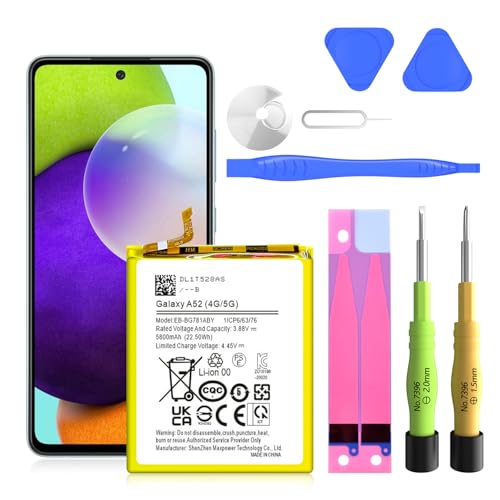
✅SHENMZ Galaxy A52 Battery Replacement ONLY Work For Model Samsung Galaxy A52/A52S (4G/5G) SM-A526 SM-A526B/DS SM-A5260 EB-BG781ABY. Note: Galaxy A52 Battery ,NOT for Other Samsung Model. Please Confirm Your Phone Model From Phone Back Cover to Avoid Wrong Order.[Not for Galaxy other Phone Models.]
![TQTHL Galaxy A52 Battery,[5800mAh] Li-Polymer EB-BG781ABY Replacement Battery for Galaxy A52 (4G / 5G) SM-A526 SM-A526B/DS SM-A5260&Galaxy S20 FE SM-G780 & S20 FE 5G SM-G781](https://m.media-amazon.com/images/I/41KxasUXrNL._SL500_.jpg)
【Compatible Model】This battery only compatible with Galaxy S20 FE EB-BG781ABY, SM-G781B, G781U, G781W, SM-A526, A526B/DS, A5260, A526W. Please verify your existing battery's part number matches before purchasing this replacement.
Daily Tasks
Under normal usage, the Samsung A52’s 4,500 mAh battery handles various tasks efficiently. Users can expect approximately 12 to 14 hours of screen-on time while engaging in activities like browsing social media, sending messages, and streaming music. When performing lighter tasks, you can often stretch the battery life even further. To maximize battery duration, consider these tips:
- Lower screen brightness to conserve energy.
- Enable power-saving mode when you anticipate needing extra battery life.
- Manage app usage by closing applications running in the background.
Gaming Performance
For gaming, the Samsung A52 performs well, though it consumes more battery. During gaming sessions, the screen-on time typically drops to 5 to 7 hours, depending on the game’s intensity and graphics. High-resolution games demand more from the battery, so here’s how to optimize your gaming experience:
- Use balanced graphics settings to reduce battery strain.
- Take breaks during long gaming sessions to allow the device to cool down and conserve power.
- Close unnecessary apps before gaming to focus resources on performance.
By understanding these usage patterns, you can effectively manage your Samsung A52’s battery life to fit your daily needs.
Battery Life Comparisons
Understanding how the Samsung A52 stacks up against competitors helps clarify its battery performance.
Recommended Products
![[3+3 Pack] Galaxy A52 5G Screen Protector + Camera Lens Protector, 9H Tempered Glass Film, Scratch Resistan, Easy Installation, Bubble Free, HD Screen Protector for Samsung Galaxy A52 5G/4G/A52s 5G](https://m.media-amazon.com/images/I/51CwqajOMKL._SL500_.jpg)
Compatible Models: Designed for Samsung Galaxy A52 5G/4G/A52s 5G screen protector, not fit for other models; Package includes 3 pcs tempered glass screen protector and 3 pcs camera lens protector, 3 wet & dry wipes, 3 dust stickers
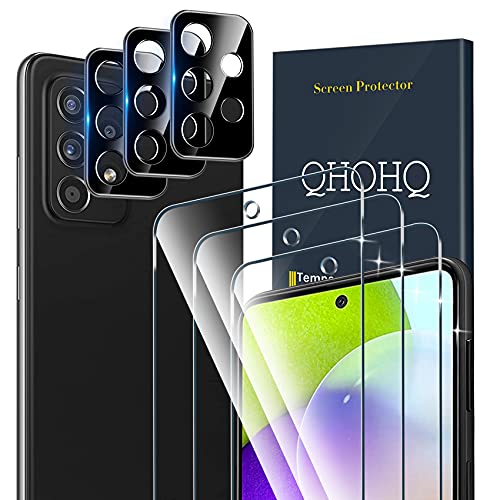
[Professional and supporting design] Designed for Samsung Galaxy A52 4G/A52 5G/A52S 5G Screen Protector and Camera Lens Protector, please check the phone model before buying. Even if you are an inexperienced user, it can be installed very easily. The product contains 3 * screen protector and 3 * camera lens protector.
![Ibywind Screen Protector For SamSung Galaxy A52 5G/4G/A52S,with 2Pcs Tempered Glass,1Pc Camera Lens Protector,1Pc Backing Carbon Fiber Film [Fingerprint Reader,Easy to install]](https://m.media-amazon.com/images/I/51UG6GUb7fL._SL500_.jpg)
★[Only Works] For SamSung Galaxy A52 5G/4G/A52S. Not for SamSung Galaxy M52 5G and other model, Please check your phone model before buying this tempered glass screen protector. if you need other models' protectors, please search in the IBYWIND brand store.
Samsung A52 vs Competitors
When compared to devices like the Google Pixel 5 and the OnePlus Nord, the Samsung A52 offers competitive battery life. The Pixel 5 features a 4,080 mAh battery, yielding around 11 to 12 hours of screen-on time under similar conditions. The OnePlus Nord, equipped with a 4,115 mAh battery, provides roughly 10 to 12 hours of usage. In contrast, the Samsung A52’s 4,500 mAh battery typically lasts 12 to 14 hours, making it a stronger choice for users requiring extended performance during daily tasks. The fast-charging feature on the A52 also surpasses some competitors, recharging to 50% in about 30 minutes.
Variations in Usage Scenarios
Battery longevity varies based on how you use the A52. During simple tasks like browsing social media or streaming music, expect between 12 to 14 hours of screen-on time. For video streaming in high definition, you may see a drop to 8 to 10 hours. Gaming impacts battery life most significantly, with usage times decreasing to approximately 5 to 7 hours depending on game intensity. Adjusting settings, such as lowering screen brightness or activating power-saving mode, can help maximize battery performance across these scenarios. Be mindful of individual app consumption patterns, as some applications drain more power than others, influencing overall battery efficiency.
Tips for Battery Optimization
Optimizing your Samsung A52’s battery life enhances daily usability. Here are practical steps you can take:
Recommended Products

COMPATIBILITY: This battery only fits for Samsung Galaxy A52 / A52s, SM-A525F, SM-A525F/DS, SM-A525M, SM-A525M/DS, SM-A528B, SM-A528B/DS, SM-A528N. Please carefully confirm your phone model before purchase.

Compatible Phone Model: This battery kit is specifically designed for Samsung Galaxy A52 (with model SM-A525 series) / A52s (with model SM-A528 series), please double confirm your phone model before purchasing

★ COMPATIBLE MODELS --- (only A52 Back Replacement Cover,Not a Phone)The A52 Back Cover Replacement Compatible With For Samsung Galaxy A52 2021 4G/LTE SM-A525F,SM-A525F/DS,SM-A525F/DST,SM-A525F/DSM,SM-A525F/N,SM-A525U.Also Fit for Samsung Galaxy A52 5G SM-A526B, SM-A526B/DS, SM-A5260, SM-A526W, SM-A526U, SM-A526U1 Too.The A52 Replacement Back Cover Include Back Camera Glass Lens and frame Replace.
Adjust Screen Brightness
- Adjust screen brightness to a lower level for better battery performance.
- Use adaptive brightness settings to allow the phone to optimize brightness based on the environment.
Enable Power Saving Mode
- Enable power saving mode to limit background activity.
- Choose between medium and maximum power saving modes depending on your needs.
Manage App Usage
- Uninstall unused apps that drain battery life.
- Monitor app usage in the settings to identify and limit battery-hungry applications.
Turn Off Location Services
- Turn off location services when not in use to conserve battery.
- Set apps to use location only while in use, instead of always.
Update Software Regularly
- Keep your software up to date for optimal performance.
- Regular updates often include battery optimizations and bug fixes.
Limit Background Data
- Limit background data for apps to reduce battery consumption.
- Adjust settings in your apps to only sync data when the app is open.
Use Dark Mode
- Use dark mode to save battery on AMOLED screens.
- Activate dark mode through display settings for visual comfort and battery savings.
Optimize Gaming Settings
- Use balanced graphics settings for gaming to reduce strain on the battery.
- Take breaks during long gaming sessions to allow the battery to recover.
By implementing these tips, you can significantly enhance your Samsung A52’s battery life and ensure it meets your daily demands.
Conclusion
The Samsung A52’s battery is designed to keep up with your busy lifestyle. With its solid 4,500 mAh capacity you can expect a full day of usage without constantly reaching for the charger.
By being mindful of your habits and making a few adjustments you can maximize your battery life. Whether you’re streaming videos or gaming there are plenty of ways to get the most out of your device.
So go ahead and enjoy everything your Samsung A52 has to offer knowing it’s got your back when it comes to battery life.
Frequently Asked Questions
What is the battery capacity of the Samsung A52?
The Samsung A52 is equipped with a 4,500 mAh battery, designed to support a full day of usage under typical conditions.
How long does the battery last on a full charge?
Under normal usage, the Samsung A52 offers approximately 12 to 14 hours of screen-on time. Intensive activities like high-resolution video streaming may reduce this to 8 to 10 hours.
Does the Samsung A52 support fast charging?
Yes, the Samsung A52 supports 25W fast charging, allowing the battery to recharge from 0% to about 50% in approximately 30 minutes.
How can I extend the battery life of my Samsung A52?
To extend battery life, adjust screen brightness, enable power-saving mode, manage app usage, turn off location services, and regularly update your software.
How does the Samsung A52’s battery compare to other phones?
The Samsung A52’s battery generally outlasts competitors like the Google Pixel 5 and OnePlus Nord, with longer screen-on times and better fast-charging capabilities.
What affects the battery life of the Samsung A52?
Battery life can vary based on usage patterns and activities. Simple tasks yield longer battery life, while gaming and intensive usage lead to faster battery consumption.
What tips can I use to optimize battery performance?
To optimize battery performance, consider limiting background data, using dark mode, managing app usage, adjusting screen brightness, and optimizing gaming settings.
