

Key Takeaways
- Battery Capacity: The Samsung A10 features a 3,400 mAh battery, providing approximately 14 hours of talk time and 17 hours of internet use under typical conditions.
- Key Influencing Factors: Several elements impact battery life, including screen brightness, resource-intensive app usage, background apps, and network signal strength.
- Effective Optimization Strategies: Reduce battery consumption by adjusting screen brightness, enabling battery saver mode, limiting background activity, and turning off unused features like Bluetooth and GPS.
- Monitoring Usage Patterns: Understanding your app usage and how it affects battery longevity can help identify habits that lead to quicker depletion. Less demanding activities extend overall battery life.
- Real-World Performance Comparison: The Samsung A10 performs relatively well against competitors, such as the Galaxy A20 and iPhone SE, but users should consider personal usage patterns for optimal choices.
- Software and Feature Management: Regularly update software for enhancements, manage notifications to minimize interruptions, and utilize dark mode to save power, particularly with the A10’s AMOLED display.
Ever found yourself wondering how long your Samsung A10 can keep going on a single charge? You’re not alone. Many users face the daily challenge of balancing their phone’s performance with battery life.
Imagine being out and about, relying on your phone for navigation or keeping in touch with friends, only to see that battery percentage drop faster than you expected. This article will break down the factors that influence the Samsung A10’s battery life and give you tips to maximize it. By the end, you’ll have a clearer idea of what to expect and how to keep your phone running longer throughout the day.
Overview Of Samsung A10 Battery Life
The Samsung A10 features a 3,400 mAh battery, designed to deliver reliable performance throughout the day. On average, users can expect about 14 hours of talk time and up to 17 hours of internet usage, making it suitable for typical daily activities.
Factors Affecting Battery Life
Several factors influence the Samsung A10’s battery life:
- Screen Brightness: Higher brightness settings significantly drain battery life. Lowering brightness can enhance battery longevity.
- App Usage: Resource-intensive apps, like games and streaming services, consume more power. Limiting their use extends battery life.
- Background Apps: Apps running in the background can lead to a faster battery decline. Closing unused apps helps conserve energy.
- Network Connection: Poor signal strength forces the phone to use more power. Staying connected to a strong network aids in better battery performance.
Practical Tips to Maximize Battery Life
Implement these strategies to stretch your battery life:
- Adjust Screen Brightness: Set brightness to automatic or lower levels.
- Enable Battery Saver Mode: Turn on the battery saver feature for optimal performance.
- Limit Background App Activity: Restrict apps from running in the background.
- Turn Off Unused Features: Disable Bluetooth, GPS, and Wi-Fi when not in use.
- Manage Notifications: Reduce notifications from apps that aren’t essential.
By understanding the Samsung A10’s battery performance and following these tips, you can optimize your phone’s usage throughout the day.
Factors Affecting Battery Life
Several factors impact the battery life of your Samsung A10. Understanding these elements helps you optimize usage and extend battery performance throughout the day.
Recommended Products
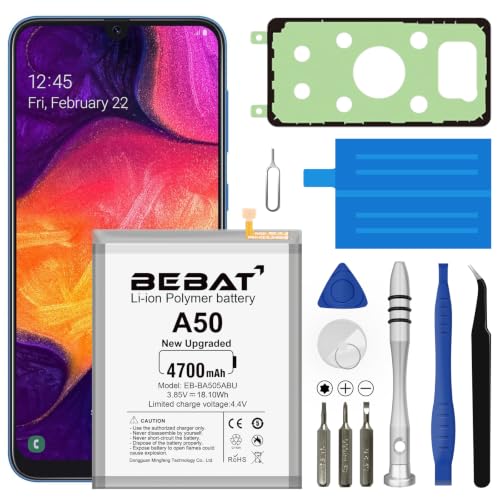
【Compatible Model】:This Battery Model is EB-BA505ABU,Compatible with Samsung Galaxy A505F /A30 SM-A305 /A20 A205FN A202F /A30s SM-A307.Please confirm your phone model and your old battery part number before placing an order.

[PLS CONFIRM DEVICE MODEL] -- The repair kit contains the instruction to guide you step by step installation, and we have professional engineers to answer all your questions about the repair process. Please verify your old battery part number and model before purchasing this replacement battery. Part Number: Scud-WT-N6, Compatible with Samsung Galaxy A10s SM-A107F/DS SM-A107M/DS, Samsung Galaxy A20s SM-A207F/DS SM-A207M/DS SM-A2070, Samsung Galaxy A21 SM-A215U SM-A215U1.
Usage Patterns
Usage patterns significantly influence battery longevity. Frequent activities like gaming, streaming videos, or using GPS drain power quickly. If you regularly engage in resource-demanding tasks, your battery may deplete faster. For everyday use, like texting and calling, the battery lasts longer. Monitoring how and when you use your phone can help you identify battery-draining habits.
Software Optimization
Software settings play a crucial role in battery efficiency. Keeping your software updated ensures you benefit from the latest performance enhancements and bug fixes. Adjusting settings such as screen brightness can also reduce battery consumption. Using battery saver mode limits background activity and optimizes app performance. Disabling unused features like Bluetooth or location services when not in use extends battery life. Regularly checking which apps use the most battery can guide you in managing your app usage effectively.
Battery Performance In Real-World Scenarios
Battery performance varies based on how you use the Samsung A10. Understanding common usage patterns helps set realistic expectations.
Screen Time
Screen time significantly impacts battery life. If you frequently use your phone for video streaming, online gaming, or browsing, your battery drains faster. For instance, watching videos on platforms like YouTube can consume up to 10% of your battery per hour. Adjusting your screen brightness and using adaptive brightness can help conserve energy during prolonged use. Limiting high-intensity screen time enhances overall battery longevity.
Background App Activity
Background app activity plays a crucial role in battery consumption. Apps running behind the scenes can silently drain your battery. Apps like social media or location-based services are often the biggest culprits. To minimize this impact, check which apps use the most power by going to your settings. Close unused apps and consider disabling background data for apps that don’t need constant updates. Implementing these strategies extends your Samsung A10’s battery life.
Comparing Samsung A10 Battery Life With Other Models
The Samsung A10 competes with several models on the market. Understanding how its battery life measures up against other smartphones helps you make an informed decision.
Recommended Products
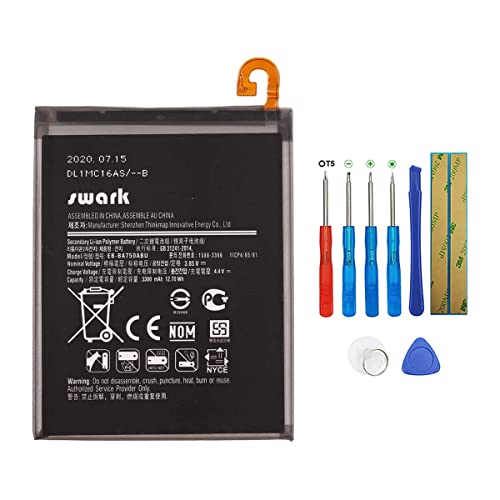
Product Type: Li-Polymer, Volts: 3.85V, Capacity: 3300mAh /12.7Wh

This battery is compatible with Samsung Galaxy A10 A7 2018,Not fit for A10S and A10E , please carefully check your phone model before purchase.

{COMPATIBLE MODELS}:This Replacement battery Compatible with Samsung Galaxy A10e/A20e (Model: A102U SM-A102U/A20e SM-A202F/DS/A20e Dual SIM SM-A202F).
Samsung A10 vs. Samsung Galaxy A20
- Galaxy A20 Battery Capacity: 4,000 mAh
- Talk Time: About 15 hours
- Internet Usage: Up to 20 hours
The Galaxy A20 offers a larger battery, extending usage time. It can manage more power with heavy applications compared to the A10.
Samsung A10 vs. Apple iPhone SE (2020)
- iPhone SE Battery Capacity: 1,821 mAh
- Talk Time: About 13 hours
- Internet Usage: Up to 13 hours
Despite the smaller battery size, the iPhone SE optimizes its software well. However, the A10 still provides longer internet usage, making it better for browsing.
Samsung A10 vs. OnePlus Nord N200 5G
- Nord N200 Battery Capacity: 5,000 mAh
- Talk Time: About 20 hours
- Internet Usage: Up to 18 hours
The Nord N200 shines in battery longevity. It supports 5G, which can drain power faster, but the larger capacity generally outweighs this drawback.
Factors to Consider
- Screen Size: Larger screens tend to consume more battery. The A10 features a modest 6.2-inch display, balancing usability and battery life.
- Processor Efficiency: The A10 uses the Exynos 7884 processor. Its efficiency helps maintain decent battery life during daily tasks.
- Usage Patterns: Heavy usage activities, like gaming and streaming, impact battery life significantly. You’ll find that moderate use, such as texting or casual browsing, maximizes the A10’s potential.
Understanding battery life differences between models can help you choose a smartphone that fits your lifestyle. Prioritize your typical usage scenarios when evaluating these options.
Tips To Extend Samsung A10 Battery Life
Boosting your Samsung A10 battery life involves simple adjustments. Follow these practical tips to maximize usage.
Recommended Products

COMPATIBILITY: This battery only fits for Samsung Galaxy S10, SM-G973F, SM-G973U, SM-G973W, SM-G973U1, SM-G9730, SM-G973N, SM-G973X, SCV41, SM-G973C. Please carefully confirm your phone model before purchase.
![JxVrennzik [4 Pack] Tempered Glass Screen Protector for Samsung Galaxy A10](https://m.media-amazon.com/images/I/41fTR2hQ3kL._SL500_.jpg)
Precise Device Compatibility This screen protector is professionally customized for the Samsung Galaxy A10. To avoid mismatched accessories, please verify your exact phone model through the Settings - About Phone section before placing an order for perfect fitting and optimal protection.

[Compatible Models] Developed especially for Samsung Galaxy A10e.Compatible with SM-A102U/A20e SM-A202F/DS/A20e Dual SIM SM-A202F EB-BA202ABU
Adjust Screen Brightness
Adjust the screen brightness to a lower level. Use adaptive brightness to let the phone optimize brightness based on surroundings. This can reduce battery drain significantly.
Activate Battery Saver Mode
Activate battery saver mode when your battery level drops. This feature limits background activity, reducing power consumption for apps and services you’re not using.
Limit Background App Activity
Limit background app activity to save battery. Check which apps are running in the background and close those that aren’t necessary. Disable background data for apps that don’t require constant updates or location tracking.
Turn Off Unused Features
Turn off features you don’t use, such as Bluetooth, Wi-Fi, or GPS. These functions constantly search for connections, draining your battery. Disable them when they’re not in use.
Manage Notifications
Manage notifications to minimize screen wake-ups. Limit alerts from apps that aren’t essential. Fewer notifications lead to fewer interruptions and help conserve battery power.
Keep Software Updated
Keep your software updated to benefit from the latest optimizations and bug fixes. Regular updates can improve battery efficiency and enhance overall performance.
Optimize App Usage
Monitor app usage to identify battery hogs. Use the battery usage feature in settings to see which apps consume the most power. Limit usage of demanding apps or find alternatives with lower battery consumption.
Use Dark Mode
Use dark mode if your Samsung A10 has an AMOLED display. Darker interfaces consume less power compared to bright interfaces. This simple change can extend battery life significantly.
Charge Smart
Charge your phone wisely. Avoid letting the battery drain to 0%. Instead, keep it between 20% and 80% for optimal battery health. Use the original charger for best results.
Implement these tips for a longer-lasting battery on your Samsung A10 and enjoy your phone’s features throughout the day without constant recharging.
Conclusion
The Samsung A10’s battery life can keep you going through a typical day with ease. By understanding how your usage impacts performance and making a few simple adjustments you can stretch that battery even further.
Remember to keep an eye on screen brightness and app activity. Using features like battery saver mode and managing background apps can really make a difference. With a little effort you’ll find that your Samsung A10 can be a reliable companion for all your daily tasks. Enjoy your phone without the constant worry of running out of juice!
Frequently Asked Questions
What is the battery capacity of the Samsung A10?
The Samsung A10 comes equipped with a 3,400 mAh battery, which can provide approximately 14 hours of talk time and up to 17 hours of internet usage.
What affects the battery life of the Samsung A10?
Battery life on the Samsung A10 is influenced by screen brightness, app usage, background app activity, and network connection. These factors contribute to how long the battery can last during daily tasks.
How can I maximize the battery life of my Samsung A10?
To extend battery life, adjust screen brightness, enable battery saver mode, limit background app activity, turn off unused features, and manage notifications. These adjustments can help optimize performance throughout the day.
How do usage patterns impact battery performance?
Frequent activities like gaming, video streaming, and using GPS can quickly drain the battery, while browsing, texting, and calling are less demanding. Understanding your usage pattern helps to manage battery efficiently.
What are the best practices for charging the Samsung A10?
It’s recommended to keep the battery level between 20% and 80% for optimal longevity. Avoid overcharging and let it discharge before recharging to maintain battery health over time.
How does the Samsung A10 compare to other smartphones?
Compared to other models like the Galaxy A20 (4,000 mAh) and OnePlus Nord N200 5G (5,000 mAh), the A10 has a smaller battery but remains competitive due to efficient software optimization and everyday usability.
Can background apps drain my Samsung A10 battery?
Yes, background apps can significantly drain battery life, especially social media and location-based services. Monitoring which apps use the most power and closing unused ones is crucial for battery conservation.
How does screen brightness affect battery life?
Higher screen brightness consumes more battery power, while lower or adaptive brightness settings can help conserve energy. Adjusting brightness according to the environment can improve battery efficiency.
