
Close Menu
Battery Spotlight
    Battery Spotlight
    • Home
    • Phone Batteries
    • Laptop Batteries
    • Car Batteries
      • Golf Cart Batteries
    • Battery Info
      • Battery Chargers
      • Battery Life
      • Battery Maintenance
      • Marine Batteries
      • Rechargeable Batteries
      • Solar Batteries
    • About Us
      • Contact
    Battery Spotlight
    Navigation: Home » Car Batteries » How Long Does a Honda CRV Battery Last? Extend Its Lifespan with These Maintenance Tips
    Car Batteries

    How Long Does a Honda CRV Battery Last? Extend Its Lifespan with These Maintenance Tips

    Jackson DoyleBy Jackson DoyleAugust 9, 20245 Mins Read
    Share Facebook Twitter Pinterest LinkedIn Tumblr Email WhatsApp Copy Link
    Share
    Facebook Twitter LinkedIn Pinterest Email Copy Link

    Ever wondered how long your Honda CRV battery will last? Picture this: you’re rushing out the door, ready to hit the road, only to find your car won’t start. Frustrating, right? In this article, you’ll discover the secrets behind your CRV’s battery life.

    Table of Contents

    Toggle
    • Understanding Honda CRV Batteries
    • Factors Affecting Honda CRV Battery Lifespan
    • Signs of a Failing Honda CRV Battery
    • Extending the Life of Your Honda CRV Battery
    • Conclusion
    • Frequently Asked Questions
    • 1. How can I recognize signs of a failing Honda CR-V battery?
    • 2. What tips can help extend the lifespan of a Honda CR-V battery?
    • 3. Why is proactive care important for a vehicle's battery?

    How long can you expect your Honda CRV battery to keep you moving? We’ve all been there – the dread of a dead battery at the worst possible moment. But fear not! By the end of this read, you’ll be equipped with the knowledge to keep your CRV running smoothly.

    Stay tuned to uncover practical tips and insights on maximizing your Honda CRV battery’s lifespan. Let’s dive in and ensure you’re never left stranded with a flat battery again.

    Understanding Honda CRV Batteries

    When it comes to Honda CRV batteries, understanding their lifespan is crucial for optimal vehicle performance. Here’s what you need to know:

    • Typical Lifespan: On average, a Honda CRV battery can last 3 to 5 years under normal driving conditions.
    • Factors Affecting Lifespan:
    • Climate: Extreme temperatures, both hot and cold, can impact battery longevity.
    • Driving Habits: Frequent short trips or long periods of inactivity can strain the battery.
    • Vehicle Accessories: Upgraded sound systems and electronic devices can drain the battery faster.
    • Regular Maintenance: Ensuring your CRV’s electrical system is in good condition can extend the battery’s life.
    • Checking Battery Health: Periodically testing the battery’s charge and voltage levels can help you catch potential issues early.
    • Proper Installation: Make sure the battery is installed correctly to prevent damage to the vehicle’s electrical system.
    • Battery Replacement: When it’s time to replace your Honda CRV battery, opt for a high-quality, compatible replacement to ensure reliability.
    SEE ALSO  How to Replace Battery in 2014 Ford Escape: Step-by-Step Guide for Optimal Performance

    By understanding how Honda CRV batteries work and taking proactive steps to maintain them, you can ensure a smooth driving experience without the hassle of unexpected battery failures.

    Factors Affecting Honda CRV Battery Lifespan

    Understanding the elements that impact Honda CRV battery lifespan can help you prolong its longevity and optimize performance:

    • Climate: Extreme temperatures, both hot and cold, can affect battery life.
    • Driving Habits: Frequent short trips may not allow the battery to fully recharge.
    • Vehicle Accessories: Using power-intensive accessories can put a strain on the battery.
    • Maintenance: Regular checks and ensuring proper installation can help extend battery life.

    By keeping these factors in mind, you can better care for your Honda CRV battery and enjoy a reliable driving experience.

    Recommended Products

    ARONOVA Battery Hold Down Sets for Honda Civic/CRV/S2000/Acura Integra,With Billet Aluminum Battery Tie Down Bracket And 18-8(304) Stainless Steel J bolts (Blue)
    ARONOVA Battery Hold Down Sets for Honda Civic/CRV/S2000/Acura Integra,With Billet Aluminum Battery Tie Down Bracket And 18-8(304) Stainless Steel J bolts (Blue)

    【Material】Constructed with premium 6061 aluminum & 18-8 stainless steel material, anti-rust, sturdy and available for long service life.

    VIEW LATEST PRICE

    As an affiliate, we earn on qualifying purchases.

    Car Key Battery for Honda CR-V (2014-2022 CRV Master Key with Remote Transmitter Batteries CR1620 3V Pack of 2)
    Car Key Battery for Honda CR-V (2014-2022 CRV Master Key with Remote Transmitter Batteries CR1620 3V Pack of 2)

    *Select your vehicle above*

    VIEW LATEST PRICE

    As an affiliate, we earn on qualifying purchases.

    KKNCO Key Fob Battery Replacement for Honda CRV Civic Accord Pilot Odyssey HRV Fit Passport Ridgeline Crosstour Insight Clarity CRZ Smart Remote - CR2032 (Pack of 2) (Check Fitment Guide)
    KKNCO Key Fob Battery Replacement for Honda CRV Civic Accord Pilot Odyssey HRV Fit Passport Ridgeline Crosstour Insight Clarity CRZ Smart Remote - CR2032 (Pack of 2) (Check Fitment Guide)

    PACKAGE INCLUDED : Two (2) CR2032 Remote key Fob Battery and Opening/Pry Tools , Five item bundle (total 5pcs) , Please confirm compatibility using the fitment guide located in the product images.

    VIEW LATEST PRICE

    As an affiliate, we earn on qualifying purchases.

    SEE ALSO  Pro Tips for Stress-Free Car Battery Delivery & Installation

    Signs of a Failing Honda CRV Battery

    When it comes to recognizing signs of a failing Honda CRV battery, there are a few key indicators to watch out for. Here are some common symptoms that may signal it’s time to check your battery:

    • Slow engine crank: If you notice that the engine is taking longer to start than usual, it could be a sign of a weakening battery.
    • Dimming headlights: Dim or flickering headlights could indicate a low battery or charging system issue.
    • Dashboard warning light: Keep an eye out for the battery warning light on your dashboard, as it can signal potential battery problems.
    • Electrical issues: Any unusual electrical issues such as power windows moving slowly or radio malfunctions may point to a failing battery.
    • Sulfur smell: A strong sulfur smell coming from your battery could indicate a leakage, posing a threat to the battery’s health.

    Being aware of these signs can help you address battery issues promptly, ensuring you don’t get stranded unexpectedly.

    Recommended Products

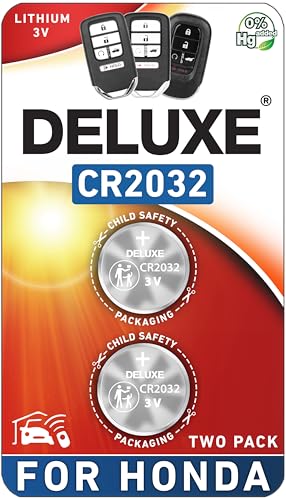
    Duracell 2032 Lithium Battery, 4 Count (Pack of 1), Child Safety Features, Compatible with Key Fob, Tea Light Candles and Other Devices, CR2032 Battery
    Duracell 2032 Lithium Battery, 4 Count (Pack of 1), Child Safety Features, Compatible with Key Fob, Tea Light Candles and Other Devices, CR2032 Battery

    LONG-LASTING BATTERIES DESIGNED FOR DEPENDABILITY: Duracell Lithium Coin CR2032 3 Volt batteries deliver long-lasting power and performance you can count on for devices throughout the home or on-the-go, such as key fobs, remote controls, Apple AirTag️, flameless candles, wireless cameras, thermometers, toys, and more.
    VIEW LATEST PRICE

    As an affiliate, we earn on qualifying purchases.

    Key Fob Replacement Batteries for Honda (CRV Civic Accord Pilot Odyssey HRV Fit Passport Ridgeline Crosstour Insight Clarity CRZ) Smart Remote (Pack of 2) (Check Fitment Guide)
    Key Fob Replacement Batteries for Honda (CRV Civic Accord Pilot Odyssey HRV Fit Passport Ridgeline Crosstour Insight Clarity CRZ) Smart Remote (Pack of 2) (Check Fitment Guide)

    CONFIRM FIT - **Please confirm compatibility using the fitment guide located in the product images**

    VIEW LATEST PRICE

    As an affiliate, we earn on qualifying purchases.

    KKNCO Key Fob Battery Replacement for Honda Accord 03-13, Civic 06-13, CRV 05-13, Pilot 05-15, Odyssey 05-17, Fit 07-14, Ridgeline 06-14 Key Remote CR1616 (Pack of 2) (Check Fitment Guide)
    KKNCO Key Fob Battery Replacement for Honda Accord 03-13, Civic 06-13, CRV 05-13, Pilot 05-15, Odyssey 05-17, Fit 07-14, Ridgeline 06-14 Key Remote CR1616 (Pack of 2) (Check Fitment Guide)

    PACKAGE INCLUDED : Two (2) CR1616 Remote key Fob Batteries and Opening/Pry Tools , Five item bundle (total 5pcs) , Please confirm compatibility using the fitment guide located in the product images.

    SEE ALSO  How to Register Your BMW Battery: Key Steps for Optimal Performance
    VIEW LATEST PRICE

    As an affiliate, we earn on qualifying purchases.

    Extending the Life of Your Honda CRV Battery

    To prolong the lifespan of your Honda CRV battery, there are several steps you can take:

    • Regular Maintenance: Ensure your battery terminals are clean and free of corrosion.
    • Check the Charging System: Have a professional inspect your charging system periodically.
    • Avoid Short Trips: Longer drives help recharge your battery fully.
    • Limit Electronics Usage: Minimize the use of electronics when the engine is off.
    • Extreme Temperatures: Park in covered areas to shield your battery from extreme temperatures.

    By following these tips, you can extend the life of your Honda CRV battery and avoid unexpected breakdowns.

    Remember, proactive care can make a significant difference in maintaining the health of your vehicle.

    Conclusion

    Taking care of your Honda CRV battery is crucial for ensuring its longevity. By following the maintenance tips outlined in this article, you can extend the life of your battery and minimize the chances of facing sudden issues on the road. Remember, a well-maintained battery not only saves you time and money but also contributes to the overall health of your vehicle. Stay proactive in caring for your Honda CRV battery, and you’ll enjoy a smoother driving experience for miles to come.

    Frequently Asked Questions

    1. How can I recognize signs of a failing Honda CR-V battery?

    Look out for slow engine cranking, warning lights on the dashboard, dimming headlights, and a swollen battery case.

    2. What tips can help extend the lifespan of a Honda CR-V battery?

    Regularly maintain the battery, check the charging system, avoid frequent short trips, limit electronics usage while the engine is off, and protect the battery from extreme temperatures.

    3. Why is proactive care important for a vehicle’s battery?

    Proactive care helps prolong the battery’s life, reduces the risk of unexpected breakdowns, and ensures the vehicle runs smoothly without any battery-related issues.

    Share. Facebook Twitter Pinterest LinkedIn Tumblr Email WhatsApp Copy Link
    Jackson-Doyle
    Jackson Doyle

      Battery industry professional with 5+ years of experience. Bachelor of Science in Electrical Engineering from Georgia Tech. Specializes in power systems and renewable energy.

      Related Posts

      Car Batteries

      Top Online Platforms to Buy Authentic Optima Car Batteries

      January 5, 2025
      Car Batteries

      Maximize Tesla Battery Life: Practical Tips & Longevity Insights

      January 5, 2025
      Car Batteries

      Discover Who Makes Bosch Car Batteries in A Sustainable Drive for Eco-friendly Power Solutions

      January 5, 2025
      Car Batteries

      Top Companies That Deliver Car Batteries to Your Doorstep

      January 4, 2025
      Car Batteries

      Understanding Tesla Powerwall Battery: A Green Energy Solution for Your Home

      January 3, 2025
      Car Batteries

      Extending the Life of Used Car Batteries: Top Tips and Savings Guide

      January 3, 2025
      Add A Comment
      Leave A Reply Cancel Reply

      Search
      Affiliate Disclaimer

      As an Amazon Associate I earn from qualifying purchases.

      Latest Articles

      How to Replace Battery in Samsung Phone: A Step-by-Step Guide for Easy Replacement

      Android Batteries

      How to Remove Battery from Samsung Smart TV Remote: A Step-by-Step Guide for Easy Replacement

      Android Batteries

      How to Check Your Battery Health on Samsung: Simple Methods to Extend Your Phone’s Lifespan

      Android Batteries

      How Much Is a Battery for a Samsung Galaxy S6: Pricing and Replacement Options Explained

      Android Batteries

      How to Remove Battery from Samsung Galaxy S7: A Step-by-Step Guide for Easy DIY Fixes

      Android Batteries

      Why is My Battery Going Down While Charging Android – Effective Solutions to Fix the Issue

      Android Batteries
      Battery Spotlight

      Battery Spotlight is a website dedicated to helping you solve common battery problems.

      Read more about us here

      Affiliate Disclaimer
      As an Amazon Associate I earn from qualifying purchases.

      Site Navigation
      • Above Mirror Bathroom Lighting
      • Android Batteries
      • Bathroom Pendant Lighting
      • Battery Chargers
      • Battery Life
      • Battery Maintenance
      • Car Batteries
      • Ceiling Lighting Ideas
      • Golf Cart Batteries
      • Japandi Lighting
      • Laptop Batteries
      • Marine Batteries
      • Mood Lighting Living Room
      • Phone Batteries
      • Rechargeable Batteries
      • Reviews
      • Solar Batteries
      • Uncategorized
      • Vaulted Ceiling Lighting
      Latest Articles

      How to Replace Battery in Samsung Phone: A Step-by-Step Guide for Easy Replacement

      How to Remove Battery from Samsung Smart TV Remote: A Step-by-Step Guide for Easy Replacement

      How to Check Your Battery Health on Samsung: Simple Methods to Extend Your Phone’s Lifespan

      How Much Is a Battery for a Samsung Galaxy S6: Pricing and Replacement Options Explained

      How to Remove Battery from Samsung Galaxy S7: A Step-by-Step Guide for Easy DIY Fixes

      • Home
      • About
      • Contact
      • Privacy Policy
      • Editorial Policy
      • Disclaimer
      • Terms and Conditions
      • Affiliate Disclosure
      © 2026 Battery Spotlight

      Type above and press Enter to search. Press Esc to cancel.