

Key Takeaways
- Understanding Battery Health: Battery health refers to your Samsung phone’s ability to hold a charge and affects overall device performance and longevity.
- Signs of Declining Health: Key indicators include reduced charge retention, inconsistent performance, overheating, and unexpected shutdowns.
- Methods to Check Battery Health: Check battery health using built-in settings, the Samsung Members app, or third-party apps like AccuBattery and GSam Battery Monitor for detailed insights.
- Interpreting Results: Battery health percentages above 80% indicate good health, while anything below suggests degradation, with a cycle count indicating overall usage.
- Common Issues: Monitor for signs such as reduced charge retention, overheating, unexpected shutdowns, and slow charging to preempt major battery problems.
- Maintenance Tips: Adopt best practices like charging regularly, using original chargers, avoiding extreme temperatures, and limiting humidity to prolong battery health.
Ever wondered why your Samsung phone doesn’t last as long as it used to? You’re not alone. Many people face battery issues as their devices age, leading to frustrating moments when you need your phone most.
Understanding Battery Health
Battery health refers to the condition of your phone’s battery and its ability to hold a charge efficiently. Maintaining good battery health is crucial for optimal device performance.
Importance of Battery Health
Battery health affects your phone’s overall usability and longevity. A healthy battery ensures longer usage times, faster charging, and less frequent need for replacement. Poor battery health leads to unexpected shutdowns, diminished performance, and limited functionality. Regularly checking your battery health helps prevent these issues and prolongs your phone’s lifespan.
Signs of Declining Battery Health
You might experience several signs indicating declining battery health:
- Reduced Charge Retention: Your phone discharges quickly even with minimal usage.
- Inconsistent Performance: Apps may crash or sluggishly respond when the battery level drops.
- Overheating: The device heats up significantly during charging or regular use.
- Unexpected Shutdowns: The phone shuts down unexpectedly, even with a charged battery.
Recognizing these signs can help you take necessary actions to maintain your device effectively.
Methods to Check Battery Health on Samsung Phone
You can evaluate your Samsung phone’s battery health through several methods. Each method offers unique insights into battery performance.
Recommended Products

Tested for battery health and guaranteed to have a minimum battery capacity of 80%.

Compatible Phone Model: This battery kit is specifically designed for Samsung Galaxy A32 4G (with model SM-A325 series), A31 (with model SM-A315 series) and A22 4G (with model SM-A225 series), NOT work for A32 5G or A22 5G, please double confirm your phone model before purchasing

Tested for battery health and guaranteed to have a minimum battery capacity of 80%.
Using Built-in Settings
- Open the Settings app on your phone.
- Scroll down and tap Battery and Device Care.
- Select Battery and then tap Battery Usage.
- Here, you’ll see the usage statistics and the option to run a battery diagnostic. Tap on More and select Diagnostics to find additional battery health information.
This method provides a quick overview of battery performance and usage patterns.
Using Samsung Members App
- Download and open the Samsung Members app from the Galaxy Store or Google Play Store.
- Tap on the Get Help section.
- Select Interactive Checks and then Battery.
- Follow the prompts to conduct a battery health check.
This app provides a detailed analysis of battery status and potential issues.
Using Third-Party Apps
Consider third-party apps for in-depth battery health monitoring. Some popular options include:
- AccuBattery: Offers comprehensive reporting on battery health, charge cycles, and estimated capacity.
- GSam Battery Monitor: Provides detailed usage stats and health metrics.
To use these apps, download them from the Google Play Store, install, and follow the setup instructions. These apps help track battery metrics over time, giving a clear view of overall battery health.
Using any of these methods helps you maintain your Samsung phone’s battery efficiency and longevity.
Interpreting Battery Health Results
Understanding battery health results helps you maintain your Samsung phone’s performance. Here’s how to decode the data.
What Do the Numbers Mean?
Battery health percentages indicate the remaining capacity compared to when the battery was new. A percentage above 80 signifies good health, while anything below that indicates degradation.
- 90-100%: Excellent health indicates your battery performs optimally.
- 80-89%: Good health; you might notice minor efficiency reductions.
- 70-79%: Fair health; prepare for possible performance issues.
- Below 70%: Poor health means it’s time for a battery replacement.
Pay attention to the cycle count too; it shows how often the battery charged and discharged. Typical lithium-ion batteries last around 300 to 500 cycles.
Common Battery Health Issues
Identifying common battery health issues allows for proactive measures. Here are frequent problems you might encounter:
- Reduced Charge Retention: Notice how quickly your phone discharges? This often signals declining health.
- Overheating: If your phone feels hot during regular use or charging, it might point to battery stress.
- Unexpected Shutdowns: A phone that shuts down unexpectedly, even with charge, suggests major battery issues.
- Slow Charging: If charging takes longer than usual, your battery’s health might be deteriorating.
Monitoring these signs can help you address issues before they become serious.
Tips for Maintaining Battery Health
Maintaining your Samsung phone’s battery health enhances performance and prolongs its lifespan. Here are some practical tips to help you keep your battery in top shape.
Recommended Products
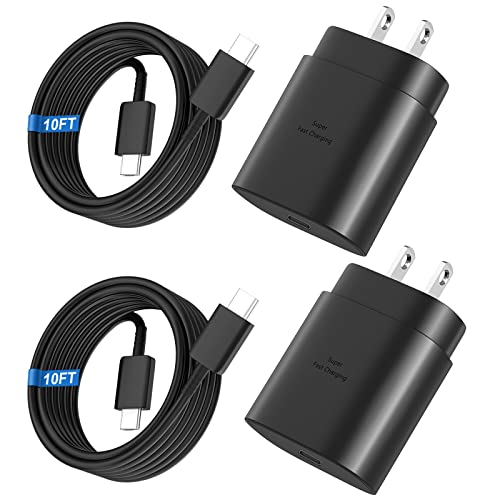
Small & Powerful: With 25W charging power but smaller size, this Vilive Samsung charger fast charging cord is more convenient and portable. Equipped with a type c port, you can charge your device back to full power in no time by using the 25W USB C fast charger for Samsung Galaxy S26 S25 series. It only takes 30min to charge your Samsung Galaxy S26/S25/S24/S23 ultra from 0 to 60%, 5 times as fast as standard USB C charger.

【Safeguard Protection】USB C Android chargers comes with premium built-in safeguards and intelligent IC identification technology to prevent against short circuit, over-current, over-voltage, over-heating and over-charging. It can intelligently recognize the battery type and status, will automatically stop charging when fully charged for a safety charging and long lifespan.
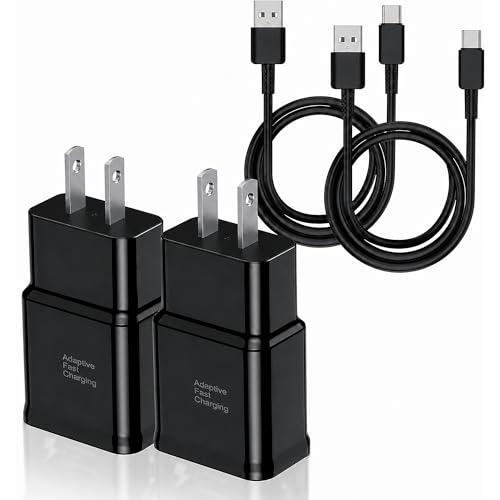
Safeguard Protection - USB c Android chargers comes with premium built-in safeguards and intelligent IC identification technology to prevent against short circuit, over-current, over-voltage, over-heating and over-charging. It can intelligently recognize the battery type and status, will automatically stop charging when fully charged for a safety charging and long lifespan
Best Charging Practices
- Charge Regularly: Instead of letting your battery drain completely, charge it when it reaches around 20%. This practice helps minimize stress on the battery.
- Avoid Overnight Charging: Continuous charging can lead to overheating. Use a timer to unplug your device post-charge if you occasionally need to charge overnight.
- Use Original Chargers: Stick to Samsung-approved chargers. Non-compliant chargers can deliver inconsistent power levels, affecting battery health.
- Enable Adaptive Charging: If available, activate adaptive charging features, which optimize charging conditions based on usage patterns.
Environmental Factors to Consider
- Keep Away from Extreme Temperatures: Avoid exposing your phone to high heat or freezing temperatures. Ideal operating conditions are between 32°F and 95°F (0°C and 35°C).
- Limit Humidity Exposure: Excess moisture can damage the battery and internal components. Use a protective case if you’re in humid zones.
- Avoid Direct Sunlight: Keeping your phone in direct sunlight can increase temperatures. Store it in a shaded area or use a cover when outdoors.
Implementing these tips allows you to maximize your Samsung phone’s battery potential, ensuring reliable performance for longer.
Conclusion
Taking the time to check your Samsung phone’s battery health can make a world of difference in your daily experience. By recognizing the signs of battery decline and using the available tools, you can ensure your device stays reliable and efficient.
Remember to monitor your battery’s performance regularly and follow best practices for charging and care. This way, you’ll not only extend your battery’s lifespan but also enjoy a smoother and more enjoyable smartphone experience. Keep your phone healthy and it’ll keep you connected when you need it most.
Frequently Asked Questions
What causes battery life to decline in aging Samsung phones?
Battery life declines as Samsung phones age due to factors like increased charge cycles, wear and tear on the battery, and software updates that may consume more power. Over time, the battery’s ability to hold a charge diminishes, leading to shorter usage times and potential performance issues.
How can I check the battery health of my Samsung phone?
You can check your Samsung phone’s battery health by going to Settings > Battery and Device Care. Use the built-in battery diagnostic tool. Alternatively, download the Samsung Members app for detailed insights. Third-party apps like AccuBattery can also help monitor battery health over time.
What are the signs of poor battery health in Samsung phones?
Signs of poor battery health include reduced charge retention, unexpected shutdowns, overheating, and inconsistent performance. If your phone’s battery drains quickly or fails to hold a charge, it may indicate declining battery health.
How do I interpret battery health results?
Battery health results are typically measured in percentages. A percentage above 80% indicates good health, while below 70% suggests the battery may need replacement. Battery health can be categorized as excellent (90-100%), good (80-89%), fair (70-79%), and poor (below 70%).
What are some tips for maintaining Samsung phone battery health?
To maintain battery health, charge your phone regularly when it reaches about 20%, avoid overnight charging, and use original Samsung chargers. Keep your phone away from extreme temperatures and direct sunlight to prevent damage, and enable adaptive charging features when available.
