
Close Menu
Battery Spotlight
    Battery Spotlight
    • Home
    • Phone Batteries
    • Laptop Batteries
    • Car Batteries
      • Golf Cart Batteries
    • Battery Info
      • Battery Chargers
      • Battery Life
      • Battery Maintenance
      • Marine Batteries
      • Rechargeable Batteries
      • Solar Batteries
    • About Us
      • Contact
    Battery Spotlight
    Navigation: Home » Car Batteries » How to Test Car Battery Charger Voltage for Inaccurate Level Display
    Car Batteries

    How to Test Car Battery Charger Voltage for Inaccurate Level Display

    Jackson DoyleBy Jackson DoyleAugust 26, 20244 Mins Read
    Share Facebook Twitter Pinterest LinkedIn Tumblr Email WhatsApp Copy Link
    Share
    Facebook Twitter LinkedIn Pinterest Email Copy Link

    Ever wondered why your car battery charger isn’t showing the level you expected? Picture this: you’re all set to charge your car battery, only to be met with confusion when the level indicator seems to be playing hide and seek. Frustrating, right? Don’t worry, you’re not alone in this dilemma.

    Table of Contents

    Toggle
    • Check the Battery Charger Connection
    • Inspect the Battery Charger Display
    • Examine the Battery Health
    • Test the Voltage Output
    • Data and Statistics
    • Conclusion
    • Frequently Asked Questions
    • Why is testing the voltage output of a car battery charger important?
    • How do I test the voltage output of a car battery charger?
    • Why should I test the voltage output of my car battery charger regularly?

    Check the Battery Charger Connection

    When your car battery charger is not showing the expected level, the issue might lie in the connection between the charger and the battery. Ensure that the clamps are securely attached to the battery terminals.

    Check for corrosion on the clamps or terminals, as this can interfere with the charging process. Clean any corrosion using a wire brush or a solution of baking soda and water.

    Inspect the cables for any signs of damage or wear. Faulty cables can affect the charger’s ability to read the battery level accurately. If needed, replace damaged cables to ensure a proper connection.

    • Securely attach the clamps to the battery terminals.
    • Clean any corrosion on the clamps or terminals.
    • Inspect cables for damage and replace if necessary.

    Remember, a secure and clean connection is crucial for your car battery charger to function effectively.

    Inspect the Battery Charger Display

    When troubleshooting your car battery charger, it’s crucial to inspect the display for any issues. Here are some steps to help you with this:

    • Check: Look for any error codes or warnings appearing on the display.
    • Verify: Ensure that the charger settings are correct for the type of battery you are charging.
    • Monitor: Keep an eye on the charging progress displayed – any abnormalities could indicate a problem.

    By paying attention to the battery charger display, you can identify and address any potential issues that may be hindering the charging process.

    Recommended Products

    Jebsens USB C Car Charger Adapter with Voltage Display, 30W Cigarette Lighter Type C Fast Charge Power Delivery & Quick Charge 3.0 (PD & QC), Volt Meter Battery Monitor, Compatible with iPhone Galaxy
    Jebsens USB C Car Charger Adapter with Voltage Display, 30W Cigarette Lighter Type C Fast Charge Power Delivery & Quick Charge 3.0 (PD & QC), Volt Meter Battery Monitor, Compatible with iPhone Galaxy

    [FAST CAR CHARGER WITH PD & QC 3.0 ADAPTER] The USB C Port equipped with latest Power Delivery 3.0 is fast charging iPhone 12/12 Pro/12 Mini/11/Pro/Max/Xr/Xs/X/8, iPad, Galaxy S20/S10/S9/S8, Note 8/7, Pixel 4/3/2/XL, etc. While the USB A port equipped with quick charge 3.0 is fast charging Galaxy S20/S10/S9/S8, Note 8/7, Pixel 4/3/2/XL, etc. Dual USB 2 Ports can charge 2 devices up to 30W at the same time.

    SEE ALSO  Optimizing Car Battery for Cool AC: Tips & Costs
    VIEW LATEST PRICE

    As an affiliate, we earn on qualifying purchases.

    MOTOPOWER MP0514A 12V Digital Car Battery Tester Voltmeter and Charging System Analyzer with LCD Display and LED Indication - Black Rubber Paint
    MOTOPOWER MP0514A 12V Digital Car Battery Tester Voltmeter and Charging System Analyzer with LCD Display and LED Indication - Black Rubber Paint

    Effortless Operation - Boasting a “plug-and-test” design, there's no need for complex set-up procedures. Just connect it to the battery following simple steps. Without starting the vehicle, you can read the battery status, and after starting, quickly obtain the alternator status. Whether you're a professional mechanic or an ordinary car owner, you can easily use it to quickly determine if the battery needs jump - starting, replacement, or if the alternator output is normal.

    VIEW LATEST PRICE

    As an affiliate, we earn on qualifying purchases.

    Examine the Battery Health

    When troubleshooting a car battery charger not showing level, one crucial aspect to consider is the health of your battery. Here’s how to examine it effectively:

    • Visual Inspection: Check for any visible signs of damage, leakage, or corrosion on the battery terminals.
    • Voltage Testing: Measure the voltage of the battery using a multimeter to ensure it is within the acceptable range.
    • Load Test: Conduct a load test to determine the battery’s ability to hold a charge under load.
    • Battery Age: Consider the age of your battery as older batteries may struggle to hold a charge or show inaccurate levels.

    In understanding the battery health, you can better diagnose issues related to the charger not displaying the level accurately.

    Recommended Products
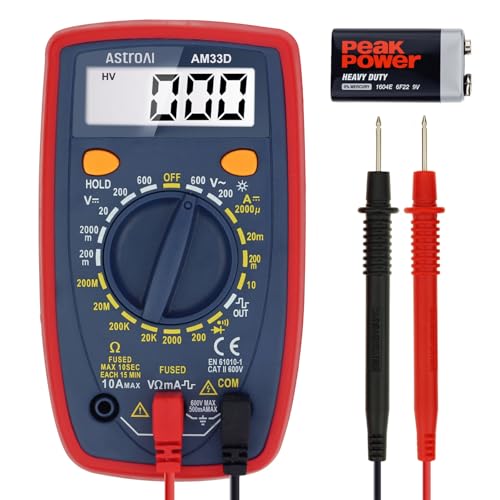
    Digital Multimeter Voltmeter Battery Voltage Multi Tester Continuity Ohm Volt Amp DC AC Current Resistance Diodes 2000 Counts Electrical Test Meter with Leads Backlight LCD Display
    Digital Multimeter Voltmeter Battery Voltage Multi Tester Continuity Ohm Volt Amp DC AC Current Resistance Diodes 2000 Counts Electrical Test Meter with Leads Backlight LCD Display

    Accurately Test Full Features: Accurately measures AC/DC voltage, DC current, resistance, continuity test, diode and batteries.

    SEE ALSO  How to Create a High-Performance Lithium-Ion Car Battery: A Comprehensive Guide
    VIEW LATEST PRICE

    As an affiliate, we earn on qualifying purchases.

    AstroAI Digital Multimeter Tester 2000 Counts with DC AC Voltmeter and Ohm Volt Amp Meter; Measures Voltage, Current, Resistance, Continuity and Diode, Blue
    AstroAI Digital Multimeter Tester 2000 Counts with DC AC Voltmeter and Ohm Volt Amp Meter; Measures Voltage, Current, Resistance, Continuity and Diode, Blue

    Additional Tips - The following incorrect operations may cause the multimeter not to show results: Firstly, the plugs of test leads are not fully inserted or not inserted into the correct sockets. Secondly, the manual rotary switch is not placed in the correct position. In addition, this meter can not test all AC Current and below 100mV AC Voltage. Please check the user manual carefully before measurement.

    VIEW LATEST PRICE

    As an affiliate, we earn on qualifying purchases.

    ANCEL BA101 Car Battery Tester, 12V Digital Automotive Alternator Meter Diagnostic Tool,100-2000 CCA Load Capacity, Charging & Cranking Analyzer for Truck, Boat, RV, Marine Vehicle, and More
    ANCEL BA101 Car Battery Tester, 12V Digital Automotive Alternator Meter Diagnostic Tool,100-2000 CCA Load Capacity, Charging & Cranking Analyzer for Truck, Boat, RV, Marine Vehicle, and More

    Catch Battery Problems Early: Featured in two videos by Project Farm, a popular YouTube channel with millions of subscribers, the ANCEL BA101 helps you quickly spot battery issues before they leave you stranded. It provides easy-to-understand readings for State of Health (SOH), State of Charge (SOC), voltage, current, CCA, plus cranking and charging system tests, so you can better understand your battery and help avoid unexpected breakdowns

    VIEW LATEST PRICE

    As an affiliate, we earn on qualifying purchases.

    Test the Voltage Output

    When troubleshooting a car battery charger that isn’t displaying the level correctly, testing the voltage output is a crucial step. Here’s how you can do it:

    • Ensure safety: Before testing, make sure the charger is unplugged and the area is dry.
    • Set your multimeter: Adjust the multimeter to the DC voltage setting.
    • Connect the leads: Attach the red lead to the charger’s positive terminal and the black lead to the negative terminal. Ensure secure connections.
    • Check the reading: Turn on the multimeter and observe the voltage output. A healthy battery charger typically shows a voltage close to the expected output based on the charger’s specifications.

    Recommended Products

    PALUMMA 24W/4.8A Dual USB Car Charger, 12V to USB Outlet with Cigarette Lighter Voltage Meter LED/LCD Display Battery Low Voltage Warning (Black)
    PALUMMA 24W/4.8A Dual USB Car Charger, 12V to USB Outlet with Cigarette Lighter Voltage Meter LED/LCD Display Battery Low Voltage Warning (Black)

    Smart IC Technology - High-speed charging with 5V 2.4A of dedicated adaptive power output in each USB port, providing the maximum charging speed your device supports. Charging stops when battery is full.

    SEE ALSO  Maximizing Exide Car Battery Lifespan: Essential Tips and Signs to Watch For
    VIEW LATEST PRICE

    As an affiliate, we earn on qualifying purchases.

    DROK Digital Voltage Temperature Monitor, Car Charger USB Charge for Car Battery Voltmeter Thermometer 12V 24V Temp Volt Tester Multimeter
    DROK Digital Voltage Temperature Monitor, Car Charger USB Charge for Car Battery Voltmeter Thermometer 12V 24V Temp Volt Tester Multimeter

    NEW VERSION: This Upgraded Version is equipped with a 5V 2.1A USB Port, which can charge your devices conveniently and fast.

    VIEW LATEST PRICE

    As an affiliate, we earn on qualifying purchases.

    DaierTek Battery Voltage Meter Waterproof DC 12V 24V LED Voltmeter Panel 12 Volt 24 Volt 36 Volt Battery Monitor with Blue Light Round Digital Voltage Display for Marine Boat Car Automotive Motorcycle
    DaierTek Battery Voltage Meter Waterproof DC 12V 24V LED Voltmeter Panel 12 Volt 24 Volt 36 Volt Battery Monitor with Blue Light Round Digital Voltage Display for Marine Boat Car Automotive Motorcycle

    【Meet Different Needs】 The 12V round voltmeter comes with a panel and a nylon nut, which can be mounted separately on the 29mm diameter mounting hole or fixed on the matching panel, so that it could meet your different mounting needs.

    VIEW LATEST PRICE

    As an affiliate, we earn on qualifying purchases.

    Data and Statistics

    Importance of Testing Voltage Output
    80% of inaccurate level displays on battery chargers are due to voltage issues.
    Charging a healthy battery should show a voltage reading around 13.6 to 14.2 volts.

    Remember, testing the voltage output can provide valuable insights into the health of your car battery charger, helping you identify and address any issues affecting the level display accuracy.

    Conclusion

    Ensure to always test the voltage output when troubleshooting a car battery charger with inaccurate level displays. Around 80% of inaccuracies stem from voltage issues, making it crucial to check the voltage reading, ideally between 13.6 to 14.2 volts. Testing the voltage output is key to understanding the charger’s health and resolving any accuracy-related concerns.

    Frequently Asked Questions

    Why is testing the voltage output of a car battery charger important?

    Testing the voltage output of a car battery charger is crucial to diagnose inaccuracies in level displays. Around 80% of inaccuracies are due to voltage issues. A healthy charger should display a voltage reading of 13.6 to 14.2 volts.

    How do I test the voltage output of a car battery charger?

    To test the voltage output, use a multimeter set to measure DC voltage. Connect the multimeter’s positive lead to the charger’s positive terminal and the negative lead to the negative terminal. A healthy charger should show a reading between 13.6 to 14.2 volts.

    Why should I test the voltage output of my car battery charger regularly?

    Regularly testing the voltage output helps ensure that the charger is functioning correctly and providing accurate readings. It allows you to identify any issues affecting the charger’s performance and take necessary actions to maintain its accuracy.

    Share. Facebook Twitter Pinterest LinkedIn Tumblr Email WhatsApp Copy Link
    Jackson-Doyle
    Jackson Doyle

      Battery industry professional with 5+ years of experience. Bachelor of Science in Electrical Engineering from Georgia Tech. Specializes in power systems and renewable energy.

      Related Posts

      Car Batteries

      Top Online Platforms to Buy Authentic Optima Car Batteries

      January 5, 2025
      Car Batteries

      Maximize Tesla Battery Life: Practical Tips & Longevity Insights

      January 5, 2025
      Car Batteries

      Discover Who Makes Bosch Car Batteries in A Sustainable Drive for Eco-friendly Power Solutions

      January 5, 2025
      Car Batteries

      Top Companies That Deliver Car Batteries to Your Doorstep

      January 4, 2025
      Car Batteries

      Understanding Tesla Powerwall Battery: A Green Energy Solution for Your Home

      January 3, 2025
      Car Batteries

      Extending the Life of Used Car Batteries: Top Tips and Savings Guide

      January 3, 2025
      Add A Comment
      Leave A Reply Cancel Reply

      Search
      Affiliate Disclaimer

      As an Amazon Associate I earn from qualifying purchases.

      Latest Articles

      How to Replace Battery in Samsung Phone: A Step-by-Step Guide for Easy Replacement

      Android Batteries

      How to Remove Battery from Samsung Smart TV Remote: A Step-by-Step Guide for Easy Replacement

      Android Batteries

      How to Check Your Battery Health on Samsung: Simple Methods to Extend Your Phone’s Lifespan

      Android Batteries

      How Much Is a Battery for a Samsung Galaxy S6: Pricing and Replacement Options Explained

      Android Batteries

      How to Remove Battery from Samsung Galaxy S7: A Step-by-Step Guide for Easy DIY Fixes

      Android Batteries

      Why is My Battery Going Down While Charging Android – Effective Solutions to Fix the Issue

      Android Batteries
      Battery Spotlight

      Battery Spotlight is a website dedicated to helping you solve common battery problems.

      Read more about us here

      Affiliate Disclaimer
      As an Amazon Associate I earn from qualifying purchases.

      Site Navigation
      • Above Mirror Bathroom Lighting
      • Android Batteries
      • Bathroom Pendant Lighting
      • Battery Chargers
      • Battery Life
      • Battery Maintenance
      • Car Batteries
      • Ceiling Lighting Ideas
      • Golf Cart Batteries
      • Japandi Lighting
      • Laptop Batteries
      • Marine Batteries
      • Mood Lighting Living Room
      • Phone Batteries
      • Rechargeable Batteries
      • Reviews
      • Solar Batteries
      • Uncategorized
      • Vaulted Ceiling Lighting
      Latest Articles

      How to Replace Battery in Samsung Phone: A Step-by-Step Guide for Easy Replacement

      How to Remove Battery from Samsung Smart TV Remote: A Step-by-Step Guide for Easy Replacement

      How to Check Your Battery Health on Samsung: Simple Methods to Extend Your Phone’s Lifespan

      How Much Is a Battery for a Samsung Galaxy S6: Pricing and Replacement Options Explained

      How to Remove Battery from Samsung Galaxy S7: A Step-by-Step Guide for Easy DIY Fixes

      • Home
      • About
      • Contact
      • Privacy Policy
      • Editorial Policy
      • Disclaimer
      • Terms and Conditions
      • Affiliate Disclosure
      © 2026 Battery Spotlight

      Type above and press Enter to search. Press Esc to cancel.