

Ever wondered if you could replace the battery in your Samsung Galaxy S9? Imagine being able to give your phone a new lease on life by simply swapping out the old battery. Picture never having to worry about your phone dying on you unexpectedly again. In this article, you’ll discover the answer to that burning question and learn how to revitalize your device with a fresh battery.
Have you ever found yourself frustrated with your phone’s battery life dwindling faster than you’d like? You’re not alone. Many Galaxy S9 users face the same dilemma. But what if there was a solution that could breathe new life into your beloved device? That’s where the possibility of replacing the battery comes into play.
By the end of this article, you’ll have the knowledge and confidence to tackle the task of replacing the battery in your Samsung Galaxy S9. Say goodbye to constant charging and hello to a rejuvenated phone that can keep up with your busy lifestyle.
Understanding Samsung Galaxy S9 Battery
When it comes to battery life, the Samsung Galaxy S9 is powered by a 3000mAh battery that supports fast charging and wireless charging capabilities.
The battery life of your Galaxy S9 can vary based on usage habits and settings such as screen brightness and background apps.
It’s important to monitor your battery health over time to determine if a replacement is needed. You can check this in your phone’s settings under battery.
If you’re experiencing rapid battery drainage or a shortened battery lifespan, replacing the battery can be a cost-effective way to revive your phone’s performance.
Tip: If you decide to replace the battery yourself, make sure to purchase a genuine Samsung battery and follow detailed instructions to ensure a successful replacement process.
With a new battery, you can extend the lifespan of your Samsung Galaxy S9 and enjoy longer usage hours on a single charge.
Signs that Your Samsung Galaxy S9 Battery Needs Replacement
If you’re wondering whether it’s time to replace your Samsung Galaxy S9 battery, here are some signs to look out for:
- Rapid Draining: Your battery drains quickly even with minimal usage, indicating a decrease in capacity.
- Overheating: If your phone gets unusually hot during regular use or charging, it could be a sign of battery deterioration.
- Sudden Shutdowns: Your phone powers off unexpectedly, even when the battery indicator shows charge remaining.
- Swollen Battery: A visibly swollen or bloated battery is a clear indication that it needs to be replaced immediately.
To ensure optimal performance, it’s crucial to address these signs promptly and consider replacing the battery with a genuine Samsung replacement.
Recommended Products

♗【HIGH QUALITY GRADE A PREMIUM BATTERY】:This Upgraded Galaxy S9 battery battery uses Grade A+ rated battery cells with CE and ROHS certification,ensure last over 1200 charge cycles. Multiple-protection for safer operation for both user and devices,build-in microchip to prevent over-charging,over-discharging and over-heating.
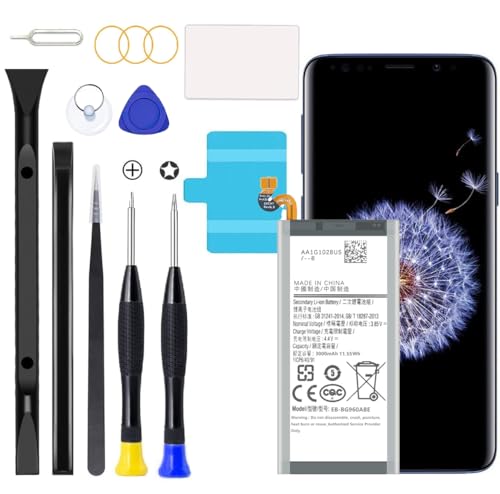
Compatible with Samsung Galaxy S9 SM-G960, SM-G960A, SM-G960T, SM-G960P, SM-G960V, SM-G960R4, SM-G960F, SM-G960U, EB-BG960ABA, EB-BG960ABE.
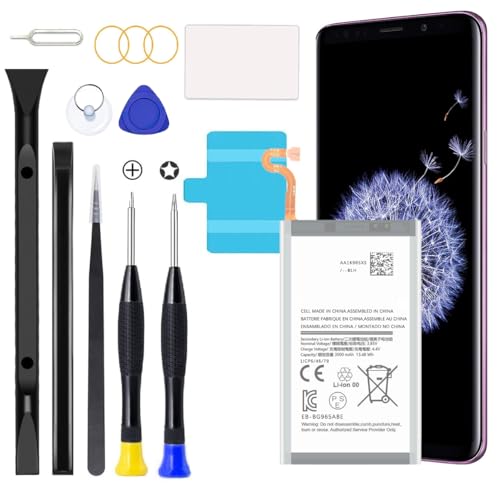
Compatible Models: This S9 Plus Battery For Samsung Galaxy S9 Plus SM-G965, G965V, G965A, G965T, G965P, G965R4, EB-BG965ABE, EB-BG965ABA
Can You Replace the Battery in a Samsung Galaxy S9?
If you’ve been experiencing rapid draining, overheating, sudden shutdowns, or a swollen battery on your Samsung Galaxy S9, you might wonder, can you replace the battery yourself? Yes, you can replace the battery in a Samsung Galaxy S9. Here’s how:
- Ensure you have a genuine Samsung replacement battery for optimal performance.
- Power off your device before starting the replacement process.
- Remove the back cover carefully by following a guide or tutorial.
- Unscrew the screws holding the battery in place and disconnect it from the device.
- Install the new battery by reversing the removal steps.
- Power on your device and monitor for any improvements in battery performance.
Remember, it’s essential to address battery issues promptly to avoid further complications and ensure your Samsung Galaxy S9 functions optimally.
How to Replace the Battery in a Samsung Galaxy S9
Replacing the battery in your Samsung Galaxy S9 can extend its lifespan and improve its performance. Here’s a step-by-step guide to help you through the process:
- Get a Genuine Replacement Battery: It’s crucial to use an authentic Samsung replacement battery to ensure compatibility and safety.
- Power Off Your Device: Before starting, make sure your Galaxy S9 is turned off to prevent any accidents during the battery replacement.
- Carefully Remove the Back Cover: Gently detach the back cover of your device using a small tool or your fingernail to access the battery compartment.
- Disconnect the Old Battery: Unplug the connector attached to the old battery and remove it from the device. Be gentle to avoid damaging any components.
- Install the New Battery: Connect the new battery to the device by plugging in the connector. Place it securely in the battery compartment.
- Monitor Battery Performance: After replacing the battery, keep an eye on your device’s battery life and performance to ensure the new battery is functioning correctly.
By following these steps, you can successfully replace the battery in your Samsung Galaxy S9 and enjoy improved battery life and overall device performance.
Recommended Products

Compatible Models: This replacement battery is compatible with Galaxy S9 EB-BG960ABE

【Why Don't Sell Increased Capacity Battery 】- Because most of the so-called upgraded batteries on the market are exaggerated, the actual use time does not increase much, but the price is expensive. Our battery capacity and voltage is 100% same as your original s9 battery, it is a real 3000mAh can be perfectly compatible with the motherboard of your phone, and will not damage the hardware and reduce the service life of phone, true to providing long-lasting battery life.

[PLS CONFIRM DEVICE MODEL] -- Contains the instruction to guide you step by step installation. Please verify your old battery part number and model before purchasing this replacement battery. Compatible with Samsung Galaxy S9 SM-G960, SM-G960A, SM-G960T, SM-G960P, SM-G960V, SM-G960R4, SM-G960F, SM-G960U, EB-BG960ABA, EB-BG960ABE. NOT FOR Samsung Galaxy S9 Plus.
Ensuring a Successful Battery Replacement Process
When replacing the battery in your Samsung Galaxy S9, it’s crucial to follow the right steps to ensure a smooth and successful process. Here are some essential tips to help you along the way:
- Prepare the Workspace: Find a clean and well-lit area to work on your device. Having a clutter-free workspace can make the process easier and help prevent misplacing small components.
- Use the Right Tools: Make sure you have the necessary tools on hand, such as a screwdriver set, plastic pry tool, and adhesive strips. Using the correct tools can prevent damage to your device during the battery replacement.
- Follow a Detailed Guide: Find a reliable guide or tutorial that outlines the steps for replacing the battery in a Samsung Galaxy S9. Avoid skipping any steps to prevent issues with the replacement.
- Handle Components Carefully: When removing the back cover and disconnecting the old battery, do so with caution. Avoid applying excessive force to prevent damage to the device or its components.
- Test Before Reassembly: Once you have installed the new battery, test the device to ensure it powers on properly and the battery is functioning correctly. This step can help identify any issues before reassembling the device.
- Monitor Performance: After completing the battery replacement, monitor the performance of your Samsung Galaxy S9. Keep an eye on the battery life and overall functionality to ensure everything is working as it should.
By following these tips and being mindful of each step in the battery replacement process, you can successfully replace the battery in your Samsung Galaxy S9 and enjoy improved performance and battery life.
Recommended Products

Compatible Phone Model: This battery kit is specifically designed for Samsung Galaxy S9 (with model SM-G960 series), NOT work for Galaxy S9 Plus/Note 9, please double confirm your phone model before purchasing

About Quality: This LCD screen replacement for Samsung Galaxy S9 is an advanced TFT display, 5.8 inch(not original),not edge screen,the frame is slightly thicker than the original.
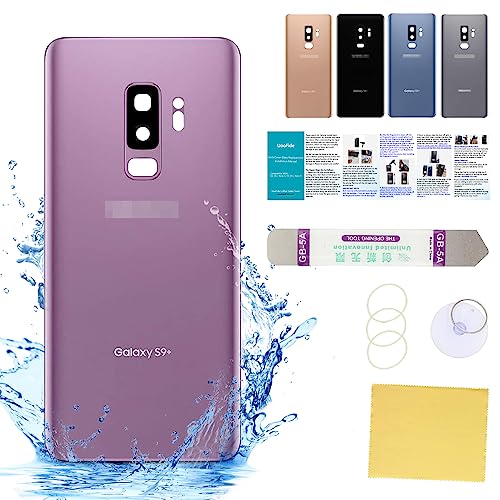
【100% Same AS OEM And 100% Size Fit】- 100% perfect fit replacement. Good quality of galaxy s9+ rear back glass replacement same as the original back cover and gives you a good touch feeling, replace your cracked/ scratched/ damaged/ old/ unusable battery door with a new one. Tested one by one by a professional technicist before shipping. It is the most affordable and quickest way to get your phone looking new again!!!
Conclusion
You now have all the essential information to successfully replace the battery in your Samsung Galaxy S9. By following the guide provided, using genuine Samsung replacement batteries, and taking the necessary precautions, you can enhance the performance and longevity of your device. Remember to prepare a suitable workspace, use the right tools, handle components with care, and test the device before reassembly. Monitoring its performance post-replacement will ensure that your Samsung Galaxy S9 functions optimally. With these steps, you can enjoy improved functionality and extended battery life on your device.
Frequently Asked Questions
Q: Why is it important to use genuine Samsung replacement batteries?
A: Genuine Samsung replacement batteries are designed to meet the specifications of your phone, ensuring optimal performance and safety.
Q: What are some tips for successfully replacing the battery in a Samsung Galaxy S9?
A: Prepare a clean workspace, use proper tools, follow a detailed guide, handle components carefully, test the device before reassembly, and monitor its performance post-replacement.
Q: How can replacing the battery improve the functionality of a Samsung Galaxy S9?
A: Replacing the battery can enhance the phone’s performance, extend its battery life, and prevent issues like sudden shutdowns or slow charging.
Q: What should users do if they encounter difficulties during the battery replacement process?
A: If you face challenges, consult additional resources like forums, contact Samsung support, or seek assistance from a professional technician.
