
Close Menu
Battery Spotlight
    Battery Spotlight
    • Home
    • Phone Batteries
    • Laptop Batteries
    • Car Batteries
      • Golf Cart Batteries
    • Battery Info
      • Battery Chargers
      • Battery Life
      • Battery Maintenance
      • Marine Batteries
      • Rechargeable Batteries
      • Solar Batteries
    • About Us
      • Contact
    Battery Spotlight
    Navigation: Home » Laptop Batteries » Optimizing Samsung DeX on Galaxy Tab S7: Save Battery & Boost Productivity
    Laptop Batteries

    Optimizing Samsung DeX on Galaxy Tab S7: Save Battery & Boost Productivity

    Jackson DoyleBy Jackson DoyleMay 19, 20245 Mins Read
    Share Facebook Twitter Pinterest LinkedIn Tumblr Email WhatsApp Copy Link
    Share
    Facebook Twitter LinkedIn Pinterest Email Copy Link

    Overview of Samsung DeX

    Samsung DeX, short for Samsung Desktop Experience, is a feature that turns your Samsung Galaxy device into a desktop-like experience when connected to a monitor, keyboard, and mouse. This functionality aims to enhance productivity by providing a familiar desktop environment on your mobile device.

    Table of Contents

    Toggle
    • Overview of Samsung DeX
    • Battery Consumption in Samsung DeX Mode
    • Comparison of Battery Usage in DeX Mode vs. Normal Mode
    • Factors Affecting Battery Usage:
    • Tips to Optimize Battery Usage in Samsung DeX
    • Conclusion
    • Frequently Asked Questions
    • What is Samsung DeX?
    • How does Samsung DeX enhance productivity?
    • How can Samsung DeX benefit Samsung Galaxy Tab S7 users?
    • How can users optimize battery usage while using Samsung DeX on the Tab S7?
    • Easy to set up: Simply connect your device to a monitor using an HDMI cable or a wireless connection for a seamless transition.
    • Multitasking capabilities: With Samsung DeX, you can multitask with multiple windows, similar to a traditional desktop setup.
    • Productivity apps optimized: Many productivity apps are optimized to work efficiently in the DeX mode, enhancing your workflow.

    By leveraging Samsung DeX, you can transform your Samsung Galaxy Tab S7 into a more versatile and powerful tool for work or entertainment purposes. Explore the possibilities of this feature to make the most out of your device.

    Battery Consumption in Samsung DeX Mode

    When using Samsung DeX on your Samsung Galaxy Tab S7, you might be wondering about battery consumption. In Samsung DeX mode, your device operates in a more desktop-like environment, supporting a range of apps and features that can potentially impact battery life.

    • Adjust Screen Brightness: Lowering the screen brightness can help conserve battery power while using Samsung DeX.
    • Close Unnecessary Apps: Closing apps running in the background can reduce battery usage in Samsung DeX mode.
    • Use Power-Saving Mode: Activating power-saving mode on your Samsung Galaxy Tab S7 can extend battery life when using Samsung DeX.
    SEE ALSO  Understanding and Fixing Coin Cell Battery Issues in Laptops: A Comprehensive Guide
    Battery Saving Tips
    Adjust Screen Brightness
    Close Unnecessary Apps
    Use Power-Saving Mode

    Recommended Products

    Kastar Battery (X2) & Slim USB Charger for Samsung BP-70A, BP70A, EA-BP70A and ES65 ES67 ES70 ES71 ES73 ES74 PL80 PL81 PL100 PL101 SL50 SL600 SL605 SL630 ST60 ST61 ST70 ST71 TL105 TL110 TL205
    Kastar Battery (X2) & Slim USB Charger for Samsung BP-70A, BP70A, EA-BP70A and ES65 ES67 ES70 ES71 ES73 ES74 PL80 PL81 PL100 PL101 SL50 SL600 SL605 SL630 ST60 ST61 ST70 ST71 TL105 TL110 TL205

    Kastar 2-pack high-capacity BP-70A batteries with slim USB charger. Compatible with Samsung BP-70A / BP70A / EA-BP70A cameras (full model list in description). Each battery: 3.7 V, 1400 mAh, 5.2 Wh; approx. 1.0 oz. (39.4 × 31 × 5.8 mm / 1.55 × 1.22 × 0.23 in). Includes 2 batteries + 1 USB charger + 1 battery case.
    VIEW LATEST PRICE

    As an affiliate, we earn on qualifying purchases.

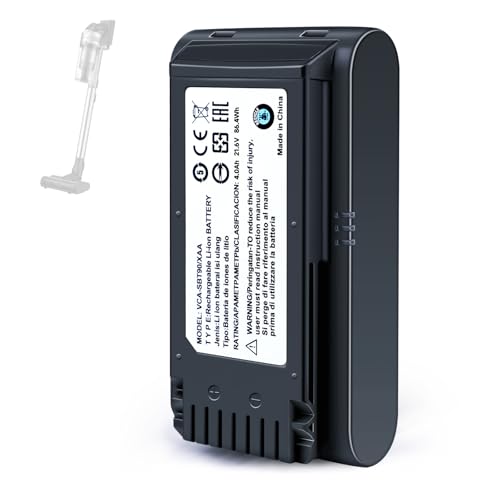
    4.0Ah Battery for Samsung Jet 60,65,70,75,75+,90,90+ Series Vacuum Cleaner
    4.0Ah Battery for Samsung Jet 60,65,70,75,75+,90,90+ Series Vacuum Cleaner

    【Specifications】 Model:VCA-SBT90 ;Battery Type: Li_ion, Voltage:21.6V Capacity: 4000mAh ; Color: Gray and black

    VIEW LATEST PRICE

    As an affiliate, we earn on qualifying purchases.

    Galaxy Fold 7 Ultra User Guide: Unlocking the Full Potential of Your Foldable Phone (Samsung Made Simple: The Ultimate Guide for Everyone — Beginners, Seniors & Beyond Book 5)
    Galaxy Fold 7 Ultra User Guide: Unlocking the Full Potential of Your Foldable Phone (Samsung Made Simple: The Ultimate Guide for Everyone — Beginners, Seniors & Beyond Book 5)
    VIEW LATEST PRICE

    As an affiliate, we earn on qualifying purchases.

    Comparison of Battery Usage in DeX Mode vs. Normal Mode

    When using Samsung DeX on your Samsung Galaxy Tab S7, you might wonder about its impact on battery usage compared to normal mode. Here’s a breakdown to help you understand the differences:

    • DeX Mode: Using Samsung DeX may consume more power than normal mode due to the added functionalities and resources required to mimic a desktop experience.
    • Normal Mode: In comparison, operating in normal mode without the additional demands of DeX typically results in lower battery consumption.
    SEE ALSO  Laptop Battery Will Not Charge to 100: Understanding the Problem and Finding Solutions

    Recommended Products

    Samsung Galaxy S8 ONLY S-View Flip Cover with Kickstand, Orchid Grey
    Samsung Galaxy S8 ONLY S-View Flip Cover with Kickstand, Orchid Grey

    NOTE:This case does NOT fit Samsung Galaxy S8 Plus.

    VIEW LATEST PRICE

    As an affiliate, we earn on qualifying purchases.

    Galaxy S24 Battery, 2026 New Upgraded 5800mAh High Capacity EB-BS921ABY/EB-BS922ABY Replacement Battery for Samsung Galaxy S24 5G (SM-S921 Series), with Adhesive & Professional Installation Toolkit
    Galaxy S24 Battery, 2026 New Upgraded 5800mAh High Capacity EB-BS921ABY/EB-BS922ABY Replacement Battery for Samsung Galaxy S24 5G (SM-S921 Series), with Adhesive & Professional Installation Toolkit

    Perfect Compatibility:​ Designed specifically for the Samsung Galaxy S24 5G (Models: SM-S921U, SM-S921U1, SM-S921W, SM-S921B, SM-S921E, SM-S921N). Replaces part numbers EB-BS921ABY​ and EB-BS922ABY. Please confirm your phone model in Settings > About Phone before ordering.
    VIEW LATEST PRICE

    As an affiliate, we earn on qualifying purchases.

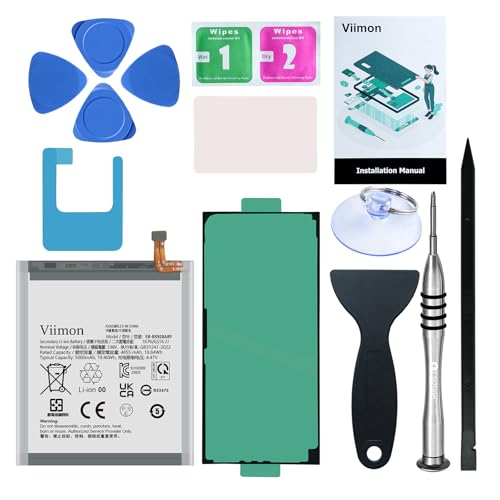
    Viimon for S24 Ultra Battery Replacement Kits (New Upgraded) Compatible with Samsung Galaxy S24 Ultra SM-S928 All Models with Adhesive, Installation Manual and Repair Tool Kits
    Viimon for S24 Ultra Battery Replacement Kits (New Upgraded) Compatible with Samsung Galaxy S24 Ultra SM-S928 All Models with Adhesive, Installation Manual and Repair Tool Kits

    【Compatible Model】It is compatible with Samsung Galaxy S24 Ultra Only, Model: S24 Ultra 5G SM-S928. Not for S24 and S24+ Plus. Please double identify and check your phone model matches before purchasing the battery.

    VIEW LATEST PRICE

    As an affiliate, we earn on qualifying purchases.

    Factors Affecting Battery Usage:

    1. CPU Usage: Running DeX applications can increase CPU load, leading to higher power consumption.
    2. Multiple Windows: Operating multiple windows simultaneously in Samsung DeX mode may drain your battery faster than in normal mode.
    3. Screen Brightness: The brighter the screen, the more power it consumes. Adjusting brightness levels can impact battery life in both modes.
    • Optimize Apps: Close unnecessary applications and only run essential ones to reduce battery drain.
    • Screen Brightness: Adjust the screen brightness to an optimal level to conserve battery power.
    • Power-Saving Mode: Activate the power-saving mode on your Tab S7 to extend battery life when needed.

    Understanding the differences in battery usage between Samsung DeX mode and normal mode can help you make informed decisions to optimize your device’s performance and battery life.

    SEE ALSO  Maximize Dell XPS 13 Battery Life: Proven Tips & Tricks

    Tips to Optimize Battery Usage in Samsung DeX

    When using Samsung DeX on your Samsung Galaxy Tab S7, optimizing battery usage is crucial for a seamless experience. Here are some practical tips to help you get the most out of your device:

    • Adjust Screen Brightness: Lowering the screen brightness can significantly reduce battery consumption while using Samsung DeX. Find a comfortable brightness level that also helps conserve power.
    • Close Unnecessary Apps: Running multiple apps simultaneously can drain your battery faster. Close any apps that you’re not actively using to extend battery life.
    • Activate Power-Saving Mode: Engaging the power-saving mode on your Tab S7 can help regulate power usage and ensure that your device lasts longer when using Samsung DeX.

    By implementing these simple but effective tips, you can optimize battery usage while enjoying the enhanced productivity and versatility that Samsung DeX offers on your Samsung Galaxy Tab S7.

    Conclusion

    You’ve learned that Samsung DeX on the Samsung Galaxy Tab S7 can significantly boost your productivity and entertainment experience. To make the most of it without draining your battery, remember to adjust screen brightness, close unnecessary apps, and activate power-saving mode. By following these simple tips, you can enjoy the benefits of Samsung DeX while keeping your Tab S7 running efficiently. So go ahead, explore the world of Samsung DeX, and make the most of your device’s capabilities without worrying about battery life.

    Frequently Asked Questions

    What is Samsung DeX?

    Samsung DeX is Samsung Desktop Experience, which turns Samsung Galaxy devices into a desktop-like setup by connecting them to a monitor, keyboard, and mouse.

    How does Samsung DeX enhance productivity?

    Samsung DeX allows for easy setup, multitasking with multiple windows, and optimized productivity apps, making it easier for users to work more efficiently.

    How can Samsung DeX benefit Samsung Galaxy Tab S7 users?

    Samsung DeX can help Samsung Galaxy Tab S7 users enhance their productivity and entertainment by providing a desktop-like experience on their tablet.

    How can users optimize battery usage while using Samsung DeX on the Tab S7?

    To optimize battery usage while using Samsung DeX on the Tab S7, users should adjust screen brightness, close unnecessary apps, and activate power-saving mode.

    Share. Facebook Twitter Pinterest LinkedIn Tumblr Email WhatsApp Copy Link
    Jackson-Doyle
    Jackson Doyle

      Battery industry professional with 5+ years of experience. Bachelor of Science in Electrical Engineering from Georgia Tech. Specializes in power systems and renewable energy.

      Related Posts

      Laptop Batteries

      Maximize Your Laptop Battery Life: Effective Tips You Need to Know

      January 6, 2025
      Laptop Batteries

      Unlocking the Power: Does MSI Battery Calibration Really Work?

      January 2, 2025
      Laptop Batteries

      Does the Samsung S7 Have a Removable Battery? Understanding the Implications

      December 31, 2024
      Laptop Batteries

      Ultimate Guide: Where to Buy Authentic Laptop Batteries Directly from Manufacturers

      December 28, 2024
      Laptop Batteries

      5 Signs Your Laptop Battery Is Dead: Tips to Extend Battery Life

      December 27, 2024
      Laptop Batteries

      Should You Replace Your Laptop Battery? Signs, Tips & Lifespan Facts

      December 26, 2024
      Add A Comment
      Leave A Reply Cancel Reply

      Search
      Affiliate Disclaimer

      As an Amazon Associate I earn from qualifying purchases.

      Latest Articles

      23 Practical Low Ceiling Lighting Ideas for Open-Concept Rooms With Defined Zones

      Low Ceiling Lighting

      19 Mid-Century Modern Low Ceiling Lighting Ideas With Low-Profile Fixtures

      Low Ceiling Lighting

      23 Cozy Low Ceiling Lighting Ideas Using Warm Layered Illumination

      Low Ceiling Lighting

      18 Renter-Friendly Low Ceiling Lighting Ideas Without Hardwired Changes

      Low Ceiling Lighting

      22 Compact Small Room Lighting Ideas for Low Ceilings Using Wall Sconces

      Low Ceiling Lighting

      20 Contemporary Track Lighting Ideas for Low Ceilings With Adjustable Heads

      Low Ceiling Lighting
      Battery Spotlight

      Battery Spotlight is a website dedicated to helping you solve common battery problems.

      Read more about us here

      Affiliate Disclaimer
      As an Amazon Associate I earn from qualifying purchases.

      Site Navigation
      • Above Mirror Bathroom Lighting
      • Accent Lighting
      • Android Batteries
      • Bathroom Pendant Lighting
      • Battery Chargers
      • Battery Life
      • Battery Maintenance
      • Car Batteries
      • Ceiling Lighting Ideas
      • Entryway Lighting
      • Foyer Lighting Fixtures
      • Golf Cart Batteries
      • Japandi Lighting
      • Laptop Batteries
      • Laundry Room Lighting
      • Low Ceiling Lighting
      • Marine Batteries
      • Mood Lighting Living Room
      • Phone Batteries
      • Rechargeable Batteries
      • Reviews
      • Solar Batteries
      • Uncategorized
      • Vaulted Ceiling Lighting
      Latest Articles

      23 Practical Low Ceiling Lighting Ideas for Open-Concept Rooms With Defined Zones

      19 Mid-Century Modern Low Ceiling Lighting Ideas With Low-Profile Fixtures

      23 Cozy Low Ceiling Lighting Ideas Using Warm Layered Illumination

      18 Renter-Friendly Low Ceiling Lighting Ideas Without Hardwired Changes

      22 Compact Small Room Lighting Ideas for Low Ceilings Using Wall Sconces

      • Home
      • About
      • Contact
      • Privacy Policy
      • Editorial Policy
      • Disclaimer
      • Terms and Conditions
      • Affiliate Disclosure
      © 2026 Battery Spotlight

      Type above and press Enter to search. Press Esc to cancel.