

Check Battery Health on Samsung Devices
To check your battery health on Samsung devices, you can access a feature called Device Care. Here’s how to do it:
- Go to your Settings.
- Scroll down and find Device Care.
- Tap on Device Care to open it.
In Device Care, you’ll see an overview of your device’s status, including battery information. Look for the Battery section to check your battery health status.
If you want a more detailed view, you can tap on Battery to access additional information, such as battery usage details and estimated battery life.
Regularly monitoring your battery health can help you optimize your device’s performance and ensure your battery lasts longer. With these simple steps, you can easily keep track of your Samsung device’s battery health.
Using Built-in Tools
When it comes to checking battery health on your Samsung device, you have a useful built-in tool at your disposal. Here’s how you can easily access and utilize it:
- Step 1: Go to your Settings.
- Step 2: Look for the Device Care option. It’s often found under the ‘Device Maintenance’ menu.
- Step 3: Tap on Device Care to enter the feature.
- Step 4: Within Device Care, navigate to the Battery section.
- Step 5: Here, you’ll find important information including your battery health status.
- Step 6: To delve deeper, explore additional details such as battery usage and estimated battery life.
Regularly checking your battery health using these built-in tools can go a long way in maintaining optimal device performance and ensuring your battery lasts longer while using your Samsung device.
Using Third-Party Apps
If you want more detailed insights into your Samsung device’s battery health, you can explore third-party apps available on the Google Play Store. These apps offer additional features and customization options to monitor and optimize your battery performance.
Here are a few popular third-party apps you can consider downloading:
- AccuBattery: Provides detailed statistics on battery usage, charging habits, and overall health. It also offers charging alerts to help you prolong the battery lifespan.
- GSam Battery Monitor: Allows you to track app usage that drains your battery the most and provides customizable alarms for various battery conditions.
- BatteryGuru: Monitors your charging patterns to optimize battery health and extend its longevity. It also offers charging reminders and custom profiles for different usage scenarios.
While third-party apps can offer additional insights and features, be mindful of granting them necessary permissions to access your device data. Always read reviews and choose reputable apps to protect your privacy and ensure reliable performance.
Tips to Improve Battery Health
- Adjust Your Display Settings: Lowering brightness and reducing screen timeout can help conserve battery.
- Manage Background Apps: Close apps running in the background to prevent unnecessary battery drain.
- Limit Connectivity: Turning off Bluetooth, Wi-Fi, and GPS when not in use can extend battery life.
- Use Power Saving Mode: Enable this feature to optimize device settings for longer battery usage.
- Avoid Extreme Temperatures: High temperatures can degrade battery health, so keep your device cool.
- Regularly Update Apps: Ensure apps are up to date as updates often include battery optimization improvements.
| Statistical Data | Battery Life |
|---|---|
| Average smartphone battery life | 2-3 years |
| Screen brightness impact on battery | 30-60% |
| Apps running in the background consume | 20-30% more battery |
Apps for Battery Health Monitoring
- AccuBattery: Provides detailed statistics on battery usage and charging patterns.
- GSam Battery Monitor: Tracks app usage impacting battery life and offers charging alerts.
- BatteryGuru: Monitors charging behavior and provides insights for optimizing battery health.
Recommended Products
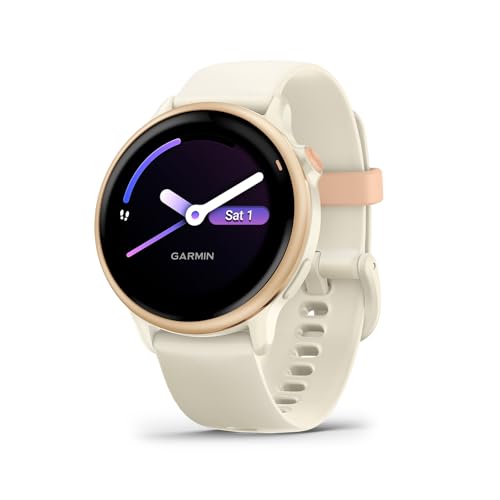
Designed with a bright AMOLED display, get a more complete picture of your health, thanks to battery life of up to 11 days in smartwatch mode

Power Saver and Optimizer

Enhanced Safety: Safeguard your battery with protection against overcharging, overdischarging, overcurrent, short circuits, and temperature extremes. JKBMS Active Equalization extends battery life and enhances performance
Conclusion
You now have a variety of strategies to enhance your Samsung device’s battery health. By making simple adjustments to your settings, managing apps efficiently, and being mindful of environmental factors, you can prolong the lifespan of your battery. Additionally, utilizing dedicated apps like AccuBattery, GSam Battery Monitor, and BatteryGuru can provide valuable insights into your battery usage patterns and help you optimize your charging habits. Remember, small changes in your daily routine can have a significant impact on your battery’s longevity. Stay proactive in maintaining your battery health to ensure optimal performance from your Samsung smartphone.
Frequently Asked Questions
How can I improve my battery health?
To improve battery health, adjust display settings, manage background apps, limit connectivity, use power-saving mode, avoid extreme temperatures, and regularly update apps.
What statistics are provided on battery life?
Statistics include the average lifespan of a smartphone battery, the impact of screen brightness, and how much battery background apps consume.
Are there any recommended apps for monitoring battery health?
Yes, apps like AccuBattery, GSam Battery Monitor, and BatteryGuru offer features for monitoring battery health, tracking app usage, and optimizing charging behavior.
