
Close Menu
Battery Spotlight
    Battery Spotlight
    • Home
    • Phone Batteries
    • Laptop Batteries
    • Car Batteries
      • Golf Cart Batteries
    • Battery Info
      • Battery Chargers
      • Battery Life
      • Battery Maintenance
      • Marine Batteries
      • Rechargeable Batteries
      • Solar Batteries
    • About Us
      • Contact
    Battery Spotlight
    Navigation: Home » Laptop Batteries » Optimize Your Laptop Battery: Best Practices for Longevity
    Laptop Batteries

    Optimize Your Laptop Battery: Best Practices for Longevity

    Jackson DoyleBy Jackson DoyleJuly 27, 20244 Mins Read
    Share Facebook Twitter Pinterest LinkedIn Tumblr Email WhatsApp Copy Link
    Share
    Facebook Twitter LinkedIn Pinterest Email Copy Link

    Ever wondered if you should drain your laptop battery completely before charging it again? Picture this: you’re in the middle of an important task when suddenly your laptop battery hits the red zone. Should you let it drain all the way down or plug it in immediately?

    Table of Contents

    Toggle
    • The Myth of Draining Laptop Batteries
    • Understanding Battery Calibration
    • Impact of Full Discharge on Battery Life
    • How does it happen?
    • So, what should you do?
    • Best Practices for Laptop Battery Maintenance
    • Conclusion
    • Frequently Asked Questions
    • Can keeping my laptop battery charged between 20% to 80% optimize its lifespan?
    • Why is it important to avoid extreme temperatures for laptop battery health?
    • Should I unplug my laptop when it reaches 100% charge to avoid overcharging?

    In this article, you’ll uncover the truth about draining your laptop battery. No more confusion or guessing games. You’ll learn the dos and don’ts, helping you make the most of your device’s battery life. Stay tuned to discover the secrets to maximizing your laptop’s battery lifespan.

    The Myth of Draining Laptop Batteries

    So, you’ve probably heard that draining your laptop battery completely is the way to go. But, here’s the truth – it’s actually a myth.

    When it comes to modern lithium-ion batteries, completely draining them can actually harm the battery lifespan.

    What happens is that fully discharging a lithium-ion battery puts stress on it, reducing its overall lifespan.

    So, instead of draining it down to 0%, it’s actually better to keep your laptop battery between 20% and 80% for optimal longevity.

    SEE ALSO  How Long Does Samsung Galaxy A51 Battery Last? Optimizing Tips for Prolonged Usage

    By maintaining this range, you can help prolong your laptop battery’s life and keep it healthier for longer.

    The key takeaway is to avoid completely draining your laptop battery regularly to preserve its lifespan.

    Understanding Battery Calibration

    When it comes to battery calibration, the process involves helping your device understand the maximum capacity it can hold. It’s like giving your laptop a map of its power limits.

    Here’s how you can calibrate your battery:

    • Fully charge your laptop to 100%.
    • Use your device until it reaches around 20%.
    • Recharge it back to 100%.

    By following these steps every few months, you can optimize performance and ensure your laptop accurately measures its battery capacity.

    Recommended Products
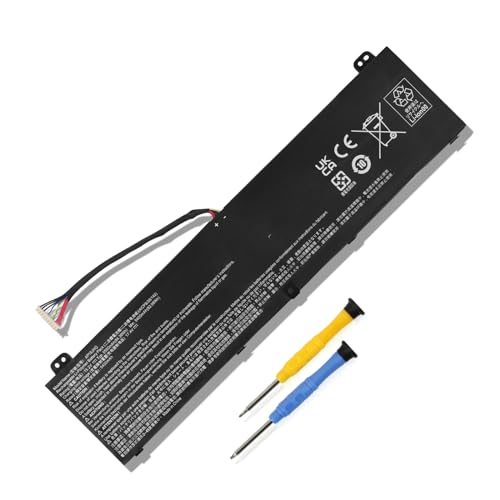
    MULS AP18JHQ Laptop Battery Replacement for Acer Predator Triton 500 PT515-51 PT515-52 ConceptD 7 Pro CN715-71 CN715-72G CN715-73G CN715-71P CN715-72P Ezel Pro CC715-71 CC7715-71P CC715-72P 84.36Wh
    MULS AP18JHQ Laptop Battery Replacement for Acer Predator Triton 500 PT515-51 PT515-52 ConceptD 7 Pro CN715-71 CN715-72G CN715-73G CN715-71P CN715-72P Ezel Pro CC715-71 CC7715-71P CC715-72P 84.36Wh

    Replacement For Laptop: Fit for Acer Predator Triton 500 PT515-51 Series; Fit for Acer Predator Triton 500 PT515-52 Series: ConceptD 7 CN715-71 ConceptD 7 CN715-72G ConceptD 7 CN715-73G ConceptD 7 Pro CN715-71P ConceptD 7 Pro CN715-72P ConceptD 7 Ezel CC715-71 ConceptD 7 Ezel Pro CC715-91P ConceptD 7 Ezel Pro CC715-92P ConceptD 7 Ezel Pro CC715-71P ConceptD 7 Ezel Pro CC715-72P ConceptD 7 Ezel Pro CC715-72G.

    VIEW LATEST PRICE

    As an affiliate, we earn on qualifying purchases.

    VANPIR L17C4PH1 Laptop Battery Compatible with Lenovo Yoga C930-13IKB Yoga C930-13IKB Glass Series Notebook L17M4PH1 5B10Q82426 5B10Q82425 7.68V 60Wh 7820mAh
    VANPIR L17C4PH1 Laptop Battery Compatible with Lenovo Yoga C930-13IKB Yoga C930-13IKB Glass Series Notebook L17M4PH1 5B10Q82426 5B10Q82425 7.68V 60Wh 7820mAh

    【Specifications】Model: L17C4PH1. Type: Li-ion. Voltage: 7.68V. Capacity: 60Wh 7820mAh. Up to 1000 recharge cycles over the life of the battery. Brand New Grade A cell battery, all Vanpir batteries are certified by UL / CE / FCC / RoHS for safety

    SEE ALSO  Does Overcharging a Laptop Battery Damage It?
    VIEW LATEST PRICE

    As an affiliate, we earn on qualifying purchases.

    BTY-M6K Laptop Battery for MSI Stealth Pro GF63 GF65 GF75 GS63VR GS73VR 7RG 7RG-005 Thin 8RB 8RC 8RD 8RD-031TH 8RC 8RF 8SC 8RX Thin WS63 8SK WP65 WF65 WF75 MS-16K3 MS-17B4 MS-16W1 MS-16R1
    BTY-M6K Laptop Battery for MSI Stealth Pro GF63 GF65 GF75 GS63VR GS73VR 7RG 7RG-005 Thin 8RB 8RC 8RD 8RD-031TH 8RC 8RF 8SC 8RX Thin WS63 8SK WP65 WF65 WF75 MS-16K3 MS-17B4 MS-16W1 MS-16R1

    BTY-M6K battery Capacity:52.4Wh/4600mAh Voltage: 11.4V Condition: 100% New from Manufacturer

    VIEW LATEST PRICE

    As an affiliate, we earn on qualifying purchases.

    Impact of Full Discharge on Battery Life

    Draining your laptop battery to 0% occasionally can decrease its overall lifespan. It puts strain on the battery and can lead to capacity loss over time.

    How does it happen?

    • Full discharge: Can cause chemical reactions in the battery that accelerate wear and tear.
    • Higher stress levels: Result in degradation of the battery components.

    So, what should you do?

    • Avoid deep discharges: Stick to regular recharging to extend battery longevity.
    • Partial discharges: Are less stressful for the battery than full ones.
    • Partial charges: Can be beneficial for prolonging the battery’s overall health.

    Best Practices for Laptop Battery Maintenance

    Regularly Recharge: Keeping your laptop battery between 20% and 80% charge optimizes its lifespan.

    Avoid Extreme Temperatures: High heat and cold can impact battery performance, so store your laptop in a moderate environment.

    Unplug when Fully Charged: Overcharging can strain the battery, so unplug when it reaches 100%.

    FactData
    Optimal Charge Range20-80%
    Impact of TemperatureHigh
    Unplug at Full Charge100%

    Conclusion

    Now that you’ve learned about the best practices for maintaining your laptop battery, remember to keep it between 20% and 80% charge for optimal longevity. Avoid exposing your laptop to extreme temperatures and store it in moderate environments. Unplug your laptop once it reaches 100% charge to prevent overcharging. By following these simple tips, you can ensure that your laptop battery performs efficiently and lasts longer.

    SEE ALSO  Why Samsung Battery Swelling Happens and How to Prevent It

    Frequently Asked Questions

    Can keeping my laptop battery charged between 20% to 80% optimize its lifespan?

    Yes, maintaining your laptop battery charge between 20% and 80% can indeed optimize its lifespan. Keeping it within this range helps prevent stress on the battery and extends its longevity.

    Why is it important to avoid extreme temperatures for laptop battery health?

    Extreme temperatures can negatively impact your laptop battery’s performance. Storing your laptop in moderate environments helps maintain the battery’s health and prevents potential issues with battery life and longevity.

    Should I unplug my laptop when it reaches 100% charge to avoid overcharging?

    Yes, it is advisable to unplug your laptop when it reaches a full 100% charge to avoid overcharging. This practice helps prevent strain on the battery and promotes better battery health and longevity.

    Share. Facebook Twitter Pinterest LinkedIn Tumblr Email WhatsApp Copy Link
    Jackson-Doyle
    Jackson Doyle

      Battery industry professional with 5+ years of experience. Bachelor of Science in Electrical Engineering from Georgia Tech. Specializes in power systems and renewable energy.

      Related Posts

      Laptop Batteries

      Maximize Your Laptop Battery Life: Effective Tips You Need to Know

      January 6, 2025
      Laptop Batteries

      Unlocking the Power: Does MSI Battery Calibration Really Work?

      January 2, 2025
      Laptop Batteries

      Does the Samsung S7 Have a Removable Battery? Understanding the Implications

      December 31, 2024
      Laptop Batteries

      Ultimate Guide: Where to Buy Authentic Laptop Batteries Directly from Manufacturers

      December 28, 2024
      Laptop Batteries

      5 Signs Your Laptop Battery Is Dead: Tips to Extend Battery Life

      December 27, 2024
      Laptop Batteries

      Should You Replace Your Laptop Battery? Signs, Tips & Lifespan Facts

      December 26, 2024
      Add A Comment
      Leave A Reply Cancel Reply

      Search
      Affiliate Disclaimer

      As an Amazon Associate I earn from qualifying purchases.

      Latest Articles

      How to Replace Battery in Samsung Phone: A Step-by-Step Guide for Easy Replacement

      Android Batteries

      How to Remove Battery from Samsung Smart TV Remote: A Step-by-Step Guide for Easy Replacement

      Android Batteries

      How to Check Your Battery Health on Samsung: Simple Methods to Extend Your Phone’s Lifespan

      Android Batteries

      How Much Is a Battery for a Samsung Galaxy S6: Pricing and Replacement Options Explained

      Android Batteries

      How to Remove Battery from Samsung Galaxy S7: A Step-by-Step Guide for Easy DIY Fixes

      Android Batteries

      Why is My Battery Going Down While Charging Android – Effective Solutions to Fix the Issue

      Android Batteries
      Battery Spotlight

      Battery Spotlight is a website dedicated to helping you solve common battery problems.

      Read more about us here

      Affiliate Disclaimer
      As an Amazon Associate I earn from qualifying purchases.

      Site Navigation
      • Above Mirror Bathroom Lighting
      • Android Batteries
      • Bathroom Pendant Lighting
      • Battery Chargers
      • Battery Life
      • Battery Maintenance
      • Car Batteries
      • Ceiling Lighting Ideas
      • Golf Cart Batteries
      • Japandi Lighting
      • Laptop Batteries
      • Marine Batteries
      • Mood Lighting Living Room
      • Phone Batteries
      • Rechargeable Batteries
      • Reviews
      • Solar Batteries
      • Uncategorized
      • Vaulted Ceiling Lighting
      Latest Articles

      How to Replace Battery in Samsung Phone: A Step-by-Step Guide for Easy Replacement

      How to Remove Battery from Samsung Smart TV Remote: A Step-by-Step Guide for Easy Replacement

      How to Check Your Battery Health on Samsung: Simple Methods to Extend Your Phone’s Lifespan

      How Much Is a Battery for a Samsung Galaxy S6: Pricing and Replacement Options Explained

      How to Remove Battery from Samsung Galaxy S7: A Step-by-Step Guide for Easy DIY Fixes

      • Home
      • About
      • Contact
      • Privacy Policy
      • Editorial Policy
      • Disclaimer
      • Terms and Conditions
      • Affiliate Disclosure
      © 2026 Battery Spotlight

      Type above and press Enter to search. Press Esc to cancel.