

Ever found yourself stuck with a dead battery in your Honda Civic at the worst possible moment? It’s a frustrating situation we’ve all been through. But fear not, because in this article, you’ll discover the simple steps to replace your Honda Civic battery like a pro.
Gather the Necessary Tools
When it’s time to replace your Honda Civic’s battery, having the right tools at hand can make the process much smoother. Here’s what you’ll need:
- New Honda Civic battery
- Wrench or socket set
- Battery cleaner
- Protective gloves
- Safety goggles
- Battery terminal brush
- Battery terminal protector spray
Make sure you have these tools ready before starting the battery replacement process.
Recommended Products

【WHAT YOU GET】: Included in the package are 2 battery terminal cleaning brushes and 10 battery terminal corrosion-resistant fiber washers (5 green and 5 red). We have thoughtfully designed different colors to help you distinguish between positive and negative, red for + and green for -.

Quantity: comes with 10 pieces battery anti-corrosion washers(5 red & 5 green) and 2pcs Battery Terminal Cleaning Brush.

All-In-One - The ultimate battery terminal cleaning kit provides all the tools to clean and protect your battery from battery corrosion.
Locate the Battery in Your Honda Civic
When replacing your Honda Civic’s battery, the first step is finding its location. Typically, the battery can be found under the hood, on one side of the engine bay. Look for a rectangular-shaped box with two cables connected to it.
Here are the steps to locate the battery in your Honda Civic:
- Step 1: Open the hood of your Honda Civic. The lever to release the hood is usually located inside the car, near the driver’s side.
- Step 2: Once the hood is open, secure it in place using the prop rod.
- Step 3: Look for the battery, which is generally located towards the front of the engine bay. It is often situated on the driver’s side of the vehicle.
Remember, safety is crucial when working on your vehicle. Always ensure the engine is off before locating or handling the battery in your Honda Civic.
Safety Precautions Before Replacement
- Make sure to wear protective gloves and goggles to shield your hands and eyes from battery acid.
- Before starting, ensure the engine is turned off and the ignition key is removed.
- Never lean any metal tools on the battery terminals to prevent accidental sparks.
- Disconnect the negative cable first to reduce the risk of short circuits.
| Important Information |
|---|
| Wear protective gloves and goggles while handling the battery. |
| Turn off the engine and remove the ignition key before replacing the battery. |
| Avoid leaning metal tools on the battery terminals to prevent sparks. |
| Disconnect the negative cable first to reduce the risk of short circuits. |
Removing the Old Battery
When Removing the Old Battery from your Honda Civic, it’s crucial to follow the right steps to ensure a smooth process without any mishaps:
- Locate the Battery: The first step is to locate the battery in your Honda Civic. Typically, you’ll find it in the engine bay.
- Identify Terminals: Identify the positive (+) and negative (-) terminals of the battery. This is important for proper disconnection.
- Disconnect the Cables: Start by disconnecting the negative cable first, followed by the positive cable. Use the appropriate size wrench to loosen the cable connections.
- Remove the Battery Hold-Down: Look for the hold-down bracket securing the battery in place. Remove it carefully to free the battery.
- Lift Out the Battery: Lift the old battery out of the battery tray. Be cautious as batteries can be heavy.
- Inspect for Damage: Before proceeding, inspect the battery tray for any damage or corrosion. Clean it if necessary.
- Dispose of the Old Battery: Since batteries contain hazardous materials, ensure you dispose of the old battery properly. Many auto parts stores accept old batteries for recycling.
Remember, safety is paramount during this process. Always wear protective gear to shield yourself from any accidents.
Installing the New Battery
Replacing the old battery with a new one is a straightforward process, but it’s essential to follow the correct steps to ensure a smooth installation.
- Positioning the Battery: Place the new battery in the same position where the old one was removed. Ensure it sits securely and fits snugly into place.
- Reattaching the Hold-Down Bracket: Secure the battery by putting the hold-down bracket back in place and tightening it to prevent any movement while driving.
- Connecting the Cables: Attach the positive cable (+) to the positive terminal on the battery and the negative cable (-) to the negative terminal. Tighten the nuts securely to establish a good connection.
- Double-Checking Connections: Before closing the hood, make sure all connections are tight and secure. Loose connections can lead to electrical issues down the road.
- Testing the Battery: Start your Honda Civic to confirm that the new battery is properly installed. If the car starts without any issues, you’ve successfully replaced the battery.
- Proper Disposal: Remember to recycle the old battery responsibly to prevent harm to the environment. Many auto stores offer battery recycling services for your convenience.
- Safety Reminder: Throughout the battery replacement process, ensure your safety by wearing protective gear, including gloves and safety goggles.
| Key Points | Details |
|---|---|
| Positioning the Battery | Same spot as the old one |
| Reattaching the Bracket | Secure & tighten for stability |
| Connecting the Cables | Positive to positive, negative to negative |
| Double-Checking | Ensure tight connections before closing the hood |
| Testing the Battery | Start the car to confirm installation |
| Proper Disposal | Recycle old battery responsibly |
| Safety Reminder | Wear protective gear throughout |
Recommended Products
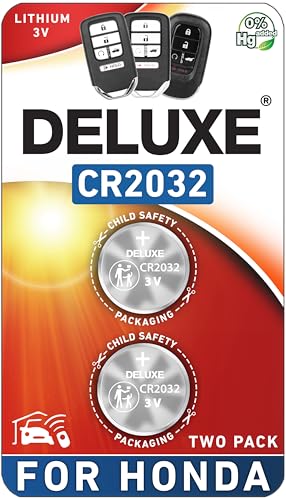
CONFIRM FIT - **Please confirm compatibility using the fitment guide located in the product images**

Perfect Fit for Honda Key Fobs - Designed to match a wide range of Honda models, including the Civic, Accord, CRV, Pilot, Odyssey, HRV, Fit, Passport, Ridgeline, Crosstour, Insight, Clarity, CR-Z this CR2032 battery set ensures a precise fit for your key fob. Say goodbye to compatibility worries and hello to a hassle-free solution.

【Package Includes】:You will receive 2 car battery terminal bolts, each containing bolts, nuts, and washers. The bolts measure 0.85 x 0.42 x 1.1 inches, the nuts measure 0.39 inches, and the washers measure 0.46 inches. The quantity is sufficient, whether it is for daily use, replacement, or maintenance, it can be easily dealt with.
Conclusion
You’ve now learned the essential steps for replacing the battery in your Honda Civic. By following the instructions provided in this article, you can confidently tackle this task yourself. Remember to prioritize safety by wearing protective gear and double-checking all connections. Properly disposing of the old battery is also crucial. With these tips in mind, you’re all set to successfully replace your Honda Civic battery and ensure your vehicle runs smoothly. Happy DIY-ing!
Frequently Asked Questions
How do I remove the old battery from my Honda Civic correctly?
To remove the old battery from your Honda Civic correctly, start by disconnecting the negative cable, then the positive cable, and carefully remove the hold-down bracket securing the battery in place. Lift the old battery out of the car, making sure not to tilt it excessively to prevent any spills or leaks.
What are the steps to install a new battery in my Honda Civic?
To install a new battery in your Honda Civic, begin by placing it securely in the battery tray, reattach the hold-down bracket, connect the positive cable first, followed by the negative cable. Double-check all connections for tightness and ensure the battery is secure. Start the car to test the battery’s operation.
How do I responsibly recycle the old battery?
To responsibly recycle the old battery, take it to a designated recycling center or return it to the store where you purchased the new battery. Avoid disposing of the old battery in regular trash as it can be harmful to the environment.
What safety precautions should I take when replacing my Honda Civic’s battery?
When replacing your Honda Civic’s battery, always wear protective gear, such as gloves and safety glasses, to prevent any accidents. Make sure to follow the correct procedures for disconnecting and connecting the battery to avoid any electrical mishaps.
