

Ever found yourself locked out of your Cadillac because of a dead key fob battery? Frustrating, right? Don’t worry, you’re not alone. It’s a common issue that many face. But what if you could easily solve this problem yourself, without the need for a trip to the dealership or a costly repair? That’s where this article comes in to save the day!
Imagine the convenience of being able to replace your Cadillac key fob battery in just a few simple steps. No more waiting around or stressing about getting back into your car. By following the easy instructions outlined in this article, you’ll be back on the road with a fully functional key fob in no time. Say goodbye to the hassle and hello to a quick and easy solution that puts you back in control.
Overview of Cadillac Key Fob Battery
If you’re experiencing issues with your Cadillac key fob, it might be time to replace the battery. Understanding the basics of your Cadillac key fob and its battery can help you tackle this task with ease.
When it comes to your key fob, it’s essential to know that the battery is a crucial component that powers the remote locking and unlocking functions of your Cadillac. Without a properly functioning battery, your key fob won’t be able to communicate with your vehicle effectively.
Most Cadillac key fobs use a CR2032 battery, which is readily available at many stores and online retailers. It’s a common battery type used in various electronic devices, making it convenient to replace.
Knowing how to replace your Cadillac key fob battery can save you time and money. With a few simple steps, you can ensure that your key fob continues to work efficiently, keeping you in control of your vehicle access.
Signs of a Low Key Fob Battery
Feeling frustrated with your Cadillac key fob acting up? It might be hinting at a dying battery. Here’s how to tell:
- Weak Signal Strength: Notice your key fob working erratically, with reduced range when unlocking or locking your car? It could be a sign of a low battery.
- Unresponsive Buttons: Are the buttons on your key fob not as snappy as they used to be? A failing battery might be to blame.
- Intermittent Functionality: If your key fob sporadically fails to lock or unlock your car, swapping out the battery could be the fix.
Remember, being aware of these signs can save you from getting locked out of your vehicle unexpectedly.
Tools Needed for Battery Replacement
When changing your Cadillac key fob battery, ensure you have these essential tools at hand:
- New battery: Purchase the correct replacement battery for your Cadillac key fob model.
- Small flat-head screwdriver: Useful for opening the key fob case without causing damage.
- Tweezers or needle-nose pliers: Help with handling the small battery inside the fob.
- Clean cloth or cotton swab: To clean the inside of the key fob during the battery replacement process.
Remember, having these tools ready can make the battery replacement smooth and hassle-free.
Recommended Products

**Please check the second product image to confirm compatibility (Installation Videos + Tools Included)**

**To confirm compatibility please use the picture guide located in the product images**

**Please confirm fitment with our listing images and make sure the CR2032 battery will fit your key's battery**- Batteries included are the same as provided by the manufacturer ensuring perfect fit and great reliability.
Step-by-step Guide to Changing Cadillac Key Fob Battery
To change your Cadillac key fob battery, follow these simple steps:
- Step 1: Obtain the tools: Ensure you have a new battery, a small flat-head screwdriver, tweezers or needle-nose pliers, and a clean cloth or cotton swab handy.
- Step 2: Locate the seam: Look for the seam along the edge of the key fob where you can insert the screwdriver.
- Step 3: Open the key fob: Gently pry open the key fob using the screwdriver. Be careful not to damage the casing.
- Step 4: Remove the old battery: Use the tweezers or pliers to remove the old battery from the compartment.
- Step 5: Insert the new battery: Place the new battery into the compartment with the correct polarity (+ and – markings).
- Step 6: Close the key fob: Align the two halves of the key fob and press them together until you hear a click.
- Step 7: Test the key fob: Ensure the key fob is working properly by testing it on your Cadillac.
By following these steps, you can easily replace your Cadillac key fob battery and continue using your key fob without any interruptions.
| Important note |
|---|
| Replace the battery as soon as you notice a decrease in the remote’s range or responsiveness. Regular maintenance can prevent unexpected issues. |
Recommended Products
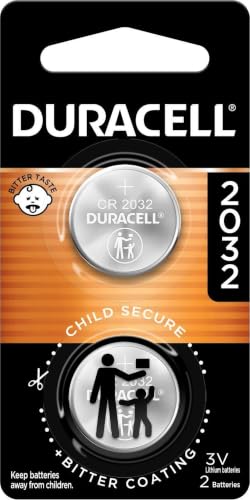
COMPATIBLE WITH AIRTAG & KEY FOBS: Works with Apple AirTag, all major car key fobs (Toyota, Honda, BMW, Ford, Chevrolet, Lexus), fitness trackers, glucose monitors, tire pressure sensors, and any CR2032 / 3V lithium coin battery device.

Comprehensive Replacement Kit – Two CR2032 coin batteries for a quick, seamless Cadillac key fob swap.

COMPATIBLE WITH AIRTAG & KEY FOBS: Works with Apple AirTag, all major car key fobs (Toyota, Honda, BMW, Ford, Chevrolet, Lexus), fitness trackers, glucose monitors, tire pressure sensors, and any CR2032 / 3V lithium coin battery device.
Testing the Replaced Battery
After replacing the Cadillac key fob battery, it’s essential to test the device to ensure it’s functioning correctly. Here’s how to do it:
- Press the buttons: Try pressing the buttons on the key fob to check if they respond effectively. Make sure each button works as intended.
- Check the range: Test the remote range by attempting to unlock or lock your Cadillac from various distances. This will help confirm that the battery replacement was successful.
- Verify battery orientation: In case the key fob has a specific way to insert the battery, double-check the orientation. Incorrect placement can lead to malfunction.
- Replace the cover: After testing the key fob, securely close the key fob case. Ensure it’s properly sealed to prevent damage.
- If the key fob still doesn’t work after replacing the battery, you might need to reinsert the battery or seek professional assistance.
- Take note of any issues during testing, such as delayed responses or non-functional buttons, to address them promptly.
- Regularly test your key fob even when you’re not experiencing problems to catch any potential issues early on.
Recommended Products
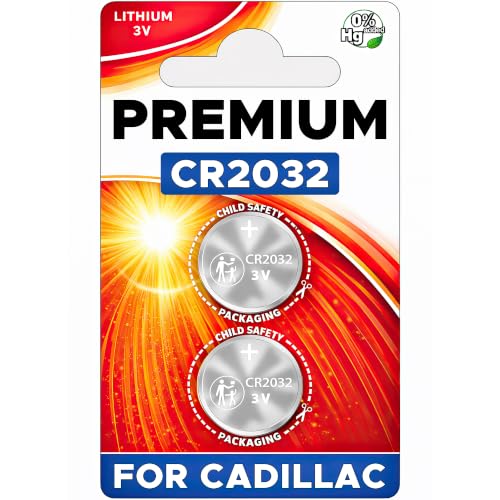
NOTE: Your Key Fob must take CR2032 Battery for compatibility.

Our CR2032 batteries deliver the long lasting power and longer battery life. High Capacity 240mAh, Diameter 20mm, Height 3.2mm, Weight 3.0g. These CR2032 coin cell batteries have full 3 Volts Charge, 10 Years Shelf Life. UL, REACH and RoHS Certified. The CR2032 battery is an excellent choice for the remote that controls small tea light candles, flameless tea light candles, artificial votive candles, LED Lamps that we put out during Christmas, New Year or other Holidays

Extended Lifespan: Our CR 2032 battery for key fob is engineered for longevity, offering a reliable 240mAh power source for your key fob and more, ensuring your devices run longer.
Conclusion
That’s it! You’ve successfully replaced the battery in your Cadillac key fob. Remember to test it out by pressing the buttons, checking the range, and ensuring everything is securely in place. If you’re still experiencing issues, try reinserting the battery or consider seeking professional assistance. Regular testing is key to catching any problems early on. Keep your key fob in top condition for seamless use. Happy driving!
Frequently Asked Questions
How should I test my Cadillac key fob after replacing the battery?
After replacing the battery in your Cadillac key fob, press all its buttons, check the remote range, verify the battery orientation, and ensure the key fob cover is securely closed.
What should I do if my Cadillac key fob still doesn’t work after replacing the battery?
If your Cadillac key fob still does not work after replacing the battery, try reinserting the battery or seek professional help if necessary.
Why is it important to regularly test the Cadillac key fob?
Regularly testing the Cadillac key fob is essential to detect any issues early on, ensuring optimal performance and avoiding unexpected problems.
