
Close Menu
Battery Spotlight
    Battery Spotlight
    • Home
    • Phone Batteries
    • Laptop Batteries
    • Car Batteries
      • Golf Cart Batteries
    • Battery Info
      • Battery Chargers
      • Battery Life
      • Battery Maintenance
      • Marine Batteries
      • Rechargeable Batteries
      • Solar Batteries
    • About Us
      • Contact
    Battery Spotlight
    Navigation: Home » Car Batteries » How to Replace Nissan Key Fob Battery: Step-by-Step Guide
    Car Batteries

    How to Replace Nissan Key Fob Battery: Step-by-Step Guide

    Jackson DoyleBy Jackson DoyleAugust 28, 20245 Mins Read
    Share Facebook Twitter Pinterest LinkedIn Tumblr Email WhatsApp Copy Link
    Share
    Facebook Twitter LinkedIn Pinterest Email Copy Link

    Check Nissan Key Fob Model

    When replacing your Nissan key fob battery, the first step is to check your key fob model. Different Nissan models may require slightly different procedures, so knowing your specific key fob type is crucial. Here’s how you can identify your key fob model:

    Table of Contents

    Toggle
    • Check Nissan Key Fob Model
    • Purchase the Correct Battery
    • Open the Nissan Key Fob
    • Replace the Battery
    • Test the Key Fob
    • Conclusion
    • Frequently Asked Questions
    • What is the importance of purchasing the correct battery for my Nissan key fob?
    • How can I identify the correct battery type for my Nissan key fob?
    • What steps are involved in replacing the battery of a Nissan key fob?
    • What should I do if my Nissan key fob still doesn't work after battery replacement?
    • Why is it important to test the Nissan key fob after replacing the battery?
    • Look for the model number: The model number is often located on the back of the key fob. It may be a combination of letters and numbers that uniquely identify your key fob.
    • Consult the owner’s manual: If you can’t find the model number on the key fob itself, the owner’s manual should have information on the key fob model and the correct battery type.
    • Visit a Nissan dealership: If you’re still unsure about your key fob model, a Nissan dealership can help you identify the correct battery and provide guidance on the replacement process.

    Identifying your Nissan key fob model is the first step towards ensuring a successful battery replacement.

    Purchase the Correct Battery

    When it comes to replacing your Nissan key fob battery, it’s crucial to purchase the correct type to ensure proper functioning. Here’s how to go about it:

    • Check your key fob model: Different Nissan key fob models require specific battery types. Finding the right model is the first step to buying the correct battery.
    • Consult the owner’s manual: Your Nissan’s manual should specify the battery type needed for your key fob. It’s a valuable resource for accurate information.
    • Visit a Nissan dealership: If you’re unsure about the battery type or model of your key fob, stop by a Nissan dealership. They can help identify the right battery for your specific key fob model.
    • Look for battery specifications: Once you know your key fob model, pay attention to battery specifications like size, voltage, and type (e.g., CR2032). This ensures you get the precise battery needed.
    SEE ALSO  What Size Battery Does a Dodge Ram 1500 Need? Maintenance Tips Inside

    Taking the time to Purchase the Correct Battery for your Nissan key fob is essential for a successful replacement process.

    Open the Nissan Key Fob

    When opening your Nissan key fob, use a flathead screwdriver to carefully pry open the case.

    Gently insert the screwdriver into the side where the two halves of the key fob meet, then twist to separate the cover.

    Be cautious not to damage the fob or yourself during this process, taking care not to use excessive force.

    Ensure you have a good grip on both sides to avoid the fob popping open unexpectedly.

    Replace the Battery

    To replace the Nissan key fob battery, you’ll need to follow these steps:

    • Step 1: Get the correct replacement battery. Refer to the owner’s manual or consult a Nissan dealership for the recommended battery type.
    • Step 2: Use a flathead screwdriver to carefully pry open the key fob case. Insert the screwdriver into the side where the two halves meet.
    • Step 3: Once the case is open, locate the battery compartment. Take out the old battery and dispose of it properly.
    • Step 4: Insert the new battery into the compartment with the correct orientation. Ensure it fits snugly in place.
    • Step 5: Close the key fob case by gently pressing the two halves together until you hear a click.

    Remember, ensuring the battery replacement is done correctly is essential for the key fob’s proper functioning.

    Recommended Products

    Duracell 2032 Lithium Battery, 4 Count (Pack of 1), Child Safety Features, Compatible with Key Fob, Tea Light Candles and Other Devices, CR2032 Battery
    Duracell 2032 Lithium Battery, 4 Count (Pack of 1), Child Safety Features, Compatible with Key Fob, Tea Light Candles and Other Devices, CR2032 Battery

    LONG-LASTING BATTERIES DESIGNED FOR DEPENDABILITY: Duracell Lithium Coin CR2032 3 Volt batteries deliver long-lasting power and performance you can count on for devices throughout the home or on-the-go, such as key fobs, remote controls, Apple AirTag️, flameless candles, wireless cameras, thermometers, toys, and more.

    SEE ALSO  Troubleshooting Drained Car Batteries: Fixes for Charging Issues
    VIEW LATEST PRICE

    As an affiliate, we earn on qualifying purchases.

    Duracell 2032 Lithium Battery, 2 Count (Pack of 1), Child Safety Features, Compatible with Key Fob, Tea Light Candles and Other Devices, CR2032 Battery
    Duracell 2032 Lithium Battery, 2 Count (Pack of 1), Child Safety Features, Compatible with Key Fob, Tea Light Candles and Other Devices, CR2032 Battery

    LONG-LASTING BATTERIES DESIGNED FOR DEPENDABILITY: Duracell Lithium Coin CR2032 3 Volt batteries deliver long-lasting power and performance you can count on for devices throughout the home or on-the-go, such as key fobs, remote controls, Apple AirTag️, flameless candles, wireless cameras, thermometers, glucose monitors, toys, and more.

    VIEW LATEST PRICE

    As an affiliate, we earn on qualifying purchases.

    Deluxe Batteries Key Fob Battery Replacement for Nissan (Rogue Altima Sentra Versa Pathfinder Murano Maxima Kicks Titan Frontier Armada Leaf Juke Quest 370Z GT-R) Smart Remote (Pack of 2)
    Deluxe Batteries Key Fob Battery Replacement for Nissan (Rogue Altima Sentra Versa Pathfinder Murano Maxima Kicks Titan Frontier Armada Leaf Juke Quest 370Z GT-R) Smart Remote (Pack of 2)

    **Please confirm compatibility using the fitment guide located in the product images** This battery will not fit unless your key fob matches one of the examples provided.
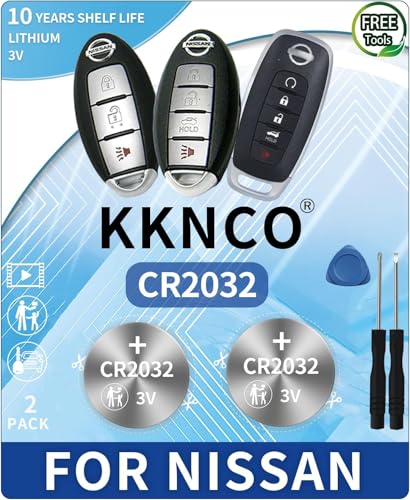
    VIEW LATEST PRICE

    As an affiliate, we earn on qualifying purchases.

    Test the Key Fob

    When replacing the battery in your Nissan key fob, testing it is a crucial step to ensure everything functions correctly. Here’s how to do it:

    • Press Buttons: Press the buttons on your key fob to check if it’s working properly.
    • Range Test: Try using your key fob from different distances to verify the remote’s range.
    • Check Lights: If your key fob has a light or indicator, make sure it illuminates when you press the buttons.
    • Resync if Needed: In case your key fob doesn’t work after replacing the battery, refer to your owner’s manual for instructions on how to resynchronize it with your vehicle.
    • Replacement: If the key fob still doesn’t work after testing, the issue might not just be the battery. In such cases, consult a Nissan dealership for further assistance.
    SEE ALSO  Cost Breakdown: Tesla HV Battery Replacement Factors & Estimation Guide

    Remember, testing the key fob after battery replacement ensures that your Nissan’s remote functions as it should.

    Conclusion

    Ensuring you have the right battery for your Nissan key fob is essential for smooth functionality. By following the outlined steps in this article, you can easily replace the battery and test the key fob to confirm proper operation. Remember, if the key fob continues to malfunction after battery replacement, seeking assistance from a Nissan dealership is advisable. Regularly testing your key fob post-battery replacement is key to maintaining its effectiveness. With these simple steps, you can keep your Nissan key fob working efficiently and avoid any unnecessary hassles.

    Frequently Asked Questions

    What is the importance of purchasing the correct battery for my Nissan key fob?

    It is crucial to buy the right battery to ensure your key fob functions correctly and avoids issues like unresponsiveness or range problems.

    How can I identify the correct battery type for my Nissan key fob?

    Refer to the key fob’s manual for the specific battery type needed or consult a Nissan dealership for assistance in identifying the correct battery.

    What steps are involved in replacing the battery of a Nissan key fob?

    Replace the battery, test the key fob by pressing buttons, check the range, verify lights, and resynchronize if necessary to ensure proper functionality.

    What should I do if my Nissan key fob still doesn’t work after battery replacement?

    If the key fob remains unresponsive, consider consulting a Nissan dealership for further assistance and professional diagnosis.

    Why is it important to test the Nissan key fob after replacing the battery?

    Testing the key fob after battery replacement is essential to confirm that the replacement was successful and that the key fob is functioning correctly.

    Share. Facebook Twitter Pinterest LinkedIn Tumblr Email WhatsApp Copy Link
    Jackson-Doyle
    Jackson Doyle

      Battery industry professional with 5+ years of experience. Bachelor of Science in Electrical Engineering from Georgia Tech. Specializes in power systems and renewable energy.

      Related Posts

      Car Batteries

      Top Online Platforms to Buy Authentic Optima Car Batteries

      January 5, 2025
      Car Batteries

      Maximize Tesla Battery Life: Practical Tips & Longevity Insights

      January 5, 2025
      Car Batteries

      Discover Who Makes Bosch Car Batteries in A Sustainable Drive for Eco-friendly Power Solutions

      January 5, 2025
      Car Batteries

      Top Companies That Deliver Car Batteries to Your Doorstep

      January 4, 2025
      Car Batteries

      Understanding Tesla Powerwall Battery: A Green Energy Solution for Your Home

      January 3, 2025
      Car Batteries

      Extending the Life of Used Car Batteries: Top Tips and Savings Guide

      January 3, 2025
      Add A Comment
      Leave A Reply Cancel Reply

      Search
      Affiliate Disclaimer

      As an Amazon Associate I earn from qualifying purchases.

      Latest Articles

      How to Replace Battery in Samsung Phone: A Step-by-Step Guide for Easy Replacement

      Android Batteries

      How to Remove Battery from Samsung Smart TV Remote: A Step-by-Step Guide for Easy Replacement

      Android Batteries

      How to Check Your Battery Health on Samsung: Simple Methods to Extend Your Phone’s Lifespan

      Android Batteries

      How Much Is a Battery for a Samsung Galaxy S6: Pricing and Replacement Options Explained

      Android Batteries

      How to Remove Battery from Samsung Galaxy S7: A Step-by-Step Guide for Easy DIY Fixes

      Android Batteries

      Why is My Battery Going Down While Charging Android – Effective Solutions to Fix the Issue

      Android Batteries
      Battery Spotlight

      Battery Spotlight is a website dedicated to helping you solve common battery problems.

      Read more about us here

      Affiliate Disclaimer
      As an Amazon Associate I earn from qualifying purchases.

      Site Navigation
      • Above Mirror Bathroom Lighting
      • Android Batteries
      • Bathroom Pendant Lighting
      • Battery Chargers
      • Battery Life
      • Battery Maintenance
      • Car Batteries
      • Ceiling Lighting Ideas
      • Golf Cart Batteries
      • Japandi Lighting
      • Laptop Batteries
      • Marine Batteries
      • Mood Lighting Living Room
      • Phone Batteries
      • Rechargeable Batteries
      • Reviews
      • Solar Batteries
      • Uncategorized
      • Vaulted Ceiling Lighting
      Latest Articles

      How to Replace Battery in Samsung Phone: A Step-by-Step Guide for Easy Replacement

      How to Remove Battery from Samsung Smart TV Remote: A Step-by-Step Guide for Easy Replacement

      How to Check Your Battery Health on Samsung: Simple Methods to Extend Your Phone’s Lifespan

      How Much Is a Battery for a Samsung Galaxy S6: Pricing and Replacement Options Explained

      How to Remove Battery from Samsung Galaxy S7: A Step-by-Step Guide for Easy DIY Fixes

      • Home
      • About
      • Contact
      • Privacy Policy
      • Editorial Policy
      • Disclaimer
      • Terms and Conditions
      • Affiliate Disclosure
      © 2026 Battery Spotlight

      Type above and press Enter to search. Press Esc to cancel.