

Key Takeaways
- Battery Capacity: The Samsung S23 Ultra features a substantial 5,000 mAh battery, providing up to 15 hours of video playback, 12 hours of internet browsing, and 40 hours of talk time.
- Power-Saving Features: Utilizing Adaptive Battery and adjusting settings like screen brightness and connectivity can significantly extend battery life throughout the day.
- Real-World Performance: Factors such as screen usage, internet connectivity, and background apps heavily influence battery longevity, making mindful usage essential.
- Comparison with Competitors: The S23 Ultra’s battery life holds strong against competitors like the iPhone 14 Pro Max and Google Pixel 7 Pro, often matching or exceeding their performance.
- Tips for Longevity: To maximize battery life, consider using Wi-Fi, closing background apps, enabling Power Saving Mode, and activating Dark Mode where applicable.
- Software Updates: Keeping your device’s software up to date ensures access to the latest battery optimization improvements for enhanced performance.
Wondering how long the Samsung S23 Ultra can keep up with your busy day? You’re not alone. Many smartphone users face the daily challenge of battery life, especially with powerful devices packed with features.
Imagine you’re out running errands or catching up with friends, and your phone suddenly shows a low battery warning. Frustrating, right? In this article, you’ll discover just how long the S23 Ultra’s battery lasts under various conditions. You’ll also find tips to maximize its longevity, ensuring your device stays powered when you need it most.
Overview of Samsung S23 Ultra Battery
The Samsung S23 Ultra features a robust battery designed for long-lasting performance. It comes equipped with a 5,000 mAh battery capacity, which typically supports all-day usage for most users. When fully charged, this device can provide up to 15 hours of video playback, about 12 hours of internet browsing, and roughly 40 hours of talk time.
Battery management plays a crucial role in maintaining performance. The device incorporates several power-saving features, such as Adaptive Battery, which learns your usage patterns and optimizes battery life accordingly. It uses AI to limit power to apps you rarely use.
Real-world usage can vary based on several factors:
- Screen Brightness: Higher brightness consumes more power. Keeping your screen at 50-70% brightness can enhance longevity.
- Connectivity: Utilizing Wi-Fi instead of mobile data often results in better battery life. Turning off Bluetooth and location services when not in use also conserves energy.
- Background Apps: Regularly closing background applications can prevent unnecessary battery drainage.
For reference, here’s a table summarizing typical battery performance under various scenarios:
| Activity | Battery Life |
|---|---|
| Video Playback | Up to 15 hours |
| Internet Browsing | Up to 12 hours |
| Talk Time | Up to 40 hours |
| Standby Mode | Up to 2 days |
By understanding these aspects, you can make informed choices to extend your Samsung S23 Ultra battery life, ensuring your device remains powered throughout your activities.
Battery Specifications and Features
The Samsung S23 Ultra features advanced battery specifications designed to meet daily demands efficiently.
Recommended Products
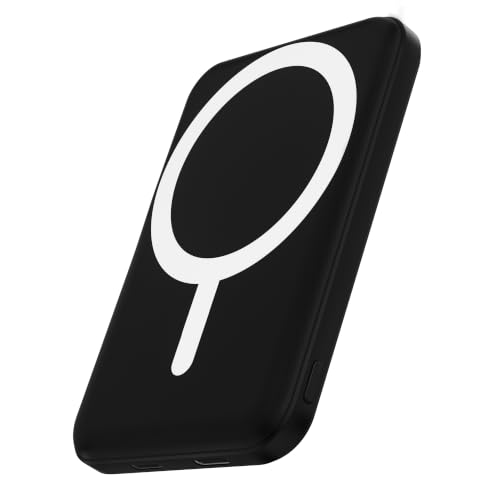
Great Compatibility: This podoru magnetic power bank with the remarkable 5000mAh battery designed for iPhone air, iPhone 17, iPhone 17 Pro, iPhone 17 Pro Max, iPhone 16, iPhone 16 Plus, iPhone 16 Pro, iPhone 16 Pro Max, iPhone 15, iPhone 15 Plus, iPhone 15 Pro, iPhone 15 Pro Max, iPhone 14, iPhone 14 Plus, iPhone 14 Pro, iPhone 14 Pro Max, iPhone 12 -13, iPhone 12-13 mini, iPhone 12-13 Pro, and iPhone 12-13 Pro Max

POWER ANYWHERE YOU WANT IT: Charge up any of your devices with the Galaxy Magnetic Wireless Battery Pack. Whether you want to plug in to the USB-C port or use the built-in magnetic wireless charger, the 5,000mAh battery is waiting to power you up throughout the whole day.

Precise Magnetic Alignment, Rock-Solid Hold: This magnetic portable charger iPhone is designed for compatible with MagSafe, featuring a strong 15N magnetic force that instantly snaps onto your iPhone, keeping it firmly attached even when you're on the move. Whether you're on a call, snapping a selfie, or streaming video, it stays perfectly aligned for stable, uninterrupted charging. Compatible with iPhone 17/17 Air/17 Pro/17 Pro Max, for iPhone 16/16 Pro/16 Pro Max/16 Plus, for iPhone 15/15 Pro/15 Pro Max/15 Plus, for iPhone 14 Pro Max Plus, for iPhone 13/13 Mini/13 Pro/13 Pro Max, for iPhone 12/12 Mini/12 Pro/12 Pro Max, and MagSafe-compatible cases.(Not compatible with non-magnetic cases.)
Battery Capacity
With a substantial 5,000 mAh capacity, the battery supports long usage times without frequent recharges. This large capacity means you can enjoy approximately 15 hours of video playback, 12 hours of internet browsing, and about 40 hours of talk time. Most users can rely on the S23 Ultra throughout the day, making it an ideal choice for those who use their smartphones heavily.
Charging Technology
The Samsung S23 Ultra employs fast charging technology, allowing you to quickly replenish battery levels. It supports both wired and wireless charging options. Using a compatible fast charger, you can charge the battery to 50% in around 30 minutes. Additionally, the device features reverse wireless charging, letting you share power with other compatible devices, such as earbuds or smartwatches, ensuring you stay connected even when on the go.
Real-World Usage Scenarios
The Samsung S23 Ultra’s battery performance shines in various daily situations. Understanding how it holds up under different conditions helps you maximize its potential.
Social Media and Streaming
When you spend hours scrolling through social media or streaming videos, the S23 Ultra manages impressively. Posting updates, watching clips, or engaging in live streams typically consumes about 10-15% battery per hour. Using high-definition settings while streaming can increase usage, though. To extend battery life, consider lowering the screen resolution or using Wi-Fi instead of mobile data whenever possible.
Gaming Performance
Gaming on the S23 Ultra offers a thrilling experience, but it impacts battery life significantly. A demanding game can drain the battery at a rate of 15-20% for every hour of play. To enjoy extended gaming sessions, utilize the device’s power-saving features, such as Adaptive Battery. Additionally, keeping the screen brightness lower and minimizing background processes improves battery longevity.
General Use
For general use, the S23 Ultra’s battery provides solid longevity. Tasks like texting, browsing, and checking emails usually consume around 5-10% of battery per hour. If you maintain screen brightness between 50-70%, enable Night Mode, and reduce notifications, you’ll notice better battery performance throughout the day. Implement these habits for an all-day experience without frequent charging.
Battery Life Comparisons
Comparing the Samsung S23 Ultra’s battery life with competitors and previous models offers valuable insights. This section highlights how the S23 Ultra stands against similar devices and its predecessors regarding battery performance.
Competitor Comparison
When you look at flagship smartphones, the S23 Ultra’s battery life holds its ground. For example, the iPhone 14 Pro Max offers around 29 hours of talk time, while the Google Pixel 7 Pro averages 18 hours. The S23 Ultra’s 5,000 mAh battery ensures it matches or exceeds these figures, especially during video playback and internet browsing. Users report comparable performance despite variations in usage scenarios, with similar power management features available across these brands.
Previous Models
Examining previous Samsung models shows marked improvements in battery life. The Samsung Galaxy S22 Ultra features a 4,500 mAh battery, providing roughly 10-12 hours of internet browsing. In contrast, with its 5,000 mAh capacity, the S23 Ultra enhances performance by about 10-15% under similar conditions. Additionally, improved software optimization contributes to longer durations between charges, allowing you to enjoy more functionality throughout your day without worry.
Tips for Maximizing Battery Life
- Adjust Screen Brightness
Lowering your screen brightness can extend battery life significantly. Set brightness to 50-70% for optimal performance.
- Use Adaptive Battery
Enable Adaptive Battery in your settings. This feature learns your usage patterns and limits power to rarely used apps.
- Activate Power Saving Mode
Turn on Power Saving Mode when your battery is low. It limits background activity and optimizes app performance.
- Limit Background Apps
Close unused applications running in the background. This prevents them from draining your battery unnecessarily.
- Switch to Wi-Fi
Using Wi-Fi instead of mobile data consumes less power. Whenever possible, connect to a Wi-Fi network.
- Reduce Location Services
Disable GPS for apps that don’t require it. Keeping location services off when not in use saves battery life.
- Manage Connectivity Features
Turn off Bluetooth and NFC when not in use. These features consume power if left activated.
- Utilize Dark Mode
Activating Dark Mode can conserve battery life, especially on AMOLED screens. This setting uses less power for darker colors.
- Limit Notifications
Disable notifications for non-essential apps. Each notification can wake your device, using precious battery power.
- Keep Software Updated
Regular software updates often contain battery optimization improvements. Keeping your device updated enhances performance and efficiency.
By implementing these strategies, you can significantly enhance the battery life of your Samsung S23 Ultra, ensuring it remains powered throughout your busy day.
Conclusion
The Samsung S23 Ultra’s impressive battery life is designed to keep up with your daily demands. With its 5,000 mAh capacity and smart features like Adaptive Battery, you can enjoy a full day of usage without constantly worrying about charging.
By following some simple tips to manage your battery effectively, you can stretch that power even further. Whether you’re streaming videos or catching up on social media, you’ll find that this device stands strong against the competition.
So go ahead and take advantage of all the features your S23 Ultra has to offer, knowing you’ve got the battery to back it up. Enjoy your day without the hassle of low battery warnings!
Frequently Asked Questions
What is the battery capacity of the Samsung S23 Ultra?
The Samsung S23 Ultra has a robust 5,000 mAh battery. This substantial capacity supports long-lasting performance, typically allowing for all-day usage under normal conditions.
How long can the battery last during video playback?
When fully charged, the S23 Ultra can provide up to 15 hours of video playback. This makes it ideal for media consumption while on the go.
What are the main features to help conserve battery life?
To extend battery life, utilize features like Adaptive Battery, Power Saving Mode, and manage screen brightness between 50-70%. Regularly closing background apps can also help.
Does the S23 Ultra support fast charging?
Yes, the Samsung S23 Ultra supports fast charging technology, allowing it to charge to 50% in about 30 minutes with a compatible fast charger.
How does the battery life of the S23 Ultra compare to other devices?
The S23 Ultra generally matches or exceeds the battery life of competitors, such as the iPhone 14 Pro Max and Google Pixel 7 Pro, particularly in video playback and internet browsing.
What are some practical tips to improve battery longevity?
Some tips include using Wi-Fi over mobile data, reducing screen brightness, enabling Dark Mode, managing location services, and keeping your device software updated.
How much battery does gaming consume on the S23 Ultra?
Gaming can significantly drain the battery on the S23 Ultra, typically consuming about 15-20% battery per hour, depending on the intensity of the game being played.
