

Key Takeaways
- Factors Affecting Battery Life: Screen brightness, background apps, connectivity features, operating system updates, and battery age all influence the duration your Samsung tablet can last between charges.
- Average Battery Capacity: Different models have varied battery capacities, affecting their longevity. For instance, the Galaxy Tab S8 has an 8,000 mAh battery while the Galaxy Tab S7 FE boasts a larger 10,090 mAh.
- Usage Scenarios: Battery life differs by activity: expect around 8 to 12 hours for browsing and streaming, but only 4 to 6 hours for gaming and high-performance tasks.
- Battery Life Extension Tips: Enhance battery longevity by lowering screen brightness, closing unused apps, disabling unnecessary connectivity features, using battery saver mode, and adhering to optimal charging practices.
- Samsung vs. Competitors: Samsung tablets provide excellent battery performance and display quality compared to competitors but may be pricier and heavier with fewer accessory options available.
- Regular Updates: Keeping your tablet’s operating system updated can optimize battery performance and enhance overall device efficiency.
Ever wondered how long your Samsung tablet’s battery should really last? You’re not alone. Many users find themselves frustrated when their device doesn’t hold a charge like it used to. Whether you’re binge-watching your favorite shows or working on important tasks, battery life can make or break your experience.
In this article, you’ll discover what factors influence battery life and how to maximize it for your daily needs. You’ll also learn about the average lifespan of Samsung tablet batteries and tips to keep them running longer. By the end, you’ll feel more confident in managing your tablet’s power and enjoying uninterrupted usage.
Understanding Battery Life
Battery life for your Samsung tablet can vary significantly based on several factors. Knowing these factors helps you manage your device’s power more effectively.
What Affects Battery Life?
Several elements impact how long your tablet’s battery lasts:
- Screen Brightness: Higher brightness demands more power. Reducing your brightness can extend battery life.
- Apps Running in Background: Apps running tasks in the background consume battery. Close unused apps to save power.
- Wi-Fi and Bluetooth Usage: Keeping these features on when they’re not needed drains the battery. Turn them off when not in use.
- Operating System Updates: Updates often optimize battery performance. Keeping your tablet updated may help improve battery longevity.
- Battery Age and Condition: Over time, all batteries lose capacity. An older battery won’t hold a charge as effectively as a new one.
Average Battery Capacity of Samsung Tablets
The average battery capacity for Samsung tablets varies by model. Here are some examples:
| Model | Battery Capacity (mAh) |
|---|---|
| Galaxy Tab S8 | 8,000 |
| Galaxy Tab A7 | 7,040 |
| Galaxy Tab S7 FE | 10,090 |
| Galaxy Tab S6 Lite | 7,040 |
These capacities provide a general sense of how much power each model contains. Larger capacities often lead to longer usage times, but various factors still influence actual longevity. For instance, the Galaxy Tab S8 offers a robust battery yet may last differently based on your usage patterns.
Real-World Usage Scenarios
Understanding how long your Samsung tablet’s battery lasts in different scenarios helps you manage its use effectively. Battery life can vary greatly depending on what you’re doing.
Recommended Products
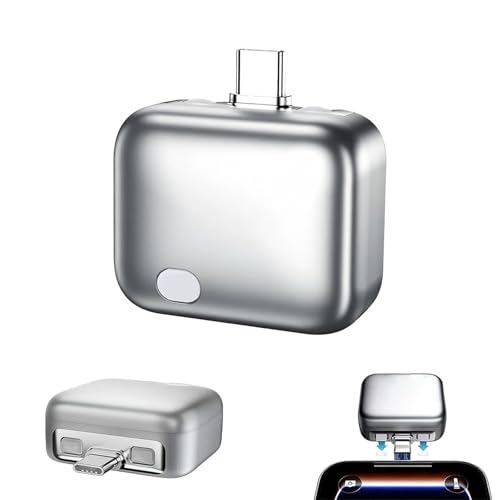
True Physical Disconnect for Ultimate Safety: Unlike software-based charge limiters, our Smart Auto Stop Adapter physically cuts off power once fully charged. This eliminates trickle charging, stops battery stress, and dramatically reduces the risk of overheating or fire hazards while you sleep.

【4 Built-in Cables Power Bank】Stay powered without carrying extra cords. This 10000mAh portable charger comes with built-in Micro USB, USB-C, for old iPhone cable,and a USB-A charging cable, This "no-cord-needed" design eliminates tangled wires and ensures you are always ready to charge for iPhone phones, Samsung Galaxy, or Android tablet without searching for extra accessories. Keeping your travel bag tidier.

Market's Thinner 10000mAh: The 0.55-inch 10000mAh portable charger power bank is small enough to go into any backpack or pocket. The battery pack are powerful enough to last the entire day. Each one charges the iPhone 16 1.9 times, the Galaxy 23 1.9 times, the iPad Mini 6 1.6 times.
Browsing and Streaming
While browsing the internet or streaming content, your tablet’s battery typically lasts between 8 to 12 hours. Factors affecting this range include:
- Screen Brightness: Higher brightness settings consume more power. Lowering brightness can extend battery life.
- Video Quality: Streaming in HD uses more energy. Opting for standard quality can save battery.
- Background Apps: Keep background apps closed. They can drain battery even when not in active use.
An example: If you watch movies on a platform like Netflix, expect around 10 hours of battery life. Adjusting settings can push this closer to 12 hours.
Gaming and High-Performance Tasks
For gaming and demanding tasks, such as video editing, expect your battery to last 4 to 6 hours. Gamers experience higher battery drain due to intense graphics and processing requirements. Important considerations include:
- Game Settings: Reducing graphics quality can improve battery efficiency.
- Wi-Fi and Bluetooth: Continuous use of these features while gaming can decrease battery life. Turn them off if not needed.
- Performance Mode: Using this mode increases power consumption. Switch to a balanced or power-saving mode for longer usage.
For instance, playing a graphics-intensive game like PUBG may reduce battery life significantly, while casual games like Candy Crush can stretch it out longer.
Tips for Extending Battery Life
Extending your Samsung tablet’s battery life involves making simple adjustments and adopting smart charging habits.
Settings Adjustments
- Lower Screen Brightness: Reduce the brightness level to extend battery life significantly. Using auto-brightness can also help adapt the display to your surroundings.
- Turn Off Background Apps: Close apps running in the background. Although they help with multitasking, they drain power quickly.
- Disable Unused Connectivity Features: Turn off Bluetooth, GPS, and Wi-Fi when not in use. These features consume battery, especially when searching for connections.
- Use Battery Saver Mode: Activate the battery saver mode. This optimizes settings to reduce background activity, extending your device’s runtime.
- Limit Notifications: Disable notifications for non-essential apps. Constant notifications can wake the screen and drain battery life.
Charging Best Practices
- Avoid Overcharging: Unplug your tablet once it reaches 100%. Keeping it plugged in can degrade the battery over time.
- Use the Right Charger: Always use the charger that came with your tablet. Using a non-standard charger may affect charging efficiency and battery health.
- Charge in Moderate Temperatures: Charge your device at room temperature. Extreme heat or cold can negatively impact battery performance and longevity.
- Don’t Let Battery Drop Too Low: Charging your tablet before it hits 0% can help maintain battery health. Aim to charge it when it reaches around 20%.
- Use Fast Charging Wisely: Fast charging is convenient, but overuse can lead to battery wear. Use it sparingly to prolong battery lifespan.
Comparing Samsung Tablets to Other Brands
Samsung tablets offer various advantages and some limitations compared to their competitors. Understanding these aspects can help you make an informed decision.
Advantages of Samsung Tablets
- Battery Life: Samsung tablets often feature robust battery performance, particularly in the Galaxy Tab series. You can expect 8 to 12 hours of use for browsing and streaming, depending on settings and activities.
- Display Quality: Samsung tablets, especially the Galaxy Tab S series, come with high-resolution displays. The vibrant colors and deep contrasts enhance video watching and gaming experiences.
- Software Optimization: Samsung’s One UI provides a user-friendly interface and regular updates, improving efficiency and experience over time.
- Multitasking Features: Samsung tablets support split-screen and pop-up views. These features allow you to work on multiple apps simultaneously, increasing productivity.
- Expandable Storage: Many Samsung tablets come with microSD card slots. You can enhance storage capacity, accommodating larger media libraries without relying solely on internal storage.
Disadvantages and Limitations
- Price Point: Samsung tablets can be more expensive than several competitors. While the features justify the price, budget-conscious users may find alternatives more appealing.
- Weight: Some models, particularly larger ones like the Galaxy Tab S8 Ultra, can feel bulky. This may impact portability for users frequently on the go.
- App Compatibility: Certain apps may not be optimized for tablet use. While Android has a wide range of applications, a few might not work perfectly on Samsung tablets compared to iPads.
- Battery Life Variability: Real-world battery performance can vary based on usage patterns. Intensive tasks, like gaming or streaming high-definition content, can reduce battery life significantly.
- Limited Accessory Options: While Samsung offers official accessories, third-party options may be fewer than those available for other brands like Apple. This limitation can impact customization preferences.
By understanding these advantages and disadvantages, you can better assess how Samsung tablets align with your needs compared to other brands.
Conclusion
Understanding how long your Samsung tablet battery should last can really enhance your experience. By keeping an eye on factors like screen brightness and background apps you can make the most of your device’s power.
Remember that your usage habits play a big role in battery life. Simple adjustments can lead to significant improvements.
With a little care you can enjoy your tablet for longer periods whether you’re streaming your favorite shows or tackling work tasks. So go ahead and implement those tips to keep your tablet running smoothly. Happy browsing!
Frequently Asked Questions
What factors affect the battery life of Samsung tablets?
Battery life in Samsung tablets is affected by various factors, including screen brightness, background applications, and connectivity features like Wi-Fi and Bluetooth. Additionally, the operating system, age of the battery, and usage habits play significant roles in determining how long your tablet will last on a single charge.
How long can I expect my Samsung tablet’s battery to last?
Depending on usage, Samsung tablets can last between 4 to 12 hours. For activities such as browsing or streaming, users may get 8 to 12 hours, while gaming and demanding tasks typically allow for 4 to 6 hours. Screen brightness and app usage will also significantly influence these numbers.
What tips can help extend my Samsung tablet’s battery life?
To extend battery life, reduce screen brightness, close unnecessary background apps, and disable unused connectivity features like Bluetooth and GPS. Enable battery saver mode and limit notifications for non-essential apps to optimize usage throughout the day.
How do I properly charge my Samsung tablet?
For optimal charging, avoid overcharging and use the original charger provided. Charge your tablet in moderate temperatures and try not to let the battery drop to very low levels. Using fast charging wisely and not letting it sit plugged in continuously will help prolong battery lifespan.
How does Samsung tablet battery life compare to other brands?
Samsung tablets generally offer strong battery performance, user-friendly software optimization, and high-resolution displays. However, they may come with a higher price tag and potential issues like app compatibility, varying battery life based on usage, and limited accessory options when compared to other brands.
