

Key Takeaways
- Battery Capacity and Performance: The Samsung Galaxy S22 features a 3,700 mAh battery, providing up to 22 hours of talk time, 20 hours of web browsing, and around 15 hours of video playback.
- Factors Affecting Battery Life: Key influences on battery longevity include screen brightness, resolution settings, app usage patterns, and connectivity options like Wi-Fi and Bluetooth.
- Charging Options: The Galaxy S22 supports quick charging with a 25W charger for a full recharge in about 60 minutes, and also features wireless charging and reverse wireless charging.
- Real-World Usage Scenarios: Engaging in activities like gaming or streaming video significantly affects battery life; light usage like web browsing and social media interactions typically yields better battery duration.
- Practical Tips for Extension: To enhance battery life, adjust screen brightness, manage background app activity, and utilize battery saver modes effectively.
- Comparison with Other Devices: When compared to competitors like the iPhone 13 and Google Pixel 6, the Galaxy S22 performs well, but alternative models may provide better battery longevity under heavy usage conditions.
Ever wondered how long your Samsung Galaxy S22 can keep up with your daily demands? You’re not alone. With so many apps and features at your fingertips, it’s crucial to know if your phone can last through a busy day without needing a recharge.
Picture this: you’re out and about, snapping photos, scrolling through social media, and responding to messages, only to find your battery draining faster than you expected. This article will break down the battery life of the Galaxy S22, helping you understand what to expect and how to make the most of it. By the end, you’ll have tips to extend your battery life and keep your phone running longer during those busy days.
Overview of Samsung Galaxy S22 Battery
The Samsung Galaxy S22 features a 3,700 mAh battery, designed to support daily tasks effectively. You can expect up to 22 hours of talk time, 20 hours of internet browsing, and around 15 hours of video playback on a single charge.
Battery performance varies based on usage patterns. Intensive activities, like gaming or using high-resolution video streaming, can reduce battery life significantly. To optimize your experience, here are some insights:
Typical Battery Usage
- Web Browsing: Enjoy up to 20 hours.
- Video Playback: Experience around 15 hours.
- Talk Time: Utilize for up to 22 hours.
Charging Options
- Wired Charging: Achieve a full recharge in about 60 minutes with a 25W charger.
- Wireless Charging: Use the 15W wireless charger for convenience, taking about 90 minutes.
- Reverse Wireless Charging: Power other devices wirelessly with 4.5W.
Practical Tips to Extend Battery Life
- Adjust Screen Brightness: Lower brightness settings can enhance battery duration.
- Use Battery Saver Mode: Activate this feature to limit background app activity.
- Manage App Usage: Close apps when not in use to prevent unnecessary drain.
- Limit Location Services: Turn off GPS for apps that don’t need it.
Common Battery Concerns
- Quick Drain: If your battery drains quickly, check for apps running in the background.
- Overheating: Overheating during charging often indicates an issue with the charger or phone case.
By understanding these factors, you can maximize your Samsung Galaxy S22’s battery performance throughout the day.
Factors Affecting Battery Life
Battery life varies based on several key factors. Understanding these elements helps you optimize your Samsung Galaxy S22’s performance during daily use.
Recommended Products

🌿【High Quality Grade A Premium Battery】: This Galaxy S22 Battery uses Grade A+ rated battery cells with CE and ROHS UL certification,ensure last over 1200 charge cycles. This is Perfect Galaxy S22 5G phone EB-BS901ABY replacement battery.

✅【5200mAh High-Capacity Upgrade】 Upgraded 5200mAh Li-Polymer S22 battery than the original 3700mAh cell. Extend your Galaxy S22 usage significantly – perfect for heavy users and long days out. Brand new 0-cycle cell with built-in over-charge, over-discharge, short-circuit, and over-heat protection.
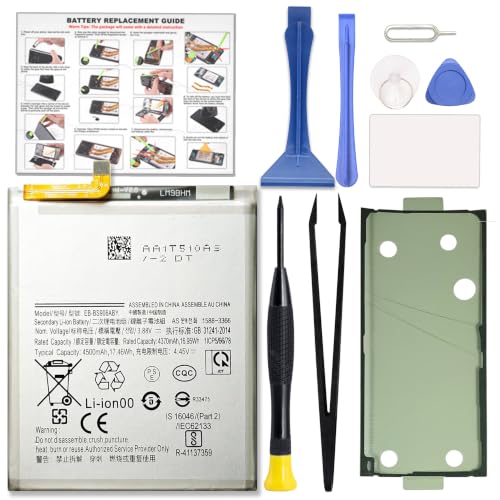
COMPATIBILITY: This battery only fits for Samsung Galaxy S22+ Plus, SM-S906B, SM-S906B/DS, SM-S906U, SM-S906U1, SM-S906W, SM-S906N, SM-S9060, SM-S906E, SM-S906E/DS. Please carefully confirm your phone model before purchase.
Screen Usage and Settings
Screen brightness and resolution significantly impact battery drain. Higher brightness leads to quicker battery depletion. Consider these adjustments:
- Lower Brightness: Use adaptive brightness to adjust automatically based on your environment.
- Screen Timeouts: Set a shorter screen timeout to dim the display when not in use.
- Resolution Settings: Switch to a lower resolution when high-definition is unnecessary, especially for non-media tasks.
App Usage Patterns
App activity defines how long your battery lasts. Some apps consume more power than others. To manage this, consider the following:
- Background Activity: Limit or disable background refresh for apps that don’t require constant updates.
- Screen Time Tracking: Use your device’s built-in tools to track usage. Identify and manage power-hungry apps.
- Automatic Updates: Schedule updates during off-peak hours to avoid battery drain during active usage.
Connectivity Features
Connectivity options play a crucial role in battery longevity. Keeping settings efficient can help conserve power.
- Wi-Fi vs. Mobile Data: Wi-Fi often consumes less power than mobile data. Use Wi-Fi when possible.
- Bluetooth and NFC: Turn off Bluetooth and NFC when not in use to prevent unwanted battery drain.
- Location Services: Opt for “While Using” rather than “Always” for apps that require location access, limiting constant GPS usage.
By adjusting these settings and managing app usage, you can significantly improve your Samsung Galaxy S22’s battery lifespan throughout your day.
Real-World Battery Performance
The real-world battery performance of the Samsung Galaxy S22 reflects various usage scenarios and conditions. Users can expect the battery to cater to daily demands reasonably well, but it’s crucial to understand how different activities impact its longevity.
Typical Usage Scenarios
In typical usage scenarios, the Samsung Galaxy S22 battery holds up well against a range of activities. For instance:
- Social Media: Engaging with apps like Instagram or Facebook typically lasts around 6 to 8 hours of active usage. Keeping your screen brightness at a moderate level can help extend this.
- Streaming Video: Watching videos on platforms like YouTube or Netflix can drain the battery more rapidly. You might get about 15 to 18 hours of playback on a full charge if you lower the screen brightness and use Wi-Fi instead of cellular data.
- Web Browsing: Continuous internet browsing may provide around 20 hours of usage. Factors like open tabs and streaming content will impact performance, so try limiting background activity for better results.
- Gaming: Engaging in graphics-intensive games could significantly reduce battery life to about 4 to 6 hours. Using battery saver mode during gameplay can help stretch this time.
Managing these activities effectively can enhance your overall experience while optimizing battery life.
Battery Life Comparisons
When comparing the Samsung Galaxy S22 to similar smartphones, several key statistics stand out. For instance:
| Device | Battery Capacity | Talk Time | Internet Browsing | Video Playback |
|---|---|---|---|---|
| Samsung Galaxy S22 | 3,700 mAh | Up to 22 hours | Up to 20 hours | Up to 15 hours |
| iPhone 13 | 3,240 mAh | Up to 19 hours | Up to 17 hours | Up to 14 hours |
| Google Pixel 6 | 4,614 mAh | Up to 23 hours | Up to 16 hours | Up to 21 hours |
While the Galaxy S22 performs admirably in the battery department, other models, such as the Google Pixel 6, offer a larger capacity and longer usage times, particularly for video playback.
Assessing these comparisons allows you to gauge if the Galaxy S22 meets your specific needs or if another model might provide a better fit for more intensive usage patterns. Understanding how your device compares helps you make informed choices based on your lifestyle.
Tips for Maximizing Battery Life
Maximizing your Samsung Galaxy S22’s battery life ensures you stay connected throughout the day. Here are simple yet effective strategies to enhance performance.
Recommended Products

[PLS CONFIRM DEVICE MODEL] --- The repair kit contains the instruction to guide you step by step installation, and we have professional engineers to answer all your questions about the repair process. Please verify your old battery part number and model before purchasing this replacement battery. Compatible with Samsung Galaxy S22 SM-S901, S901V, S901A, S901T, S901P, S901R4, S901U, S901U1, EB-BS901ABY. ★NOT FOR Samsung Galaxy S22+, S22 FE, S22 Ultra★
![ITMBET [4600mAh] Galaxy S22 Battery, EB-BS901ABY Battery with Repair Kit](https://m.media-amazon.com/images/I/41ZZVE+SvIL._SL500_.jpg)
⚡ Premium Quality: Experience a new level of performance with our upgraded 4600mAh 3.85V battery replacement. This high-quality battery will restore your phone’s battery life to like-new condition, ensuring you stay connected longer.
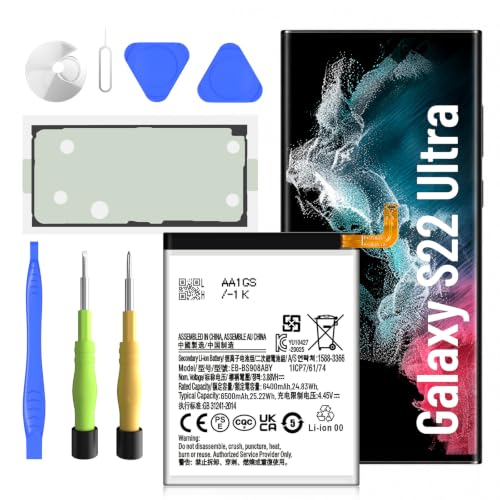
【Precise EB-BS908ABY Compatibility】 Direct replacement for OEM battery model EB-BS908ABY. Fits Samsung Galaxy S22 Ultra SM-S908U, SM-S908U1, SM-S908B, SM-S908W, SM-S908N, and all S908 series variants. Please verify your phone model in Settings > About Phone before ordering.
Charging Habits
Charge your phone during optimal times, avoiding deep discharges. Keeping your battery between 20% and 80% extends its lifespan. Use the original charger for faster and more efficient charging. Charge overnight only if your phone is in an adaptive charging mode, which reduces power flow once fully charged. Avoid using your phone while it charges, as this can generate heat and affect battery longevity.
Power Saving Modes
Utilize battery saver modes for enhanced efficiency. Access settings to enable Battery Saver, which reduces performance by limiting background activity and visual effects. Switch to Adaptive Battery to allow the Galaxy S22 to learn your usage patterns and prioritize power for frequently used apps. For high-drain situations, activate Power Saving Mode, limiting background data and reducing screen brightness. These modes effectively decrease power consumption without significantly impacting usability.
Conclusion
The Samsung Galaxy S22 offers a solid battery performance for everyday tasks. With a little attention to your usage habits and settings you can stretch its battery life even further.
By managing screen brightness and app activity you’ll find that you can keep your phone running longer throughout the day. Remember to take advantage of battery-saving features and optimal charging practices to keep your device in top shape.
Whether you’re streaming videos or scrolling through social media the Galaxy S22 can meet your needs with a bit of care. Enjoy your device and make the most of its capabilities without constantly worrying about running out of juice.
Frequently Asked Questions
What is the battery capacity of the Samsung Galaxy S22?
The Samsung Galaxy S22 has a battery capacity of 3,700 mAh, which is designed to support various daily activities without frequent recharges.
How long does the battery last during typical usage?
In typical usage scenarios, the Galaxy S22 can last about 6 to 8 hours on social media, 15 to 18 hours for video streaming with optimizations, and around 20 hours of web browsing.
What factors affect the battery performance of the Galaxy S22?
Battery performance can vary based on screen usage, app activity, connectivity settings, and intensive tasks like gaming or high-resolution video streaming.
How can I extend the battery life of my Galaxy S22?
To extend battery life, adjust screen brightness, use battery saver mode, manage app usage, limit location services, and keep connectivity features like Bluetooth off when not needed.
Does gaming significantly affect battery life on the Galaxy S22?
Yes, gaming can reduce the Galaxy S22’s battery life to about 4 to 6 hours, depending on the intensity and duration of gameplay.
Should I use the original charger for my Galaxy S22?
Yes, using the original charger is recommended for efficiency and to help maintain optimal battery health while minimizing heat generation during charging.
Is it advisable to use my phone while charging?
It is not advisable to use your phone while charging, as it can generate heat and negatively impact battery longevity.
How does the Galaxy S22’s battery performance compare to other smartphones?
While the Galaxy S22 performs well, smartphones like the Google Pixel 6 may offer larger battery capacities and longer usage times, especially for video playback.
