

Key Takeaways
- Battery Capacity: The LG G6 is equipped with a 3,300 mAh lithium-ion battery, providing around 24 hours of moderate usage.
- Screen-On Time: Users can expect approximately 5 to 7 hours of screen-on time for everyday tasks, significantly enhancing usability.
- Video Playback: The device supports impressive video playback durations, ranging from 12 to 15 hours at standard brightness.
- Gaming: Intensive gaming sessions can last about 4 to 5 hours due to higher power consumption.
- Optimization Tips: To maximize battery life, users should activate battery saver mode, manage screen brightness, and close background apps regularly.
- Competitive Comparison: The LG G6 compares favorably to competitors like the Galaxy S8 and Google Pixel 2, offering similar or better battery performance for everyday tasks.
Are you tired of your phone dying right when you need it? You’re not alone. Many LG G6 users wonder how long their battery will last throughout the day, especially with all the apps and features we rely on.
In this article, you’ll find out exactly what to expect from your LG G6 battery life. We’ll cover factors that affect performance and share tips to help you get the most out of your device. Whether you’re a heavy user or just need it to last until evening, you’ll gain valuable insights to keep your phone powered up when it matters most.
Overview of LG G6 Battery
The LG G6 features a 3,300 mAh lithium-ion battery, which provides a balance between power and efficiency. With moderate use, the battery lasts around 24 hours. This duration depends on various factors, including screen time, app usage, and connectivity settings.
Battery Life Under Different Conditions
- Screen-on Time: Expect around 5 to 7 hours of screen-on time for everyday tasks, like browsing or video streaming.
- Video Playback: The battery supports roughly 12 to 15 hours of video playback at standard brightness.
- Gaming: Intensive gaming drains the battery more quickly, reducing playtime to about 4 to 5 hours.
Factors Influencing Battery Performance
- Connectivity: Keeping Wi-Fi or mobile data enabled continuously impacts battery life. Disable them when not in use for better longevity.
- Screen Brightness: High brightness levels consume more power. Adjust your brightness settings to extend usage time.
- Background Apps: Apps running in the background can drain the battery. Close unused apps to maximize battery efficiency.
Tips for Maximizing Battery Life
- Use Battery Saver Mode: Activate battery saver mode when you’re low on power to limit background activities.
- Turn Off Location Services: Disable GPS unless required, as it significantly impacts battery usage.
- Manage Notifications: Limit notifications from apps to reduce periodic wake-ups that use battery power.
By understanding the LG G6 battery’s capabilities and managing settings effectively, you can enhance its performance throughout the day.
Battery Specifications
The LG G6 features a well-engineered battery system designed for everyday usability. It incorporates several specifications that highlight its performance and compatibility with a variety of user needs.
Recommended Products

Quick Charge 3.0 Wall Charger: 5V-3A, recharges compatible devices up to 50% in just 30 minutes. 4x faster charging speeds than conventional chargers. (Note: Fast Charging only mean 18W max fast output, not mean that all phone will shows "fast charging” when charge.)
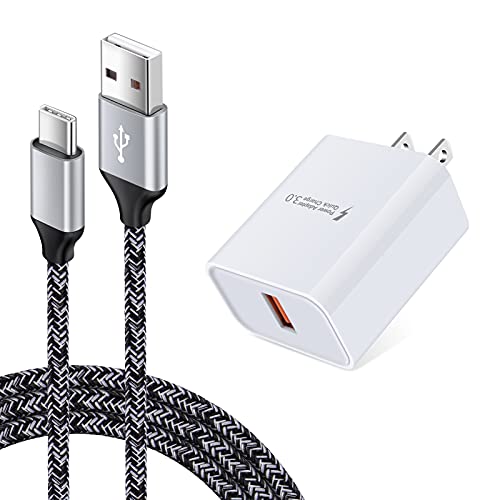
【Quick Charge 3.0 Wall Charger】: 18W Adaptive Fast Charging Wall Charger charges up to 50% battery level in 30 minutes with 4 times faster than traditional charger.(★Note: Quick Charge 3.0 wall charger only supports fast charging for QC 3.0 enabled devices up to 18W/3A. It does not support Quick Charge for Non quick charge devices and work as a usual charger. The Charging speed may vary based on different phone device. )

Quick Charge 3.0 Wall Charger: 5V-3A, recharges compatible devices up to 80% in just 35 minutes. 4x faster charging speeds than conventional chargers.
Capacity and Type
The LG G6 comes equipped with a 3,300 mAh lithium-ion battery. This type of battery provides a good balance between capacity and efficiency. Under moderate use, you can expect the battery to last approximately 24 hours. For more specific usages:
- Screen-on time: 5 to 7 hours during everyday tasks like browsing, social media, and messaging.
- Video playback: about 12 to 15 hours for streaming movies or shows.
- Gaming: around 4 to 5 hours if playing resource-intensive games.
Charging Technology
The LG G6 supports Quick Charge 3.0 technology. This feature allows your battery to charge faster than standard methods. With Quick Charge, you can charge your phone from 0% to about 50% in just 30 minutes. To maximize charging efficiency, use the original charger that comes with the device.
Real-World Battery Performance
Battery performance on the LG G6 meets the needs of most users throughout a typical day. Here’s a breakdown of how different activities affect battery life.
Screen-On Time
Screen-on time averages between 5 to 7 hours with moderate use. For essential tasks like browsing, messaging, or using apps, you can expect solid performance. Adjusting screen brightness and timeout settings boosts this figure. Keeping brightness on auto or lower can extend your screen-on time significantly.
Video Playback
The LG G6 handles video playback impressively. Users can enjoy about 12 to 15 hours of continuous video playback. Streaming services like Netflix or YouTube provide a seamless experience, even during long sessions. Lowering screen brightness and closing background apps while watching videos enhances efficiency, maximizing battery life.
Gaming Experience
Gaming on the LG G6 lasts around 4 to 5 hours. Intensive games can drain the battery faster, so managing settings helps. Lowering graphics quality or turning off background processes during play can prolong gaming sessions. This ensures you stay engaged without worrying about battery life for several hours.
Factors Affecting Battery Life
Battery life of the LG G6 varies based on several factors. Understanding these elements helps you manage your device’s energy efficiency effectively.
Software Optimizations
Software settings play a crucial role in battery performance. Enabling battery saver mode conserves energy by limiting background processes. Adjusting screen brightness reduces power consumption significantly. Turning off unnecessary features, like location services and Bluetooth, also saves battery. Regularly updating your software helps ensure the latest optimizations are in place, enhancing overall efficiency.
Usage Patterns
How you use your LG G6 impacts battery life greatly. Engaging in activities like streaming video or gaming drains the battery faster compared to basic tasks like texting or browsing. For instance, video playback may last up to 15 hours, while gaming can reduce that to around 4 hours. Managing your app usage throughout the day can extend battery life; close apps you aren’t using and limit notifications. By keeping overall usage in check, you maximize your device’s battery potential.
Comparing LG G6 Battery Life to Competitors
Battery performance often serves as a key deciding factor when choosing a smartphone. The LG G6’s 3,300 mAh battery offers competitive longevity, yet it’s useful to compare its performance with similar devices.
Recommended Products

[PLS CONFIRM DEVICE MODEL] --- The repair kit contains the instruction to guide you step by step installation, and we have professional engineers to answer all your questions about the repair process. Please verify your old battery part number and model before purchasing this replacement battery. Compatible with LG G6 LS993 VS998 H870 H871 H872 EAC63438701TAC, BL-T32.

Compatibility: Designed specifically for LG G6 ThinQ. Please confirm your exact model before purchase. Battery model: BL-T32.

✯【Professional Compatibility Models Design】Our LG K20 Plus Battery compatible with LG BL-46G1F, LG K20 Plus, LG LV5, LG K20V, LG LV532GB, LG MetroPCS MP260, LG T-Mobile TP260, LG Verizon Wireless VS501, LG M257 / LV517for LG BL-46G1F, LG K20 Plus, LG LV5, LG LV532GB, LG MetroPCS MP260, LG T-Mobile TP260, LG Verizon Wireless VS501, LG M257 ,M255 / LV517.
LG G6 vs. Samsung Galaxy S8
- Battery Capacity: LG G6 features a 3,300 mAh battery, while the Galaxy S8 includes a 3,000 mAh battery.
- Usage Duration: With moderate use, the G6 lasts around 24 hours. The S8 similarly achieves close to 24 hours.
- Screen-On Time: You can expect about 5 to 7 hours on the G6, while the S8 typically reaches about 6 hours of screen-on time.
LG G6 vs. Google Pixel 2
- Battery Capacity: The Pixel 2 holds a smaller 2,700 mAh battery.
- Usage Duration: The Pixel 2 manages approximately 24 hours with light usage.
- Screen-On Time: Users generally get around 5 hours, slightly shorter than the G6.
LG G6 vs. iPhone 7
- Battery Capacity: The iPhone 7 has a 1,960 mAh battery.
- Usage Duration: The G6 outlasts the iPhone 7, which can drain in about 21 hours.
- Screen-On Time: You can enjoy around 6 to 7 hours with the iPhone 7, similar to the G6.
Practical Battery Tips
To enhance your LG G6 battery life further, consider these strategies:
- Adjust Brightness: Lowering screen brightness can significantly reduce power usage.
- Manage Background Apps: Close apps running in the background to prolong battery longevity.
- Use Battery Saver Mode: Activating this mode can extend your usage time during critical periods.
Conclusion on Competitors
When compared to other smartphones, the LG G6 maintains solid battery performance. Its advantages shine through with efficient usage patterns and effective management strategies, ensuring you remain charged throughout your day.
Conclusion
The LG G6 offers a reliable battery life that can keep up with your daily activities. With some simple adjustments and smart usage, you can easily maximize its potential. Whether you’re streaming your favorite shows or catching up on social media, you’ll find that it meets your needs well.
By taking advantage of features like battery saver mode and managing your settings, you’ll ensure your phone stays powered when you need it most. Overall, the LG G6 stands strong in the competitive smartphone market, providing you with the performance you expect from a modern device. Enjoy your time with the G6 knowing it’s got your back throughout the day.
Frequently Asked Questions
What is the battery capacity of the LG G6?
The LG G6 comes with a 3,300 mAh lithium-ion battery, which balances power and efficiency for everyday use.
How long does the battery last on moderate use?
Under moderate use, the LG G6 typically lasts around 24 hours before needing a recharge, depending on settings and activities.
How much screen-on time can I expect?
Users can generally expect about 5 to 7 hours of screen-on time with the LG G6, allowing for various everyday tasks.
How long does the LG G6 last for video playback?
The LG G6 offers impressive video playback times ranging from 12 to 15 hours, especially when using streaming services.
How long can I play games on the LG G6?
For intensive gaming, the LG G6 provides approximately 4 to 5 hours of gameplay, depending on the game’s settings and requirements.
What factors affect the LG G6’s battery life?
Battery life is influenced by settings such as connectivity, screen brightness, and background applications, which can all drain battery power.
How can I maximize the battery performance of my LG G6?
To enhance battery performance, activate battery saver mode, reduce screen brightness, disable location services, and manage background apps and notifications.
Does the LG G6 support fast charging?
Yes, the LG G6 features Quick Charge 3.0 technology, allowing it to charge from 0% to about 50% in just 30 minutes when using the original charger.
How does the LG G6’s battery compare to competitors?
The LG G6’s battery performance is competitive, lasting around 24 hours with moderate use and outperforming devices like the Google Pixel 2 and iPhone 7.
What are some practical tips for better battery life?
Practical tips include adjusting brightness levels, managing background applications, using battery saver mode, and keeping software up to date for optimizations.
