

Ever wondered if the Samsung S Pen needs a battery to work? Picture this: you’re in the middle of a creative project, and suddenly, you’re hit with the fear that your trusty S Pen might run out of juice. But fret not, as we’re here to shed some light on this common query and put your mind at ease.
In this article, we’ll dive into the intriguing world of the Samsung S Pen to uncover the truth about its power source. No more guessing or worrying about battery life – we’ve got all the essential information you need to understand how this innovative tool operates without the need for constant recharging.
Get ready to discover the magic behind the Samsung S Pen and learn how its unique technology sets it apart from traditional styluses. Stay tuned to find out how this handy accessory can enhance your productivity and creativity without the hassle of dealing with batteries.
Exploring the Samsung S Pen
When it comes to the Samsung S Pen, one common question that may arise is whether it requires a battery to function. Understanding the inner workings of this innovative accessory can shed light on its remarkable capabilities.
The Samsung S Pen is designed with active technology that differentiates it from traditional styluses. It operates without the need for a separate battery thanks to its integration with Wacom technology, which enables the S Pen to draw power from the electromagnetic field created by the device’s screen.
This unique feature not only eliminates the hassle of frequent recharging but also enhances the user experience by providing precise control and responsiveness. The Samsung S Pen functions seamlessly with compatible devices, offering a natural writing and drawing experience that mimics traditional pen and paper.
By harnessing the power of Wacom technology, the Samsung S Pen empowers you to unleash your creativity and productivity without interruptions. Its battery-free design ensures that you can focus on your tasks without having to worry about running out of power.
With the Samsung S Pen, you can take your digital artwork, note-taking, and mobile productivity to the next level. Experience the convenience and precision of this cutting-edge accessory that redefines how you interact with your device.
Understanding the Power Source
If you’ve ever wondered how the Samsung S Pen manages to function without a separate battery, the secret lies in its integration with Wacom technology. Unlike traditional styluses, the S Pen doesn’t require periodic charging sessions. Instead, it draws power from the electromagnetic field generated by your device’s screen.
The synergy between the S Pen and the device creates a seamless experience, allowing you to focus on your tasks without interruptions. This innovative approach not only enhances precision and control but also eliminates the inconvenience of running out of battery at crucial moments.
With Wacom technology at its core, the Samsung S Pen ensures that you can unleash your creativity and boost productivity without being tethered to a charging cable. This unique feature sets it apart from other styluses on the market and redefines the way you interact with your device.
By harnessing the power of Wacom technology, the Samsung S Pen offers a natural writing and drawing experience that mimics the familiarity of pen and paper. Whether you’re jotting down notes or creating digital artwork, this accessory provides unmatched convenience and precision that elevate your mobile experience.
Recommended Products
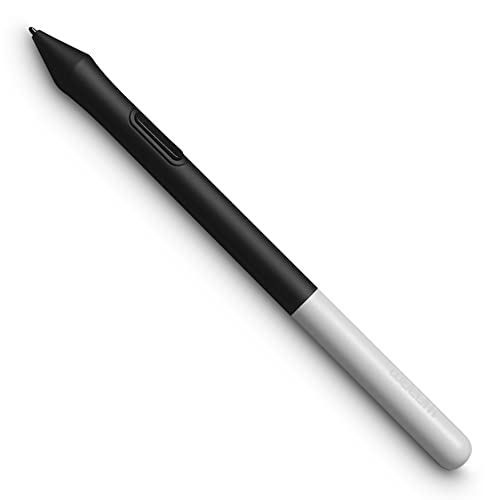
Pressure sensitivity and natural tilt support for more precision and control

DRAW WITH NATURAL ROTATION CONTROL: 360° barrel rotation allows supported brushes and tools to respond to how you rotate the pen, enabling expressive line variation similar to pencils, flat brushes, and calligraphy tools

ERGONOMIC DREAM: Designed for comfort the Dr. Grp Digital Pen for Wacom will allow you to draw, write, and create for hours
Technology Behind the Samsung S Pen
The Samsung S Pen stands out for its innovative technology. Unlike traditional styluses, the S Pen does not require a separate battery. Instead, it harnesses the electromagnetic field generated by the device’s screen, a feat made possible through its integration with Wacom technology.
By drawing power from the screen, the S Pen ensures uninterrupted usage and precise control, enhancing your experience. This unique approach eliminates the need to worry about battery depletion, especially during critical moments when you need your stylus the most.
Thanks to Wacom technology, the Samsung S Pen empowers you to boost creativity and productivity without the hassle of constant recharging. Offering a natural writing and drawing experience, akin to traditional tools, the S Pen excels in tasks like note-taking and digital artwork.
Enhancing Productivity and Creativity
When you’re utilizing a tool like the Samsung S Pen that doesn’t require a separate battery, you’re not just benefiting from uninterrupted usage but also boosting your creativity and productivity. Here’s how:
- Seamless Integration: The S Pen, with its Wacom technology, seamlessly integrates with your Samsung device, offering a natural writing and drawing experience.
- Precision at Your Fingertips: Thanks to the electromagnetic field technology utilized by the S Pen, you can enjoy precise control and accuracy in your tasks, whether it’s jotting down notes or creating intricate digital artwork.
- No Interruptions: With the S Pen, you can bid farewell to concerns about battery depletion during important moments. This means you can focus on your tasks without the need for frequent recharging, enhancing your overall productivity.
- Versatile Applications: Whether you’re a digital artist looking to create masterpieces on your device or a professional in need of a reliable tool for note-taking, the S Pen caters to a wide range of creative and productivity-driven tasks.
- Effortless Usage: The S Pen is designed to offer you a smooth and intuitive user experience, making it an ideal companion for various activities that demand precision and creativity.
Keep these benefits in mind as you explore the Samsung S Pen and discover how it can elevate your productivity and creativity without the hassle of managing an additional battery.
Recommended Products

🖊 Device Compatibility – Works with Remarkable 1 / Remarkable 2 and selected EMR-enabled tablets (Samsung, Wacom, Onyx/Boox). ❌ Not compatible with Remarkable Paper Pro, Paper Pure, Remarkable 3, iPad, or non-EMR devices. Ensure your device supports standard EMR technology (not wireless-charging EMR) before use. Ideal for writing, drawing, and note-taking.

PW517 uses battery-free electromagnetic resonance(EMR)technology to support 8192 levels of pressuresensitivity and 60' tilt function, which let yourcreativity flourish
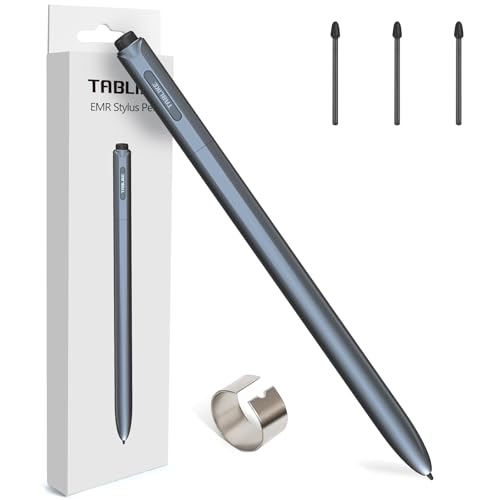
Wide Device Compatibility: IP151 EMR Stylus compatible with reMarkable 1/2 and E-Paper Tablet, Amazon Kindle Scribe, Samsung Galaxy Tab S6/S7/S8/S6 Lite, Wacom One, Boox Note Air 2, Acer Chromebook Spin 311/511/512 and other EMR-supported devices. No complicated pairing needed - simply pick up and start a smooth writing experience! Check the compatibility chart in the images for the full list of supported devices.
Conclusion
You’ve discovered the seamless integration and precision of the Samsung S Pen, powered by innovative Wacom technology. Its electromagnetic field technology ensures accuracy in tasks like note-taking and digital artwork. With no need for frequent recharging, the S Pen eliminates interruptions, letting you focus on your tasks. Whether you’re a creative individual or a productivity enthusiast, the S Pen offers a user-friendly experience for a variety of activities.
Frequently Asked Questions
What makes the Samsung S Pen stand out from other styluses?
The Samsung S Pen stands out due to its seamless integration with Samsung devices using Wacom technology. Its precision and accuracy in tasks like note-taking and digital artwork set it apart, thanks to its electromagnetic field technology.
How does the Samsung S Pen enhance productivity?
The Samsung S Pen enhances productivity by eliminating interruptions caused by battery depletion. Users can focus on their tasks without the constant need for recharging, resulting in improved efficiency and seamless workflow across various activities.
What tasks can the Samsung S Pen assist with?
The Samsung S Pen caters to a wide range of creative and productivity-driven tasks, offering an intuitive and effortless user experience. From note-taking to digital artwork, the S Pen provides versatile functionality for various activities, enhancing convenience and user satisfaction.
