

Ever found yourself stuck outside your Jeep, desperately clicking the key fob, only to realize it’s the battery that’s given up on you? How frustrating! But fret not, because in just a few simple steps, you can replace that battery yourself and get back to unlocking your ride hassle-free.
Imagine this: you’re out running errands, and suddenly your key fob stops responding. Sound familiar? It’s a common annoyance that many Jeep owners face. But don’t worry, with a quick battery swap, you can avoid these inconvenient situations and keep your key fob working smoothly.
Gather the necessary tools
To replace the battery in your Jeep key fob, you’ll need the following tools:
- Small flathead screwdriver: for opening the key fob case.
- Replacement battery: ensure it’s the correct type for your specific key fob model.
- Tweezers: helpful for handling the small battery.
- Cloth or tissue: to protect the key fob and your hands during the process.
Remember, having these tools ready will make the battery replacement process smoother and quicker.
Recommended Products

**To confirm compatibility please use the picture guide located in the product images**
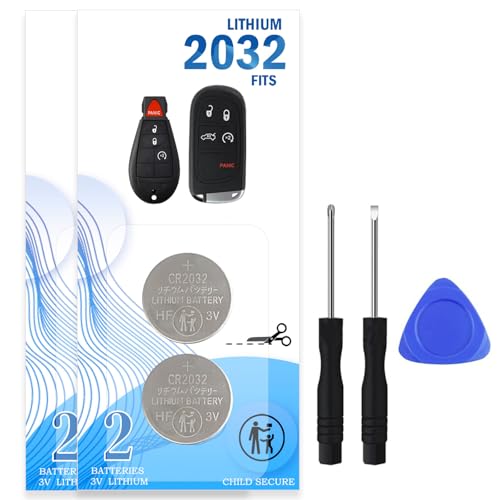
· ✅ DITCH THE OVERPRICED DEALER: Why spend $50 and an hour in the waiting room? This compatible with Jeep key fob battery replacement kit lets you do it yourself in 2 minutes. No programming, no stress, just a simple swap that keeps your wallet happy. Ideal for the smart DIYer who values time and money.

Lithium Coin Battery: Duracell's 2450 3V coin batteries provide reliable, long lasting power for your medical devices, security devices, electronics and more.
Open the key fob
To open your Jeep key fob, follow these steps:
- Locate the Seam: Look for the small seam along the edge of the key fob where the two halves meet.
- Use the Flathead Screwdriver: Insert the edge of the small flathead screwdriver into the seam. Gently twist the screwdriver to pry open the key fob.
- Be Gentle: Take care not to apply too much force to avoid damaging the key fob casing.
- Separate the Halves: Once you have loosened the casing, carefully separate the two halves of the key fob.
- Mind the Buttons: Watch out for any buttons that may fall out when you open the key fob.
Inside, you’ll find the old battery that needs replacing. Make sure to handle it carefully to prevent any damage.
Remove the old battery
When it comes to replacing the battery in your Jeep key fob, removing the old battery is a crucial step. Here’s how you can do it:
- Locate the battery: Look for the battery compartment within the key fob. It’s typically found within one of the halves of the fob.
- Gently remove the old battery: Using a small tool, such as a screwdriver, carefully pry the old battery out of its housing. Be cautious not to damage the surrounding components.
Remember, handling the old battery with care is essential to prevent any potential damage.
Insert the new battery
Ready to power up your Jeep key fob with a fresh battery? Let’s walk through the process of inserting the new one seamlessly.
Step 1: Select the Correct Battery
- Choose a CR2032 battery, ensuring it’s the right size and type for your key fob.
Step 2: Position the New Battery
- Place the CR2032 battery correctly in the compartment. Ensuring the positive side faces up is crucial for proper functionality.
Step 3: Secure the Battery
- Gently press the new battery into place, making sure it fits snugly and securely within the compartment.
- Carefully join the two halves of the key fob, ensuring they align properly before snapping them back together. Test the fob to confirm the replacement was successful.
Replacing the battery in your Jeep key fob is a simple and essential maintenance task that ensures your fob continues to operate smoothly for unlocking and locking your vehicle with ease.
Test the key fob
- Step 1: Stand close to your vehicle.
- Step 2: Press the buttons on the fob to ensure it’s working properly.
- Step 3: Check if the fob successfully locks and unlocks your Jeep.
Recommended Products

Key Batteries Replacement: Elite Batteries by SHI (Smarter Home Ideas) are compatible with most Jeep, Dodge, Ram, Chrysler, Fiat, Mopar, and Stellantis key fob remotes and fobiks.

LONG-LASTING BATTERIES DESIGNED FOR DEPENDABILITY: Duracell Lithium Coin CR2032 3 Volt batteries deliver long-lasting power and performance you can count on for devices throughout the home or on-the-go, such as key fobs, remote controls, Apple AirTag️, flameless candles, wireless cameras, thermometers, toys, and more.

Compatible with Multiple Models – Designed for Jeep Compass, Patriot, Grand Cherokee, Dodge Caliber, Durango, and Chrysler PT Cruiser key fobs, ensuring a precise fit and reliable performance.
Key Fob Testing Results
| Key Fob Function | Expected Result |
|---|---|
| Lock Button | Jeep locks |
| Unlock Button | Jeep unlocks |
| Panic Button | Alarm sounds |
Conclusion
That’s it! You’ve successfully replaced the battery in your Jeep key fob. Remember to test the key fob to ensure it’s working properly. Stand close to your vehicle, press the buttons, and confirm that the fob locks and unlocks your Jeep. Testing is key to making sure your key fob is fully functional. Happy driving with your newly refreshed key fob!
Frequently Asked Questions
How do I test my key fob after replacing the battery?
After replacing the key fob battery, stand close to your vehicle, press the buttons to check functionality, and ensure the key fob successfully locks and unlocks the Jeep. Testing is crucial to verify proper operation of the lock, unlock, and panic buttons.
Why is it important to test the key fob after a battery replacement?
Testing the key fob after replacing the battery ensures that it functions correctly and can effectively lock, unlock, and trigger the panic button on your Jeep. This step helps prevent potential issues that may arise due to a faulty battery replacement.
