

Key Takeaways
- Enhanced Power Management: Android 15 introduces AI-driven algorithms that optimize app background activity, extending battery life on the Pixel 7 significantly.
- Improvements in Doze Mode: The updated Doze mode prolongs battery preservation by allowing apps to remain inactive longer when the device is idle.
- Adaptive Brightness Features: The adaptive brightness adjustment in Android 15 uses machine learning for precise adaptation to lighting conditions, conserving battery during low-light usage.
- Energy Saver Modes: New energy saver features allow users to customize their battery usage, limiting background activities when the battery reaches a low percentage.
- App Hibernation Functionality: The app hibernation feature keeps infrequently used apps from draining battery, enhancing overall battery longevity without removal.
- Power Usage Insights: The new power usage dashboard helps users track battery consumption by apps, facilitating informed decisions on app management to optimize battery life.
Are you tired of your phone dying just when you need it most? With the release of Android 15, many Pixel 7 users are wondering if this update brings any improvements to battery life. It’s a common frustration—having to constantly search for a charger or ration your usage throughout the day.
Overview of Android 15 Features
Android 15 introduces several enhancements that aim to improve overall performance and user experience on devices like the Pixel 7. These features focus on optimizing battery life, increasing efficiency, and providing more control over device settings.
Battery Optimization
Android 15 implements advanced battery management settings. Artificial intelligence adjusts background app activity based on your usage patterns. Apps running in the background consume less power when not frequently used.
Adaptive Brightness
Adaptive brightness in Android 15 now uses machine learning to adjust screen brightness more accurately. With this feature, your screen brightness matches the lighting conditions around you, conserving battery life during low-light situations.
Improved Doze Mode
Doze mode receives updates to enhance its effectiveness. When you leave your Pixel 7 idle, apps stay inactive longer, which reduces battery drain. This feature works seamlessly in conjunction with new app management tools.
Dark Mode Enhancements
Dark mode settings are more customizable in Android 15. You can schedule dark mode activation to match your routine, reducing battery usage on OLED displays during the evening.
Energy Saver Features
Android 15 adds new energy saver features that help maximize battery life. Users can enable these modes manually or let the system activate them when the battery reaches a specific percentage. These features limit background activities and reduce animations.
App Hibernation
App hibernation improves battery life by temporarily disabling infrequently used apps. This feature prevents apps from draining battery while remaining installed, allowing for easy reactivation when needed.
Power Usage Dashboard
The new power usage dashboard gives insights into which apps consume the most battery. You can identify heavy users and adjust settings or uninstall apps based on their battery consumption patterns.
By utilizing these features in Android 15, you can enhance your Pixel 7’s battery life and enjoy a more efficient user experience.
Battery Life Improvements in Android 15
Android 15 introduces notable enhancements aimed at improving battery life for the Pixel 7. These features target efficiency, enabling you to get more use out of your device between charges.
Recommended Products


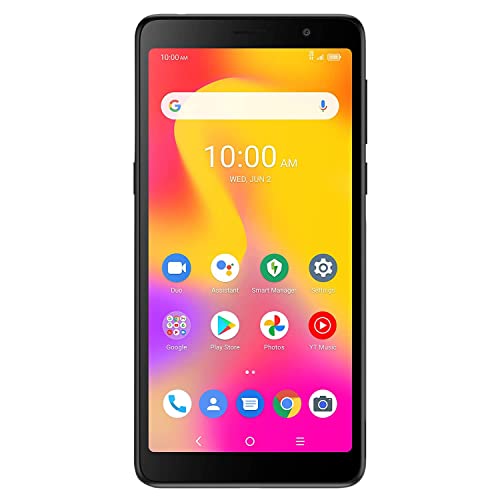
Compatible with the AT&T, T-Mobile and Verizon LTE networks. This device has been certified for use on the Verizon LTE network, if your device is not receiving messages or experiences an error when making phone calls on Verizon, your account may need to be provisioned to support “CDMA-less” devices. To do this, please contact Verizon’s technical support team or your account’s business representative for assistance. This device is not compatible with CDMA networks (such as, Sprint).
Optimized Power Management
Optimized power management significantly boosts battery longevity. Android 15 employs AI-driven algorithms that analyze your usage patterns. The system identifies which apps consume the most power and adjusts settings accordingly. For instance, if you rarely use a particular app, Android 15 may limit its background activity. This reduces unnecessary power drain, letting you enjoy longer usage times.
Background App Activity Control
Background app activity control plays a crucial role in extending battery life. Android 15 introduces stricter regulations on which apps can run in the background. By limiting background processes, the OS minimizes energy consumption when your device isn’t in active use. You can manage this feature in the settings menu under battery optimization. There, you can review app activities and select the ones that can be paused when not in use. This proactive approach helps maintain battery health over the long term.
Pixel 7 Battery Performance Analysis
The Pixel 7 showcases notable battery performance, especially with the Android 15 update. Recent enhancements focus on efficiency, catering to users who desire longer-lasting battery life.
Recommended Products
![[2 Pack]Mini Portable Charger Power Bank for iPhone 17/16/15 Series,5000mAh PD USB C Cell Phone Portable Power,Travel Essentials Battery Pack for iPhone 17/17 Air/16/16 pro/15/Android/Samsung Galaxy](https://m.media-amazon.com/images/I/418N3j4Z3gL._SL500_.jpg)
Warm Tips: 2026 Newest Updated Version Mini USB C Portable Charger.This Portable Usb C Charger Not Compatible with iPhone 14/13/12/11/XR/XS/8/7/6/5/SE series and earlier iPhone phones.!!! Feob Portable Charger Guarantee: Three Years Warranty + LIFETIME technical support for our .

Portable Charger with 2 Built-in Cables >>>: PB-08 battery pack has 1* iOS cable, 1* Type-C cable, 3* Charging ports(USB-A, Type-C, Micro), which supports charging almost all smart devices on the market. Widely compatible with iPhone 17/16/15/14/13/12 series, iPad series, Samsung S23,S22,S21,S20 series, Google series and other smart cell phones, tablets or electronic devices. No need to carry multiple cables during your trip anymore! (Adapter/ Wall Charger are not included) (Airline-friendly)

【Simply Plug into Charge】 Unique built-in USB-C tip connects directly to your phone (no cables!), combined with a lipstick-sized design (3.19" x 1.97" x 1.1", 3.45oz) to slip into pockets effortlessly. Perfect for thin cases (<4mm thick).
Current Battery Life Metrics
Battery life on the Pixel 7 averages around 24 hours with standard usage. In real-world scenarios, activities such as video streaming or gaming can drain battery life more quickly. Here’s a breakdown of the user experience based on various tasks:
| Activity | Estimated Battery Life |
|---|---|
| Web Browsing | 12-15 hours |
| Video Streaming | 8-10 hours |
| Gaming | 6-8 hours |
| Standby Mode | Up to 48 hours |
Android 15’s optimization features, like adaptive brightness and app hibernation, contribute positively to these metrics, enabling the Pixel 7’s battery to perform effectively throughout the day.
User Experiences and Feedback
User feedback on battery performance post-Android 15 has been largely positive. Many report improvements in battery longevity, particularly with features like background app control and energy saver modes. Users have expressed that:
- Battery Drain Reduction: Apps that previously consumed significant battery during idle periods now draw less power.
- Adaptive Brightness Impact: The phone’s display adjusts automatically, saving battery life in low-light conditions.
- Power Usage Dashboard: This tool helps track which apps consume the most power, allowing you to make informed choices about your usage.
Though some users still experience rapid battery depletion, most find the new battery management features effective. Staying proactive with settings can further enhance your Pixel 7’s battery life.
Comparing Android 14 and Android 15 on Pixel 7
Both Android 14 and Android 15 feature key differences in battery management that affect the Pixel 7’s performance. Understanding these differences helps you maximize battery longevity.
Recommended Products

Android 15 OS + Unisoc T606 Octa-Core: Powered by the latest Android 15 operating system, this 10.1 inch tablet ensures smarter memory management and tighter app privacy control—keep your personal data safe. Equipped with 1.6GHz Unisoc T606 octa-core processor, it handles split-screen work (like editing docs while video calling), streaming shows, and casual gaming without lag. A reliable Android tablet for home, office, and on-the-go.


【2026 Latest Android System】 2026 Android tablet elevate your experience with the powered by Android 15, offering enhanced privacy controls and personalized AI-driven operations. The 10 inch tablet supports Gemini AI, it intelligently optimizes tasks, ensuring 50% faster multitasking than standard octa-core chips. Faster processing, improved security, this tablet perfect for work, entertainment, and everyday use
Notable Differences in Battery Usage
- AI-Driven Optimization: Android 15 enhances power management by utilizing AI algorithms. It analyzes your app usage, focusing on limiting background activities for seldom-used apps. This leads to less power drain compared to Android 14.
- Enhanced Doze Mode: The updated Doze mode in Android 15 significantly reduces battery activity when your device is idle. Apps face stricter limitations on background operations, leading to better battery preservation during non-use periods.
- Adaptive Brightness: While Android 14 introduced adaptive brightness, Android 15 optimizes its functionality further. It now adjusts more accurately based on lighting conditions, reducing battery consumption in various environments.
- App Hibernation: Android 15 adds app hibernation, temporarily disabling infrequently used apps. In Android 14, app usage was less regulated, which can lead to increased battery drain over time.
Impact of New Features on Battery Life
- Energy Saver Modes: Android 15 includes improved energy saver options that allow you to customize battery usage. Activation of these modes when the battery starts to deplete can help extend overall battery life.
- Background App Control: With stricter regulations on background activities in Android 15, energy consumption decreases. This results in longer battery life, especially for users who frequently switch between apps.
- Power Usage Dashboard: The new power usage dashboard in Android 15 provides real-time insights. It helps you monitor your app’s battery consumption, enabling you to manage settings for optimal usage.
- User Feedback: Many Pixel 7 users report notable improvements since upgrading to Android 15. They cite enhancements from the outlined features, such as less frequent charging requirements and reduced battery drain from idle apps.
These updates in Android 15 significantly impact overall battery performance on the Pixel 7, offering you practical tools and features to enhance your experience.
Conclusion
Upgrading to Android 15 can really make a difference for your Pixel 7’s battery life. With features like AI-driven power management and improved Doze mode, you’ll likely notice a decrease in unnecessary battery drain.
Many users are enjoying longer usage times and less frequent charging thanks to the new energy saver modes and app hibernation. While some may still face challenges, the overall improvements are encouraging.
By taking advantage of the new settings and tools, you can optimize your device’s performance and enjoy a more efficient experience. So go ahead and explore those battery management options to get the most out of your Pixel 7.
Frequently Asked Questions
What are the battery life concerns for Pixel 7 users after the Android 15 update?
The update has raised concerns about unexpected battery drain for Pixel 7 users. Many find their devices dying more quickly, which emphasizes the need for users to manage device usage and seek chargers more frequently.
How does Android 15 improve battery life on the Pixel 7?
Android 15 introduces AI-driven power management that optimizes battery performance. Features like adaptive brightness, improved Doze mode, and app hibernation help reduce unnecessary power drain and improve battery longevity.
What is the average battery life of the Pixel 7 after the update?
The average battery life for the Pixel 7 is around 24 hours with standard usage. However, activities like video streaming and gaming can significantly reduce battery life, estimating around 8-10 hours and 6-8 hours, respectively.
What features in Android 15 help with battery management?
Key features include advanced battery optimization through AI, background app control, customizable dark mode settings, and a power usage dashboard that helps users monitor and manage battery consumption effectively.
How has user feedback been regarding battery life after the update?
User feedback has been largely positive, with many reporting improved battery longevity. Features like background app control and energy saver modes are noted for effectively reducing idle app drain and enhancing battery life.
What are the key differences between Android 14 and Android 15 regarding battery management?
Android 15 enhances battery management with AI-driven optimization, improved Doze mode, and more accurate adaptive brightness. These updates result in reduced power drain, alongside features like app hibernation and enhanced energy saver modes.
