

Key Takeaways
- Understanding Battery Health: Battery health defines how well your Android device retains charge, essential for optimal performance and device longevity.
- Common Causes of Degradation: Key factors include heat exposure, frequent charging cycles, app usage, battery aging, and software updates.
- Practical Restoration Steps: Optimizing settings like screen brightness, using battery saver mode, and managing app usage can significantly restore battery health.
- Utilizing Battery Management Tools: Built-in features and third-party apps like AccuBattery and Greenify provide advanced monitoring and optimization options.
- Long-Term Care Tips: Implement good charging habits, avoid extreme temperatures, and use compatible accessories to prolong battery lifespan.
Is your Android phone’s battery draining faster than it used to? You’re not alone. Many people face this frustrating issue as their devices age. It can feel like you’re constantly searching for a charger, and that’s not how you want to live your life.
Understanding Battery Health
Battery health refers to the condition of your Android device’s battery and its ability to hold a charge. Maintaining good battery health is crucial for optimal device performance.
Importance of Battery Health
Maintaining battery health prolongs the lifespan of your device and enhances user experience. A well-functioning battery provides reliable performance, reduces the need for constant charging, and supports better app functionality. When your battery health declines, you may notice slower charging times and unexpected shutdowns. Addressing battery health issues early ensures seamless device use.
Common Causes of Battery Degradation
Several factors contribute to battery degradation:
- Heat Exposure: High temperatures can damage battery components, leading to reduced capacity. Keep your device out of direct sunlight or hot environments.
- Frequent Charging Cycles: Regularly charging your device from 0% to 100% strains the battery. Try to charge your device when it drops to around 20% instead.
- App Usage: Resource-intensive apps consume more battery, causing faster wear. Monitor app usage in your settings and close unused apps.
- Aging: Over time, lithium-ion batteries naturally lose capacity. Most batteries begin to degrade after 1-2 years of usage.
- Software Updates: Sometimes, updates can affect battery performance. Ensure that your device’s software is up to date to benefit from optimizations.
By identifying these causes, you can take steps to mitigate battery degradation and maintain better battery health.
Ways to Restore Battery Health
Improving battery health on your Android device involves several practical steps to optimize performance and longevity.
Recommended Products

Long Battery Life & All-Round Practical Functions: Smart watch is powered by a 1000mAh battery with low-power design, delivering up to 20+ days of usage and 85 days of standby time, fully charged in just 3.5 hours. It comes with a full range of practical tools, including alarm clock, stopwatch, timer, find my phone, camera control, SOS emergency assistance, sedentary reminder and water drinking reminder, eliminating daily troubles.
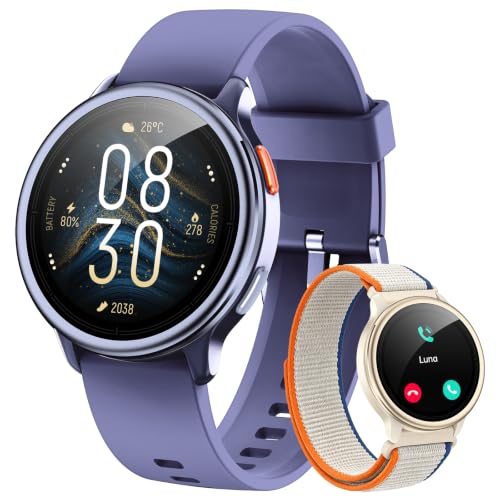
【1.27" Touchscreen】Display offers sharp visuals and smooth responsiveness. Choose from 200+ watch faces or personalize with your own photos, making the watch uniquely yours.

This Device Requires a Subscription. To start using it, simply select the tariff plan that fits your needs. Check the product gallery to see the tariff plans.
Optimize Device Settings
Adjusting device settings significantly impacts battery health. Consider these changes:
- Lower Screen Brightness: Set brightness to a comfortable but lower level. Automatic brightness adjustments can help.
- Use Battery Saver Mode: Enable this mode during low battery situations. It limits background processes and dims the screen.
- Turn Off Unused Features: Disable Wi-Fi, Bluetooth, or Location Services when not in use. These features drain battery even when idle.
- Select Dark Mode: For AMOLED screens, dark mode uses less power. It’s visually appealing and energy-efficient.
Perform Regular Software Updates
Keeping your device updated is essential for performance and battery management. Follow these steps:
- Check for Updates: Go to Settings > About Phone > Software Updates. Download and install the latest firmware.
- Schedule Updates: Set updates to install overnight or during off-peak hours. This prevents interruptions during the day.
Manage App Usage
App management plays a key role in battery life. Implement these strategies:
- Identify Battery Drainers: Go to Settings > Battery > App Usage to see which apps consume the most power. Consider alternatives for high-drain apps.
- Limit Background Processes: Access Settings > Apps > [Select App] > Battery > Background Restriction to prevent apps from running in the background.
- Uninstall Unused Apps: Remove apps you don’t use. Multiple unused apps can consume data and battery life.
By following these steps, you enhance your Android’s battery health, leading to better performance and a more enjoyable user experience.
Battery Management Tools
Battery management tools help optimize your Android device’s battery health and extend its lifespan. Utilizing both built-in features and third-party applications boosts performance and improves efficiency.
Recommended Products

REVOLUTIONARY HERZP1 SMART RING HEALTH TRACKER - The Herz P1 Smart Ring for women & men is a game-changer in the wearable tech industry. This sleek, lightweight ring provides accurate health metrics including heart rate, temperature, blood oxygen levels, activity, and stress levels. It's not just a fitness tracker, it's the next generation of wearable health tech, designed to fit effortlessly into your life.

【30+ Days Battery Life – Never Stop Exploring】Say goodbye to daily charging! With a powerful 1000mAh battery, smart watch lasts up to 30 days on a single charge (100 days in standby) and powers up in just 2.5 hours. Perfect for travelers, adventurers, or busy professionals who need reliable all-day tracking without interruptions. Works seamlessly with iOS 9.0+ and Android 6.0+, outperforming other android smart watch and smart watch for android phones in endurance

HD Screen for Clear Readings: Features a wide-angle LED display that stays clear from any viewpoint. The red/yellow/green indicator lights make results instantly understandable, offering an at-a-glance health assessment. Ideal for seniors, low-light bedrooms, and quick at-a-glance health checks.
Built-in Android Features
Android devices come equipped with several built-in features to enhance battery management. Key features include:
- Battery Saver Mode: Activating this mode reduces background activities, limits app notifications, and lowers performance to conserve battery life. You can enable it through the battery settings.
- Adaptive Battery: This feature learns your app usage patterns and limits battery usage for infrequently-used apps. Access it under Battery settings in newer versions of Android.
- Battery Optimization: This setting allows you to manage which apps run in the background. You can find it in the Battery settings menu and select apps for optimization.
- Screen Timers: Setting timers for screen usage prevents prolonged display use. Adjust screen timeout settings in Display options to reduce unnecessary battery drain.
Third-Party Applications
Several third-party applications offer advanced features for monitoring and improving battery health. Consider these options:
- AccuBattery: This app tracks battery health, charging speeds, and discharge rates. It provides insights into battery usage habits and recommendations for longevity.
- Greenify: Greenify hibernates background apps that drain battery life when they are not in use. You can identify resource-hungry apps and limit their activities effectively.
- GSam Battery Monitor: This tool offers detailed battery statistics, including app usage and screen-on times. Use it to identify which apps contribute to battery drain and optimize usage.
- Battery Guru: This app provides tips and suggestions for better battery management. It monitors the battery cycle and gives you alerts for optimal charging habits.
Using these built-in features and third-party applications, you can manage and restore your Android device’s battery health effectively.
Tips for Long-Term Battery Care
Maintaining battery health requires consistent care and attention. Implementing good habits can significantly extend the lifespan of your Android device’s battery.
Recommended Products

【Real-time Health Monitoring】This smart ring is equipped with advanced sensors that can monitor your heart rate, blood oxygen, blood pressure and other health data in real time around the clock. It can also track sleep quality and record deep sleep, light sleep, eye movement and wakefulness. Through the "Nx Wear" application, you can view these health indicators at any time and adjust your lifestyle based on daily, weekly or monthly reports to help you better manage your health.
【Real-time Health Monitoring】This smart ring is equipped with advanced sensors that can monitor your heart rate, blood oxygen, blood pressure and other health data in real time around the clock. It can also track sleep quality and record deep sleep, light sleep, eye movement and wakefulness. Through the "Nx Wear" application, you can view these health indicators at any time and adjust your lifestyle based on daily, weekly or monthly reports to help you better manage your health.

【Health Ring】: This smart health ring uses advanced sensors to track your health condition by analyzing key body such as exercise data and sleep quality, which helps you keep track of your health at all times.
Charging Habits
- Avoid Overcharging: Disconnect your device once it reaches 100%. Continuous charging can strain the battery.
- Use Appropriate Chargers: Always use the charger and cable recommended by the manufacturer. Incompatible chargers can generate excessive heat.
- Practice Partial Charging: Charge your device when it drops to around 20% and unplug it before it hits 100%. This practice can slow down wear and tear.
- Don’t Let It Die: Avoid letting your phone’s battery drop to 0%. Frequently discharging it completely can shorten its lifespan.
Environmental Factors
- Keep It Cool: Prevent exposure to high temperatures. Excessive heat can damage battery components.
- Use Compatible Cases: Some cases trap heat; consider removing them while charging to allow proper ventilation.
- Avoid Cold Conditions: Cold weather can temporarily reduce battery performance. If it’s too cold, warm the phone in your hands before use.
- Store Wisely: If you’re not using your device for a while, store it in a cool, dry place with about 50% charge.
By understanding and applying these practices, you can take proactive steps to ensure long-term battery health for your Android device.
Conclusion
Taking care of your Android battery doesn’t have to be a hassle. By following simple practices like optimizing settings and managing app usage, you can significantly improve your battery health. Remember to keep your device cool and avoid overcharging to extend its lifespan.
Incorporating these habits into your routine will not only enhance your phone’s performance but also make your daily experience more enjoyable. So go ahead and give your battery the love it deserves. You’ll notice the difference in no time. Happy charging!
Frequently Asked Questions
What causes battery drain in Android phones?
Battery drain in Android phones can be caused by several factors, including heat exposure, frequent charging cycles, resource-intensive apps, aging batteries, and software updates. As phones age, their batteries struggle to hold a charge, leading to more frequent charging needs.
How can I improve my Android phone’s battery health?
To improve your Android phone’s battery health, lower screen brightness, enable battery saver mode, and turn off features you don’t use. Regularly check for software updates and manage app usage by limiting background processes and uninstalling apps that drain battery life.
What are some practical charging tips for better battery life?
For better battery life, avoid overcharging your phone and use the appropriate charger. Practice partial charging (keeping battery between 20-80%), and try not to let the battery drop to 0%. Keeping the device cool and using compatible cases can help too.
Are there tools to help monitor battery health?
Yes, Android devices come with built-in features like Battery Saver Mode, Adaptive Battery, and Battery Optimization to help monitor your battery health. Additionally, third-party applications like AccuBattery, Greenify, GSam Battery Monitor, and Battery Guru can provide advanced insights.
How often should I update my phone’s software for optimum battery health?
Regular software updates are crucial for optimum battery health. Check for updates frequently and schedule them during off-peak hours to ensure your phone runs efficiently and benefits from the latest battery optimization features.
