

Key Takeaways
- Robust Battery Capacity: The Samsung Galaxy S23 Ultra features a powerful 5,000 mAh battery, providing all-day usage for various activities like browsing, streaming, and gaming.
- Screen-On Time: Users can expect an impressive average screen-on time of 8 to 10 hours, with variations based on usage patterns—high-demand tasks like gaming may reduce this to about 6 to 8 hours.
- Standby Efficiency: The device boasts a remarkable standby time of up to 48 hours when idle, making it ideal for those who need to stay connected without frequent charging.
- Fast and Wireless Charging: Equipped with fast charging capabilities, users can achieve about 50% battery in just 30 minutes, along with support for wireless and reverse wireless charging.
- Adaptive Power Saving: This feature optimizes battery usage based on user habits, enhancing battery longevity during daily activities.
- User Insights: While many users praise the battery life, some report faster drain during intensive tasks and recommend monitoring application usage to extend overall battery performance.
Wondering how long the Samsung Galaxy S23 Ultra battery lasts? You’re not alone. With all the features packed into this powerhouse, it’s crucial to know if it can keep up with your daily demands.
Imagine you’re out for a day of exploring or busy with back-to-back meetings. The last thing you want is to be searching for a charger. This article will break down the battery life of the S23 Ultra, giving you insights into its performance under various conditions.
By the end, you’ll have a clear picture of what to expect, helping you make the most of your device and stay connected when it matters most.
Overview of Samsung Galaxy S23 Ultra Battery
The Samsung Galaxy S23 Ultra features an impressive battery designed for extensive use. Understanding its specifications and key features helps you make the most of this powerful device.
Battery Specifications
The Galaxy S23 Ultra comes with a robust 5,000 mAh battery. This capacity supports all-day usage, enabling you to browse, stream, and play games without frequent recharges. It also incorporates fast charging, allowing you to gain hours of power with just a quick charge—up to 50% in around 30 minutes.
Key Features of the Battery
The battery includes several notable features to enhance performance and longevity:
- Adaptive Power Saving: This feature automatically adjusts power usage based on your habits, extending battery life.
- Wireless Charging: The device supports both standard and fast wireless charging, adding convenience when you’re on the go.
- Reverse Wireless Charging: You can use the S23 Ultra to charge compatible devices wirelessly, making it a versatile option for powering up friends’ gadgets when needed.
- Battery Health Management: Samsung includes options to monitor battery health, helping you maintain optimal performance over time.
With these specifications and features, the Samsung Galaxy S23 Ultra’s battery supports your daily activities efficiently, ensuring you stay connected throughout your day.
Real-world Battery Test Results
The Samsung Galaxy S23 Ultra’s battery performance proves essential for daily use. Real-world tests provide insights into its efficiency under various scenarios.
Recommended Products
![ITMBET [5800mAh] Galaxy S23 Ultra Battery, 𝗨𝗽𝗴𝗿𝗮𝗱𝗲𝗱 EB-BS918ABY Replacement Battery for S23 Ultra SM-S918U SM-S918U1 SM-S918B with Repair Tool Kits](https://m.media-amazon.com/images/I/413u8eALCsL._SL500_.jpg)
🔋 Premium Quality: Experience a new level of performance with our upgraded 5800mAh 3.85V battery replacement. This high-quality battery will restore your phone’s battery life to like-new condition, ensuring you stay connected longer

150% Extra Battery Life:Built with a 10000mAh high-capacity battery, for Galaxy S23 Ultra battery case extends your phone’s power by up to 150%. Perfect for travel, work, and heavy daily use without battery anxiety.

6.8" Dynamic AMOLED 2X QHD+ display with 1–120 Hz adaptive refresh rate, up to ~1750 nits brightness, HDR10+ support, and ultra-smooth responsiveness for gaming and scrolling.
Screen-on Time
During typical usage, screen-on time averages around 8 to 10 hours. Tasks include browsing, streaming videos, and playing games. For example, streaming HD content from platforms like Netflix can consume around 10% battery per hour, translating to up to 10 hours of movie-watching on a full charge. Engaging in gaming sessions may reduce this time to about 6 to 8 hours due to the increased power demand.
Standby Time
Standby time reaches impressive levels, often lasting up to 48 hours. When the device is idle, battery consumption drops significantly. This duration varies based on settings such as background app activity and network usage. For instance, leaving your phone on standby with Wi-Fi and Bluetooth turned off can extend battery life even further, ensuring you stay connected longer without searching for a charger.
Factors Affecting Battery Life
Battery life on the Samsung Galaxy S23 Ultra depends on several factors, each influencing performance during daily use.
Recommended Products
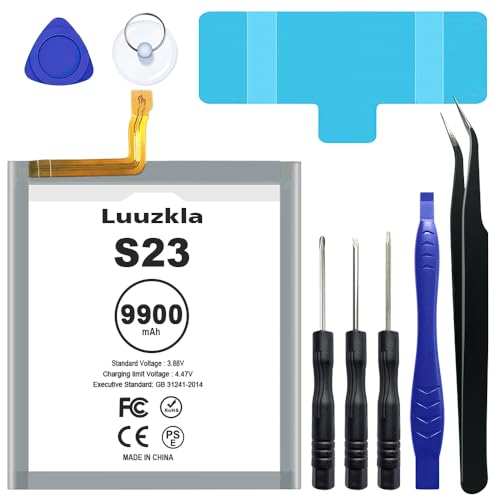
【SAME SIZE & COMPATIBLE MODELS】: Replacement battery Compatible with Galaxy S23 Only, Model: SM-S911B SM-S911U SM-S911U1 SM-S911N EB-BS912ABY. Developed specially as replacement for S23 battery, the same size as the original-battery and guarantees compatibility without problems.

[INCLUDED STEP BY STEP INSTALLATION] --- Compatible with Samsung Galaxy S23 Ultra SM-S918 All Carriers,Size 6.8 inches (NOT for S23/S23 Plus/S23 FE ).Please verify your phone model before purchasing.Included manual to guide you step by step installation, we have professional engineers to answer all questions about the repair process. ★Important Notice: Opening phone will compromise its waterproof seals and warranty.Professional installation is highly recommended to replace this part.★

[Safe charging and protection design] Passed CE, FC, RoHS certification to ensure your charging safety. Use high-quality battery cells to ensure power, safety and reliability, and long-term use will not reduce the health of the battery life.
Usage Patterns
Usage patterns significantly impact battery longevity. Activities like streaming videos, playing games, or using GPS drain battery faster than basic tasks like texting or browsing. For instance, streaming HD content consumes roughly 10% of the battery per hour. If you engage in heavy gaming, expect around 6 to 8 hours of screen-on time. On the contrary, light tasks can help stretch battery life up to 10 hours.
Screen Brightness and Resolution
Screen brightness and resolution settings also play a crucial role. Bright screens consume more power. Keeping the brightness on automatic adjusts usage based on lighting conditions and can extend battery life. Setting the resolution to FHD+ instead of QHD+ can reduce power consumption. This adjustment improves battery performance while still providing a clear display for everyday tasks.
Comparison with Other Smartphones
When comparing the battery life of the Samsung Galaxy S23 Ultra, it’s essential to consider how it stacks up against other devices in its category.
Samsung Galaxy S23 vs. S23 Ultra
The Galaxy S23 and S23 Ultra share many features, but their battery performance differs. The S23 houses a 3,900 mAh battery, while the S23 Ultra has a 5,000 mAh battery. The S23 typically offers around 7 to 9 hours of screen-on time, depending on usage. In contrast, the S23 Ultra delivers 8 to 10 hours, making it more suitable for heavy users. You’ll notice that heavy tasks like gaming or video streaming may consume a battery quicker on the S23 than the Ultra.
Other Competing Devices
When you look at competitors, the OnePlus 11 stands out with its 5,000 mAh battery, providing similar endurance to the S23 Ultra. Users report similar screen-on times, ranging from 8 to 10 hours. Apple’s iPhone 14 Pro, with its 3,200 mAh battery, performs admirably, averaging around 6 to 8 hours of usage. The Google Pixel 7, featuring a 4,355 mAh battery, offers about 7 to 9 hours. These comparisons highlight the S23 Ultra’s strength in battery capacity and longevity, making it a solid choice for those needing reliable performance throughout the day.
Understanding these nuances can guide your choice in selecting a smartphone that aligns with your daily needs.
User Reviews and Feedback
Users report varied experiences with the Samsung Galaxy S23 Ultra’s battery performance, emphasizing both the benefits and drawbacks.
Positive Experiences
Many users appreciate the Galaxy S23 Ultra’s impressive battery longevity. The 5,000 mAh battery typically lasts from morning until evening, even with heavy use. For instance, individuals using the device for streaming and gaming often get between 8 to 10 hours of screen-on time. Users frequently mention that fast charging capabilities keep their devices ready quickly, with 50% charge achieved in about 30 minutes.
Additionally, Adaptive Power Saving adjusts settings based on usage patterns, helping to extend battery life during busy days. Those who switch resolution settings from QHD+ to FHD+ report even longer battery durations. Furthermore, users love the standby time, often lasting up to 48 hours, even when idle.
Common Complaints
Despite its strengths, some users note drawbacks. Battery drain during intensive tasks like gaming can drop screen-on time to 6 to 8 hours, which frustrates heavy users. Others highlight that maintaining a bright screen significantly impacts battery life negatively.
Additionally, user feedback indicates that certain apps can drain the battery faster than expected. Users suggest monitoring app usage to identify battery-hogging applications. Bluetooth and Wi-Fi can drain power too, so turning them off when not in use is a recommended practice.
Overall, while many users celebrate the S23 Ultra’s battery capabilities, some adjustments can enhance performance, ensuring the battery meets your needs throughout the day.
Conclusion
The Samsung Galaxy S23 Ultra delivers impressive battery life that can keep up with your busy lifestyle. Whether you’re streaming videos or gaming you can count on the robust 5,000 mAh battery to last throughout the day. With features like fast charging and Adaptive Power Saving you have the tools to manage your battery effectively.
While heavy usage might drain the battery faster it’s clear that with a few adjustments you can extend its longevity. By being mindful of your settings and usage patterns you’ll maximize your experience with this powerful device. Enjoy staying connected without the constant worry of running low on power.
Frequently Asked Questions
What is the battery capacity of the Samsung Galaxy S23 Ultra?
The Samsung Galaxy S23 Ultra is equipped with a robust 5,000 mAh battery, designed to provide all-day usage for various activities including browsing, streaming, and gaming.
How long does the battery last during typical usage?
Under typical usage, the Galaxy S23 Ultra averages around 8 to 10 hours of screen-on time. This depends on activities such as video streaming or gaming, which may impact battery life differently.
What factors affect the battery life of the Galaxy S23 Ultra?
Battery life is affected by usage patterns, screen brightness, and resolution settings. Streaming and gaming drain the battery faster than basic tasks like texting.
Does the Galaxy S23 Ultra support fast charging?
Yes, the Galaxy S23 Ultra features fast charging capabilities, enabling the battery to charge up to 50% in about 30 minutes, allowing for quick power-ups when needed.
How does the Galaxy S23 Ultra’s battery compare with other smartphones?
Compared to other smartphones, the S23 Ultra offers better battery performance. For example, the Galaxy S23 has a smaller 3,900 mAh battery and provides around 7 to 9 hours of screen-on time.
Can I extend the battery life of my Galaxy S23 Ultra?
Yes, you can extend battery life by adjusting settings, like reducing screen brightness and switching the resolution to FHD+ instead of QHD+, as well as turning off unnecessary features like Wi-Fi and Bluetooth when not in use.
