

Key Takeaways
- Battery Types: Asus laptops use internal and external lithium-ion batteries, with internal batteries requiring professional installation and external ones being user-replaceable.
- Cost Range: Replacement battery prices vary widely, typically ranging from $30 to $150, with external batteries costing less than internal ones.
- Signs of Wear: Key indicators for battery replacement include rapid discharge, physical damage, and dependency on power when starting.
- Purchase Options: Replacement batteries can be sourced from Asus official stores, authorized resellers, or third-party suppliers—each offering varying quality and prices.
- Installation Methods: Users can opt for DIY battery replacement or professional installation, with DIY being cost-effective and professional services providing expertise and efficiency.
- Warranty Factors: Longer warranty periods for batteries generally come at a higher price, but they offer assurance for quality and support.
Is your Asus laptop struggling to hold a charge? You’re not alone. Many users face this frustrating issue as their devices age. A new battery can breathe life back into your laptop, but how much will it cost you?
Overview Of Asus Laptop Batteries
Asus laptops typically use lithium-ion batteries, known for their high energy density and light weight. These batteries come in various models and specifications, depending on the laptop series. Understanding some key aspects helps you choose the right replacement.
Recommended Products

【Customer First】24 x 7 email support. We specialize in providing quality power products. (Note: Amazon return windows will close after one month, If you have any problem with battery, please Contact us - in “YOUR ORDER” options click the “contact seller”.)

Battery Model : B31N1912 Voltage: 11.55V Capacity: 42Wh Li-ion polymer Battery
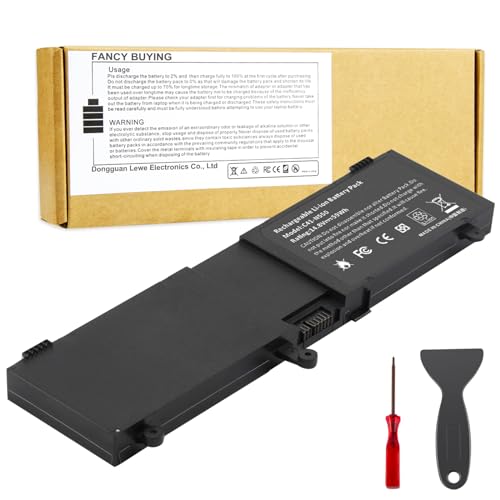
♣Voltage: 14.8V Capacity: 59Wh Cell:4 Cells. The battery is durable and has overcurrent protection, anti-overcharge, anti-overdischarge and temperature control functions.
Types of Asus Laptop Batteries
- Internal Batteries: Built directly into the laptop’s design. These often require professional installation when replacing.
- External Batteries: Removable batteries that users can easily replace. Typically found in older models.
Battery Capacity and Performance
Battery capacity generally measures in milliampere-hours (mAh). Higher capacities often equate to longer usage times. For example, an Asus laptop battery with 4000 mAh may provide several hours of operation, while one with 2000 mAh lasts less time.
Signs of Battery Wear
Recognizing when to replace your battery is crucial. Common signs include:
- The laptop discharges quickly, even when fully charged.
- The battery swells or shows physical damage.
- Your laptop won’t power on without being plugged in.
Replacement Options
You can source replacement batteries from multiple vendors. Consider these options:
- Asus Official Stores: Guarantees compatibility and quality.
- Authorized Resellers: Offer verified products, often at competitive prices.
- Third-Party Suppliers: Provide alternatives, though quality may vary. Ensure you’re purchasing from reputable sellers.
Installation Considerations
Installing a new battery depends on the type. For internal batteries, follow these steps:
- Power off the laptop and disconnect it from the charger.
- Remove the back panel using a screwdriver.
- Disconnect the old battery safely.
- Connect the new battery and reassemble the laptop.
For external batteries, simply slide the old one out and replace it with the new one.
Cost of Replacement Batteries
Prices vary based on the model and vendor but typically range from $30 to $150. Authentic Asus batteries often command higher prices due to reliability. Consider frequent promotions or discounts, especially during holiday sales.
Understanding these factors ensures you pick the right battery for your Asus laptop, enhancing its performance and longevity.
Factors Influencing Battery Prices
Several factors determine the price of a new battery for your Asus laptop. Understanding these can help you make an informed decision.
Recommended Products
![Fancy Buying C21N1347 Laptop Battery Replacement for Asus X555 X555L X555LA X555LD X555LN A555L K555L Y583LD W519LD K555LD K555LA R556L VM590L Series 2ICP4/63/134 [7.6V/5000mAh/38Wh]](https://m.media-amazon.com/images/I/41FLA47zuaL._SL500_.jpg)
Battery type: Li-ploymer Voltage: 7.6 V(Compatible with 7.4V) Capacity: 5000mAh/38Wh Cell:3Cells

【Customer Service】Rest assured with 30 days Refund and 12 months Warranty; Note: Amazon return windows will close after one month, don’t worry about it, you can click on seller store on right corner “ask a question” and contact seller directly

♣Replacement Battery Type: Li-ion; Capacity:2200mAh/24Wh; Voltage: 11.1V ; 3-Cells
Battery Type
Battery type significantly affects the cost. Internal batteries, often used in thinner models, require professional installation. These typically cost more due to labor fees and their complex design. External batteries, easier to replace, generally have lower prices. For instance, external batteries may range from $30 to $80, while internal ones can reach $100 or more.
Laptop Model
Laptop model influences battery prices as well. Newer models may have advanced battery technology that costs more. Additionally, some models use custom-designed batteries, making them pricier and harder to source. For example, a battery for the Asus ZenBook series often costs more than one for older models like the Asus VivoBook.
Warranty Options
Warranty options can also affect battery prices. Batteries with longer warranties typically come at a higher cost. A one-year warranty may be included at no extra fee, while an extended two- or three-year warranty might add $10 to $30. Investing in a warranty can offer peace of mind, ensuring quality and support in case of issues.
By considering these factors, you can better understand the price range for a new battery for your Asus laptop.
Average Cost Of New Batteries
The cost of a new battery for an Asus laptop varies based on several factors. Understanding these factors can help you budget effectively for your replacement.
Recommended Products

COMPATIBLE P/N : C21N1818-1, 0B200-03280800, 2ICP7/54/83

Specifications: Battery type: Li-Polymer. Color: Black. Voltage: 15.2V. Capacity: 52Wh/3340mAh. New from Manufacturer

Battery Model:A32N1405, Voltage: 10.8V Capacity: 56WH ; Cells: 6-cell; Color: Black
Retail Prices
Retail prices for Asus laptop batteries typically range from $30 to $150. Here’s a breakdown of common costs:
| Battery Type | Average Price |
|---|---|
| External Battery | $30 – $80 |
| Internal Battery | $60 – $150 |
External batteries are often more affordable since they can be replaced easily by the user. Internal batteries cost more due to professional installation and complex designs.
Online vs. In-Store Options
You can find laptop batteries both online and in brick-and-mortar stores. Each option has its benefits:
- Online: convenience, wider selection, often better prices. Websites like Amazon, Newegg, and manufacturer sites offer competitive options with customer reviews for guidance.
- In-Store: immediacy, personalized assistance. Local electronics stores or authorized Asus retailers may provide hands-on consultation and immediate availability.
Comparing prices across platforms can save you money. Consider checking online before purchasing in-store to ensure you secure the best deal.
Installation Considerations
When replacing a battery in an Asus laptop, consider your options. You can choose DIY installation for cost-effectiveness or professional services for peace of mind. Here’s a breakdown of both.
DIY Installation
DIY installation is a feasible option if you’re comfortable with basic tools and laptop components. Follow these steps for a successful battery replacement:
- Gather Tools: Have a small Phillips screwdriver, a plastic spudger, and an anti-static wrist strap ready.
- Power Down: Shut down your laptop and disconnect it from any power source. Remove any external devices.
- Remove the Back Cover: Unscrew the back panel using your screwdriver, then gently pry it open with the spudger. Be cautious not to damage any clips.
- Disconnect the Old Battery: Locate the battery connector and carefully unplug it from the motherboard. Remove any screws or clips holding the battery in place.
- Install the New Battery: Place the new battery in position, secure it with screws, and reconnect the battery connector.
- Reassemble the Laptop: Replace the back cover and screw everything back in securely. Power up your laptop to ensure it functions correctly.
If you encounter difficulties or feel unsure, online tutorials or video guides can provide additional help.
Professional Services
Choosing professional services simplifies the process, especially for internal batteries. Consider these aspects:
- Expertise: Technicians have the knowledge and experience to handle the intricate components in laptops. They ensure proper installation without damage.
- Warranty Guarantees: Many repair shops offer warranties on their services, providing peace of mind if issues arise post-installation.
- Time Efficiency: Professionals can complete the installation quickly, allowing you to avoid downtime.
Research local repair services, read reviews, and request quotes to find a reliable option. Ensure that the service provider uses quality batteries compatible with your Asus model.
Conclusion
Replacing your Asus laptop battery can breathe new life into your device. It’s essential to weigh your options and choose a battery that fits your needs and budget. Whether you opt for a DIY installation or seek professional help, the right battery can significantly enhance your laptop’s performance.
Remember to consider factors like battery type and warranty when making your decision. By doing a bit of research and comparing prices, you can find a quality replacement that won’t break the bank. So go ahead and give your laptop the boost it deserves. Happy computing!
Frequently Asked Questions
Why does my Asus laptop battery drain quickly?
Asus laptop batteries can drain quickly due to age, high usage, or running power-intensive applications. Physical damage and software issues can also contribute to rapid battery discharge.
How do I know if my Asus laptop battery needs replacement?
Signs that your battery may need replacement include rapid discharge, physical damage, and the laptop not powering on without being plugged in. If you notice these issues, consider replacing the battery.
What types of batteries are available for Asus laptops?
Asus laptops typically use lithium-ion batteries. There are internal batteries, which require professional installation, and external batteries, which users can replace themselves easily.
How much does it cost to replace an Asus laptop battery?
Replacement battery costs for Asus laptops generally range between $30 and $150. External batteries are usually less expensive at $30 to $80, while internal batteries can cost between $60 and $150.
Where can I buy replacement batteries for my Asus laptop?
You can buy replacement batteries from Asus official stores, authorized resellers, or trusted third-party suppliers. Ensure the quality and compatibility of the battery with your specific laptop model.
Should I install the battery myself or hire a professional?
If you’re comfortable working with hardware, you can install the battery yourself following a DIY guide. Otherwise, hiring a professional guarantees expertise and can come with warranty benefits.
What factors affect the price of Asus laptop batteries?
Battery prices can be influenced by type (internal vs. external), laptop model, and warranty options. Typically, internal batteries are more expensive due to their complex design and professional installation needs.
How can I find the best price for a new battery?
To find the best price, compare battery prices across online platforms and local stores. Online options may offer better deals, while in-store purchases provide immediate assistance. Always ensure you’re buying from reputable sellers.
What should I consider before replacing my Asus laptop battery?
Before replacing your battery, consider the installation method (DIY vs. professional), the type of battery suited for your laptop, and the overall cost. Additionally, look into warranty options for added peace of mind.
