

Key Takeaways
- Understanding the Samsung Galaxy S6 battery issues, such as rapid drain, charging problems, and overheating, can help users manage performance effectively.
- Regular maintenance, including closing unused apps and adjusting settings, is essential to prolong battery life.
- Knowing the signs that indicate a battery replacement is necessary—like swelling and frequent shutdowns—can prevent safety hazards.
- The correct tools, including a small Phillips screwdriver and plastic opening tool, are crucial for a safe battery removal process.
- Following a detailed step-by-step guide ensures the safe removal and replacement of the Galaxy S6 battery without damaging the device.
- Testing the device post-replacement verifies that the new battery is functioning correctly, ensuring optimal device performance.
Have you ever found yourself struggling with a sluggish Samsung Galaxy S6? Maybe the battery’s draining too fast or it just won’t charge properly. If you’re nodding along, you’re not alone. Many users face battery issues that can be frustrating and inconvenient.
Overview Of Samsung Galaxy S6 Battery
The Samsung Galaxy S6 battery is a non-removable 2550 mAh lithium-ion battery. This battery type offers decent performance for everyday usage, but issues like rapid drainage and charging glitches may occur over time. With proper maintenance, users can prolong battery life.
Common Battery Issues
- Rapid Drain: Some users experience quicker than expected battery usage. Background apps can significantly contribute to this issue.
- Charging Problems: Difficulty in charging may arise from damaged cables, ports, or software glitches.
- Overheating: High temperatures during charging or usage can lead to reduced battery efficiency and lifespan.
Tips for Maintaining Battery Health
- Close Unused Apps: Minimize background activity by manually closing apps that you’re not using.
- Adjust Settings: Lower screen brightness and turn off unnecessary features like Bluetooth and location services when not in use.
- Regular Updates: Keep the device’s software updated. Updates often include improvements for battery management.
Signs You Need to Replace the Battery
- Swelling: Physical distortion indicates a potential safety hazard. Address this immediately.
- Frequent Shutdowns: If the phone shuts down unexpectedly when the battery shows a charge, replacement may be necessary.
- Charging Time: Consistently long charging times may signify battery wear.
Understanding these aspects helps you manage your Samsung Galaxy S6 battery efficiently. By staying proactive, you can enhance your device’s performance and lifespan.
Tools Required For Battery Removal
Removing the Samsung Galaxy S6 battery requires specific tools. Using the right equipment can make the process easier and safer.
Recommended Products
![SHENMZ Galaxy S6 Battery,[Upgraded] 5800mAh High Capacity Li-Polymer EB-BG920ABE Replacement Battery for Samsung Galaxy S6 SM-G920 G920V G920T G920A G920P G920I G920F S906L with Repair Tools](https://m.media-amazon.com/images/I/41pc-APX7ML._SL500_.jpg)
✾【HIGH QUALITY, TRUSTWORTHY PREMIUM BATTERY】:This Upgraded S6 battery uses Grade A+ rated battery cells with CE and ROHS certification,ensure last over 1200 charge cycles. Multiple-protection for safer operation for both user and devices,build-in microchip to prevent over-charging,over-discharging and over-heating.

Compatible with: Fit for Samsung Galaxy Tab S6 10.5” SM-T860 T865, Samsung Galaxy Tab S5e 10.5” SM-T720 T725, please check the model of your tablet before purchase. Compatible Part Numbers: EB-BT725ABU. Installation Notice: Replacing battery for Samsung Galaxy Tab S6 / S5E requires careful disassembly. Please watch professional teardown video before installation. Improper installation may result in charging recognition error.

{COMPATIBLE MODELS}:This Replacement battery Compatible with Samsung Galaxy S6 (Model: SM-G920 G920V G920T G920A G920P G920I G920F S906L).
Essential Tools
- Small Phillips screwdriver: This tool helps to remove the screws securing the back cover.
- Plastic opening tool: Use this to pry open the device without damaging the casing.
- Tweezers: Useful for handling small components during the battery removal process.
- Suction cup: Helpful for lifting the back cover away from the device.
Optional Tools
- Heat gun or hairdryer: Applying heat can soften adhesive, making the back cover easier to remove.
- Magnetic wristband: This keeps screws organized, preventing loss during disassembly.
- Microfiber cloth: Use this for cleaning surfaces and avoiding scratches on your device.
Having these tools on hand simplifies the battery removal process, ensuring you can tackle the task efficiently.
Step-By-Step Guide To Remove Samsung Galaxy S6 Battery
Follow these steps to safely remove the battery from your Samsung Galaxy S6.
Recommended Products

The battery is manufactured and tested under strict quality control standards before sent out
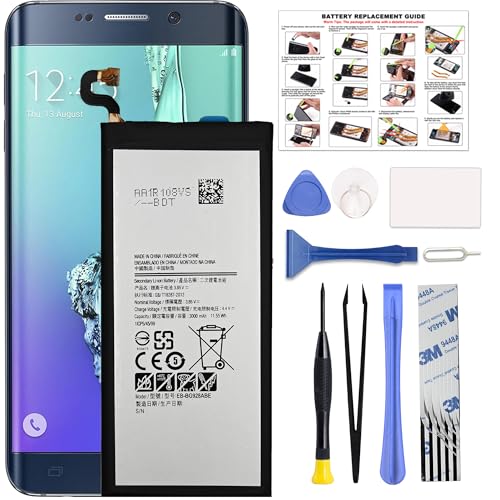
COMPATIBILITY: This battery only fits for Samsung Galaxy S6 Edge+ Plus, SM-G928A, SM-G928F, SM-G928A, SM-G928T, G928I, SM-G928G, SM-G928C, SM-G928I, SCV31, SM-G9280, SM-G928L, SM-G928S, SM-G928K, SM-G928W8. Please carefully confirm your phone model before purchase.

Compatibility: This replacement battery is compatible with Galaxy S25, ensuring a precise fit and reliable performance tailored to your device.
Power Off Your Device
- Press and hold the power button.
- Tap “Power off” on the screen.
- Wait until the device shuts down completely.
Remove The Back Cover
- Use a plastic opening tool to gently pry the back cover away from the device.
- Start at a corner and carefully work your way around the edge.
- Ensure the cover pops off without breaking any clips.
Disconnect The Battery
- Locate the battery connector on the motherboard.
- Using a small Phillips screwdriver, unscrew the battery connector’s cover.
- Carefully lift the connector away from the motherboard by using tweezers.
Remove The Battery
- Use a suction cup to create a pull point on the battery.
- Gently pull the battery upward to ease it out of the slot.
- If the battery feels stuck, softly wiggle it to detach it completely.
By following these steps, you can efficiently remove the battery from your Samsung Galaxy S6, making room for a new one or addressing any battery-related issues.
Tips For Replacing The Battery
- Check Compatibility: Ensure the replacement battery matches the specifications of the Samsung Galaxy S6. Using the correct model prevents further issues.
- Gather Tools: Keep essential tools handy. A small Phillips screwdriver, a plastic opening tool, and tweezers are crucial for a smooth process.
- Prepare Your Workspace: Find a clean, well-lit area to work. A tidy space reduces the risk of losing screws or damaging parts.
- Power Off the Device: Always power off your Galaxy S6 before starting. Turning off the device prevents accidental shorts during the replacement.
- Stay Organized: Use a magnetic wristband for screws and small components. This keeps everything in place and easily accessible.
- Handle with Care: Be gentle when using the plastic opening tool. Avoid applying excessive force to prevent damaging the phone’s casing.
- Inspect the New Battery: Check the new battery for any signs of damage before installation. A damaged battery can cause safety hazards.
- Reconnect Carefully: When connecting the new battery, ensure the connectors align properly. A misalignment could cause the phone not to charge or power on.
- Seal the Back Cover Securely: After replacing the battery, make sure the back cover seals tightly. This protects the internal components from dust and moisture.
- Test the Device: Power on your Galaxy S6 to check if the new battery works effectively. If it doesn’t, double-check the connections.
By following these tips, you can replace the battery safely and efficiently, ensuring your Galaxy S6 functions optimally.
Recommended Products

【COMPATIBLE MODELS】Compatible with Samsung Galaxy S6. Battery Model: EB-BG920ABE. Fits for SM-G920, G920F, G920A, G920P series. NOT compatible with Galaxy S6 Enge,Galaxy S6 Enge+ or other Galaxy models. Please double check your phone model before purchasing the battery.

【Compatible Model】:S6 Replacement Battery compatible with models :for Samsung Galaxy S6 SM-G920 G920V G920T G920A G920P G920I G920F S906L.

【Precise Compatibility, Perfect Fit】This battery is compatible with Samsung Galaxy S6 SM-G920 G920V G920T G920A G920P, to ensure that the battery you purchase is a perfect match for your device, be sure to check the model number of your device before ordering (you can check the model number of your device in the ‘Settings’ of your device).
Conclusion
Taking care of your Samsung Galaxy S6 battery doesn’t have to be a hassle. With the right tools and a bit of patience you can tackle battery removal and replacement like a pro. Remember to keep an eye on your device’s performance and be proactive about maintenance to extend its lifespan.
When it’s time for a battery change just follow the steps outlined and you’ll be back to enjoying your device in no time. Whether it’s addressing battery drain or simply refreshing your phone’s performance staying informed makes all the difference. Happy fixing and enjoy your Galaxy S6!
Frequently Asked Questions
What are common battery issues with the Samsung Galaxy S6?
Many Galaxy S6 users experience problems like rapid battery drain, sluggish performance, and charging difficulties. These issues are often related to the phone’s non-removable 2550 mAh lithium-ion battery, which may degrade over time.
How can I improve my Galaxy S6’s battery life?
To enhance battery life, close unused apps, adjust settings such as screen brightness, and keep your software updated. These steps can help reduce battery drain and optimize performance.
When should I replace my Galaxy S6 battery?
Signs that indicate a battery replacement may be necessary include swelling, frequent shutdowns, and long charging times. If you notice these symptoms, it’s time to consider a new battery.
What tools do I need to remove the Galaxy S6 battery?
Essential tools include a small Phillips screwdriver, plastic opening tool, tweezers, and a suction cup. Optional tools like a heat gun can help make the process easier.
How do I safely remove the battery from my Galaxy S6?
Start by powering off the device, removing the back cover, disconnecting the battery, and then removing the battery itself. Follow each step carefully to ensure a safe removal.
What should I check when replacing the Galaxy S6 battery?
Before replacing the battery, ensure it’s compatible with Galaxy S6 specifications. Inspect the new battery for damage, handle components carefully, and confirm a solid reconnection before sealing the back cover.
