

Key Takeaways
- Understanding Battery Health: Recognizing key indicators like charge cycles, battery capacity, and temperature is essential for monitoring the performance of your Samsung phone.
- Tools for Assessment: Utilize the Samsung Members app, Device Care feature, or third-party apps like AccuBattery to assess and track your battery health effectively.
- Importance of Regular Testing: Regularly testing your battery health can enhance performance, prolong battery lifespan, save costs on replacements, and help make informed decisions about device upgrades.
- Signs of Poor Battery Health: Be alert for symptoms such as rapid discharge, unexpected shutdowns, overheating, and limited charging capacity, which indicate declining battery performance.
- Maintenance Tips: Implement practices like charging frequently, avoiding extreme temperatures, using official chargers, enabling battery saver mode, and managing app usage to maintain optimal battery health.
- When to Replace Your Battery: Consider battery replacement if you experience noticeable decreases in battery life, frequent overheating, unexpected shutdowns, or if you detect physical damage like bulging.
Is your Samsung phone not holding a charge like it used to? You’re not alone. Many people face battery issues as their devices age, leading to frustration when you need your phone most.
Overview of Samsung Battery Health
Samsung battery health refers to the overall condition and performance capability of your device’s battery. Understanding battery health is crucial, especially as phones age. Most users notice a decrease in battery life or even unexpected shutdowns. Monitoring this health empowers you to take proactive measures for better performance.
Key Indicators of Battery Health
- Charge Cycles: Charge cycles denote the number of times a battery undergoes a full discharge and charge. A higher number indicates more wear.
- Battery Capacity: This shows the current maximum charge your battery can hold compared to its original capacity. A significant decrease signals deterioration.
- Battery Temperature: Extreme temperatures can affect battery life. Ideally, you want your phone to operate between 32°F and 95°F (0°C and 35°C).
Tools for Assessing Battery Health
- Samsung Members App: This app offers a built-in diagnostic tool. You can check your battery status and receive maintenance tips.
- Device Care: Access this feature in the settings menu. Here, you can view your battery usage and performance metrics.
- Third-party Apps: Applications like AccuBattery or GSam Battery Monitor provide detailed insights into your battery’s health and usage patterns.
Practical Steps to Monitor Battery Health
- Check Through Settings: Go to Settings > Battery and device care > Battery. You’ll find insights on usage and optimization recommendations.
- Use Diagnostic Tools: Open the Samsung Members app and navigate to Diagnostics. Here, you can analyze battery performance quickly.
- Observe Usage Patterns: Take note of which apps deplete your battery fastest. Adjust or limit usage to prolong battery lifespan.
By monitoring these aspects, you can better manage your Samsung device’s battery health and improve its longevity.
Importance of Testing Battery Health
Regularly testing battery health plays a crucial role in maintaining your Samsung device’s overall performance. Understanding battery health helps you troubleshoot issues, improve longevity, and enhance user experience.
Benefits of Regular Testing
- Enhanced Performance: Regular testing identifies if your battery is functioning optimally, allowing you to take action if performance declines.
- Prolonged Lifespan: Monitoring battery health can lead to actions that extend its life, such as avoiding extreme temperatures and reducing heavy app usage.
- Cost Savings: Detecting battery issues early can save money on replacements or repairs by prompting you to make necessary adjustments before serious problems arise.
- Informed Decisions: Knowing battery capacity and performance helps you understand when it’s time to replace your device or upgrade your battery.
Signs of Poor Battery Health
- Rapid Discharge: If your phone drains its battery quickly even after a full charge, it indicates potential damage.
- Unexpected Shutdowns: Sudden shutdowns can signal that your battery may no longer hold a charge effectively.
- Overheating: Excessive heat during charging or usage often signifies a failing battery.
- Limited Charging Capacity: If your battery can’t reach its original capacity, it’s a sign of decreased health.
Recognizing these signs allows you to address issues proactively and keep your Samsung device running smoothly.
Methods to Test Samsung Battery Health
Testing the health of your Samsung battery ensures optimal performance and longevity. Here are effective methods to do just that.
Recommended Products
![SAMSUNG Galaxy Ring, AI Smart Ring, Size First w/Sizing Kit, No App Subscription, Fitness Monitor, Sleep Tracker, Up to 7-Day Battery, Size 9, Titanium Silver [US Version, 1Yr Manufacturer Warranty]](https://m.media-amazon.com/images/I/41ILlTxUYDL._SL500_.jpg)
SIZE BEFORE YOU BUY: Galaxy Ring sizes differ from standard ring sizes; Purchase the Samsung Galaxy Ring Sizing Kit on Amazon first, and receive a credit towards your future Samsung Galaxy Ring purchase (terms and conditions apply)
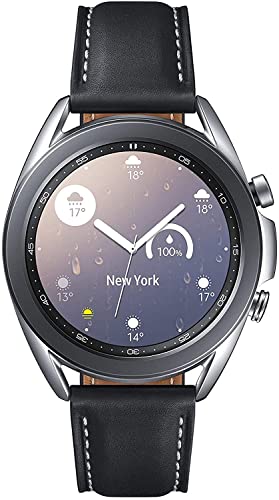
STYLE YOU CAN COUNT ON: Galaxy Watch3 combines style—two sizes, two finishes, three colors and, 50,000 plus¹ watch faces-with military-grade durability² and water resistance³.

☎️【Convenient Call & Message Assistant】The smart watches support calls and messages. Connecting to the phone via Bluetooth,when you are not convenient to use your phone (while running, driving, swimming...), you can make/answer calls and view SMS and APP messages (Text, Facebook, Instagram, Twitter, Wechat...) on the smartwatches to avoid missing important calls and messages.
Using Samsung Members App
- Open the Samsung Members app on your device.
- Tap on the “Get Help” option.
- Select “Battery” from the list of diagnostics.
- Follow the prompts to check battery health. The app provides insights on battery status, charge cycles, and capacity.
Using Built-In Diagnostic Tools
- Go to the “Settings” menu on your Samsung device.
- Select “Device care.”
- Tap on “Battery” and then “Battery usage.”
- Review the information for details on usage patterns and identify apps that drain battery life.
Third-Party Apps for Battery Testing
- Download apps like AccuBattery or GSam Battery Monitor from the Google Play Store.
- Open the app and follow the setup instructions.
- Review the metrics, including battery health, capacity, and charge cycles.
- Use this data to make informed decisions about your battery upkeep.
These methods offer clear insights into your Samsung battery health. Regularly checking can help you maintain efficiency and prolong your device’s lifespan.
Interpreting Battery Health Results
Interpreting battery health results helps you understand your device’s performance and guides you in making informed decisions regarding its usage and care.
Recommended Products


The battery is manufactured and tested under strict quality control standards before sent out

READ/WRITE SPEEDS UP TO 5,000/4,200 MB/s: Load games and save files in a flash. Bring power to your productivity with read and write speeds of up to 5,000/4,200 MB/s.* The 990 EVO provides continuous speed to keep you going.
Understanding Battery Usage Statistics
Usage statistics provide essential insights into how your battery performs over time. Key metrics include:
- Charge Cycles: This number reflects how often the battery has gone through complete discharge and recharge cycles. A battery typically lasts for about 300 to 500 charge cycles, after which performance declines.
- Battery Capacity: Check the percentage of available capacity compared to the original capacity. For example, if your Samsung phone’s battery capacity is at 85%, it holds 85% of its original charge, which can indicate reduced performance.
- App Usage: Look for data on app usage. Apps like social media or games often consume more power. If an app significantly drains your battery, consider limiting its use or exploring alternatives.
Recognizing Warning Signs
Being aware of warning signs helps you catch potential issues early. Watch out for these indicators:
- Rapid Discharge: If your battery drains unusually fast—say, more than 10% in an hour—this may signal a health problem.
- Unexpected Shutdowns: Frequent shutdowns, especially when the battery percentage appears adequate, suggest deeper issues.
- Overheating: If your device becomes excessively hot during charging, it could indicate battery stress or malfunction.
- Limited Charging Capacity: If your battery charges slowly or doesn’t reach full capacity, this might point toward its degradation.
Monitoring these statistics and recognizing these signs enable you to maintain optimal battery health. Addressing issues early can prolong your Samsung device’s lifespan significantly.
Tips for Maintaining Battery Health
Maintaining battery health enhances your Samsung phone’s performance and lifespan. Follow these tips to keep your battery in optimal condition.
Recommended Products

✾Compatible Models: This Battery Suitable for all Galaxy S5 variants.Compatible with SM-G900 Series, SM-G900A, SM-G900P, SM-G900V, SM-G900T, SM-G900F, SM-G900H, SM-G900R4, SM-G900TR, SM-G900W8, SM-G900BVB, i9600, EB-BG900BBC EB-BG900BBU EB-BG900BBE/ for Samsung Galaxy S5 Active SM-G870.

【HIGH QUALITY GRADE A PREMIUM BATTERY】:This Upgraded Galaxy S3 battery uses Grade A+ rated battery cells with CE and ROHS certification,ensure last over 1200 charge cycles. Multiple-protection for safer operation for both user and devices,build-in microchip to prevent over-charging,over-discharging and over-heating.

❁Compatible Models: This Battery Suitable for all Galaxy J7 Prime variants.Compatible with Samsung Galaxy J7 Prime (2017 Ver) J727 J7 Perx J7 Sky Pro J727P J727A J727V J727T J727R J727U J7 2016 J710 J710F J710T J710P EB-BJ710CBC EB-BJ710CBE EB-BJ710CBU EB-BJ710CBZ EB-BJ710CBK. ★NOT FOR Galaxy J7 (2015/2018 Ver).
General Battery Care Practices
- Charge Regularly: Charge your device when the battery level drops below 20%. Avoid letting it drain completely; this can damage the battery long-term.
- Limit High Temperatures: Keep your phone out of direct sunlight and hot environments. High temperatures can lead to faster battery depletion and potential damage.
- Use Official Chargers: Opt for Samsung-approved chargers and cables. Non-compatible accessories may charge your phone inefficiently and harm the battery.
- Enable Battery Saver Mode: Turn on battery saver mode when you need to conserve power. This feature limits background processes and adjusts settings to extend battery life.
- Manage App Usage: Review your app usage regularly. Uninstall or limit background activity for apps that excessively drain your battery.
When to Replace Your Battery
- Noticeable Decrease in Battery Life: If your battery lasts significantly less than when you first got your device, it may be time to consider a replacement.
- Frequent Overheating: If your phone consistently overheats during regular use or charging, this often signals battery issues.
- Unexpected Shutdowns: If your phone shuts down unexpectedly even with a sufficient charge, these could indicate a failing battery.
- Physical Bulging: Inspect your device for physical signs of a swollen battery. If you notice any, replace it immediately to avoid damage to your device.
- Limited Charging Capacity: If your battery won’t charge above a certain percentage, it’s a clear indication that the battery’s health is declining.
By adopting these practices and recognizing when to replace your battery, you can ensure your Samsung device performs at its best.
Conclusion
Taking the time to test your Samsung battery health can make a big difference in your device’s performance. By keeping an eye on charge cycles capacity and temperature you can catch potential issues before they become major problems.
Utilizing tools like the Samsung Members app or third-party options can provide valuable insights into how your battery’s doing. Plus with a few simple maintenance tips you can extend your battery’s lifespan and enjoy a smoother experience with your device.
Stay proactive and attentive to your battery health and you’ll keep your Samsung running strong for years to come.
Frequently Asked Questions
What causes battery performance issues in aging Samsung phones?
As Samsung phones age, battery capacity diminishes due to factors like charge cycles, extreme temperatures, and overall wear. Users commonly experience reduced battery life, quicker discharge, or unexpected shutdowns as a result.
How can I check my Samsung phone’s battery health?
You can check your battery health using the Samsung Members app, built-in diagnostic tools in the settings menu, or third-party apps like AccuBattery and GSam Battery Monitor, which provide detailed insights into charge cycles and capacity.
What are the key indicators of battery health?
Key indicators of battery health include charge cycles (how many times the battery has been fully discharged and charged), battery capacity (current maximum charge vs. original), and battery temperature (extreme conditions can harm performance).
How often should I monitor my battery health?
It’s recommended to monitor your battery health regularly, especially if you notice performance issues like rapid discharge or unexpected shutdowns. Regular checks can help prolong battery lifespan and ensure optimal device performance.
What are the signs of poor battery health?
Signs of poor battery health include rapid discharge, unexpected shutdowns, overheating, limited charging capacity, and physical bulging. Recognizing these signs early allows you to address issues proactively and maintain device performance.
When should I consider replacing my Samsung phone’s battery?
Consider replacing your battery if you notice a significant decrease in battery life, frequent overheating, unexpected shutdowns, physical bulging, or if the battery fails to charge adequately. Seeking professional assessment can help determine the right time for replacement.
What tips can help maintain Samsung battery health?
To maintain your Samsung battery health, charge regularly, avoid high temperatures, use official chargers, enable battery saver mode, and manage app usage. These practices can enhance performance and prolong battery lifespan effectively.
