

Key Takeaways
- Battery Specifications: The Samsung Galaxy S8 features a 3,000 mAh battery, typically offering around 14-15 hours of talk time and 12 hours of internet usage under normal conditions.
- Usage Impact: Battery life can significantly decrease with high screen brightness, background apps, and constant network searching in low-signal areas, making it crucial to manage these factors.
- Optimization Tips: Users can enhance battery longevity by reducing screen brightness, closing background apps, disabling location services, and toggling off network connections when not in use.
- Battery Saver Mode: Enabling Battery Saver Mode can help extend battery life by limiting background processes and minimizing power consumption, especially during critical times.
- Real-World Performance: With effective usage strategies, users can achieve over 24 hours of standby time and maximize the Galaxy S8’s battery without frequent charging.
- Comparison with Competitors: The Galaxy S8 provides solid performance compared to similar smartphones, especially when users implement battery-saving techniques effectively.
Ever found yourself frantically searching for a charger halfway through your day? If you own a Samsung Galaxy S8, you’re not alone. Many users wonder just how long their device’s battery will last under daily use.
In this article, we’ll explore the battery life of the Galaxy S8, breaking down factors that affect its performance. You’ll gain insights on how to maximize your phone’s battery life, ensuring it keeps up with your busy lifestyle. Whether you’re a heavy user or someone who just needs the basics, understanding your phone’s battery can make a big difference.
Overview Of Samsung Galaxy S8 Battery
The Samsung Galaxy S8 features a 3,000 mAh battery, designed to support your daily tasks. Battery life can vary based on usage, settings, and network conditions. On average, users enjoy around 14 to 15 hours of talk time and up to 12 hours of internet use. Streaming video may drain the battery more quickly, lasting approximately 10 hours.
Factors Affecting Battery Life
- Screen Brightness: Higher brightness settings consume more power. Lowering brightness can extend battery life.
- Background Apps: Apps running in the background can drain the battery. Close unused apps to save power.
- Location Services: GPS and location tracking use significant energy. Disable these features when not in use.
- Network Connectivity: Poor signal strength leads to increased power usage. To save battery, switch to airplane mode in low-signal areas.
Tips to Maximize Battery Life
- Reduce Screen Timeout: Set the screen timeout to a shorter duration.
- Use Battery Saver Mode: Enable this feature to limit background processes and extend battery life.
- Disable Unused Features: Turn off Bluetooth, Wi-Fi, and mobile data when not in use.
- Update Software Regularly: Regular updates often include battery optimization improvements.
Real-World Example
A user reports achieving over 24 hours of standby time with moderate use after implementing these tips. After a full charge, they responded to social media notifications, made calls, and streamed music, all while enjoying extended battery performance.
By understanding battery specifications and making small changes to your usage habits, you can significantly enhance the Samsung Galaxy S8’s battery life.
Factors Affecting Battery Life
Battery life on the Samsung Galaxy S8 is influenced by various factors. Understanding these can help you make informed decisions to extend your phone’s performance throughout the day.
Screen Brightness
Screen brightness significantly impacts battery life. High brightness levels drain power quickly. To conserve battery, reduce the brightness level or enable adaptive brightness. Adaptive brightness adjusts automatically based on ambient lighting conditions, optimizing usage without sacrificing visibility.
Background Apps
Background apps consume battery even when you’re not actively using them. Close apps running in the background to conserve power. You can easily check which apps may be draining your battery by navigating to the battery section in Settings. After identifying power-hungry apps, consider uninstalling or limiting their usage to improve battery longevity.
Network Connection
Network connectivity plays a crucial role in battery performance. A weak signal prompts your phone to use more power to maintain the connection. When in low-signal areas, switch to airplane mode. This prevents constant searching for a signal, extending battery life. Additionally, turning off mobile data and Wi-Fi when you don’t need them will enhance power conservation.
Battery Life In Real-World Usage
Understanding how the Samsung Galaxy S8 performs in everyday situations can help you gauge its battery life effectively. Variations occur based on your usage habits and settings.
Recommended Products
![SHENMZ Galaxy S8 Battery, [Upgraded] 6000mAh High Capacity Li-Polymer EB-BG950ABE Replacement Battery for Samsung Galaxy S8 SM-G950 G950V G950A G950T G950P G950R4 with Screwdriver Tool Kit](https://m.media-amazon.com/images/I/41iHvHenpnL._SL500_.jpg)
❤【COMPATIBLE MODELS】:EB-BG950ABE Battery Suitable for all Galaxy S8 Battery variants:SM-G950, G950V (Verizon), G950A (AT&T), G950T (T-Mobile), G950P (Sprint), G950R4 ( US Cellular ),SM-G950F and etc.(Not compatible with Galaxy S8 active).
![SHENMZ Galaxy S8 Active Battery, New Upgraded [5800mAh] Lithium Polymer Battery Replacement Compatible with Samsung Galaxy S8 Active EB-BG892ABE SM-G892U, SM-G892A with Repair Tool Kits](https://m.media-amazon.com/images/I/41gsSgdYFIL._SL500_.jpg)
【Professional Compatibility Models Design】Our Galaxy S8 Active Battery is ONLY compatible with Samsung Galaxy S8 Active EB-BG892ABE EB-BG892ABA SM-G892 SM-G892A SM-G892U SM-G892V SM-G892T SM-G892P. NOT for Galaxy S8 and S8 Plus!!!

COMPATIBILITY: This battery only fits for Samsung Galaxy S8. Please carefully confirm your phone model before purchase.
Average Usage Scenarios
In average daily use, the Galaxy S8 lasts around 12 hours for web browsing and about 10 hours for streaming video. For instance, if you mainly use social media and messaging apps, you might experience a longer duration—up to 15 hours. However, activities like gaming or using GPS can drain the battery more quickly. Users often report around 24 hours of standby time with moderate usage when optimizing settings, like enabling battery saver mode and reducing screen brightness.
Comparison With Other Smartphones
Compared to other smartphones in the same range, the Galaxy S8 performs well. For instance, while the iPhone 8 offers similar web browsing times, many Android competitors, like the Google Pixel 2, exhibit slightly better battery performance, often lasting an additional hour in comparable scenarios. The key differentiators include the device’s power management features and battery capacity, which affect long-term usage efficiency. Overall, the Galaxy S8 stands out, especially when you implement battery-saving strategies effectively.
Battery Management Tips
Optimize your Samsung Galaxy S8’s battery life with simple adjustments. Consider these effective strategies.
Recommended Products

【Latest IC Chip Smart Power Housekeeper 】- Use the latest cost-effective smart IC chip on the market now which same as the original Galaxy S8 battery, combined with the latest science and technology at the same time, so that the battery has an exclusive smart power housekeeper which can intelligently control and distribute the power, maximize power conversion rate. Longer power life without bothering about running out of power and shut down some apps all the time.

✅【Compatible Model】Only Compatible with Samsung Galaxy S8 Plus, Model SM-G955F, SM-G955FD, SM-G955W, SM-G955A, SM-G955P, SM-G955T, SM-G955V, SM-G955R4, SM-G955U, SM-G955S, SM-G955K, SM-G955L, SM-G955, SM-G955U1, SM-G955N, SM-G9550, SC-03J, G955F. Please check carefully your phone model to match before purchasing the battery. [NOTE: You can find your phone model on phone’s back over for reference.]
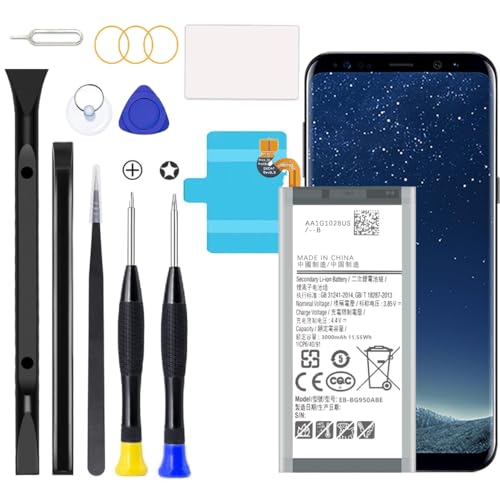
Compatible with all Galaxy S8 Battery variants:SM-G950, G950V (Verizon), G950A (AT&T), G950T (T-Mobile), G950P (Sprint), G950R4 ( US Cellular ),SM-G950F and etc.
Optimizing Settings
- Adjust Screen Brightness: Lower your screen brightness manually. Use adaptive brightness to let your phone adjust automatically based on surroundings.
- Limit Background App Activity: Review apps running in the background. Close unused apps to prevent battery drain. Access this through Settings > Apps.
- Manage Location Services: Turn off GPS and location services when not in use. Set apps to “While Using” instead of “Always” for better control.
- Toggle Network Connections: Disable mobile data and Wi-Fi when not needed. Switch to airplane mode in low-signal areas to save power.
Battery Saver Modes
- Enable Power Saving Mode: Activate power-saving mode in Settings > Device care > Battery. This mode reduces performance and limits background data.
- Use App Power Management: Find this feature in Settings > Device care > Battery > Background usage limits. Restrict apps that misuse battery power.
- Experiment with Medium and Maximum Options: Choose between medium or maximum power savings for different situations. Medium preserves more functionality, while maximum extends battery life significantly.
Implement these tips for better battery life on your Samsung Galaxy S8. Adjusting settings and utilizing battery saver modes ensures your phone keeps up with your busy day.
Conclusion
Your Samsung Galaxy S8 can definitely keep up with your daily activities if you manage its battery wisely. By making simple adjustments like lowering the screen brightness and closing background apps you can stretch that battery life even further.
With the right strategies in place you can enjoy your favorite apps and features without constantly worrying about running out of power. Remember to take advantage of the battery saver mode and stay mindful of your connectivity settings.
With a little effort you can ensure your Galaxy S8 remains reliable throughout your busy day. Happy usage!
Frequently Asked Questions
What is the battery capacity of the Samsung Galaxy S8?
The Samsung Galaxy S8 is equipped with a 3,000 mAh battery. This capacity typically allows for about 14 to 15 hours of talk time and up to 12 hours of internet use.
How does screen brightness affect battery life?
Screen brightness significantly impacts battery life. Higher brightness levels can drain the battery quickly. Reducing brightness or using adaptive brightness can help conserve power.
What apps drain my battery the most?
Background apps can consume a lot of battery. Closing unused apps and identifying power-hungry ones in your settings can help you save energy.
How can I maximize my Galaxy S8 battery life?
To maximize battery life, reduce screen timeout, enable battery saver mode, turn off unused features like Bluetooth and Wi-Fi, and regularly update your software for optimizations.
How long does the Galaxy S8 last for web browsing?
For average daily use, the Galaxy S8 typically lasts around 12 hours when web browsing, depending on how many background apps are running and the brightness settings.
Can using GPS or gaming impact battery life?
Yes, using GPS and playing games can quickly drain the battery. These activities consume more power compared to lighter tasks like messaging or social media.
Does the Galaxy S8 perform well compared to other smartphones?
Overall, the Galaxy S8 performs well regarding battery life, especially when using power-saving strategies. Some competitors, like the Google Pixel 2, may offer slightly better performance.
How can location services affect battery performance?
Location services can drain the battery, especially when searching for signals. Turning them off or adjusting settings can help conserve battery life in low-signal areas.
