

Key Takeaways
- Battery Capacity: The Samsung A20 features a 4,000 mAh battery, typically lasting 12-24 hours based on usage intensity.
- Usage Scenarios: Light tasks can yield up to 24 hours, whereas heavy usage like gaming and streaming can deplete the battery in as little as 5-15 hours.
- Charging Speed: The device supports 15W fast charging, allowing for approximately 50% charge in 30 minutes and a full charge in 90 minutes to 2 hours.
- Maximizing Battery Life: Adjusting screen brightness, limiting background apps, using Battery Saver Mode, and disabling unused features can significantly extend battery duration.
- Real-World Usage Variability: Daily activities such as social media browsing and video streaming greatly impact overall battery life, so monitoring and managing these can lead to better performance.
- Power Saving Mode: Activating Power Saving Mode helps conserve battery by limiting background activity and reducing settings like brightness and animations.
Wondering how long your Samsung A20 battery will last? You’re not alone. Many people rely on their phones throughout the day, and a dying battery can be a real hassle, especially when you need it most.
Imagine you’re out and about, and your phone suddenly drops to 10%. You scramble to find a charger, but it’s too late. Knowing what to expect from your device’s battery life can save you from those stressful moments.
In this article, you’ll discover the average battery life of the Samsung A20 and tips to maximize it. With this knowledge, you can make the most of your phone and stay connected longer.
Overview Of Samsung A20 Battery
The Samsung A20 features a robust 4,000 mAh battery. This capacity typically provides sufficient power for a full day’s usage, depending on your activities. For instance, light users often find that their battery lasts up to 24 hours, while heavy users may experience around 12 to 15 hours before needing a charge.
Daily Usage Scenarios
Understanding how different activities impact battery life is essential. Here are some common scenarios:
- Social Media Browsing: Engaging with apps like Instagram or Facebook may drain around 10-20% of the battery per hour.
- Video Streaming: Streaming video on platforms such as YouTube can consume about 15-25% per hour, varying with video quality.
- Gaming: Playing graphics-intensive games often leads to a substantial battery drop, approximately 20-30% every hour.
Charging Times
Charging your Samsung A20 is straightforward. The phone supports 15W fast charging. This means you can reach about 50% charge in approximately 30 minutes. A full charge typically takes around 90 minutes to 2 hours.
Battery Longevity Tips
Maximize your Samsung A20’s battery life with these tips:
- Adjust Screen Brightness: Set brightness to auto or reduce it manually.
- Limit Background Apps: Close apps running in the background to save power.
- Use Battery Saver Mode: Engage this mode during low battery situations to extend usage time.
- Disable Unused Features: Turn off Bluetooth, GPS, and Wi-Fi when not in use.
By following these guidelines, you can ensure your Samsung A20 battery lasts throughout the day, keeping you connected and stress-free.
Factors Affecting Battery Life
Understanding the factors that influence the battery life of your Samsung A20 helps you manage its performance effectively.
Recommended Products
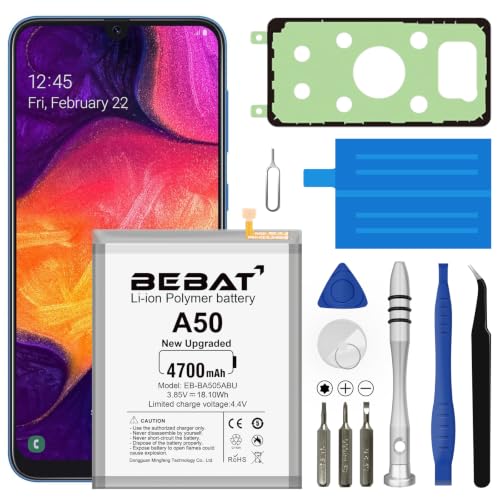
【Compatible Model】:This Battery Model is EB-BA505ABU,Compatible with Samsung Galaxy A505F /A30 SM-A305 /A20 A205FN A202F /A30s SM-A307.Please confirm your phone model and your old battery part number before placing an order.
Made from the high quality tempered-glass for maximum scratch protection and no residue when removed
![[4 Pack] iCsapr Glass Screen Protector Compatible for Samsung Galaxy A20 (Not Fit for Galaxy S20) [9H Hardness]-HD Screen Tempered Glass, Scratch Resistant, Easy Install [Case Friendly][Bubble](https://m.media-amazon.com/images/I/414eg3XDSJL._SL500_.jpg)
【ATTENTION!】 The product only compatible with Samsung Galaxy A20. Please Note: Not for any other models! Watch the installation video before applying the screen protector. The video is in the picture list.
Screen Brightness
Screen brightness significantly impacts battery life. Higher brightness levels consume more power. Keep brightness at a lower level to extend battery duration. Consider using adaptive brightness, which automatically adjusts brightness based on your environment. For instance, reducing screen brightness to 50% can enhance battery life by up to 10%.
Background Apps
Background apps drain the battery even when you’re not using them. Apps running updates, notifications, or location services consume energy. Close unused apps and limit background activity to save power. You can check the battery settings to identify which apps use the most power and manage them accordingly. For example, disabling background data for social media apps may extend battery life by several hours.
Connectivity Options
Connectivity options like Wi-Fi, Bluetooth, and mobile data play a crucial role in battery longevity. Using Wi-Fi consumes less power compared to mobile data. Turn off Wi-Fi and Bluetooth when not needed to minimize battery drain. Additionally, consider enabling Airplane Mode in low-signal areas, as the device uses more power trying to maintain a connection. Reducing connectivity can lead to significant battery savings.
Battery Life in Real-World Usage
The Samsung A20’s battery life can vary based on how you use your phone daily. Understanding real-world scenarios helps set expectations for your device’s performance.
Regular Usage Scenarios
In typical use, you can expect the Samsung A20 to last a full day with moderate tasks. For instance, using it for texting, emailing, browsing social media, and occasional calls can give you around 18 to 24 hours on a single charge. If you limit activities like video streaming or gaming, you can maximize battery life. Actions such as lowering screen brightness and closing unused apps lead to extra hours of use.
Gaming and Multimedia
When it comes to gaming and multimedia, the battery drains faster. Engaging in intense gaming sessions can reduce battery life to about 5 to 8 hours, depending on the game’s demands. Streaming videos typically consumes power significantly as well, lasting around 10 to 12 hours. For better longevity, consider reducing the screen resolution during gaming sessions and closing background applications while streaming. These adjustments help ensure your Samsung A20 has the stamina to keep up with your entertainment needs.
Tips To Extend Samsung A20 Battery Life
Maximizing the battery life of your Samsung A20 enhances daily usage and reduces the need for frequent charging. Here are some practical tips to help you extend your phone’s battery longevity.
Recommended Products

Compatibility: This replacement USB Type-C charging port is intended for Samsung Galaxy A20 Model: SM-A205U SM-A205U1 If you need to check if your phone is compatible, here’s where to look: Settings -> About Phone -> Model name/Model number.

【Compatible Model】This Battery Model is EB-BA505ABU,Compatible with Samsung Galaxy A505F /A30 SM-A305 /A20 A205FN A202F /A30s SM-A307.Please confirm your phone model and your old battery part number before placing an order.

⚡【PORTABLE COMPACT AA EMERGENCY PHONE CHARGER】: Perfect for travelling and working remotely. Its ergonomic design makes it comfortable to hold in hand. Charges tablets, phones, smartwatches, Bluetooth earphones and more. The LED LIGHT gives you that extra safety level. Uniquely and specifically certified compatible with Samsung Galaxy A20!
Power Saving Mode
Activate Power Saving Mode to decrease battery consumption. This feature limits background activity, reduces screen brightness, and turns off animations. You can easily enable this mode by:
- Swiping down from the top of your screen to access Quick Settings.
- Tapping on the battery icon or “Power Saving” option.
- Selecting “Activate.”
You can customize the settings to balance performance and battery life according to your needs. You’ll notice a significant difference in how long your battery lasts during daily use.
App Management
Manage your apps to minimize battery drain. Unused apps often run in the background, consuming power without your knowledge. Here’s how to optimize your app usage:
- Close Background Apps: Access the recent apps menu by tapping the square button, then swipe away apps you’re not using.
- Limit Background Data: Go to Settings, then Apps. Select an app, tap on “Data usage,” and toggle off “Allow background data usage.”
- Uninstall Unneeded Apps: Regularly review your installed applications. If an app isn’t used, uninstall it to prevent any potential drain.
You can also check battery usage statistics in Settings to identify which apps consume the most power. Adjust your usage habits based on that information to help save battery life.
By implementing these tips, you can significantly improve the performance of your Samsung A20’s battery, keeping it going longer throughout your day.
Conclusion
Your Samsung A20’s battery can be a reliable companion throughout your day with the right care. By understanding how different activities affect battery life and taking simple steps to optimize performance, you can avoid those frustrating low-battery moments.
Whether you’re casually browsing or diving into intense gaming sessions, managing your settings and apps will help you get the most out of that 4,000 mAh battery. Remember to utilize features like Power Saving Mode and keep an eye on background activity to ensure your phone stays charged when you need it most. With a little effort, you can keep your A20 running smoothly and enjoy all the features it has to offer without the worry of running out of juice.
Frequently Asked Questions
What is the battery capacity of the Samsung A20?
The Samsung A20 features a robust 4,000 mAh battery, which is designed to provide excellent battery life for various usage scenarios.
How long does the Samsung A20’s battery last?
For light users, the Samsung A20’s battery can last up to 24 hours, while heavy users may experience around 12 to 15 hours of usage on a single charge.
What factors affect the battery life of the Samsung A20?
Battery life can be impacted by activities such as social media browsing, video streaming, and gaming, as these tasks typically consume more power than basic functions like texting and calling.
How can I extend the battery life of my Samsung A20?
To maximize battery longevity, adjust screen brightness, limit background apps, use battery saver mode, and disable unnecessary features when not in use.
What is the charging time for the Samsung A20?
The Samsung A20 supports 15W fast charging, allowing users to charge the battery to about 50% in roughly 30 minutes.
How does Power Saving Mode help?
Activating Power Saving Mode limits background activity, reduces screen brightness, and helps extend battery life, ensuring your Samsung A20 stays powered longer.
What is the impact of screen brightness on battery life?
High screen brightness can significantly drain battery life. Lowering brightness settings or using adaptive brightness can enhance battery duration.
Can the Samsung A20 last a full day with moderate use?
Yes, the Samsung A20 can typically last a full day with moderate tasks like texting, emailing, and browsing social media, providing around 18 to 24 hours of battery life.
