

Key Takeaways
- Battery Replacement Process: Replacing the battery in an LG G6 is straightforward, requiring a few essential tools like a Phillips screwdriver, plastic opening tools, and tweezers for safe handling.
- Preparation is Key: Power down the device, warm the edges with a heat source, and carefully open the back cover to prevent damage to the phone.
- Handling the New Battery: Ensure the new battery is charged and properly connected before reassembling the device. Use gentle pressure to avoid harming sensitive components.
- Common Troubleshooting Steps: If issues arise post-replacement, check the charging cable/port, reconnect the battery, and perform a soft reset as necessary.
- Tips for Success: Organize screws using a magnetic mat, work in a clean area, and handle components with care to facilitate a smooth replacement process.
Is your LG G6 battery draining faster than usual? You’re not alone. Many users face this issue, and it can be frustrating when your phone can’t keep up with your daily demands. Fortunately, replacing the battery is a straightforward process that can breathe new life into your device.
Tools Required for Battery Replacement
Replacing the battery in your LG G6 requires some specific tools. Having the right tools ensures a smoother process and less chance of damaging your phone.
Recommended Products
![Battery for LG G6, Upgraded ZURUN 3700mAh Li-Polymer BL-T32 Battery Replacement for LG G6 H872 H870 H871 VS998 LS993 with Repair Screwdriver Tool Kit [2 Year Warranty]](https://m.media-amazon.com/images/I/51Wq52tCzzL._SL500_.jpg)
This battery Compatible with LG G6 H872 H870 H871 VS998 LS993, Plz Make sure your phone model is LG G6 before purchasing this battery.

Perfect Match: Only fits LG V60 ThinQ 5G. Please check your model carefully.
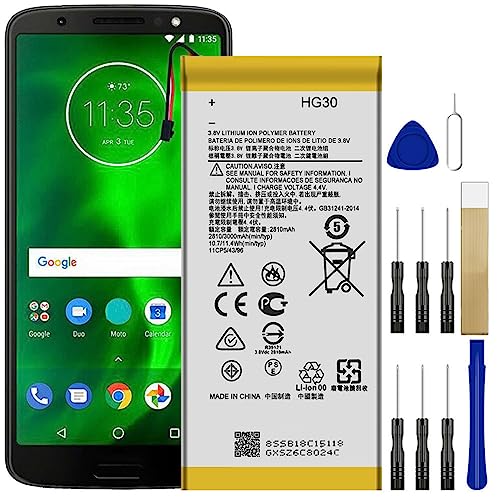
All the batteries have been inspected and tested before shipping out
Essential Tools
- Phillips screwdriver: A small Phillips screwdriver is necessary for removing screws securely attached to the phone case.
- Plastic opening tools: These tools help pry the case open without scratching or damaging the surface.
- Tweezers: Use tweezers for handling small components, especially when removing or replacing the battery.
- Prying tool: A prying tool assists in safely separating the battery from the device without applying excessive force.
Optional Tools
- Suction cup: A suction cup can aid in lifting the screen gently away from the body of the phone.
- Heat gun or hairdryer: Applying a small amount of heat can help soften adhesive, making it easier to remove the battery.
- Anti-static wrist strap: Wearing an anti-static wrist strap can protect your device from static electricity while you work.
- Magnetic mat: Using a magnetic mat keeps screws and small components organized to prevent loss during the process.
Step-by-Step Guide to Replace Battery in LG G6
Follow these steps to successfully replace the battery in your LG G6. This process is straightforward and can significantly enhance your phone’s performance.
Recommended Products

Compatibility: Designed specifically for LG G6 ThinQ. Please confirm your exact model before purchase. Battery model: BL-T32.
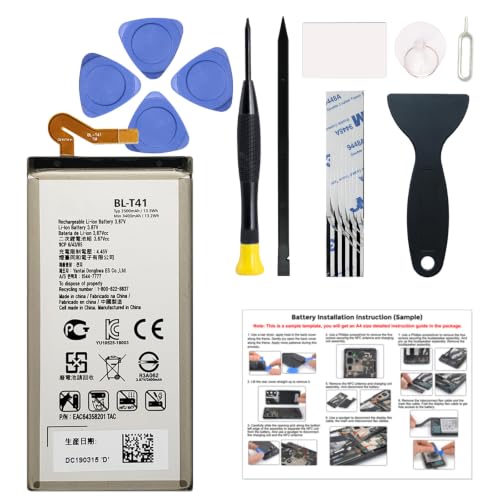
Compatible Phone Model: This battery kit is specifically designed for LG G8 ThinQ(with model LM-G820 series), NOT work for G8X ThinQ, please double confirm your phone model before purchasing

Compatible Phone Model: This battery kit is specifically designed for LG Stylo 6, please double confirm your phone model before purchasing
Powering Down the Device
First, power down your LG G6. Press and hold the power button until the power menu appears. Tap “Power off” to shut down the device completely. This step ensures safety during the replacement process.
Opening the LG G6
Next, gather your tools. Use a heat gun or hairdryer to warm the edges of the phone for about 30 seconds. This softens the adhesive.
Insert a plastic opening tool into the seam between the back cover and the phone. Slide the tool around the edges to release the adhesive. Carefully lift the back cover without applying too much pressure to avoid cracking it.
Removing the Old Battery
After removing the back cover, locate the battery connector. Disconnect it gently with tweezers or your fingers. Unscrew any screws holding the battery in place with a Phillips screwdriver. Lift the old battery out carefully, ensuring not to damage the surrounding components.
Installing the New Battery
Take your new battery and place it into the compartment. Secure it by reconnecting the battery connector. Make sure it clicks into place and sits snugly within the housing.
If applicable, screw the battery back in to prevent movement during use.
Closing the Device
Align the back cover with the phone and press it firmly to ensure a good seal. If the adhesive appears weak, you might use a small amount of double-sided tape to reinforce it. Once attached, power on your LG G6. Confirm that your new battery is functioning correctly and enjoy your renewed device.
Tips for a Successful Replacement
Handle the battery replacement with care, as it involves sensitive components. Follow these tips to ensure a smooth process.
Recommended Products

Compatible With: For LG G6 H871 H872 H873 H870 H870K LS993 VS998 US997 H870DS G6+ Plus etc.

Compatibility :Designed solely for the LG Velvet 5G Aurora Gray. Incompatible with other models. Please confirm your device before proceeding.

Save money by buying new back cover repair parts and doing the repair at home.
Handling Components Carefully
- Use plastic opening tools: These tools prevent scratches and damage to your phone’s surface while lifting the back cover.
- Avoid excessive force: When prying open the device, gentle pressure reduces the risk of cracking the glass.
- Keep screws organized: Use a magnetic mat or small container to keep track of screws. This prevents loss and confusion during reassembly.
- Disconnect components gently: When detaching the battery, carefully pull the connector out rather than pulling on wires, avoiding potential damage.
- Work in a clean area: A clutter-free workspace helps prevent losing small parts and reduces distractions.
Testing the New Battery
- Charge the battery first: Before installing, ensure the new battery has a charge. This confirms it’s in working order.
- Power on the device: After replacing the battery, turn on your LG G6 to check if it powers up correctly.
- Monitor battery performance: Once your device is on, note how quickly it charges and discharges. This evaluation helps confirm the battery operates as expected.
- Check for updates: Ensure your software is up to date, as newer updates can enhance battery performance and compatibility.
- Perform a soft reset: If any issues arise, a quick soft reset may help the new battery settle in and optimize performance.
Common Issues and Troubleshooting
After replacing the battery in your LG G6, you might encounter some common issues. Here are troubleshooting steps for these problems.
Battery Not Charging
If the battery isn’t charging, first check the charging cable and adapter. Ensure they’re functioning properly by testing them with another device. Inspect the charging port for debris or dust. Clean it gently using a soft brush or compressed air. If the port is damaged, consider seeking professional repair.
If the cable and port are fine, the battery might not be seated correctly. Power off the device and remove the battery. Reinsert it carefully, making sure the connectors align snugly. Power on the device to check if charging resumes.
Device Won’t Power On
When your device fails to power on, first ensure the battery has a good charge. Connect it to the charger and wait for at least 15 minutes. If the screen remains blank, perform a soft reset. Press and hold the power button for about 10 seconds to force restart the phone.
If it still doesn’t respond, check the connections inside the device. Turn off the phone, open it, and disconnect the battery. Reconnect it after a minute and try turning it on again.
In case none of these solutions work, consider reaching out to a professional technician. They can diagnose deeper issues or defective components.
Conclusion
Replacing the battery in your LG G6 can breathe new life into your device and help you stay connected without the frustration of constant charging. With the right tools and a bit of patience you can tackle this task with confidence.
Remember to handle each component carefully and keep your workspace organized to make the process smoother. Once you’ve installed the new battery take a moment to check its performance and ensure everything’s working as it should.
If you run into any hiccups don’t hesitate to consult a professional. Enjoy your refreshed phone and the convenience of a reliable battery!
Frequently Asked Questions
What are common symptoms of battery drain in LG G6?
Many LG G6 users experience symptoms like fast battery depletion, unexpected shutdowns, and device overheating. These issues indicate a failing battery that may require replacement to restore normal functionality and performance.
How do I replace the battery in my LG G6?
To replace the battery, power down the device first. Use a heat source to soften the adhesive on the back cover, then carefully pry it open with a plastic tool. Disconnect the old battery, remove screws, and lift it out. Insert the new battery, reconnect it, and secure the back cover.
What tools do I need for battery replacement?
Essential tools for replacing the battery in an LG G6 include a Phillips screwdriver, plastic opening tools, and tweezers. Optional tools like a suction cup, heat gun, and anti-static wrist strap can enhance safety and ease of the process.
How can I ensure a successful battery replacement?
To ensure success, work in a clean area, handle components gently, and organize screws to avoid loss. Use plastic opening tools to prevent scratches and avoid applying excessive force when prying open the device.
What should I do if the new battery isn’t charging?
If the new battery isn’t charging, check the charging cable and port for damage. Ensure the battery is installed correctly and try performing a soft reset on the device. If problems persist, consider consulting a professional technician.
Can software updates improve battery performance?
Yes, software updates can optimize your device’s performance, including battery efficiency. After replacing the battery, check for updates to ensure your LG G6 runs smoothly and take full advantage of the new battery.
What precautions should I take while replacing the battery?
Take precautions like wearing an anti-static wrist strap to prevent static damage. Ensure the phone is powered off and avoid excessive heat exposure. Also, keep screws organized and work slowly to prevent damaging internal components.
What should I do after replacing the battery?
After replacing the battery, charge it fully before use, power on the device to confirm functionality, and monitor battery performance. If any issues arise, perform a soft reset and check for software updates.
